

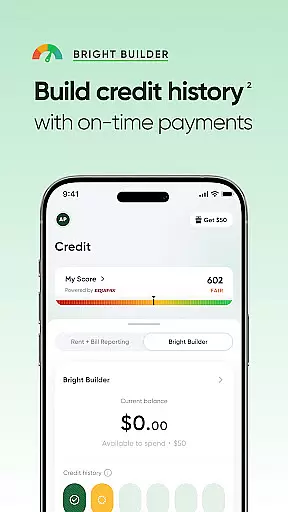
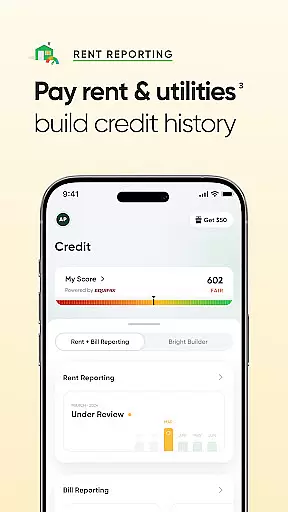
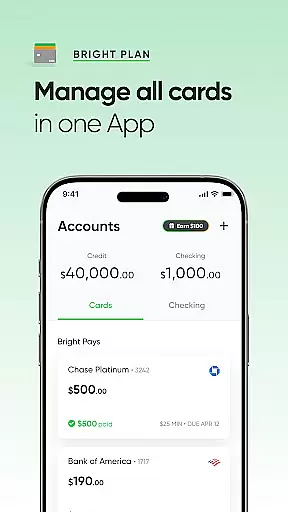
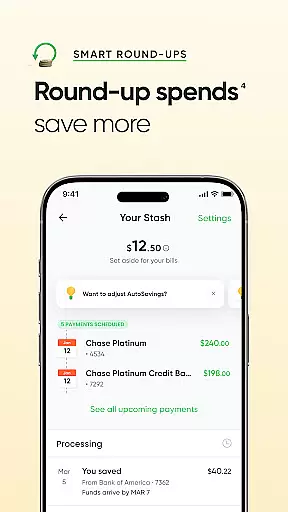

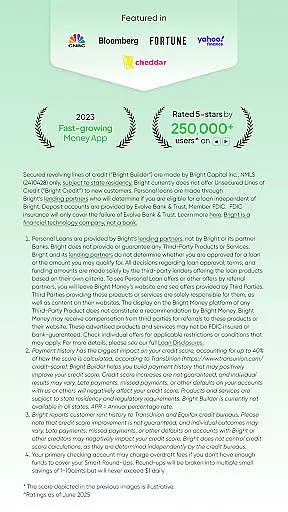

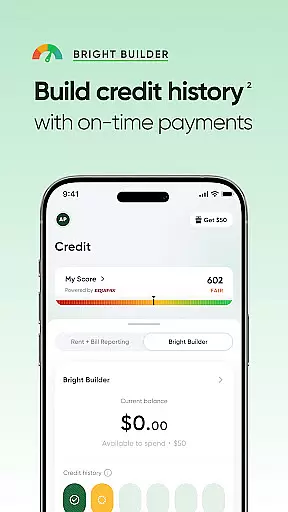
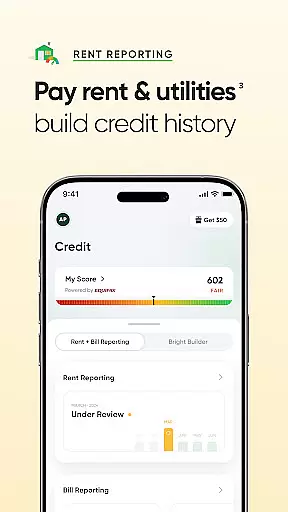
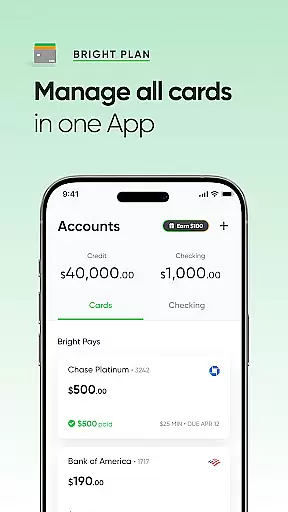


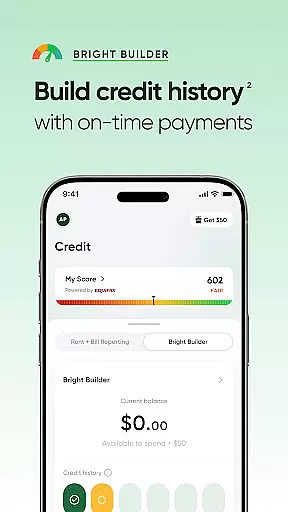
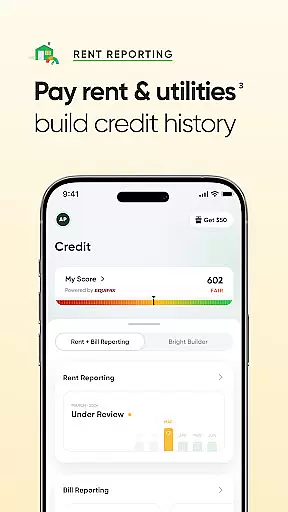
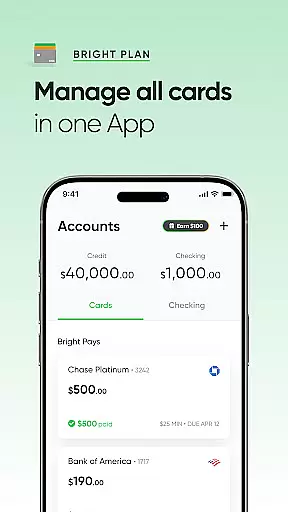
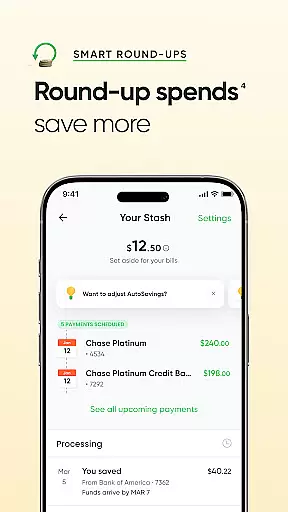

Bright Money is a comprehensive financial management app designed to help users build credit history, manage debt, and access loan offers. The app provides multiple tools for credit improvement, including Bright Builder, which offers a secured line of credit starting at $50, and rent payment reporting that rewards on-time payments. With AI-driven debt pay-off plans through Bright Plan, users can work towards financial goals like trips or retirement while managing their budgets effectively.
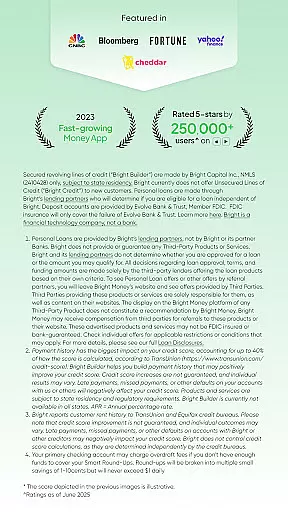
The app also offers loan options up to $8,000 with no impact on credit scores during the application process, making it accessible for all credit types. Additionally, Bright Money provides expert money management tips, articles, and 24/7 live chat support to assist users in navigating their finances. Whether you're looking to improve your credit score, pay off debt, or get personalized financial advice, Bright Money delivers tailored solutions to meet various financial needs.
Bright Money stands out with its diverse set of features aimed at improving users' financial health. One key feature is Bright Builder, which allows users to establish a secured line of credit and build credit history by making timely monthly payments. This function directly reports to major credit bureaus, helping users potentially boost their credit scores over time. Another innovative feature is the ability to report rent payments, giving users credit for past rent payments up to two years, further enhancing their credit profiles.
The app's AI-powered Bright Plan creates customized debt repayment strategies, guiding users toward achieving significant life milestones such as buying a house or planning for retirement. It combines smart budgeting techniques with actionable insights. Additionally, Bright Money offers loan options up to $8,000 without affecting credit scores during the initial inquiry. Users also benefit from educational resources, including articles and practical guides, along with round-the-clock live chat support for any immediate assistance they may need.
Account and fund security is a critical aspect of any financial application, ensuring that users' personal and financial information remains protected. Bright Money employs advanced encryption protocols to safeguard data, providing users with peace of mind when managing their finances. The app's security measures are designed to prevent unauthorized access and protect against potential cyber threats.
Bright Money takes several steps to enhance account security. Users can enable multi-factor authentication, adding an extra layer of protection to their accounts. This feature requires users to verify their identity through multiple methods before accessing their account, significantly reducing the risk of unauthorized access. Additionally, the app monitors account activity for any suspicious behavior, promptly alerting users to potential security breaches.
The benefits of robust account and fund security extend beyond just protecting user data. By fostering a secure environment, Bright Money encourages users to actively engage with their financial management. Knowing that their information is safe, users can confidently utilize the app's features, such as building credit history and accessing loan offers, without concern for their financial safety. This trust is essential for maintaining long-term user engagement and satisfaction.
A seamless transaction experience is vital for any financial app, allowing users to manage their funds efficiently and effectively. Bright Money excels in providing a smooth transaction process, enabling users to make payments, transfer funds, and monitor their financial activities with ease. The app's intuitive interface ensures that even those new to financial management can navigate transactions effortlessly.
Bright Money incorporates real-time notifications into its transaction experience, keeping users informed about their financial activities. Whenever a transaction is made, users receive instant alerts detailing the amount, recipient, and time of the transaction. This transparency not only helps users stay on top of their spending but also allows them to quickly identify and address any discrepancies or unauthorized charges.
Moreover, Bright Money maintains a comprehensive transaction history, empowering users to track their financial journey over time. This feature provides valuable insights into spending patterns and helps users make informed decisions about their financial future. With easy access to detailed transaction records, users can better understand their financial habits and adjust their strategies accordingly, ultimately leading to improved financial health and stability.
User-friendly interface
Comprehensive credit tools
AI-driven financial planning
Accessible loan options
24/7 customer support
Limited to specific states
Credit score impact varies
Third-party loan redirects
APR range is broad
Soft credit pull required

Currency Converter supports all currencies of the world.
 5.00
5.00
Bank better with our new app
3.80
The all-in-one app to save, earn, travel, and put more money in your pocket
4.50
Retirement plan, IRA, retail and HSA customers serviced by Empower.
3.10
Easy budgeting planning on a calendar!
4.80
All expenses at a glance.
4.80
View BSC Transactions for multiple accounts
3.90
Keep track of your subscriptions with no limitations
4.80
Make your paycheck work harder for you with Perpay.
4.10
Check EBT, SNAP, WIC balances, manage food stamps, and save money with benefits
4.80
Wells Fargo Mobile allows you to access your investment and bank accounts.
4.80
Early payday & cash advances with no-fee mobile banking!
4.60
Manage and cancel subscriptions, lower bills, track expenses, create budgets.
4.60
Our Chase Mobile App makes it easy for you to bank on the go 24/7.
4.60
The simplest way to budget, bank, save and invest.
4.50
Make Real Cash by Playing Games! Fetch Playful Rewards, Win & Triumph
4.50
Manage budget, save money, or file tax. Build, track & improve your credit score
4.40
Get, Earn, and Save Money
4.30
BTC, Crypto, Stocks & Options.
4.20


User Reviews