
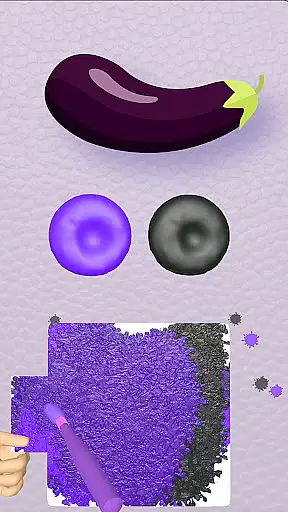
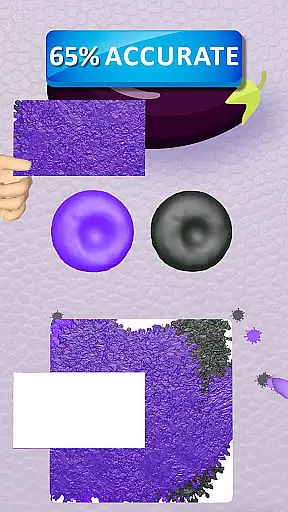
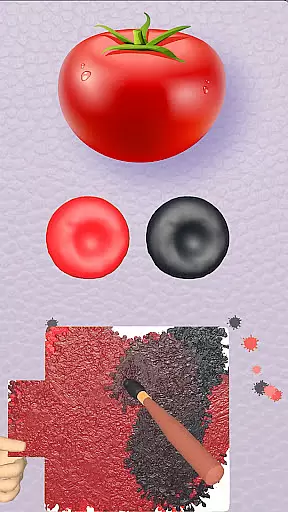
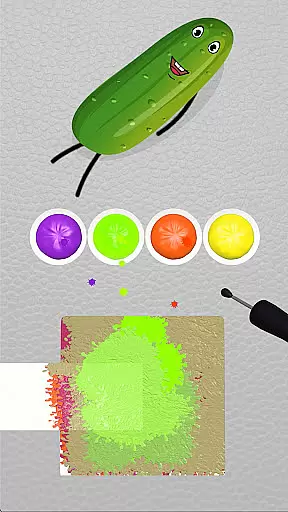
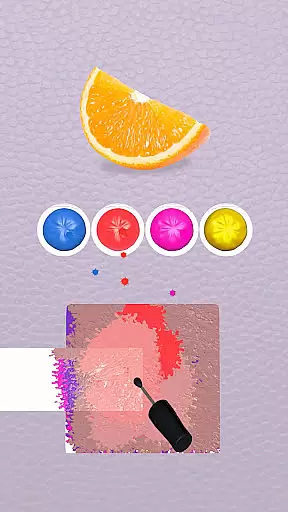
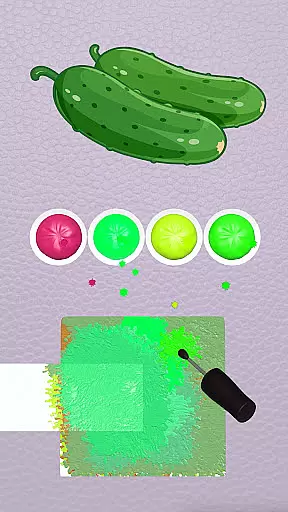
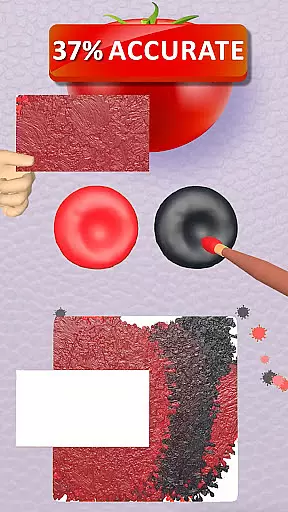
Color Match is an engaging casual game that invites players to explore their artistic side through color-matching challenges. The core function of the app revolves around painting 3D objects by blending colors on a virtual palette, allowing users to transform various items into vibrant works of art. With over 200 objects to paint, ranging from fruits and animals to cars and home appliances, the game offers diverse opportunities for creativity.
The app stands out with its unique combination of entertainment and learning. Players can experiment with color mixing, undo steps, and use hints when needed. Beyond just painting, users can auction their creations or exhibit them in personalized galleries. This feature set not only enhances engagement but also provides a sense of accomplishment as players see their painted objects come to life in themed rooms.
A key scenario where Color Match shines is during leisure time when users want to relax while expressing their creativity. The ability to share finished works on social media platforms adds a social element, making it suitable for those who enjoy both solitary and community-based activities. By offering a wide variety of objects and customization options, the app delivers significant value to users seeking an immersive and rewarding creative experience.
Color Match boasts an impressive array of features designed to enhance user engagement and satisfaction. One standout characteristic is the effortless painting mechanism, which allows players to bring objects to life by matching colors with ease. This intuitive system ensures that even beginners can quickly grasp the fundamentals while still providing depth for more experienced users.
Another notable feature is the color mixing functionality, which encourages experimentation and learning. Users can create new shades by combining different hues, effectively turning the game into an interactive lesson on color theory. The inclusion of undo steps and hints further enriches this experience, ensuring that players never feel stuck or frustrated.
Beyond individual object painting, the app offers additional layers of interaction through auctions and exhibitions. Players can sell their painted items or showcase them in personal galleries, adding a strategic element to the gameplay. Furthermore, the ability to customize themed rooms and share creations on social media platforms like Instagram and Facebook extends the game's reach beyond the app itself. These comprehensive features collectively contribute to a dynamic and fulfilling user experience.
At the heart of Coloring Match lies its core gameplay, which is designed to be both simple and engaging. The game invites players into a vibrant world where they can explore their creativity by painting various 3D objects. This process is not only intuitive but also requires no prior artistic skills, making it accessible to a wide audience.
The beauty of Coloring Match's gameplay is in its effortless painting mechanism. Players can easily bring objects to life by applying colors with a simple touch interface. The game smartly guides users through the process, allowing them to match colors with the original hues of the objects or experiment with new combinations.
This ease of use ensures that players of all ages can dive into the experience without a steep learning curve. The straightforward mechanics are paired with an extensive array of items to paint, keeping the gameplay fresh and entertaining. As users progress, they unlock new objects and themes, continuously expanding the horizon of their creative journey.
By focusing on a user-friendly approach, Coloring Match successfully removes any complexity that might hinder the joy of painting. This dedication to simplicity enhances player engagement, encouraging them to return to the game time and again to express their artistic flair in a relaxed and colorful environment.
Coloring Match understands that in today's fast-paced world, players need the flexibility to enjoy gaming sessions that fit into their busy schedules. The game offers remarkable session length flexibility, allowing users to engage in painting activities for as little or as long as they desire.
Whether you have a few minutes to spare or want to indulge in a lengthy creative spree, Coloring Match accommodates your needs. Each painting task is structured so that it can be completed in short bursts, making it perfect for filling in breaks throughout the day or unwinding during a commute.
Moreover, the game saves progress automatically, enabling players to pause and resume their artistic endeavors at any point without losing momentum. This feature ensures that users can pick up right where they left off, providing a seamless transition between gaming sessions regardless of their duration.
With this adaptable session structure, Coloring Match stands out as an ideal choice for those seeking entertainment that respects their time constraints while offering an expansive and immersive experience when time allows.
Easy-to-use interface
Vibrant 3D graphics
Wide variety of objects
Interactive color mixing
Social sharing capabilities
Limited free content
In-app purchases required
Occasional ads
Steep learning curve
High device requirements

11 classic games featuring Freddi Fish, Pajama Sam, Putt-Putt, and Spy Fox.
 3.80
3.80
Sort 3D items into boxes and clear the board in this fun, relaxing puzzle game!
4.80
Aim and Destroy as many blocks as you can!
4.40
InfinityLabyrinth it is the most valuable game in the universe.
4.1
Talking Tom and pets bring adventure to this fun virtual cat game.
4.30
A Cozy Cooking Game. Mix, Cook, and Discover New Recipes!
3.70
Heads or tails? Coin Flipper in an idle game about flipping coins!
3.60
Miraculous Ladybug is here to dance and play with the talking cat Angela.
4.30
let's travel around the culinary world together!
4.10
More fast-paced, food-making, cooking fun for everyone!
4.90
Search for hidden objects scattered around hand-drawn worlds.
4.70
Funny Italian Brainrot games for antistress. Unwind with Italian Meme games.
4.70
Manage a fish tank of guppies and other aquarium creatures
4.60
Join Tom and friends and care for them. Create fun stories and play mini-games.
4.30
Go exploring with Duggee!
4.20
A cozy idle farming game, watch tiny guys do tasks around the terrace.
4.20
Epic air battles, jet upgrades, and boss fights await.
4.4
Catch a fish.
4.3
1000 Start Ups is a fun endless running game suitable for all ages.
4.2


User Reviews