
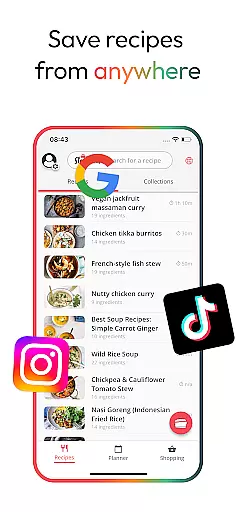
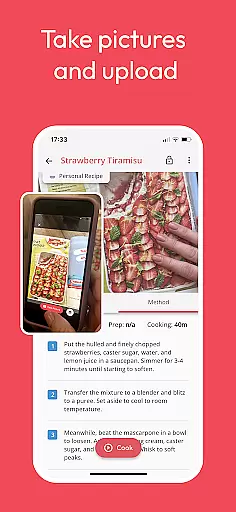
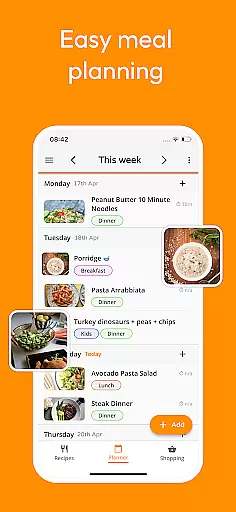
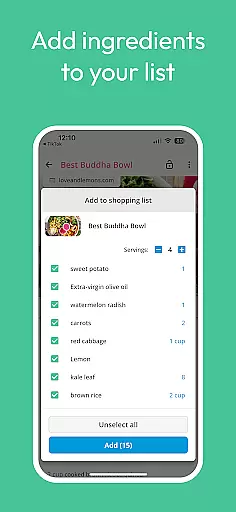
Meal Planner & Recipe Keeper is a comprehensive food and drink application designed to simplify meal planning, recipe organization, and grocery shopping. The app allows users to save recipes from any website, create weekly meal plans, and generate organized shopping lists by supermarket aisle. With its Family Share feature, up to 6 accounts can sync and share meal plans and grocery lists seamlessly.
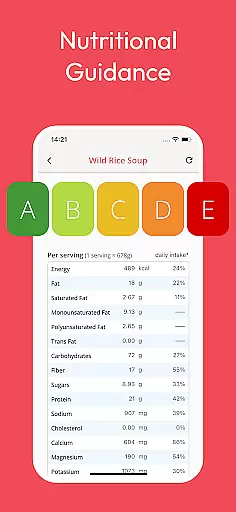
The app also provides nutritional analysis for recipes, helping users manage their dietary goals effectively. Whether you're looking to organize quick dinner options or scale ingredients for cooking, Meal Planner & Recipe Keeper offers practical tools that cater to every home chef's needs. Its clutter-free interface ensures ease of use while following recipes, making meal preparation more efficient and enjoyable.
By combining essential features like recipe saving, meal planning, and nutritional tracking in one platform, this app proves invaluable for anyone aiming to streamline their kitchen routines and reduce food waste. It's particularly beneficial for busy households seeking smarter ways to plan meals and shop collaboratively.
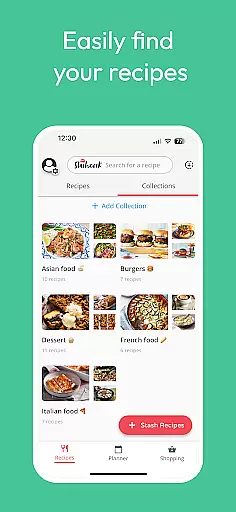
Meal Planner & Recipe Keeper stands out with its robust set of features tailored for home chefs. One key feature is the ability to save recipes from anywhere on the internet, including popular sites like BBC Good Food and Pinterest, ensuring you never lose a great recipe again. This virtual cookbook lets users organize recipes into collections such as '10-minute dinners,' making it easy to find specific types of meals quickly.
The meal planning tool helps users prepare weekly meal plans while offering flexibility to rearrange based on preferences or leftovers. Shopping lists are automatically generated and sorted by supermarket aisle, streamlining grocery trips. Additionally, the app's nutritional analysis provides detailed insights into calorie counts and macronutrients, empowering users to make informed dietary choices.
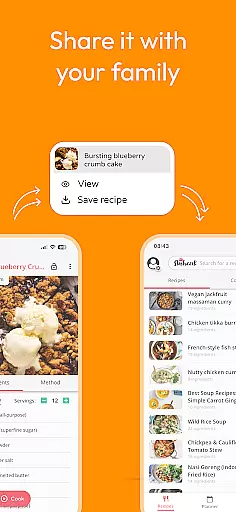
Other notable features include the Family Share option, which allows multiple household members to collaborate on meal planning and grocery shopping. The app's streamlined recipe-following interface removes unnecessary clutter, focusing solely on delivering an optimal cooking experience. These innovative functionalities collectively enhance both efficiency and enjoyment in the kitchen.
Locating the right store for grocery shopping can often be a daunting task. With Meal Planner & Recipe Keeper, users are provided with an intuitive store locator feature that simplifies this process. The app compiles saved recipes and generates a comprehensive shopping list, which is then organized by supermarket aisle, ensuring a seamless shopping experience.
The store locator functionality within the app is designed to save time and reduce stress by helping users find exactly what they need without wandering through the aisles aimlessly. By categorizing items based on where they are located in the store, shoppers can navigate the supermarket more efficiently, picking up all required ingredients in a logical order.
Moreover, the accuracy of the store locator is enhanced by user-generated data, allowing for real-time updates and personalized recommendations. This means that frequent changes in store layouts or product locations can be quickly reflected in the app, providing up-to-date information that enhances the overall user experience.
Ultimately, the store locator feature adds significant value by streamlining the shopping process, enabling users to spend less time in the store and more time enjoying home-cooked meals made from their favorite recipes. This convenience not only improves shopping efficiency but also encourages healthier eating habits by making it easier to prepare planned meals.
In today's fast-paced world, delivery services and pickup options have become essential for busy individuals who still want to enjoy home-cooked meals. Meal Planner & Recipe Keeper addresses this need by integrating features that allow users to plan their meals and share shopping lists with family members or roommates. While the app itself does not directly offer delivery services, its compatibility with various online grocery platforms ensures that users can easily arrange for deliveries or pickups as needed.
The appu2019s Family Share feature plays a crucial role in facilitating these services. By syncing up to six accounts, households can collaborate on meal planning and grocery shopping, ensuring everyone is on the same page. This shared approach not only simplifies logistics but also accommodates different schedules and preferences, making it easier to coordinate deliveries or pickups that suit everyone's timetable.
Furthermore, the ability to organize recipes into collections and generate detailed shopping lists contributes to a smoother delivery or pickup process. Users can categorize their recipes based on dietary needs or preparation time, ensuring that all necessary ingredients are accounted for when placing orders. This level of organization helps prevent missed items and reduces the likelihood of additional trips to the store.
By combining these functionalities, Meal Planner & Recipe Keeper offers a comprehensive solution that supports modern lifestyles. Whether opting for delivery or pickup, users can rely on the app to provide accurate, well-organized information that makes meal preparation more accessible and enjoyable, ultimately promoting better eating habits and family collaboration.
User-friendly interface
Comprehensive recipe management
Effective meal planning tools
Nutritional analysis feature
Family sharing capability
Limited advanced features in free version
Occasional syncing issues reported
No built-in voice assistant
Premium upgrade cost
Ads in free version

Enjoy all your Legendary favorites at Texas Roadhouse!
 4.80
4.80
Restaurant Reservations
4.90
Fresh sandwiches and boxed lunches for delivery or pickup. Plus, track rewards!
4.80
Order Beer, Snacks & More 24/7
4.20
Earn rewards when you order online for delivery or pickup from Sonic Drive-In.
4.60
Find the perfect restaurant for any occasion on OpenTable.
4.60
The ultimate app to save recipes from Instagram, TikTok, Facebook & more.
4.60
Mexican Food Pickup & Delivery
4.70
Food Delivered to your door! Order from 1800+ Grocery & Retail Store Brands.
4.10
Earn rewards, order ahead, and never miss a celebration! At select locations.
4.90
Enjoy Exclusive Deals, Rewards, Gas Benefits, and 24/7 Food Delivery!
4.90
Rescue tasty unsold food from local stores for ½ price or less.
4.90
Easily Order, Earn Crumbs & Unlock Rewards!
4.80
Delivery. Pickup. Rewards.
4.70
Everything you want right here
4.50
Easy and fast ordering, improved customization, and an enhanced guest experience
4.20
Order pizza and earn points
3.90
Check out the most rewarding way to get Whataburger just like you like it!
3.30
KFC-US Mobile App
3.30


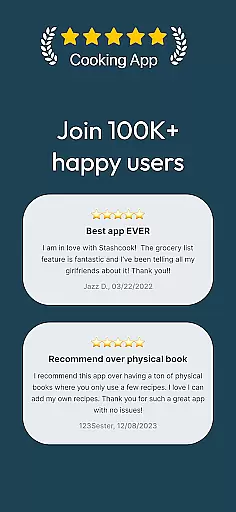
User Reviews