

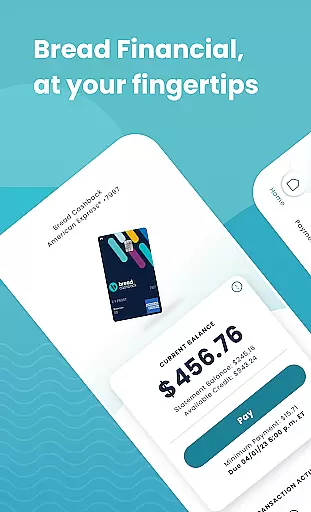
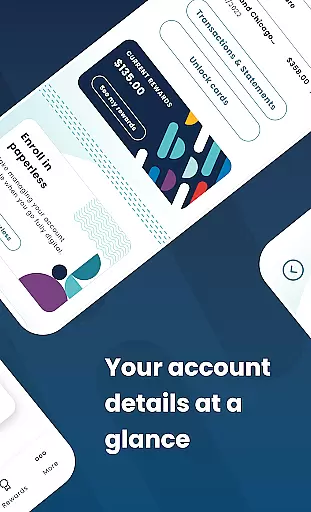
Bread Financial is a comprehensive mobile application designed for managing credit card accounts on the go. The app supports Bread Cashback™ American Express® Credit Card, Bread Rewards™ American Express® Credit Card, and AAA Visa Signature® credit card accounts. Users can access their accounts anytime, anywhere, using the same login credentials as Account Center. With a focus on simplicity and security, the app allows users to perform essential account management tasks effortlessly.
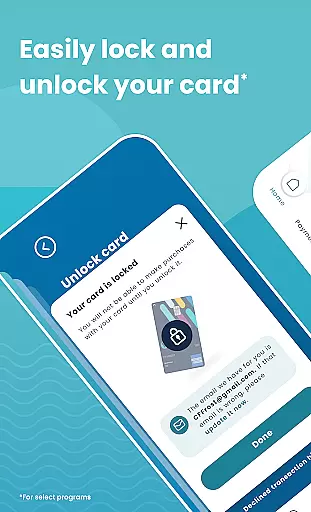
Key features include secure login options with username/password or biometrics, reviewing transactions and statements, searching recent activity, and managing card settings such as activation and locking/unlocking cards. Additionally, users can make payments easily by setting up automatic payments or scheduling one-time payments. For select programs, users can track reward earnings, redeem rewards, and unlock exclusive offers through partner sites linked within the app.
This app is ideal for individuals who want to manage their credit card accounts conveniently from their mobile devices while enjoying robust security measures and easy access to customer support via the Secure Message Center.
Bread Financial offers a range of features that enhance the user experience in managing credit card accounts. One of its standout features is the ability to log in quickly and securely using either a username/password combination or biometric authentication methods like fingerprint or facial recognition. This ensures that only authorized users can access sensitive financial information, providing peace of mind.
The app also provides detailed transaction history and statement reviews, allowing users to keep track of their spending habits and financial health. Users can search recent activities and filter them based on specific criteria, making it easier to find particular transactions. Furthermore, the app enables users to activate their cards, add authorized buyers, and lock or unlock their cards when necessary, adding an extra layer of control over their accounts.
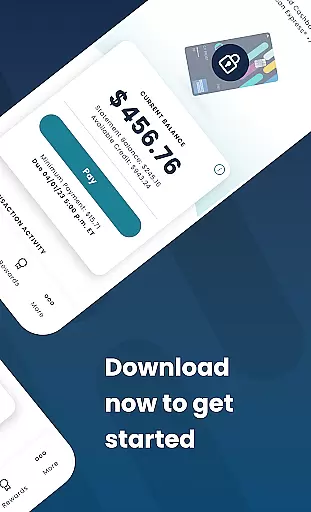
Another significant feature is the ease of making payments directly from the app. Users can set up automatic payments to avoid missing due dates or schedule one-time payments as needed. They can also edit or delete scheduled payments if circumstances change. For those enrolled in reward programs, the app allows tracking of reward earnings and flexible redemption options, enhancing the overall value proposition for users.
Account and fund security is a critical aspect of the Bread Financial app, ensuring that users can manage their credit card accounts with confidence. The app employs advanced encryption protocols to protect sensitive data, safeguarding personal information and transaction details from unauthorized access.
Users can log in quickly and securely using either a username and password or biometric authentication methods such as fingerprint or facial recognition. This dual-layered security approach not only enhances protection but also offers convenience, allowing users to access their accounts effortlessly while maintaining high-security standards.
Beyond login security, the app provides features like the ability to lock and unlock cards for select programs, adding an extra layer of control over account safety. These comprehensive security measures ensure that users' financial information remains protected at all times, fostering trust and peace of mind.
The secure communication channels within the app further reinforce its commitment to security. Users can reach out through the Secure Message Center anytime, knowing their inquiries and transactions are handled safely. This dedication to security empowers users to manage their finances confidently on the go.
The transaction experience in the Bread Financial app is designed to offer users a seamless and efficient way to handle their credit card activities. With intuitive navigation and robust functionality, users can easily review transactions and statements, search recent activity, and apply filters as needed to manage their financial records effectively.
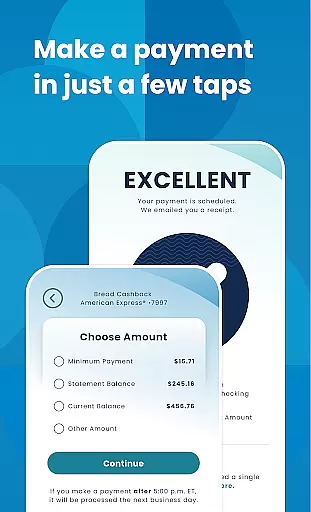
Making payments is simplified with just a few taps. Users have the flexibility to set up automatic payments, schedule one-time payments, or edit and delete scheduled payments according to their preferences. This streamlined process ensures that managing finances is both convenient and time-saving.
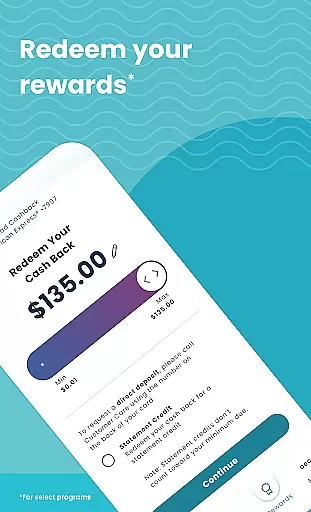
In addition to payment functionalities, the app allows users to track reward earnings and redeem them in any amount they prefer. Exclusive offers available through partner sites linked within the app enhance the overall transaction experience by providing added value and incentives for users.
Overall, the app's focus on delivering a smooth and responsive transaction experience makes it an invaluable tool for users seeking to manage their credit card accounts efficiently while enjoying the benefits of rewards programs and exclusive deals.
User-friendly interface
Secure login options
Comprehensive account management
Easy payment scheduling
Reward tracking and redemption
Limited to specific credit cards
No budgeting tools
Occasional bugs reported
Customer support response time
Requires internet connection

 4.50
4.50
Download the MySynchrony App to manage your accounts securely and conveniently!
4.60
Get a cash advance instantly. File taxes & cover unexpected bills in minutes.
4.60
PayMe helps you claim money from settlements on companies that harmed you.
4.80
Change the way you money with Credit Genie
4.30
Check EBT, SNAP, WIC balances, manage food stamps, and save money with benefits
4.80
SuperQi, Your all-in-one Super App.
1.30
Our Chase Mobile App makes it easy for you to bank on the go 24/7.
4.60
Venmo is the fun and easy way to pay and get paid.
4.10
Early payday cash advance up to $150 a day with a max of $1,000 per pay period
4.70
No credit check, no interest, no worries.
4.70
Money App - Earn Cash back, Fast Cash Advance, Personal Loan Offers, Banking
4.70
Navigate your unique financial path confidently with help from Credit Karma.
4.70
Send money and bitcoin easily. Invest, bank and do more with your money
4.70
Need help before payday? Get cash advances with no interest or credit checks.
4.60
Manage your prepaid cards and add to Google or Samsung Wallet.
4.60
All your crypto & stocks in one secure and trusted app.
4.40
Secure Amex Account Access: View Balance, Make Payments, Redeem Rewards & more
3.60
StockTiles lets you view prices & charts of your favorite stock assets
2.30


User Reviews