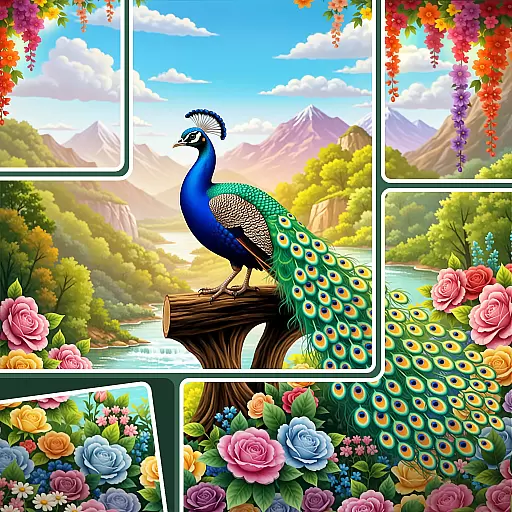

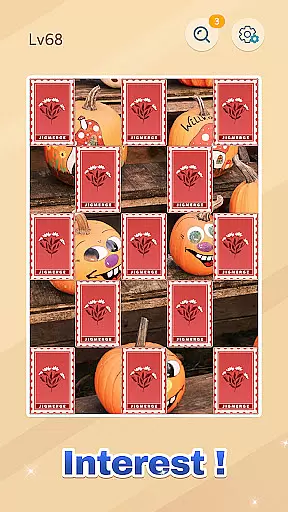
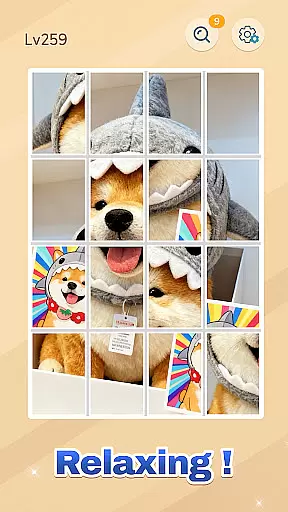


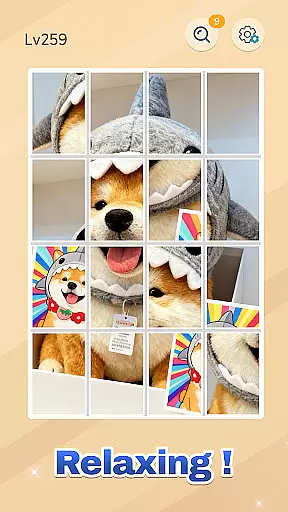


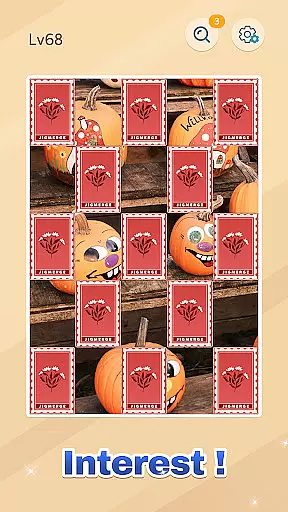
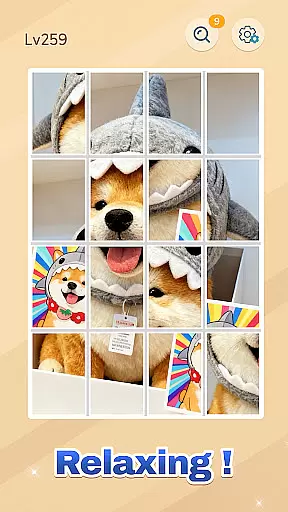

Jigmerge Puzzles is a casual puzzle game that brings photos to life through engaging jigsaw challenges. Players rearrange photo tiles to reconstruct stunning images, offering both relaxation and mental stimulation.
Unlike traditional puzzles, Jigmerge allows multiple creative solutions for each image. With intuitive drag-and-drop mechanics, crisp snapping sounds, and smooth touch controls, the game provides an immersive experience optimized for mobile devices.
Perfect for puzzle enthusiasts of all levels, Jigmerge combines brain-boosting fun with visually appealing themes, making it ideal for short sessions or extended play.
Jigmerge Puzzles stands out with its innovative approach to classic jigsaws. The game divides images into movable tiles that can be freely rearranged, challenging players' logic and creativity.
Key features include satisfying snap moments, chain reactions when connecting multiple tiles, and support for offline play without WiFi. Each puzzle offers various solutions, encouraging exploration and strategic thinking.
With high-quality visuals, automatic progress saving, and new themed packs released monthly, Jigmerge ensures endless entertainment while enhancing focus and visual memory.
At the heart of Jigmerge Puzzles lies an elegantly simple yet deeply engaging core gameplay mechanic. The game invites players to rearrange photo tiles, creating a puzzle-solving experience that is easy to grasp but offers depth as you progress.
The intuitive drag-and-drop functionality allows users to effortlessly move tiles around the screen. This seamless interaction ensures that players of all ages and skill levels can enjoy the satisfaction of snapping pieces together without any steep learning curve.
Despite its straightforward mechanics, each puzzle challenges your logic and creativity. With multiple solutions available for every puzzle, Jigmerge encourages exploration and experimentation, making it more than just a traditional jigsaw game.
This combination of simplicity in control and complexity in solution paths creates an accessible yet mentally stimulating experience, keeping players engaged and entertained over countless sessions.
Jigmerge Puzzles understands that modern gamers have varying schedules and preferences when it comes to gaming sessions. The application offers remarkable flexibility in session length, catering to both quick breaks and extended play periods.
Whether you have five minutes while waiting for your coffee or several hours for a relaxing weekend puzzle marathon, Jigmerge adapts perfectly to your available time. The automatic progress saving feature ensures you never lose your place, regardless of when you need to pause.
This flexibility extends to the complexity of individual puzzles as well. Some challenges can be completed quickly, offering instant gratification, while others require more time investment for those seeking deeper engagement.
The ability to seamlessly transition between short and long play sessions makes Jigmerge Puzzles an ideal companion for today's busy lifestyles, where gaming needs to fit naturally into various daily routines.
Intuitive gameplay
Multiple solutions
Offline support
High-quality visuals
Automatic saving
Limited free content
Ads between levels
Premium pack costs
Repetitive themes
Occasional bugs

Play music with emojis! A colorful and fun piano for all ages.
 4.4
4.4
All-in-one tricky challenges, viral trending mini games. Stay calm & relax.
4.20
Relax and Explore your own fishing travel
4.50
Make funny fake chats & videos with celebs — prank your friends!
4.4
Classic brain train minigames
4.4
Talking Tom and pets bring adventure to this fun virtual cat game.
4.30
Sam is ready to face his fear of the dark!
4.40
Multiplayer Game featuring Daddies protecting Babies from household danger.
2.70
The award winning game where everything burns.
4.70
No internet. Play Fun Mini Puzzles, Color Blocks & Cards, 2 Player, Boys & Girls
4.50
Style your hair with Hair salon, Spa Beauty salon - Make up doll game
4.50
Join Tom and friends and care for them. Create fun stories and play mini-games.
4.30
Go exploring with Duggee!
4.20
Monster Attack! Hide and run cleverly or unleash your inner angry hunter!
4.20
11 classic games featuring Freddi Fish, Pajama Sam, Putt-Putt, and Spy Fox.
3.80
Manage car traffic by building roads and cities in this highway simulator game
3.70
Dodge missiles, collect stars, and test your reflexes in Aero Escape!
3.40
Just shoot and drop blocks.
4.3
A cozy puzzle city builder for creativity on the go
4.4


User Reviews