

Look Up - Pop Up Dictionary Pro is an innovative offline dictionary application designed for book lovers and those who require instant word definitions without relying on internet searches. The app supports seven major languages including English, Italian, Spanish, German, Portuguese, and French, making it a versatile tool for language learners and avid readers.
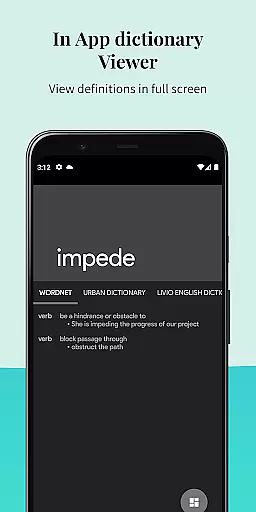
The application stands out with its seamless integration capabilities, working as a dictionary plugin for popular apps like Moon Reader and Anki Flashcards. It also incorporates various knowledge sources such as Urban Dictionary, Google Define, Vocabulary.com, Wikipedia, and Cambridge, providing users with comprehensive word information. With features like predictive searching, offline database access, and voice pronunciation, Look Up ensures a smooth and enriching user experience.
Whether you're reading an eBook or studying a foreign language, Look Up serves as your personal assistant, helping you understand complex words instantly. Its intuitive design and practical functions make it an essential tool for enhancing vocabulary and improving reading efficiency.
Look Up - Pop Up Dictionary Pro offers a rich set of features that cater to both casual readers and serious language learners. One of its key strengths is the offline Wordnet Database containing 0.22 million words and phrases, allowing users to search for definitions without an internet connection. This feature is particularly useful in areas with limited connectivity or for users who prefer to conserve data usage.
The app provides three convenient ways to look up words: by copying text (for Android versions below 9.0), using the lookup button after selecting a word (Android 6.0 and above), or sharing the selected word directly to the Lookup App. These options ensure compatibility across different Android versions and user preferences.
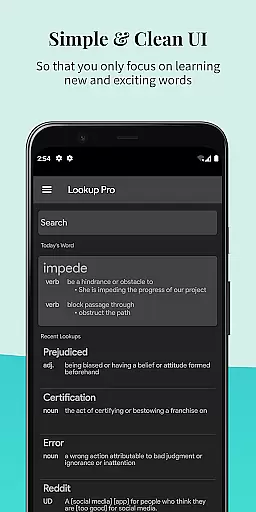
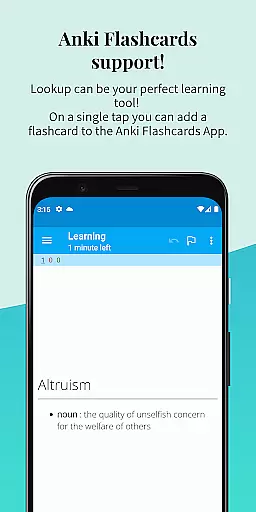
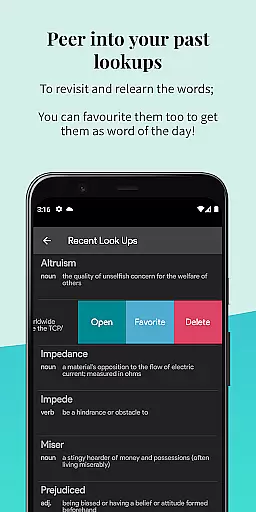
Additional notable features include Anki Flashcard support for vocabulary building, sync functionality with Google Drive (which can be disabled), and the ability to star important words for future reference. Users can also add personalized notes to words, switch to dark mode for comfortable nighttime reading, and enjoy the word of the day feature delivered both in-app and via notifications. The app's material design and clear typography further enhance the overall user experience.
When it comes to digital reading, the size and authenticity of an e-book library are crucial factors for avid readers. Look Up - Pop Up Dictionary Pro offers an extensive offline wordnet database containing 0.22 million words and phrases across seven languages. This vast repository ensures users have access to a comprehensive collection of lexical resources without worrying about internet connectivity.
The dictionary supports not only traditional sources but also integrates with platforms like Urban Dictionary, Vocabulary.com, and Cambridge. These partnerships guarantee that the content is both authoritative and up-to-date. Users can trust the definitions and explanations provided, as they come from verified and credible sources.
What sets Look Up apart is its commitment to copyright compliance. All integrated plugins and databases are used in accordance with legal standards, providing peace of mind to users who value intellectual property rights. The app's dedication to maintaining authentic content means readers can rely on accurate and legally obtained information.
With features like word-of-the-day notifications and the ability to add personal notes to words, Look Up enhances the reading experience while ensuring all content is legitimate and expansive. This makes it an invaluable tool for bibliophiles and language learners alike.
For any reference application, format compatibility plays a vital role in user satisfaction. Look Up - Pop Up Dictionary Pro excels in this area by supporting multiple methods of word lookup across different Android versions. Whether you're using an older device or the latest model, the app provides seamless integration through various selection techniques.
Users can search for words in three distinct ways: by copying a word (for Android versions below 9.0), by pressing the lookup button after selecting a word (for Android 6.0 and above), or by sharing a selected word directly to the Lookup App. This versatility ensures that no matter how you interact with text, Look Up is accessible and convenient.
In addition to diverse search methods, the app also syncs data to Google Drive, allowing for easy backup and retrieval of saved words and notes. While this feature can be disabled, it demonstrates the app's commitment to cross-platform functionality and data portability.
Furthermore, Look Up supports integration with popular reading apps like Moon Reader and Anki Flashcards, enhancing its utility beyond just a dictionary. By combining broad format support with essential reading tools, Look Up delivers a comprehensive solution for anyone seeking efficient and flexible reference capabilities.
Offline functionality
Multi-language support
Seamless app integrations
Voice pronunciation feature
User-friendly interface
Limited to Android
No iOS version
Premium price
Occasional bugs
Heavy on storage

The Original Tropical Freshwater Aquarium Fish And Plant Care Guide
 4.80
4.80
"BIG A, little a. What begins with A?"
4.10
Improve your vocabulary and grammar with the 15 biggest Oxford Dictionaries.
4.30
Bible Spiritual Companion
4.40
Bible Study App with Audio Book, Verse of the Day, and Devotionals.
4.80
The Original & Authentic Crystals, Gemstones, Rocks & Minerals Encyclopedia.
4.60
America's best dictionary and thesaurus - with premium content and no ads
3.40
What’s that bird? Just answer 5 questions, snap a photo, or record its song!
4.90
Daily thoughts, meditations, and prayers for living a sober life in recovery.
4.90
"When tweetle beetles fight, it's called a tweetle beetle battle."
4.90
Bible, Catechism, Study, Saints, Mass Readings, Rosary, Prayer, Bible in a Year
4.80
Plan of Life that Saint Josemaría recommended
4.80
The dynamic dictionary/reference app for piano chords and scales!
4.80
Daily Devotional Widgets & Hourly Verses. Listen to Bible & Watch Holy Stories
4.70
A wonderful reader for good time spend.
4.20
Zerobooks Light Novel Reader by GOLDENAGATO
4.20
Knots 360 Pro ( 3D ) shows you animated 192 knots in 3D perspective
4.10
CleverBook Pro makes the popular guide for the game even better!
4.00
Read Trending Romance Stories
4.00


User Reviews