
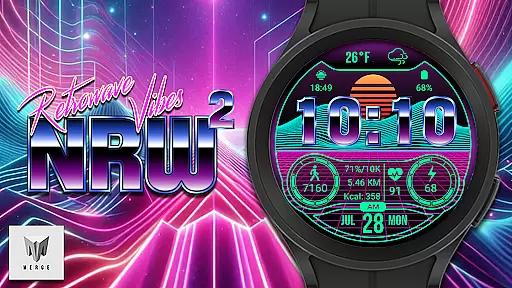
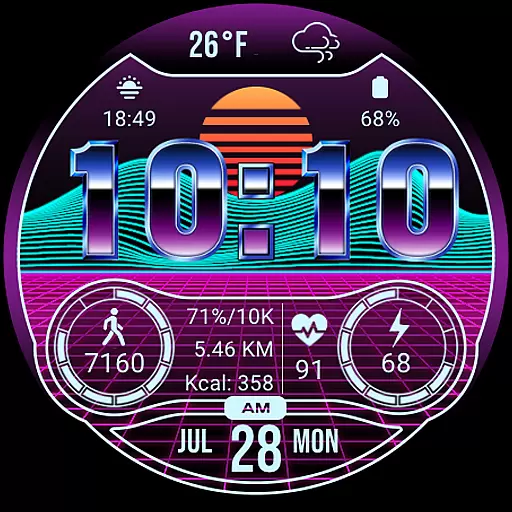
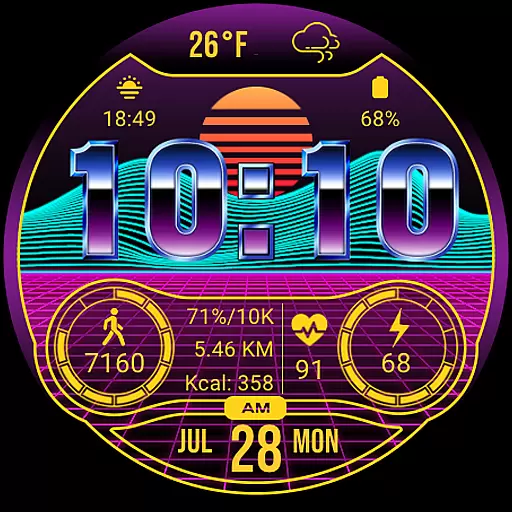
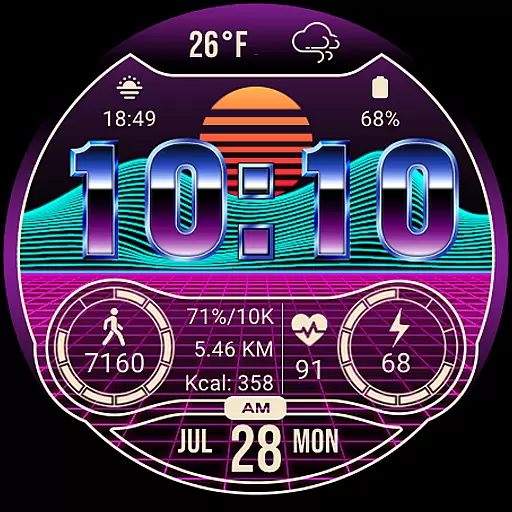
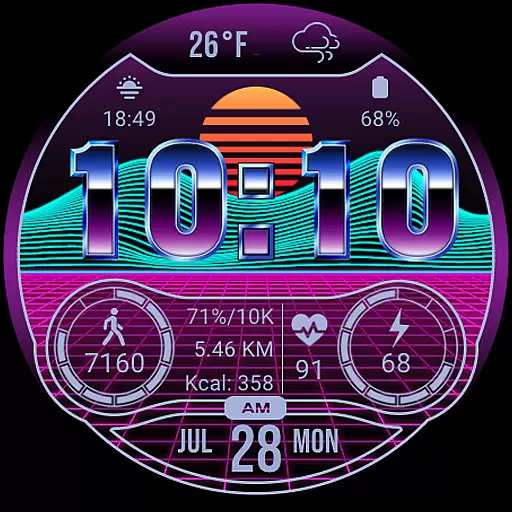
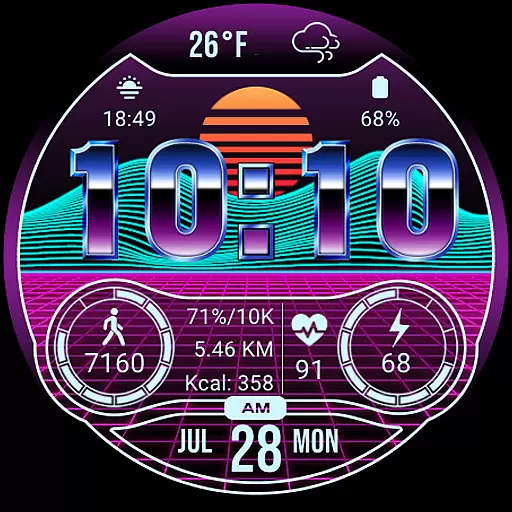
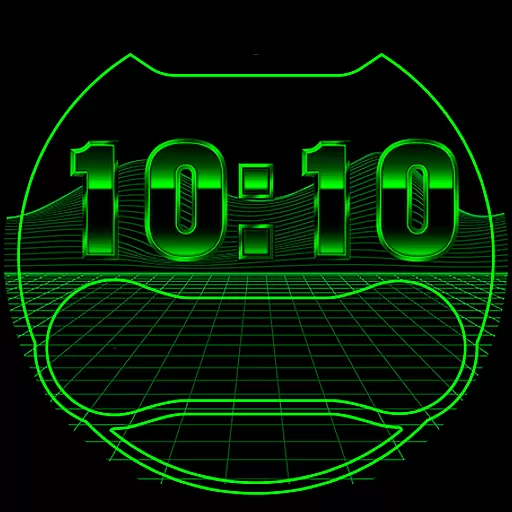
Merge Labs NRW2 is a digital smartwatch face designed for fans of the Retro wave and Synth wave genres. It offers a unique aesthetic that stands out on Wear OS devices, making it an ideal choice for those who appreciate distinctive design combined with functionality. The watch face features a custom-made 'chromed' font by Merge Labs, giving it a sleek and modern look while maintaining its retro vibe.
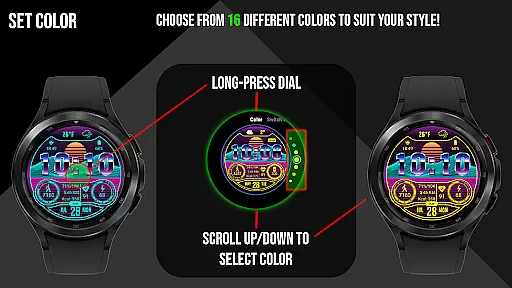
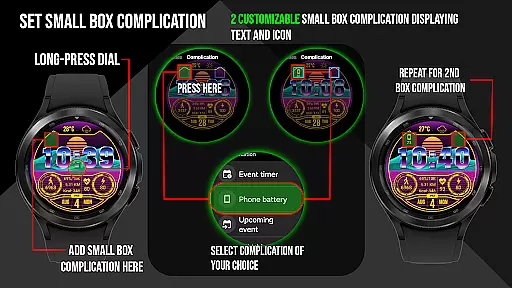
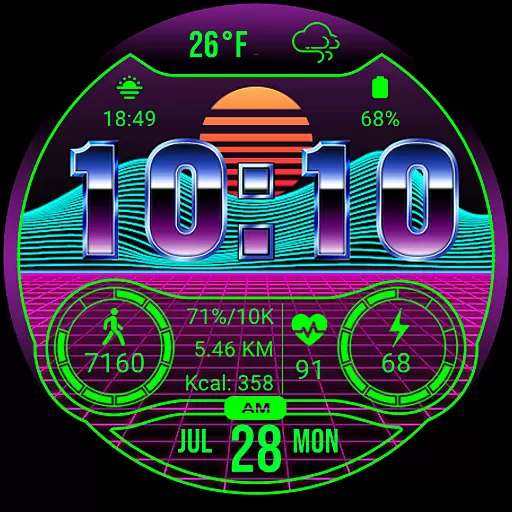
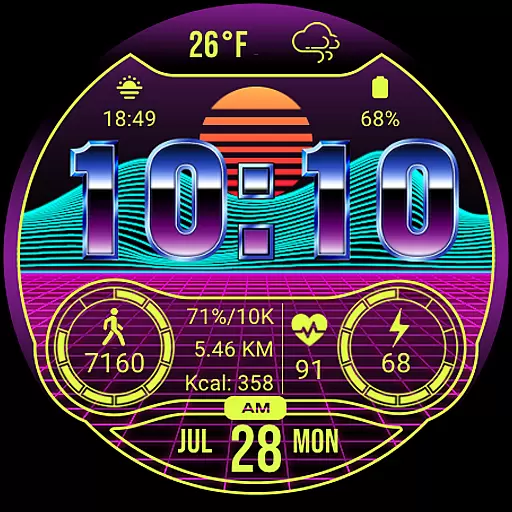
With 17 different color options, users can personalize their watch face to match their style. It includes two small box customizable complications for both text and icons, allowing further personalization. The watch face also displays essential information such as weather, battery level, daily step count, heart rate, and a 12/24-hour clock. These features are not only visually appealing but also practical, providing users with quick access to important data at a glance.
This smartwatch face is perfect for individuals who want to express their personality through their wearable technology while enjoying the convenience of having key information readily available. Whether you're tracking your fitness goals or simply appreciating the retro design, Merge Labs NRW2 enhances your smartwatch experience.
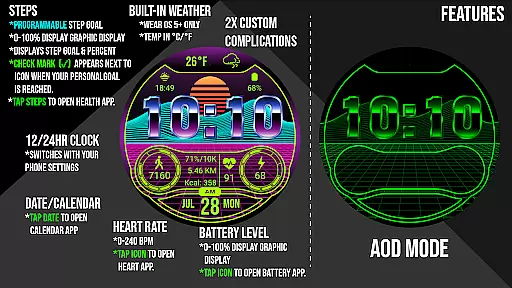
Merge Labs NRW2 boasts a range of features that cater to both aesthetics and functionality. One of its standout features is the custom-made 'chromed' font, which gives the watch face a unique and stylish appearance. Users can tap the weather area to open the Weather App, which also displays sunrise and sunset times. Additionally, the built-in custom weather temperature and icons provide real-time weather updates directly on the watch face.
The watch face offers 17 different color options, allowing users to customize their look. It includes two small box customizable complications for both text and icons, enabling further personalization. The numerical watch battery level is displayed alongside a graphic indicator, showing the battery percentage from 0-100%. Tapping the battery icon opens the watch battery app for more detailed information.
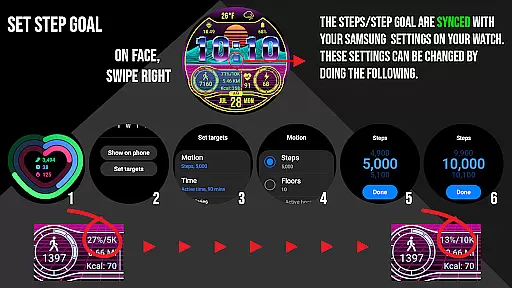
For fitness enthusiasts, the watch face displays a daily step counter with a graphic indicator. The step goal syncs with the user's device through the Samsung Health App or default health app, displaying calories burned and distance traveled in kilometers or miles. A checkmark appears when the step goal is reached. Heart rate (BPM) is also displayed, and tapping the heart rate area launches the default Heart Rate App. The watch face adheres to the device's 12/24-hour clock settings and includes a KM/Miles function that can be set in the 'Customize' Watch Menu.
Merge Labs NRW2 offers a comprehensive lifestyle experience by integrating essential daily features into a retro-themed smartwatch face. The app provides users with a unique blend of style and functionality, catering specifically to fans of the Retro wave and Synth wave aesthetics.
With 17 customizable color options and specialized complications, users can tailor their watch face to match personal preferences while accessing critical information at a glance. The inclusion of weather updates, health metrics, and device battery status ensures that users have all necessary lifestyle data readily available.
The app goes beyond basic timekeeping by incorporating step counters, heart rate monitors, and distance tracking in KM or Miles. These features are seamlessly synced with Samsung Health or default health apps, offering a complete health management solution directly on the wrist.
This extensive feature set demonstrates the app's commitment to covering various aspects of a modern lifestyle, making it more than just a watch face but a versatile lifestyle companion.
The Merge Labs NRW2 establishes content authenticity through its custom-made design elements and verified integrations. The unique 'chromed' font and custom weather icons were specifically created by Merge Labs, ensuring originality and consistent quality throughout the user interface.
All displayed metrics, including heart rate, step count, and weather information, are sourced from reliable system services and official apps. Users can trust the accuracy of these readings as they're directly linked to their device's native health and weather applications.
The app maintains expert credibility by implementing proper synchronization with Samsung Health and other official health platforms. This guarantees that fitness data such as step goals, calories burned, and distance traveled are accurately tracked and updated in real-time.
Furthermore, the presence of official app integration for weather, calendar, and health functions reinforces the application's reliability. Each tap area on the watch face connects to verified system applications, providing users with confidence in both the information displayed and the functionality provided.
Unique Retro Design
Customizable Colors
Comprehensive Health Tracking
Real-Time Weather Updates
User-Friendly Interface
Limited to Wear OS
No Advanced Fitness Metrics
Requires External Apps for Full Functionality
Battery Consumption May Be High
Complication Customization Is Limited

Design and brew great homebrewing beer, mead, cider and wine recipes on the go!
 3.60
3.60
Cute animated Thanksgiving watchface for your WearOS smartwatch
4.5
View over 160,000 line dance stepsheets from the CopperKnob website.
3.30
Spiritus Ghost Box is an Audio and Visual ITC tool for paranormal research.
4.00
Big bold hybrid watch face with 30 colors, 5 fonts & 5 complications.
4.5
Play. Earn. Repeat. Get rewarded for playing mobile games. Welcome to Mobius!
4.80
The Miracle Box includes methods used by Steve Huff of Huff Paranormal.
3.20
Futuristic watchface inspired by Back to the Future: sleek, retro, timeless
4.1
The App can control Roborock vacuum cleaners from anywhere with rich features.
4.60
Colorful minimal digital watch face for Wear OS
4.60
This app is intended to support professional EMDR therapy.
4.50
Mixing Colors for Menswear
4.20
Spirit Communicator is a real paranormal ghost hunting app with many fun modes.
3.90
Your home in your hand
3.80
Unique BIG BOLD TIME with amazing colors and customisations.
3.70
An Eerie Musical Trigger Toy for Spirits to Play with!
3.50
Designed to delight, impress and energize your festive spirit every single day
4.1
A uniquely designed isometric digital watch face made for Wear OS
4.5
Wear your favorite memories, loved ones, pets or travel photos on your watch
4.0


User Reviews