
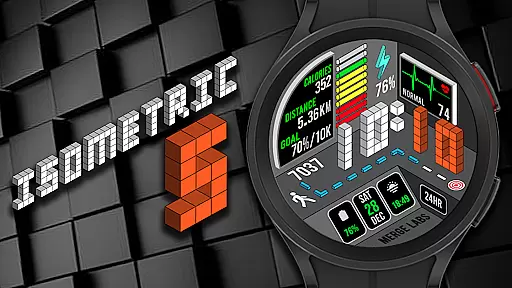
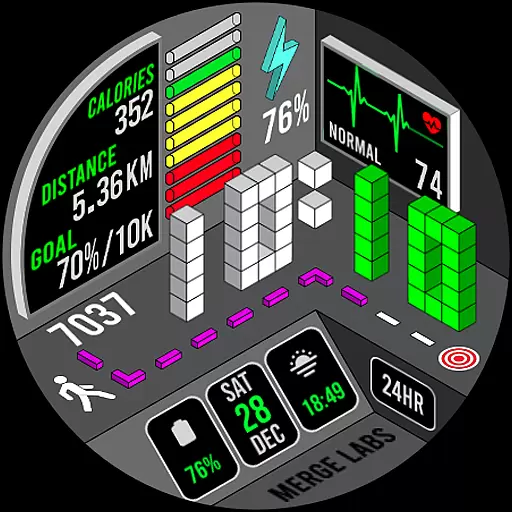
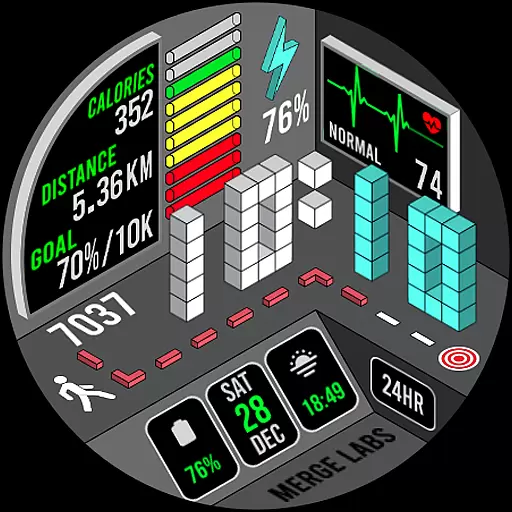
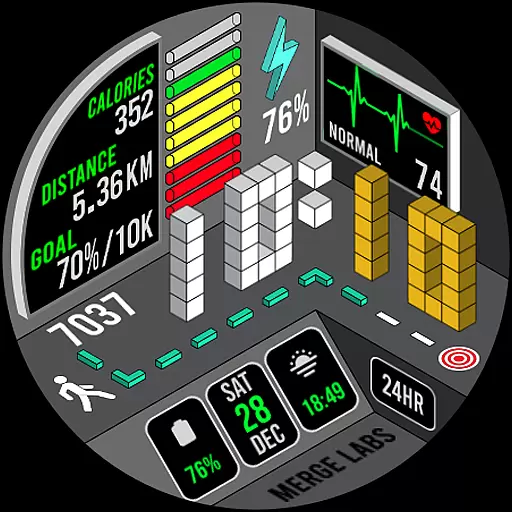
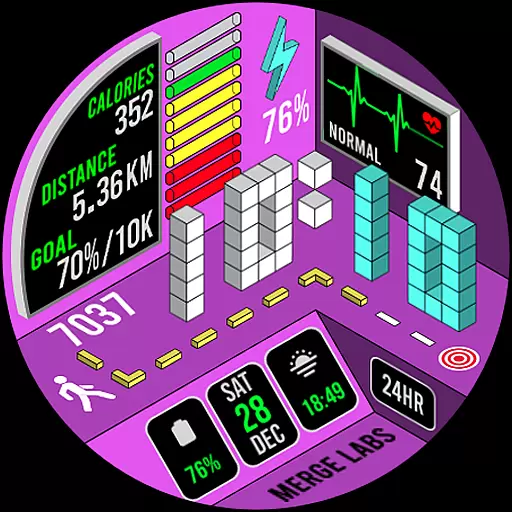
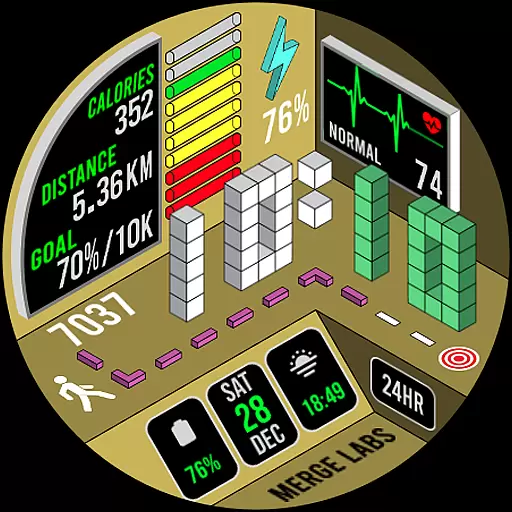
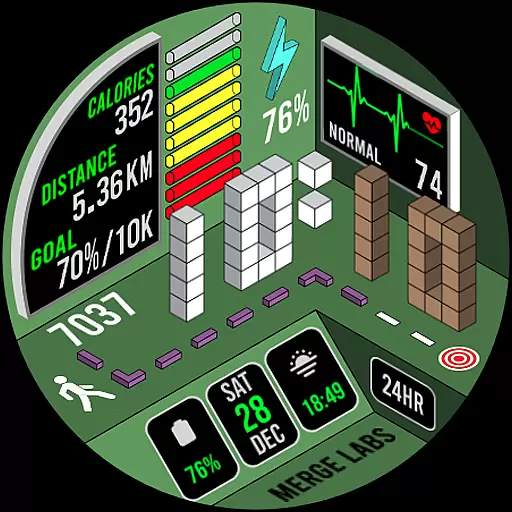
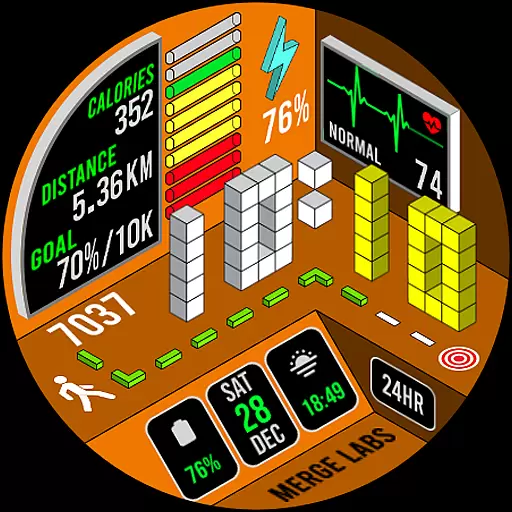
Merge Labs Isometric 5 is an exclusive smartwatch face designed for Wear OS, offering a unique take on essential features like heart rate, steps, and battery status. With its distinct isometric design, this watch face stands out from conventional options by incorporating creative visual elements and customizable features.
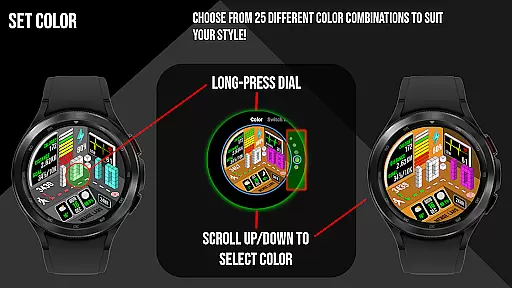
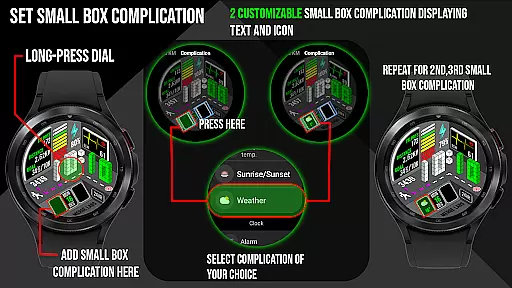
Users can choose from 25 color combinations and customize small box complications to display desired information. The watch face also provides detailed health and fitness tracking, including step counters, heart rate monitoring with color indicators, and calorie tracking. Additionally, it displays the date, time, and battery level with both numeric and graphic indicators, ensuring both aesthetics and functionality are seamlessly integrated into your wearable experience.
This innovative watch face stands out with its isometric design approach, transforming standard features such as heart rate, step count, and battery status into visually appealing graphics. It offers 25 unique color combinations, allowing users to personalize their watch face to match their style.
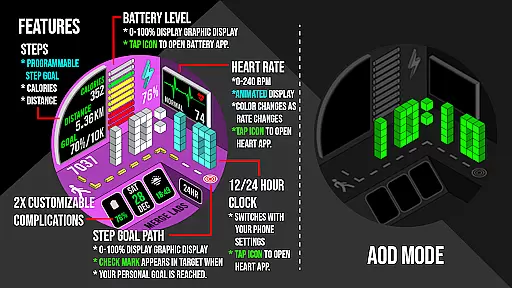
Two customizable small box complications enable users to add specific information like text and icons. A numerical and graphical battery indicator not only shows the remaining charge but also allows users to tap the icon to access the battery app. The daily step counter syncs with Samsung Health or default health apps, displaying calories burned and distance traveled in either kilometers or miles. Heart rate monitoring changes colors based on activity levels, giving real-time feedback on your fitness condition.
Additional features include a day, date, and month display that opens the calendar app when tapped, a 12/24-hour clock format based on device settings, and a KM/Miles function that can be adjusted through the “Customize” menu. These thoughtful details make Merge Labs Isometric 5 both practical and stylish.
In the realm of wearable technology, lifestyle applications play a crucial role in enhancing user experience by integrating essential daily functions into a cohesive interface. Merge Labs Isometric 5 stands out by offering an exclusive and unique smartwatch face for Wear OS devices, focusing on an isometric design that reimagines traditional watch elements.
This application incorporates vital features such as heart rate monitoring, step counting, and battery status into its design but presents them in a distinctively different visual style. With 25 color combinations and customizable complications, it ensures users can tailor the watch face to their preferences, making it not just a utility but a personal style statement.
Additionally, the app provides comprehensive health tracking, including daily steps with goal syncing through Samsung Health or default health apps, heart rate display with color-coded indicators, and calorie and distance tracking. This extensive feature set addresses various aspects of a health-conscious lifestyle while maintaining aesthetic appeal.
By covering these diverse lifestyle categories, Merge Labs Isometric 5 offers users an all-encompassing tool that goes beyond mere functionality, providing both practical utility and personalized design to seamlessly integrate into their everyday lives.
Authenticity and credibility are paramount when it comes to lifestyle applications, especially those dealing with health metrics. Merge Labs Isometric 5 assures content authenticity by directly sourcing data from device sensors, ensuring accurate representations of heart rate, step counts, and battery levels.
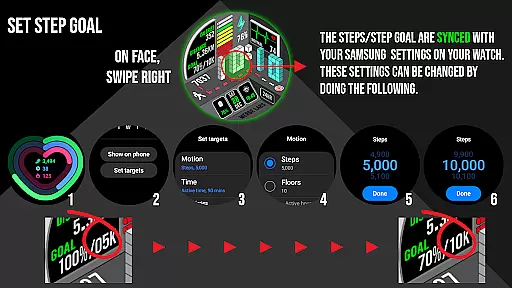
The application's step counter syncs with Samsung Health or the default health app, displaying both numerical and graphical indicators. It also allows users to set and change step goals, providing clear instructions within the description. This synchronization with trusted health platforms enhances the reliability of the data presented.
Furthermore, the heart rate monitor displays BPM and changes colors based on activity levels, using approximations from device-gathered data. While these are not medical diagnoses, they offer users a general understanding of their fitness levels, promoting active lifestyle choices backed by credible technological support.
With features like calendar integration, 12/24 HR clock settings, and KM/Miles customization, Merge Labs Isometric 5 combines expertly designed functionalities with authentic content delivery, establishing itself as a credible and valuable lifestyle companion.
Unique isometric design
Highly customizable
Real-time health tracking
Multiple color options
User-friendly interface
Limited to Wear OS
Complex setup required
Battery usage may increase
Premium price point
Not suitable for all devices

Design and brew great homebrewing beer, mead, cider and wine recipes on the go!
 3.60
3.60
Duo Watch Face (animated)
4.1
A daily quote for success
4.3
Spiritus Ghost Box is an Audio and Visual ITC tool for paranormal research.
4.00
Big bold hybrid watch face with 30 colors, 5 fonts & 5 complications.
4.0
Unique "Isometric" style digital watch face for Wear OS
4.50
Play fun games, complete quick surveys, and earn money. It's fun and easy!
4.40
Going above and beyond known spirit communication
3.60
Create slime on your phone and enjoy satisfying and relaxing ASMR games
4.50
Get the news, events and savings that matter to you with AARP Now.
4.80
Have your Tehillim with you at all times
4.70
Smart & Healthy Living
4.60
The App can control Roborock vacuum cleaners from anywhere with rich features.
4.60
Earn money & gift cards when you take surveys, play games, scan receipts & more.
4.50
Earn points with every purchase with Moe Rewards.
4.20
This minimalist yet classic board design brings a futuristic twist to your wrist
4.20
Spirit Communicator is a real paranormal ghost hunting app with many fun modes.
3.90
BILT interactive 3D instructions help you get the job done right
3.50
Celebrate the holidays with Advent Calendar: daily surprises and festive fun!
4.2


User Reviews