
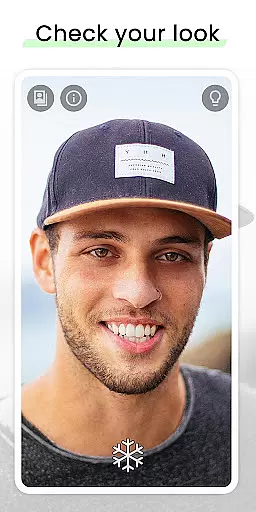
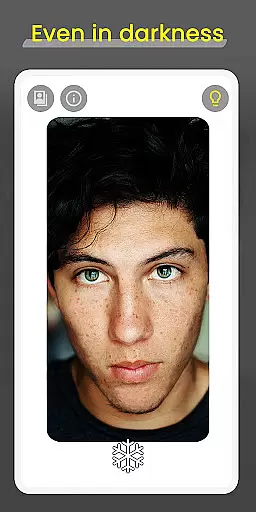
Mirror is a versatile beauty app designed to help users check their appearance conveniently on the go. With its 360º mirror functionality, it allows users to view themselves from multiple angles, offering an experience that surpasses traditional mirrors. The app also features a lighting frame for better visibility in low-light conditions, making it ideal for various environments.
In addition to its core functionality, Mirror includes practical tools such as zoom and exposure controls, freeze image capability, and quick settings for easy access. These features ensure users can adjust their view with simple gestures and capture or share their best looks effortlessly. Whether you're getting ready for an event or need a reliable mirror replacement, Mirror provides a seamless and enhanced user experience.
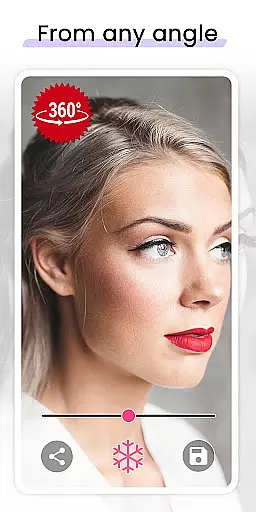
Mirror stands out with its innovative features tailored for beauty enthusiasts. The 360º mirror functionality lets users record themselves from different angles by simply turning their head or moving the device around them. This feature offers a dynamic way to view your appearance beyond static reflections. Additionally, the lighting frame ensures optimal visibility even in total darkness, which is perfect for nighttime routines or dimly lit spaces.
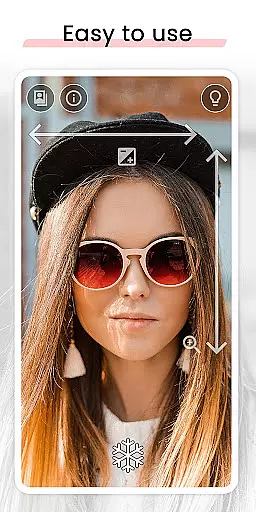
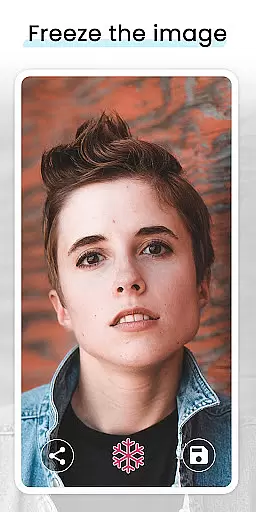
The app also includes intuitive gesture controls for zoom and exposure adjustments, allowing users to fine-tune their view with ease. The freeze image feature helps avoid taking unnecessary pictures by pausing the display, while sharing options enable saving or distributing your favorite selfies directly from the app. With super clear image quality and quick settings tile integration, Mirror combines convenience with advanced technology to deliver a superior mirror experience.
When it comes to beauty applications, having a comprehensive product database is crucial for users seeking detailed information. Mirror offers an extensive collection of beauty-related data that goes beyond basic functionalities. The app includes specific features such as 360-degree viewing and lighting adjustments, which cater to users' needs in various environments.
The application's database contains essential tools like zoom and exposure controls, allowing users to fine-tune their experience effortlessly. These features ensure that whether in low-light or normal conditions, users can rely on Mirror for accurate self-assessment. Furthermore, the ability to freeze images adds another layer of utility, making it easier to capture the perfect look without unnecessary repetition.
Users benefit significantly from this depth of information. With options to share or save their best moments, Mirror not only helps in personal grooming but also enhances social interactions by enabling users to present their best selves confidently. This robust set of features ensures that users have all they need at their fingertips.
Ultimately, Mirror stands out due to its commitment to providing a well-rounded user experience. By focusing on details that matter most to users, such as visibility and ease of use, the app proves itself as more than just a mirror replacement. It becomes an indispensable tool in daily beauty routines, offering unmatched value through its rich feature set.
Personalization is key in today's digital age, especially within beauty apps where individual preferences play a significant role. Mirror excels in delivering precise personalization options tailored to each useru2019s unique requirements. Through advanced features like the 360-degree mirror functionality, users can explore different angles of their appearance, ensuring a complete view that traditional mirrors cannot offer.
The app leverages intuitive gesture controls for zoom and exposure, allowing seamless adjustments with minimal effort. This level of customization empowers users to adapt the app according to their specific scenarios, whether they are preparing for a meeting or capturing the perfect selfie. Additionally, the lighting frame feature provides optimal illumination even in challenging lighting conditions, further enhancing personalized usage.
Mirror's dedication to user-centric design ensures that every interaction feels natural and responsive. By integrating quick settings tiles and easy sharing capabilities, the app simplifies access to frequently used functions while maintaining high performance standards. Users appreciate these thoughtful touches that make their experience smoother and more enjoyable.
In conclusion, Mirror sets itself apart through meticulous attention to personalization precision. By continuously refining its algorithms based on user feedback, the app delivers a highly adaptive and engaging experience. This focus on individual needs solidifies Mirror's position as a leader in personalized beauty solutions, helping users achieve their desired outcomes efficiently and effectively.
User-friendly interface
Advanced 360º mirror
Effective lighting frame
Intuitive gesture controls
Quick settings access
Limited customization
Occasional lag
No advanced editing
Basic sharing options
Device compatibility

This application is for the Luvme Hair official website: shop.luvmehair.com .
 4.30
4.30
Winter picture editor: Christmas stickers, frames for photos & Christmas cards.
4.40
Enjoy convenience wherever you are with the Tune Up, The Manly Salon app.
3.20
Healthier, more beautiful with Medicube Digital Clinic AGE-R!
4.10
Create, design and dress up your own beautiful characters in cute fashion styles
3.50
Beauty Camera - Selfie Camera with sweet selfie, makeup, filter, sticker, editor
4.50
HD Camera, Selfie Camera, Camera filters, is a fully featured 4K camera
4.60
Beauty Camera & Selfie Camera snap Beauty selfie with filter, makeup, stickers
4.80
For businesses, Booksy Biz allows you to manage your schedule & more on the go.
4.60
Blushify is a beauty camera for makeup, face editing, and glowing selfies!
4.70
AI Stylist, Try On Millions Of Clothes In Any Brand & Style, AI Clothes Changer
4.70
Mirror app that shows your image with photo editor, zoom and light!
4.70
Top brand haircare & fragrance
4.60
DSLR Hd camera capture high quality 4k hd picture with filters and blur editor
4.50
Download Today
4.40
Hair style app, Face shape finder, Face shape, Hair style, Face shape detector
4.30
True mirror app with zoom, LED light, for makeup & shaving anywhere!
4.20
The Official Voting App
3.90
Enhance Your Look with Face Analysis, Hair Style Changer, Beauty Score, Rating
3.90


User Reviews