
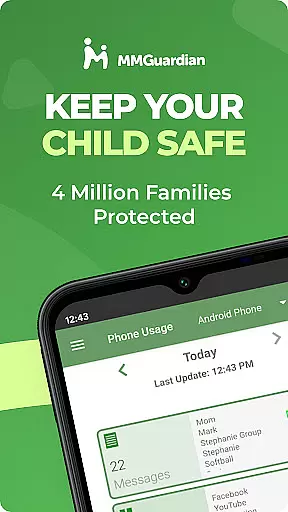
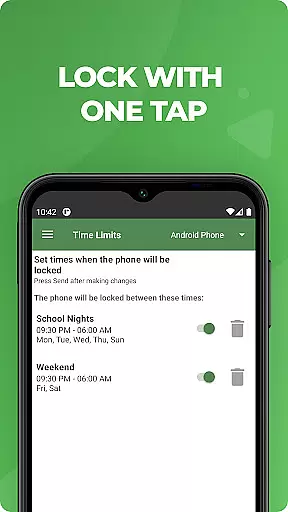
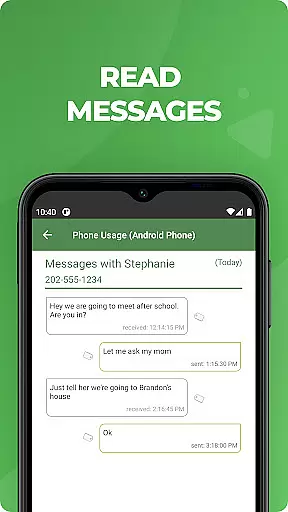
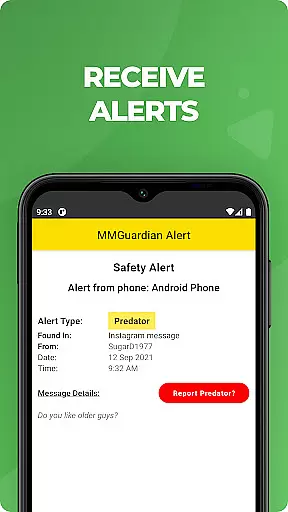
MMGuardian Parental Control is a comprehensive parental monitoring solution designed to ensure children's online safety. This app, installed on the parent's phone, links with a separate child app to enable remote supervision. Parents can set screen time limits, block inappropriate apps and games, filter web content, and monitor text messages while receiving safety alerts for potential risks like cyberbullying or sexting.
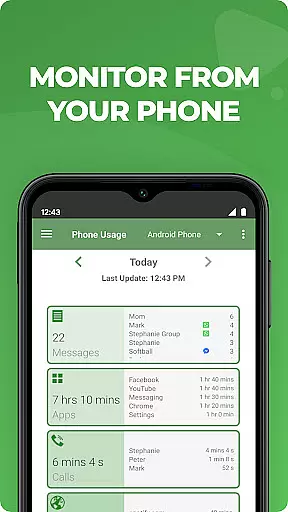
The app also features GPS tracking to locate the child's phone and provides detailed reports on app usage, web browsing, and call history. With support for both Android and iPhone, MMGuardian offers a 14-day free trial and flexible subscription plans starting at $4.99 per month. By combining advanced monitoring tools with real-time alerts, this app empowers parents to create a safer digital environment for their children.
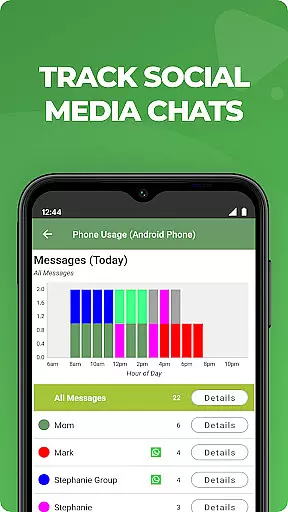
MMGuardian Parental Control stands out with its robust feature set tailored for modern parenting challenges. The app allows parents to monitor SMS texts, web activity, app usage, and phone calls remotely. It extends its monitoring capabilities to popular social media platforms like Facebook Messenger, WhatsApp, Snapchat, Instagram, and TikTok, alerting parents to potentially harmful content related to drugs, violence, or suicidal thoughts.
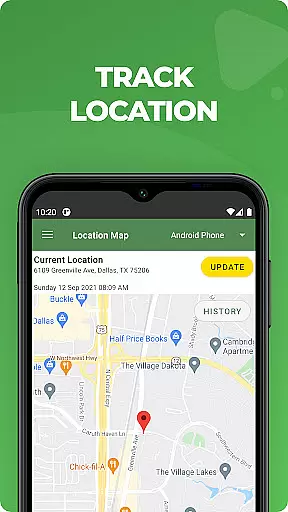
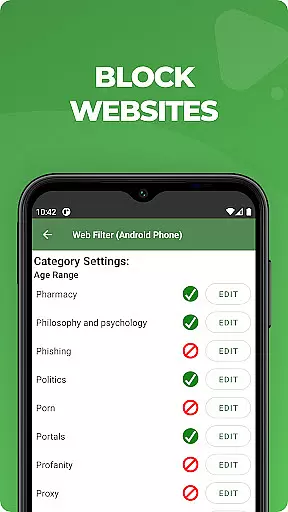
Beyond monitoring, MMGuardian enables parents to take direct actions such as locking the child's phone, setting time limits, and filtering web content. Its GPS location tracker helps parents stay informed about their child's whereabouts. The app ensures reliable performance by using network data for sending commands and receiving reports. These features collectively provide parents with peace of mind while helping children develop responsible digital habits.
When it comes to parenting apps, content credibility is paramount. MMGuardian Parental Control ensures that all alerts and monitoring features are developed based on expert validation. This means the app employs advanced algorithms reviewed by child safety specialists to detect potential risks in text messages, social media chats, and web searches.
The app provides comprehensive reports on various activities such as SMS texts, web browsing, and application usage. These reports are designed not only to inform parents but also to ensure accuracy and reliability. By leveraging expert-validated criteria, MMGuardian can alert parents to signs of cyberbullying, sexting, or other harmful behaviors, thus enhancing child safety.
Parents benefit from these credible insights as they can make informed decisions regarding their child's digital environment. The app's ability to monitor and send alerts on potentially harmful content gives parents peace of mind, knowing they have reliable information at their fingertips.
Growth tracking accuracy in parental control apps involves monitoring a child's digital footprint to ensure healthy development. MMGuardian Parental Control excels in this area by providing precise tracking of a child's online activities, including SMS texts, web browsing, and app usage. This data helps parents understand their child's digital habits and guide them towards healthier practices.
The app uses sophisticated algorithms to analyze patterns and detect anomalies that may indicate risky behavior. For instance, if a child frequently visits inappropriate websites or engages in potentially harmful conversations, the app will flag these activities. This level of detail allows parents to intervene early and provide necessary guidance.
Moreover, MMGuardian includes GPS location tracking, which adds another layer of accuracy in monitoring a child's whereabouts. Parents can locate their child's phone remotely, ensuring their physical safety alongside their digital well-being. This combination of features makes MMGuardian a robust tool for accurate growth tracking.
Comprehensive monitoring
Real-time safety alerts
Remote device management
Social media chat tracking
Flexible subscription plans
Paid features only
Requires two apps
Complex setup process
Limited iOS functionality
Dependent on network data

SENSORYSOOTHE and SENSORSAFE: Making car seats smarter and families safer.
 4.70
4.70
Fake call application designed for parents and adults to discipline their children through the children's police.
4.20
Join over 1MM parents & professionals who've used OFW to navigate co-parenting
4.40
It is a screen time management tool for games and mobile applications
4.50
Lullabies, Night Light & Age-based Routines to help your baby fall asleep
4.0
Track your labor contractions
4.90
Parental control App for Location, Remote Camera, Screen Mirroring, Block Apps.
4.60
The Most Trusted Co-Parenting App.
4.60
FamilyAlbum helps you share, save, and remember your child's special moments.
4.80
A simple way to track your baby’s breastfeeding, diaper changes, sleep patterns.
4.90
Introduce real food to baby with First Foods® Database, baby led weaning BLW
4.80
Sleep better with white noise app! Discover rain sounds, fan noise and more.
4.70
Family GPS locator app — child location tracker. GPS kids tracker, family safety
4.70
All-in-one pregnancy app, contraction timer, kick counter & due date calculator
4.40
Affirmations | Stories | Bible
4.10
The 10 development leaps of your baby | newborn milestones & leap days tracker
4.10
Little loved one's monitoring, Sleep tracking and Parenting content.
3.80
A Coloring for the Whole Family! Discover the Joy of Family Love Through Colors!
3.60
Screen Time, App and Web Block & Monitoring, Location Tracker
3.60


User Reviews