
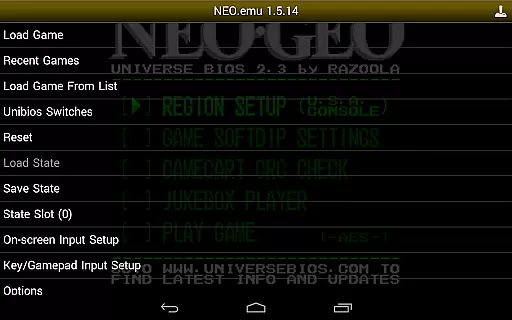
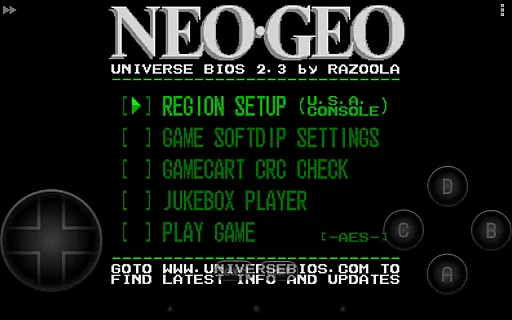
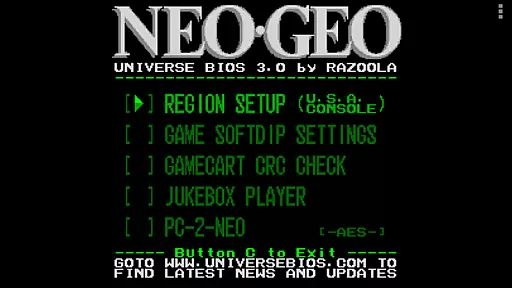
NEO.emu is an advanced open-source Neogeo arcade and home system emulator designed for Android devices. It is built on the Gngeo engine, offering a minimalist UI with a strong focus on minimizing audio and video latency. The app supports a wide range of devices, from older models like the Xperia Play to modern hardware such as the Nvidia Shield and Pixel phones. To operate, users must supply their own ROMs and the required neogeo.zip BIOS file.
This emulator stands out through its compatibility with Universe Bios, enabling direct in-app adjustments of region and mode settings. It also features configurable on-screen controls and extensive peripheral support, including Bluetooth and USB gamepads, as well as keyboards. Whether you're revisiting classic arcade games or exploring new ones, NEO.emu provides a seamless experience across supported titles.
For those seeking low-latency emulation with broad device compatibility, NEO.emu delivers reliable performance. Its active development and compatibility resources ensure users can enjoy consistent updates and access detailed information about supported systems.
NEO.emu offers a comprehensive set of features tailored for Neogeo enthusiasts. One of its core strengths is the support for MAME 0.144 or newer ROM sets, requiring only the neogeo.zip BIOS file to function. This ensures accurate emulation of original arcade experiences while maintaining high performance standards.
The app includes advanced customization options, such as Universe Bios integration, which allows users to modify region and mode settings directly from the app menu. Configurable on-screen controls provide flexibility for touch-based gameplay, while robust peripheral support extends functionality to Bluetooth and USB devices like Xbox and PS4 controllers. Additionally, NEO.emu leverages Android's storage access framework, enabling seamless file management across internal and external storage mediums.
With its active GitHub repository and compatibility list, NEO.emu remains a cutting-edge solution for retro gaming fans. Regular updates and issue tracking ensure that the app continues to deliver optimal performance on a growing number of devices.
Arcade authenticity and nostalgia are essential elements for any arcade emulator, ensuring that the gaming experience remains true to the original arcade games. NEO.emu (Arcade Emulator) excels in this area by providing a platform where users can relive the classic arcade experience on their modern devices.
NEO.emu supports MAME 0.144 or newer sets, including the need for neogeo.zip for BIOS, which is crucial for accurately emulating arcade games from the Neo Geo era. This attention to detail ensures that each game runs as it was originally intended, preserving the integrity of the gameplay.
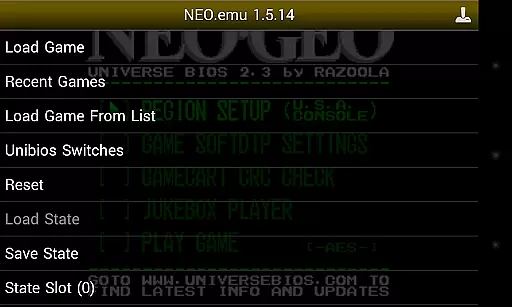
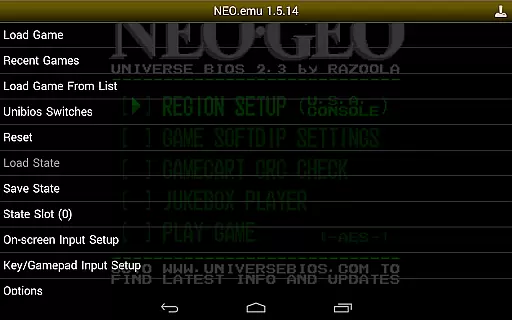
The emulator also supports Universe Bios with direct editing of region and mode from the app menu, allowing users to customize their gaming experience while maintaining the nostalgic feel. This feature enables gamers to tweak settings to match their memories of playing these games in arcades.
By focusing on low audio/video latency, NEO.emu ensures that the fast-paced action typical of arcade games is preserved, offering players a seamless and responsive experience. This dedication to performance makes every session feel like stepping back into the vibrant world of '90s arcades.
Control responsiveness is a critical aspect of any gaming emulator, directly impacting the user's ability to interact with the game effectively. NEO.emu (Arcade Emulator) addresses this need by offering highly responsive controls that cater to both casual and hardcore gamers alike.
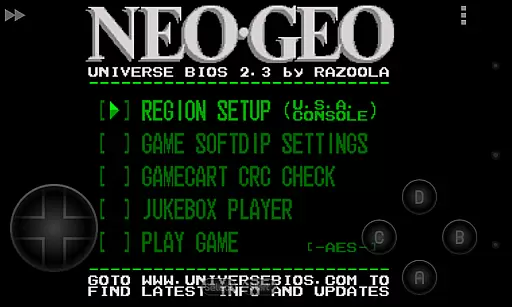
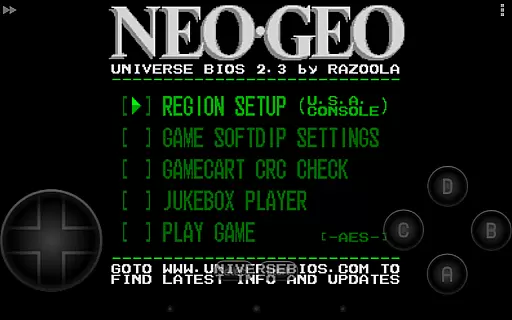
The emulator features configurable on-screen controls, allowing users to adjust the layout and size of virtual buttons to suit their preferences. This flexibility ensures that players can find a comfortable setup that mimics the tactile feedback of physical arcade buttons.
For those who prefer a more traditional gaming experience, NEO.emu supports Bluetooth and USB gamepads, as well as keyboards compatible with any HID device recognized by the OS, such as Xbox and PS4 controllers. This compatibility extends the responsive control options beyond touch screens, accommodating a wide range of input devices.
With its focus on minimizing audio and video latency, NEO.emu guarantees that every button press translates instantly into in-game actions. This immediacy enhances the overall gaming experience, making it possible to enjoy even the most demanding arcade titles with precision and confidence.
Low audio/video latency
Wide device compatibility
Active development and updates
Customizable controls
Supports modern peripherals
No included ROMs
Requires BIOS file
Limited to Neogeo systems
Complex setup for beginners
Dependent on third-party files

Monster Run its a game for relax.
 4.5
4.5
Nostalgia.GBC is a high quality GBC emulator.
4.50
Sharpen your mind and reflexes while playing 4Way Dash
4.2
Payback 2 includes everything from tank battles to high speed helicopter races!
4.50
Use superpower in your magic hands. Defeat the enemies in a fun elemental game.
4.50
Fruit is waiting to be sliced, ninja. Play the hit mobile game !
4.50
A Ball Bouncer With Depth
4.00
Protect the balloon! Only 1% of players can reach lvl 100 with all the balloons!
3.70
Full featured version of Pizza Boy A (GBA emulator)
4.80
Join the breathtaking chase!
4.80
Local offline 2 3 4 player multiplayer minigames - race, tanks, football
4.60
Motorcycle racing games! Prove your paperboy can win in the bike race 3D!
4.50
Challenge your friends across the world to see who can jump the farthest!
4.50
Jump and fly your way through danger in this rythm-based action platformer!
4.50
Join the art challenge: Guess the word and draw fast before the timer runs out!
4.20
NEOGEO's masterpiece game is now available in the app!
4.10
Bounce through platforms. Avoid obstacles. Get the bouncing ball to the finish.
4.00
John GBC is GB/GBC emulator. This emulator is easy to use.
3.80
You are a Black Hole, escaping the darkness trying to swallow you!
3.60


User Reviews