
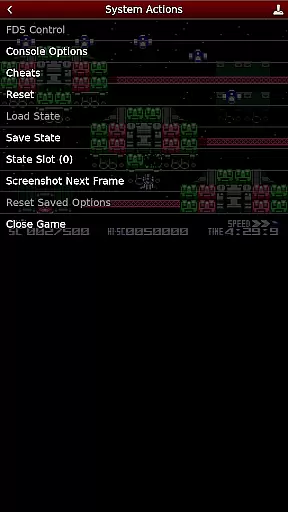
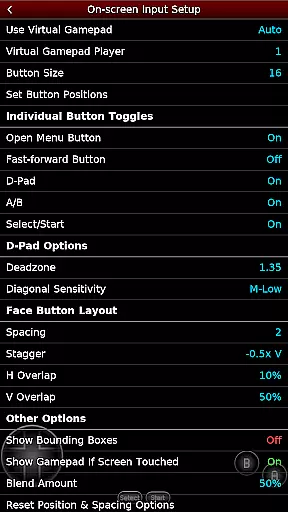
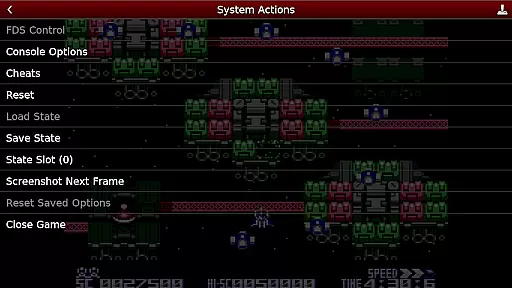
NES.emu is an advanced open-source NES emulator that brings the classic gaming experience to modern devices. Known as Famicom in Japan, this emulator focuses on delivering low audio and video latency while maintaining a minimalist user interface. It supports a wide range of devices from older models like the Xperia Play to contemporary ones such as the Nvidia Shield and Pixel phones.
With its compatibility with various file formats including .nes, .unf, and .fds, NES.emu offers users the ability to enjoy their favorite games across different platforms. The inclusion of features like Famicom Disk System emulation and VS UniSystem support enhances the authenticity of the gaming experience. Additionally, customizable controls and support for Bluetooth/USB gamepads make it versatile for all types of gamers.
Whether you are reliving childhood memories or discovering these classic games for the first time, NES.emu provides a seamless way to access and play your favorite NES titles on the go.
NES.emu stands out with its robust feature set tailored for NES enthusiasts. One of its key strengths is the support for multiple file formats such as .nes, .unf, and .fds, which can be optionally compressed with ZIP, RAR, or 7Z. This flexibility ensures that users can easily load and play their game files without compatibility issues.
The emulator also includes Famicom Disk System support using .fds files, allowing users to select BIOS in the options for an authentic experience. With VS UniSystem support, players can insert coins by pressing Start, simulating arcade-style gameplay. Advanced functionalities like Zapper/Gun support enable touch-based firing mechanics, enhancing interactive gameplay.
Configurable on-screen controls and support for Bluetooth/USB gamepads ensure that users can customize their gaming setup according to their preferences. By focusing on low latency and high performance, NES.emu delivers a smooth and responsive gaming experience across a variety of devices.
Arcade authenticity and nostalgia are crucial elements for any emulator aiming to recreate the classic gaming experience. NES.emu, as an advanced open-source NES emulator, excels in delivering these aspects by accurately emulating a wide range of devices from the original NES to Famicom and even arcade systems like VS UniSystem.
The app supports multiple file formats including .nes, .unf, and .fds, ensuring that users can enjoy games from different regions and eras. This compatibility allows gamers to relive their favorite childhood moments or discover classic titles they missed out on.
One standout feature is the support for peripherals like Zapper/Gun, which enhances the nostalgic experience by simulating the original gameplay mechanics. Users can touch the screen to fire, providing an authentic arcade-like interaction that closely mirrors the original gaming setup.
By focusing on low audio/video latency and offering a minimalist UI, NES.emu ensures that the essence of arcade gaming is preserved. Gamers can expect responsive controls and seamless performance, making each session a trip down memory lane while maintaining the integrity of the original gaming experience.
Control responsiveness is a vital aspect of any gaming emulator, especially one dedicated to arcade classics. NES.emu stands out by offering highly responsive controls that cater to both casual players and hardcore enthusiasts looking to relive the golden age of arcade gaming.
The emulator supports a variety of input methods, including configurable on-screen controls, Bluetooth, and USB gamepads. This versatility ensures that users can choose their preferred method of interaction, whether it's using touch controls or connecting external devices like Xbox and PS4 controllers.
For those who prefer tactile feedback, the app's support for physical gamepads provides an immersive experience. The responsive nature of these controls means that every action, from jumping to shooting, is executed with precision and immediacy, enhancing the overall gaming experience.
Additionally, NES.emu's focus on low audio/video latency contributes to the control responsiveness. Players can expect real-time reactions to their inputs, making fast-paced games feel smooth and natural. This attention to detail ensures that users can fully immerse themselves in their favorite arcade titles without being hindered by lag or unresponsive controls.
Low audio/video latency
Wide device compatibility
Supports multiple file formats
Famicom Disk System emulation
Customizable controls
No ROMs included
Requires technical knowledge
Limited user interface
Occasional crashes reported
Device-specific issues

A retro-flavoured infinite scroller Glyph toy for the Nothing Phone (3)
 4.2
4.2
It's quite possibly the world's hardest game!
3.90
Suck the other’s blood and be the longest surviving mosquito!
4.40
Master the hills in this extreme downhill racing game!
4.60
Jump and fly your way through danger in this rythm-based action platformer!
4.50
Flip and flail a rag doll through endless levels and plunge into outlandish fun!
4.60
Absorb, or be absorbed...
4.70
Full featured version of Pizza Boy A (GBA emulator)
4.80
Jump and fly your way through danger in this rythm-based action platformer!
4.70
Master the skies in this epic airplane shooting game! Join the air force now!
4.80
Punch your way through the Streets of Rage once again!
4.80
Try this unique restaurant sim and enjoy the fun of cooking in busy kitchens!
4.70
Meet Snake Run Race! Slither through an obstacle course in our fun running game!
4.70
Create your restaurant story & make food on a crazy kitchen in this cooking game
4.70
Local offline 2 3 4 player multiplayer minigames - race, tanks, football
4.60
Payback 2 includes everything from tank battles to high speed helicopter races!
4.50
Fruit is waiting to be sliced, ninja. Play the hit mobile game !
4.50
Premium version. Save the galaxy from alien shooter in this classic game
4.50
Sit back and relax! Tap to move the black hole, and swallow weapons to win.
4.20


User Reviews