
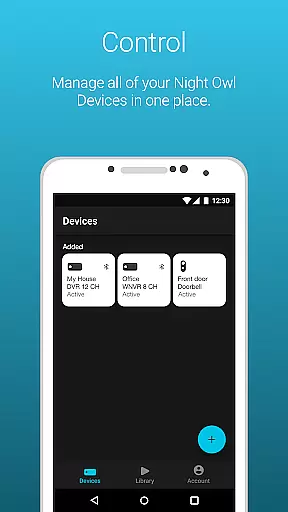
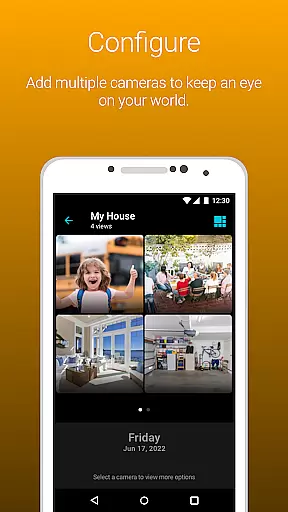
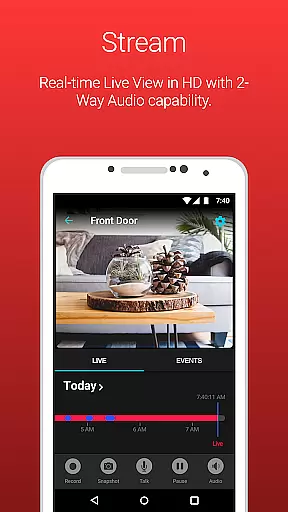
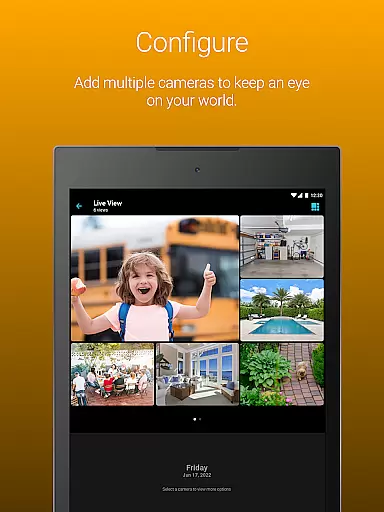
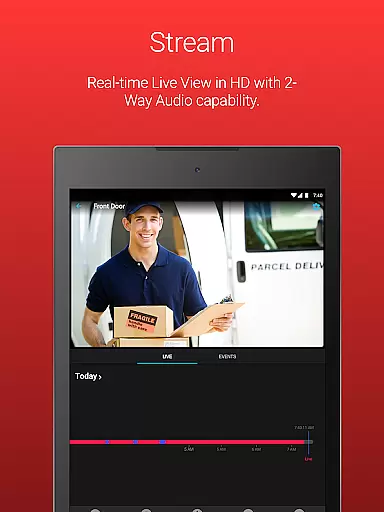
Night Owl Protect is a comprehensive home and business security application that allows users to monitor their connected cameras in real-time through an easy-to-use mobile interface. The app supports features such as live footage viewing, audio interaction, and cloud storage integration for recordings. With compatibility across various Night Owl devices, it provides a centralized platform to manage your security ecosystem.
One of the standout capabilities of Night Owl Protect is its advanced alert system, notifying users of specific threats like human or vehicle detection. This ensures timely responses to potential security breaches. Additionally, the app emphasizes data protection with features like 2-step verification and secure password resets, making it a reliable choice for safeguarding your property.
Whether you're a homeowner or managing a business, Night Owl Protect offers practical solutions for real-time monitoring and threat prevention. Its ability to share images and videos via social media, email, or text further enhances communication during critical moments.
Night Owl Protect stands out with its robust feature set tailored for both convenience and security. The app provides real-time alerts based on motion detection, including human, face, and vehicle identification, ensuring users are notified only when necessary. These customizable alert settings allow individuals to tailor notifications according to their preferences, reducing unnecessary interruptions.
Another key feature is the app's support for two-way audio, sirens, and preset voice messages, which can be used to interact with visitors or deter intruders. Users can also search and playback recorded footage using advanced filters, making it easier to review past events. Furthermore, the app enables saving and sharing snapshots and video clips directly from your mobile device, enhancing accessibility and collaboration.
The inclusion of 2-step verification and single sign-on (SSO) demonstrates Night Owl Protect's commitment to user privacy and account security. By allowing multiple device management under one login, the app simplifies the user experience while maintaining top-tier protection standards.
When it comes to home security systems, the authenticity of the product listings is crucial. Night Owl Protect ensures that every device listed is a genuine Night Owl product, designed and engineered in the United States. This guarantees that users are getting high-quality, reliable equipment that meets U.S. standards for privacy and security.
The application provides compatibility with a wide range of Night Owl devices, ensuring that whether you're a homeowner or business operator, your property is covered with top-tier surveillance technology. The detailed specifications provided for each compatible device allow users to make informed decisions about their security needs.
By choosing Night Owl Protect, users can rest assured that they are accessing a secure system that doesn't include banned components from certain China-based companies, aligning with Section 889 of the National Defense Authorization Act (NDAA). This commitment to compliance and transparency protects both human rights and national security.
With real-time monitoring and features like 2-step verification and single sign-on, Night Owl Protect not only offers authentic listings but also ensures that your connected world remains secure and easily manageable from your smartphone or tablet.
Night Owl Protect goes beyond simple surveillance by integrating comprehensive home management features into its application. Users can set up their products quickly using Secure App-Based Bluetooth Setup, making installation seamless and efficient. This feature allows for an easy connection between cameras and smart devices, enhancing the overall user experience.
The app's ability to send real-time mobile alerts when specific threats are detectedu2014such as humans, faces, or vehiclesu2014ensures that homeowners can respond promptly to potential security breaches. Additionally, customizable alert settings enable users to tailor notifications according to their preferences, keeping them informed without being overwhelmed.
Advanced functionalities such as two-way audio, sirens, preset voice messages, and playback recordings with filters offer versatile tools for managing and securing your environment. These features provide peace of mind by allowing remote interaction with visitors or intruders while maintaining control over your property.
Furthermore, convenient access to cloud storage through subscription plans means important footage is safely stored offsite. With options to create favorites and groups, share access with others, and reset passwords securely within the app, Night Owl Protect delivers robust home management capabilities that empower users to protect their world effectively.
User-friendly interface
Real-time alerts
Cloud storage integration
Advanced privacy controls
Cross-device compatibility
Some features require subscription
High data usage on mobile networks
Limited to Night Owl devices
No offline mode available
Occasional connectivity issues

Use Home by ShowingTime to easily manage showings, tours, feedback and more
 3.60
3.60
Make Renting Easy
4.40
Technology powering many in-home services for residents across the United States
3.80
Tailored Care Guides For Houseplants, Indoor Plants, Garden Plants & Flowers.
4.60
View houses and apartments for rent, updated daily.
4.80
Samsung remote app helps control all Samsung Smartthings TVs. Fast and Stable!
4.10
An easier way to make payments and maintenance requests from anywhere.
3.50
A Smarter Home in Seconds
4.70
Looking for the perfect apartment finder app? Find beautiful rental homes here!
4.60
Houses for Sale & Homes for Rent: Buy Homes, Rent Apartments & Sell Real Estate
4.80
B-hyve Pro App for landscape irrigation professionals
4.70
Plants, Beauty, Collectibles
4.60
Fire & Power Safety
4.50
WiZ smart light system
4.40
3D House Design and AI Room Planner - from floor plans to full interior design.
4.40
For all of your Airthings devices
4.30
Turn your phone into a wifi cam with smart features and umlimited reach.
4.20
Our app allows Sunrun customers to monitor systems, pay bills, and get support.
3.80
Universal TV Remote for TV, control all Smart TVs with your mobile phone.
4.5


User Reviews