
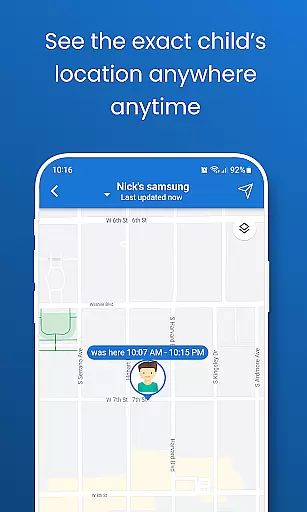
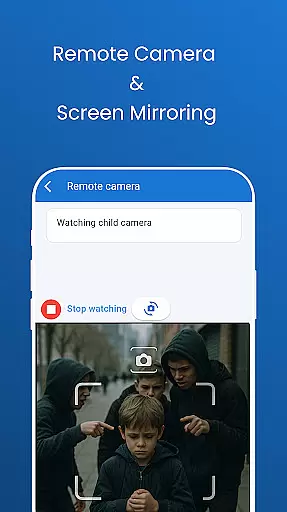
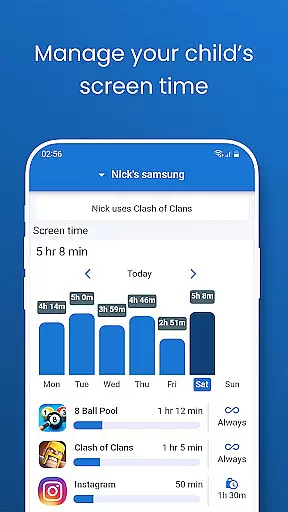
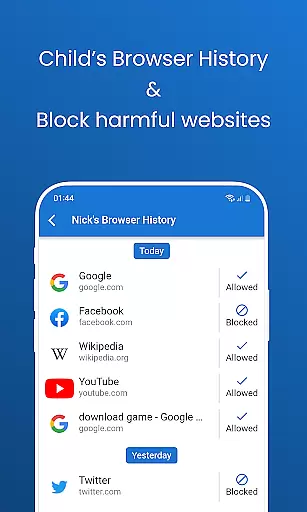
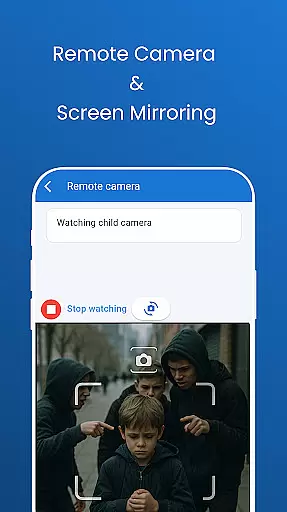
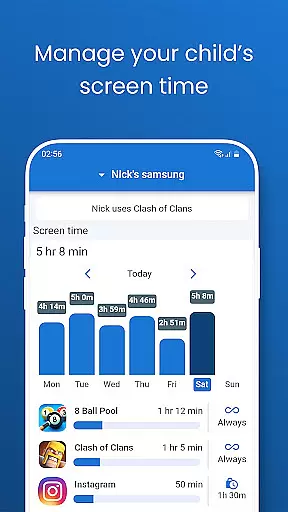
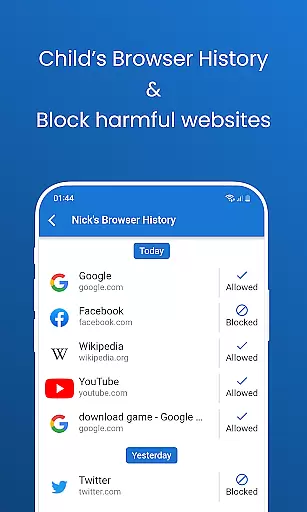
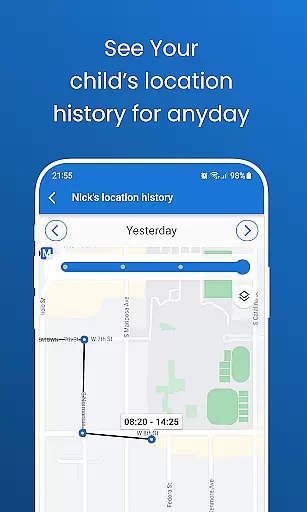
Pinardin: Parental Control is a comprehensive digital safety app designed to help parents protect their children in the online world. The app offers real-time location tracking, digital habit monitoring, and various security features such as Live Monitoring, App Block, and Sensitive Content Detection. These tools not only ensure children's safety but also promote healthy device usage habits.
With Pinardin, parents can access premium features for free for three days, including remote camera access, one-way audio, screen time control, and more. This app serves as a virtual bodyguard, providing peace of mind by allowing parents to monitor their child's digital environment closely.
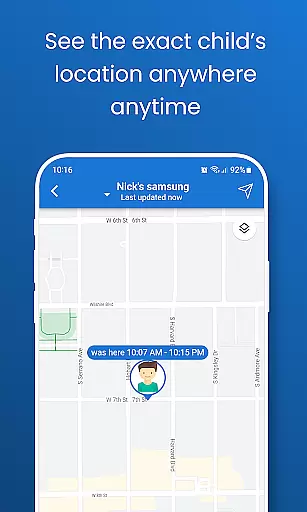
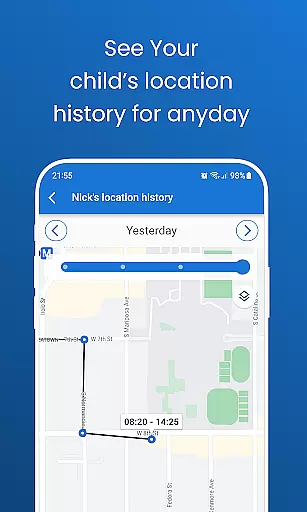
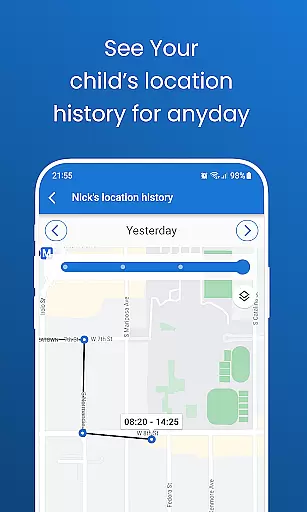
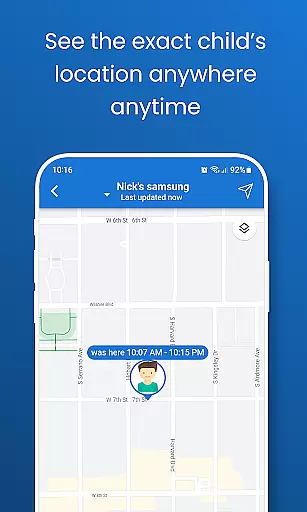
Pinardin stands out with its robust feature set tailored for modern parenting challenges. The app provides live location tracking using high-precision GPS, enabling parents to review past routes and receive instant alerts through customizable geo-fencing. Additionally, it includes automated screenshots and app notification syncing, which allows parents to view their child's phone screen and stay updated on app activities.
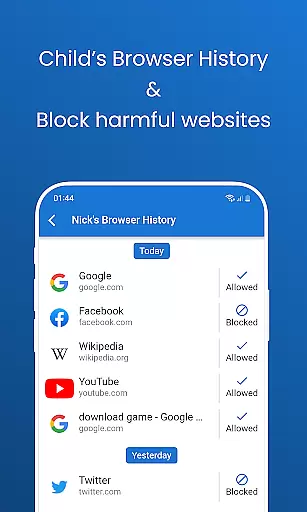
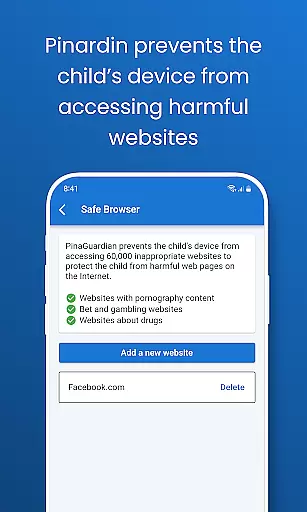
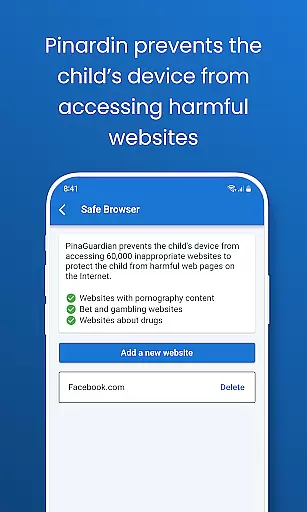
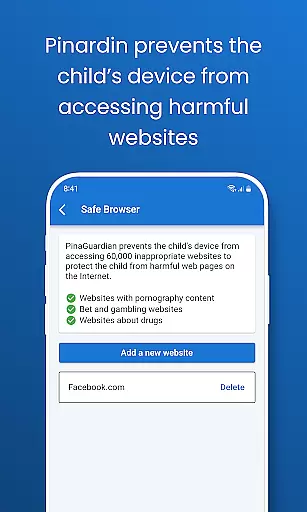
Parents can also monitor social media interactions across platforms like TikTok, YouTube, and WhatsApp, detecting potentially harmful content. A website blocker helps filter inappropriate sites, while screen time limits and bedtime mode assist in managing device usage effectively. All these features are designed to create a safer digital space for children while fostering responsible online behavior.
When it comes to parenting apps, the credibility of the content and expert validation are crucial factors that determine their reliability. Pinardin takes these aspects seriously by offering features that are designed with both parental control and child safety in mind. The app provides tools such as Live Monitoring, App Block, and Sensitive Content Detection, which are not only powerful but also secure, ensuring that parents can trust the information and functionalities provided.
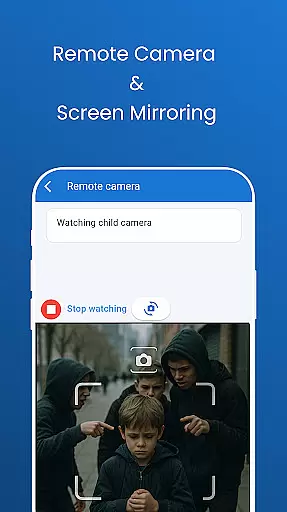
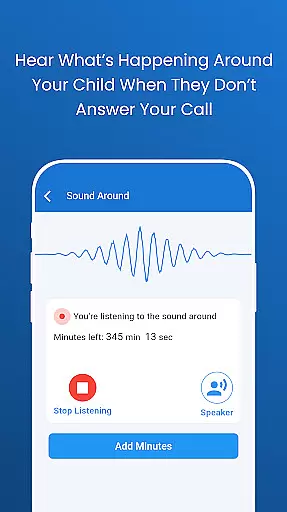
Pinardin's dedication to fostering good phone usage habits among children is evident through its comprehensive feature set. These include remote camera access, one-way audio monitoring, and automated screenshots that allow parents to view their child's phone screen live on their device. By enabling real-time tracking of a child's location with high-precision GPS and reviewing past routes, the app gives peace of mind to parents while keeping kids safe from potential dangers. Such features have been thoughtfully included after considering the digital challenges faced by families today.
The value for users lies in the assurance that they are using an app whose content has been crafted carefully, reflecting expert understanding of online safety needs. With social media monitoring across platforms like TikTok, YouTube, Snapchat, WhatsApp, Facebook, Instagram, and Telegram, Pinardin helps detect sensitive content so parents can act promptly if necessary. Additionally, website blockers and customizable safe browsing modes guide children towards age-appropriate content, reinforcing Pinardin's role as a responsible digital guardian.
Growth tracking accuracy is essential for any parenting app aiming to support the development of healthy digital habits among children. Pinardin excels in this area by providing precise tools that help monitor and manage a child's online activity effectively. Through features such as Live Location Tracking, which offers high-precision GPS data, parents can track their child's movements accurately and receive instant alerts based on customizable geo-fencing settings.
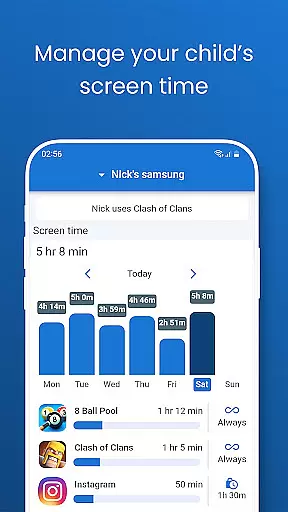
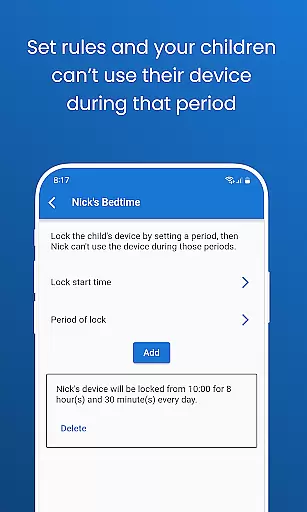
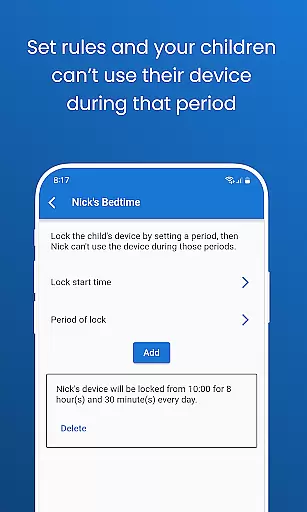
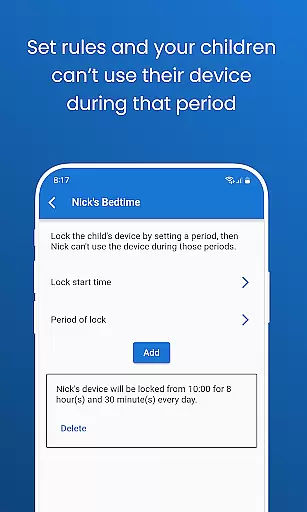
In addition to physical location tracking, Pinardin also focuses on the growth of responsible device usage patterns. The app allows parents to set screen time limits during school or study hours, promoting concentration and reducing distractions. A Bedtime Mode further encourages restful sleep by locking devices at night, preventing late-night scrolling, and establishing a balanced routine between screen time and real-world interactions. This holistic approach ensures that children develop discipline without feeling overly restricted.
Parents benefit greatly from Pinardin's accurate growth tracking capabilities, which empower them to make informed decisions about their child's digital environment. By syncing app notifications and staying updated on chats across various platforms, parents gain insights into their child's communication habits while protecting them from cyberbullying, scams, and harmful interactions. Ultimately, Pinardin stands out as more than just an application; it becomes a partner in nurturing well-rounded individuals who can navigate the digital world confidently yet responsibly.
Real-time location tracking
Social media monitoring
Website blocking capabilities
Screen time management
Automated screenshot functionality
Premium features require subscription
Dependent on child's consent for installation
Limited without pairing code
May invade privacy if misused
High data usage for live monitoring

Free symptom & med tracker with expert-reviewed tips.
 4.30
4.30
Find unique + popular baby names for your little peanut.
4.30
Educational resource for parents to inspire creativity in their children.
4.00
Fake call application designed for parents and adults to discipline their children through the children's police.
4.20
FamilyMode helps you manage your family’s digital lives—at home or on the go.
4.30
Keep track of your stored breastmilk
4.40
Reliable phone tracker by number & locate phone app. Protect your family.
4.50
All-In-One Pregnancy Tracker, Your Baby's Milestones, Growth Stages & Parenting.
4.90
Parental control: child monitoring app, screen time control, GPS child tracker
4.40
Advanced baby tracking, expert sleep help & parenting support for every stage.
4.80
Fun Ideas for Parents
4.70
GPS tracker app: Simple GPS phone tracker for fast family location tracking
4.60
Real-time family location with consent, check-ins & SOS—private by default.
4.40
Babysitting video camera - Turn your two phones or tablets into a single nanny.
4.40
GeoLog - Real-Time Location Tracker
4.40
Comprehensive Parental Control & Child Safety — Hear & Protect Your Child World
4.30
Family parental control app: limit screen time, block apps, GPS tracker.
4.20
Protect kids online safety through GPS tracking,screen time control,app blocking
4.20
SemLog aims to raise awareness among families and their children
3.40


User Reviews