
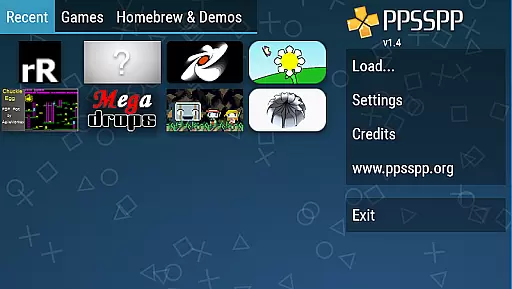
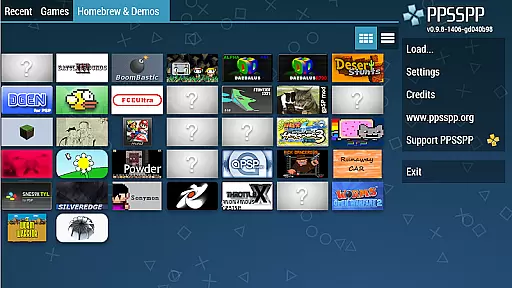

PPSSPP Gold is a premium PSP emulator for Android devices, allowing users to play PlayStation Portable games with enhanced high-definition graphics and additional features. Designed for gaming enthusiasts, this app offers an authentic emulation experience while supporting the development of future improvements through its paid Gold version.
The emulator supports various game formats including .ISO and .CSO files, enabling users to convert their physical PSP games into digital versions playable on mobile devices. With compatibility for both commercial titles and free homebrew games, PPSSPP Gold provides flexibility in gaming options. The app's performance depends on device specifications but ensures a smooth experience on adequately powered smartphones or tablets.
By purchasing PPSSPP Gold, users not only enjoy an ad-free interface but also contribute directly to ongoing development efforts. This version is ideal for gamers seeking advanced customization settings, superior rendering quality, and access to exclusive features unavailable in the free variant.
PPSSPP Gold stands out due to its robust feature set tailored for optimal gameplay experiences. One notable aspect is its ability to upscale textures and render games at resolutions far beyond the native PSP capabilities, delivering visually stunning results on modern displays. Additionally, it includes customizable control layouts, support for external controllers, and dynamic frame rate adjustments that enhance user interaction.
Another key feature is the app's compatibility with a wide range of PSP titles, ensuring broad game library support. Users can fine-tune graphical settings such as anisotropic filtering and shader effects to personalize visual fidelity according to their preferences. Furthermore, PPSSPP Gold offers built-in cheat functionality and save state management, providing convenience and flexibility during gameplay sessions.
Lastly, the emulator emphasizes performance optimization by leveraging multi-threaded processing and hardware acceleration technologies. These innovations ensure smoother framerates even when running demanding games. By prioritizing efficiency without compromising quality, PPSSPP Gold delivers a seamless blend of nostalgia and cutting-edge technology for action gaming aficionados.
Control responsiveness and latency are crucial factors in ensuring an immersive gaming experience, especially for action-oriented games. PPSSPP Gold - PSP emulator excels in this area by offering highly responsive controls that mimic the original PSP experience.
The emulator supports customizable on-screen touch controls, allowing users to adjust button sizes, positions, and layouts according to their preferences. This customization ensures that players can achieve optimal control settings tailored to their playstyle, enhancing both comfort and performance.
In addition to customizable touch controls, PPSSPP Gold also supports external controllers, including Bluetooth gamepads. This feature significantly reduces input latency, providing a more precise and tactile gaming experience. The ability to use physical controllers is particularly beneficial for competitive gaming or complex games requiring intricate button combinations.
Overall, PPSSPP Gold's commitment to minimizing latency and maximizing control responsiveness makes it an excellent choice for gamers seeking an authentic and enjoyable PSP emulation experience on their Android devices.
Combat feedback tightness refers to how well an emulator translates in-game actions into perceivable responses, enhancing the overall gaming experience. PPSSPP Gold delivers exceptional combat feedback, ensuring that every action feels impactful and immediate.
The emulator achieves this through advanced graphical enhancements and audio synchronization features. By rendering games at higher resolutions than the original PSP hardware, PPSSPP Gold provides sharper visuals and smoother animations. This visual clarity allows players to discern subtle details during combat scenarios, improving situational awareness and reaction times.
Audio feedback is equally important, and PPSSPP Gold ensures that sound effects are precisely synchronized with on-screen actions. Whether it's the clash of swords or the explosion of projectiles, each sound effect is delivered with minimal delay, reinforcing the connection between player inputs and game outcomes.
Furthermore, PPSSPP Gold includes options for frame skipping and speed adjustment, enabling users to fine-tune performance settings to match their device capabilities. These features help maintain consistent frame rates, preventing lag spikes that could otherwise disrupt combat sequences. As a result, players enjoy a seamless and engaging combat experience across various titles.
High-definition upscaling
Customizable controls
Broad game compatibility
Save state functionality
Supports external controllers
Performance varies by device
No included games
Requires technical setup
Paid version necessary
Limited free features

Command your army, crush the enemy, and reclaim the nation!
 4.30
4.30
Destiny experience on mobile! Epic Sci-fi RPG Shooter!
4.40
Craft, build, and survive in a zombie-infested open world!
3.40
Play through 45 action-packed missions with over 90 iconic Marvel characters!
3.00
Combine a wide variety of skills and abilities to unleash dazzling combo attacks
4.00
Get pixel gun, kill hords of stupid zombies dead ahead, be a lone survivor
4.80
Fast-paced multiplayer fun. 3v3 & 5v5 matches, PvP brawls and battle royales!
4.20
Childhood nightmares should remain in the past.
4.60
Break the ragdoll and relieve your stress! This is the ultimate de-stress game.
4.40
Defeat the nasty aliens!
5.00
Gaze upon the horrors that dwell beyond the Wall of Insanity.
4.90
Hunt your target & become a strong PVP sniper in this Epic 3D sniper FPS game
4.80
Online & offline multiplayer FPS shooting game. Play PvP live with your friends!
4.60
Welcome to the ultimate FNaF mashup!
4.60 4.50
4.50
Aim the arrow and become a legendary archer! Multiplayer action & shooting games
4.40
Race around the world!
4.30
Wish-granting Mermaid’s Tears in the hands of SpongeBob… What could go wrong?
4.20
NEOGEO's masterpiece game is now available in the app!
3.90


User Reviews