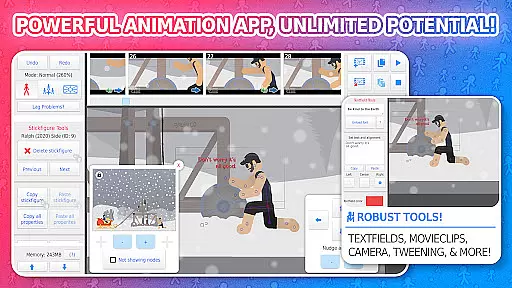
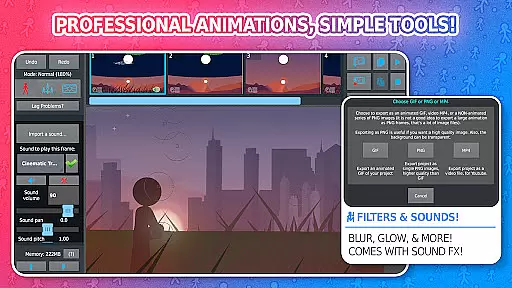
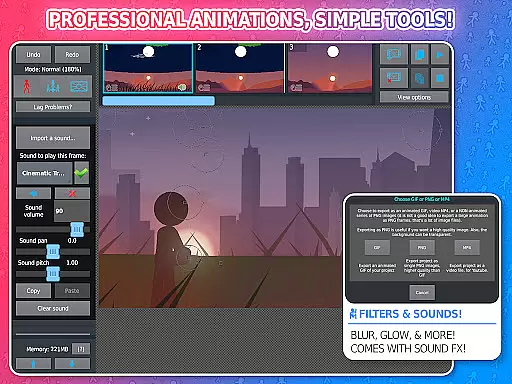
Stick Nodes Pro is a premier stickman animator app designed specifically for mobile devices, offering advanced animation tools and features. Inspired by Pivot stickfigure animator, this app allows users to create intricate stickfigure-based animations and export them as GIFs or MP4 videos.
This professional version provides exclusive features such as ad-free startup, watermark-free exports, sound effects addition, and more stickfigure filters like blur and glow. With compatibility across various platforms and an active community, Stick Nodes Pro stands out as a comprehensive tool for both novice and expert animators.
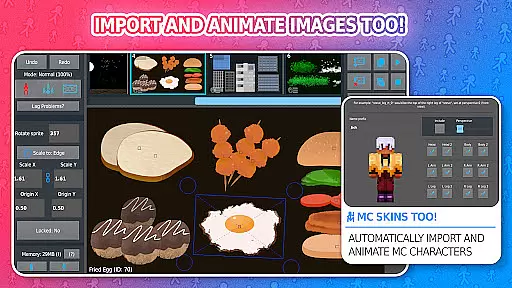
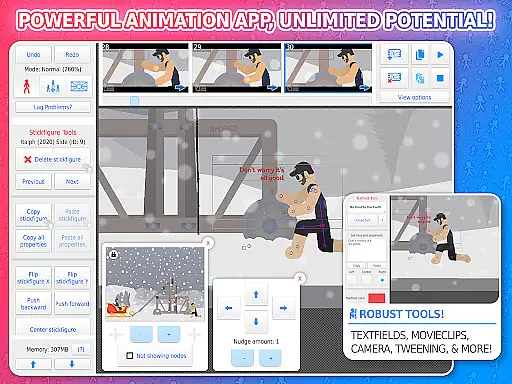
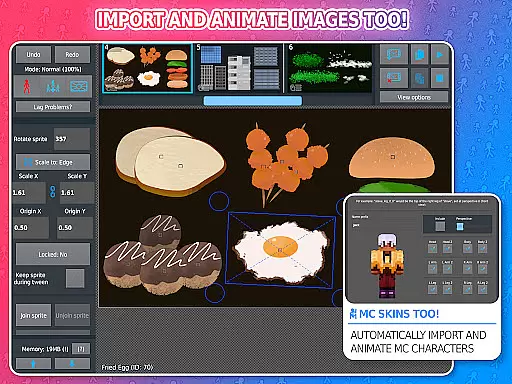
Stick Nodes Pro boasts a wide array of features that enhance the animation experience. Users can import and animate images, utilize customizable frame-tweening for smoother animations, and employ a simple camera function for scene manipulation similar to Flash's v-cam.
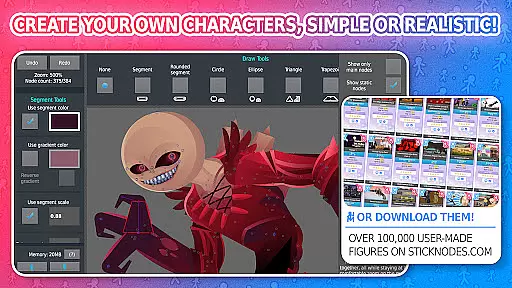
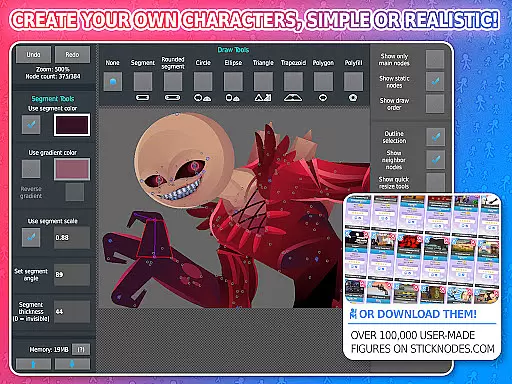
Additional features include movieclips for reusable animation objects, diverse shapes with per-segment color and scale options, text fields for easy speech integration, and the ability to apply various filters to stickfigures. The app also supports Minecraft™ skin animation, making it versatile for different types of projects.
Stick Nodes Pro offers an impressive range of content that ensures users have everything they need to create dynamic and engaging animations. With over 30,000 stickfigures available for download and new ones added daily, animators are provided with a vast library of resources to spark creativity. The app also supports the import of custom images and even Minecraft skins, allowing for endless possibilities in character design.
In addition to its extensive stickfigure library, Stick Nodes Pro includes a variety of animation features such as automatic customizable frame-tweening, which makes animations smoother and more professional-looking. Animators can apply different filters like transparency, blur, and glow to their stickfigures, adding depth and style to their creations. These features ensure that each project remains fresh and unique, catering to both novice and experienced users.
The app's thriving community further enhances content variety by encouraging collaboration and sharing among users. This ecosystem not only fosters creativity but also provides continuous updates and new content from fellow animators. By offering regular updates and compatibility with pre-3.0 Pivot stickfigure files, Stick Nodes Pro guarantees that its content stays relevant and up-to-date, keeping users engaged and inspired.
User engagement is a key strength of Stick Nodes Pro, thanks to its comprehensive set of tools and active community support. The app's robust feature setu2014including text fields, sound effects, and movieclipsu2014ensures that users can create complex and detailed animations that hold their interest over time. These advanced capabilities allow animators to continually refine their skills and produce high-quality work, leading to longer sessions within the app.
Retention is further bolstered by the app's thriving online community, where users share tips, showcase their work, and collaborate on projects. This sense of belonging and shared purpose keeps users coming back, as they find value not just in the app itself but in the connections they make through it. Regular updates and new content additions, such as additional stickfigures and features, provide ongoing incentives for users to remain engaged.
Moreover, Stick Nodes Pro's educational potential makes it a valuable tool for schools and learning environments, ensuring sustained use among students and educators alike. Its ability to cater to both beginners and seasoned animators means that users can grow with the app, continually discovering new ways to express their creativity. This adaptability significantly enhances user retention, making Stick Nodes Pro a staple in the world of digital animation.
Powerful animation tools
User-friendly interface
Active community support
Versatile export options
Regular updates and improvements
Pro features require payment
Complex for beginners
Limited free resources
Occasional bugs reported
High device storage requirement

Pathfinder 2e initiative tracker with bestiary, HP, reaction, conditions, etc
 4.80
4.80
Stream Movies & TV Series: Original Shows, Family Movies & New Releases Weekly
4.60
A companion app for the game Elite Dangerous
4.10
Real ghost box scanner with echo, reverb, EMF, & multi-stream channels.
3.80
With the credits you earn play more games
2.90
Music visualizer and party effects for Hue
3.90
The JBL Portable app works with JBL portable Bluetooth speakers.
4.60
Underrated short-drama gems that hit hard and keep your heart hooked.
4.50
Create your Songs. Cover Maker with any Voice, Song Generator
3.30
Open-source, fast, simple and powerful IPTV app
4.90
Your Avatar, Endless Fun
4.60
Tarot & Oracle Card Readings
4.50
Create, chat & bond with AI souls who truly listen.
4.50
Series,Películas y Telenovelas
4.50
Heroclix search units with multi filter , team builder, collection manager.
4.40
Himnario LLDM - Fast and Easy to read , updated Hymnal 2019 Edition Official
4.20
Exclusive Short Drama Video! All in HD. Bringe trending reels & enjoy drama time
3.80
Daily immersive workout plan: Body warm up & finger yoga exercises
3.80
Air Horn - Siren Sounds Prank, Fun way to wake up your Friends and Family
4.5


User Reviews