
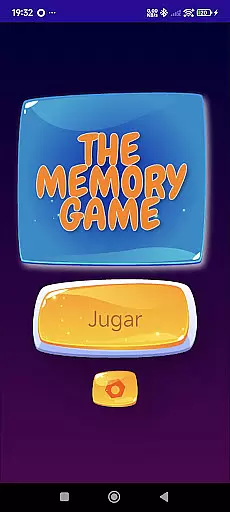
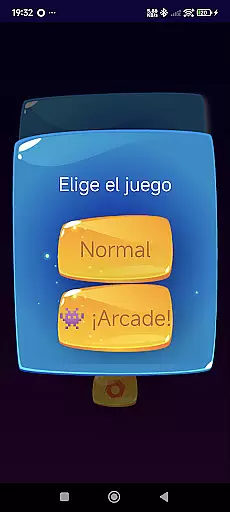
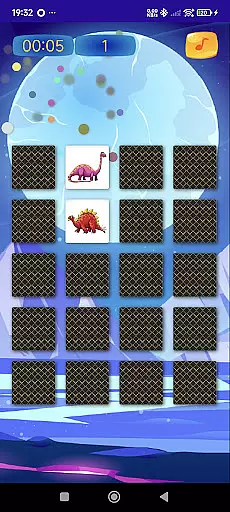
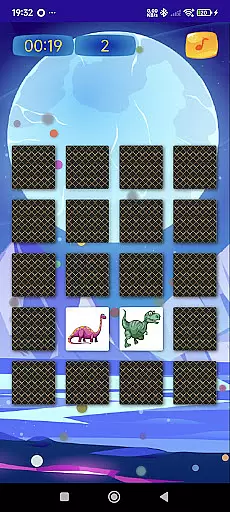
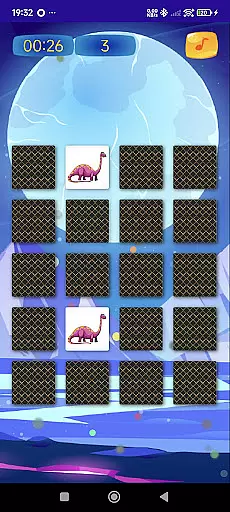
TheMemoryGame is an educational app designed to enhance memory, attention, and logic skills through engaging gameplay. It offers various difficulty levels, including Easy, Medium, and Hard, ensuring a challenge for users of all ages.
With features like time trial mode, colorful images, and diverse themes such as animals, fruits, and shapes, this app provides an entertaining way to train the mind. Whether you're a child in school, an adult looking to maintain mental agility, or someone who enjoys logic games, TheMemoryGame offers something for everyone.
TheMemoryGame stands out with its comprehensive set of features tailored to improve cognitive abilities. The app includes multiple difficulty settings, allowing users to progress at their own pace while challenging their memory skills.
One notable feature is the time trial mode, which tests users' speed and accuracy under pressure. Additionally, the offline mode enables gameplay without an internet connection, making it convenient for travel or areas with limited connectivity. With options to track personal records and choose from varied themes, this app ensures a personalized and stimulating experience.
When it comes to educational games, content authority and curriculum alignment are crucial for ensuring that the learning experience is both accurate and relevant. TheMemoryGame offers a robust selection of features designed to stimulate memory, attention, and logic, making it an authoritative source for mental exercise.
The game includes various difficulty levels and themes such as animals, fruits, and shapes, which align well with educational curricula for different age groups. This ensures that players are not only entertained but also engage with content that supports their cognitive development in line with educational standards.
By tracking progress and personal records, the game provides users with a clear sense of achievement and improvement over time. This feature helps maintain motivation and encourages continued play, reinforcing the learning objectives set forth by educational guidelines.
Gamification-learning integration is at the heart of TheMemoryGame's design, offering a unique blend of fun-filled challenges and educational value. By incorporating time trial modes and colorful images, the game creates an engaging environment that motivates players to push their mental limits while enjoying themselves.
The offline mode allows learners to practice and improve their skills without the need for constant internet access, making it convenient for use in various settings. Whether at home or on the go, players can benefit from uninterrupted sessions that enhance concentration and memory recall.
With its wide appeal across all age groups, from children in school to older adults seeking mental agility, TheMemoryGame successfully merges entertainment with education. Its ability to adapt to different user needs through varied themes and difficulty levels makes it an exemplary model of gamified learning.
User-friendly interface
Varied difficulty levels
Engaging themes
Offline functionality
Family-friendly design
Limited advanced features
Basic graphics
No multiplayer option
Occasional bugs
Ads between games

Join the pirate math adventure!
 3.60
3.60
Pretend play in Pepi City: become a doctor or a patient. Our city, your stories!
4.30
Fun baby care game for kids with dinosaur friends. Enjoy the fun kids game.
4.00
Explore, create, and play with Hello Kitty and all her friends!
4.60
Explore Dopples World, build your avatar life & create endless stories!
4.70
Fun step-by-step drawing & coloring app to learn and create art!
4.4
Featuring the Numberblocks
3.60
Find the hidden Numberblocks, add them together and see what happens.
3.50
OG Trail - Lets you play the classic Oregon Trail simulation game on Android
4.20
Preschool learning games: 123 numbers game for kids, abc learning for toddlers
4.70
Fun phonics & alphabet tracing game for toddlers, preschool & kindergarten kids!
4.60
Fun educational jigsaw puzzles for kids and preschoolers.
4.50
Creative beauty & fashion
4.50
A world for little builders to create, imagine, and learn through play.
4.20
Daycare full of baby games! Take care of cute toddlers & play fun mini-games!
3.90
Dress up, Makeover, and Party! Design a Wonder World!
3.90
Draw shapes, mix colors, and dodge traps to defeat foes in the vibrant Art Zone!
4.2
A speed-learning English vocabulary game designed for user to reach proficiency
4.2
Join Rus and his friends to save Pear Island!
4.4


User Reviews