
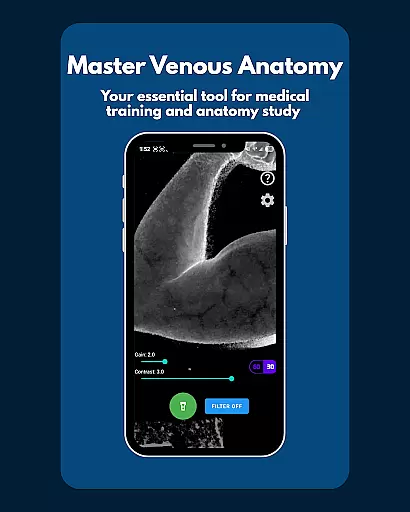
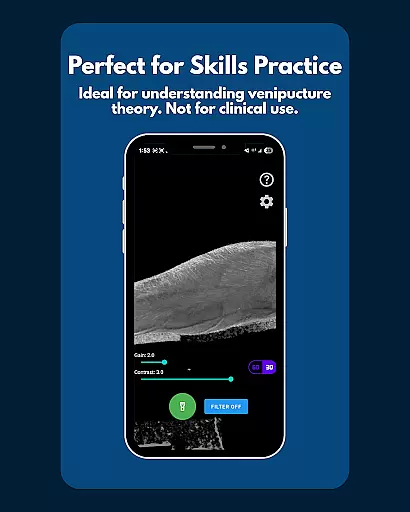
VeinFinder is an innovative educational tool designed to assist students and educators in mastering venous anatomy. This app utilizes advanced GPU-accelerated image processing to enhance vein visibility through your device's camera, eliminating the need for additional hardware. It bridges the gap between theoretical knowledge and practical application by providing clear visualizations of veins, making it invaluable for exam preparation and classroom instruction.
The app offers precise control over gain and contrast settings, ensuring optimal vein visibility across various skin tones and lighting conditions. With integrated flashlight functionality, VeinFinder performs consistently even in low-light environments. Privacy and security are prioritized, as all image processing occurs directly on the device, ensuring that no data leaves your phone. Whether you're studying anatomy, practicing venipuncture techniques, or teaching others, VeinFinder provides a reliable and secure solution for enhancing your understanding of venous structures.
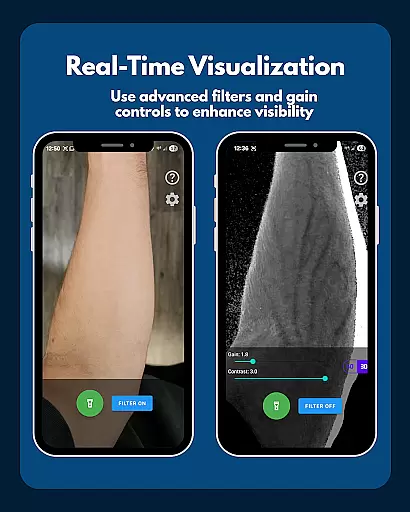
VeinFinder stands out with its array of specialized features tailored for medical education. One of its key capabilities is the instant comparison function, allowing users to toggle between enhanced and raw camera views seamlessly. This feature enables learners to grasp the differences in visibility instantly, reinforcing their understanding of venous anatomy.
Precision control is another hallmark of VeinFinder, offering adjustable gain and contrast settings. These controls ensure that users can fine-tune the visualization to suit diverse skin tones and lighting scenarios, providing a customized learning experience. Additionally, the integrated flashlight control guarantees consistent performance regardless of environmental lighting, making it versatile for any setting. All these features are backed by robust privacy measures, ensuring that all processing remains local to the device, thus safeguarding user data from external access.
VeinFinder stands out in the realm of educational tools by offering highly accurate and authoritative content for anatomy study. The app leverages advanced GPU-accelerated image processing to enhance vein visibility, providing users with a reliable tool for learning venous anatomy. This technology ensures that students and educators can trust the visual information presented during their study sessions.
The app's precision control feature allows users to fine-tune gain and contrast settings, optimizing visibility across various skin tones and lighting conditions. Such customization guarantees that the anatomical details remain true to life, regardless of external factors. By maintaining high standards of accuracy, VeinFinder becomes an indispensable resource for those preparing for exams or teaching others about human physiology.
Furthermore, VeinFinder is designed with privacy in mind, ensuring all image processing occurs locally on the device. This approach not only protects user data but also reinforces the app's commitment to delivering trustworthy educational content. Students and educators can focus on their studies without worrying about data breaches or unauthorized access.
While VeinFinder does not offer traditional personalized learning paths like adaptive quizzes or tailored lesson plans, it provides a unique form of personalization through its adjustable features. Users can customize gain and contrast settings to suit their specific needs, creating a personalized experience that caters to individual learning styles and preferences.
The instant comparison feature allows learners to toggle between enhanced and raw camera views, enabling them to grasp complex concepts at their own pace. This interactive approach fosters a deeper understanding of venous anatomy, as students can explore different perspectives and reinforce their knowledge through direct observation.
Additionally, VeinFinder's compatibility with various devices and ongoing updates ensure that the app remains accessible and relevant to a wide range of users. By continuously improving performance and expanding its capabilities, VeinFinder supports diverse learning journeys, helping each user achieve their educational goals in anatomy and physiology.
User-friendly interface
Enhanced vein visibility
Customizable settings
On-device processing
Ideal for education
Performance varies
Not for clinical use
Refund time limited
Device optimization
Lighting dependent

A 2024 digital study guide for the Expert Infantryman and Expert Soldier's Badge
 4.0
4.0
Learn and joke with the Silly Turkey!
4.1
Hebrew Vocab
4.90
Intuitive Transformer Lab - By a Lineman, For Linemen & Apprentices
4.50
Astronomy Guide To Night Sky
4.30
Our most popular app series returns, better than ever!
3.90
Discover Your Place in the Universe
4.70
A realistic sky map to observe stars, planets, satellites and constellations!
4.80
Plant identifier: Identify plants, trees, weeds, flowers. Disease diagnosis.
4.30
Learn Japanese in an immersive educational game set in Japan!
4.90
The best way to study for your amateur radio license exam.
4.90
Memorize anything efficiently with AnkiDroid! Many pre-built decks available.
4.80
Learning the ancient Viking language made simple
4.70
The Only Official DVSA Theory Test Kit App
4.50
One of the most engaging and innovative ABC apps on the market.
4.30
Explore numbers the Starfall way!
4.00
An animated storybook app to help ease your child through toilet training.
3.70
Quiz App to help case managers studying for CCMC Certification, 200+ Questions
3.40
Master the NRP with 700+ questions, rationales, and updated NREMT scenarios.
3.00


User Reviews