
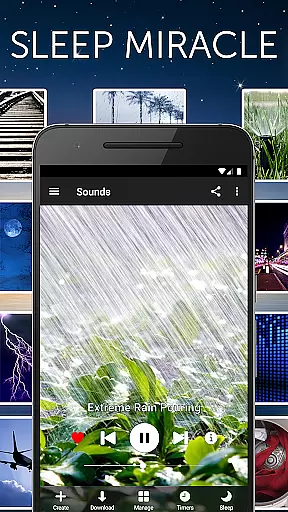


White Noise is a premier sleep aid application designed to help users relax and achieve better quality sleep. The app offers a comprehensive library of over 40 ambient sounds that emulate natural environments, mechanical noises, and color noises such as brown, white, and pink noise. These sounds are crafted to mask unwanted background disturbances, making it easier for users to fall asleep and stay asleep throughout the night.
In addition to its core sound-masking capabilities, White Noise provides advanced features like sound recording and looping, mix creation with individual volume and pitch adjustments, and background audio support. Whether you're dealing with stress, looking to soothe a crying baby, or need an uninterrupted power nap during travel, White Noise delivers a versatile solution tailored to various relaxation needs.
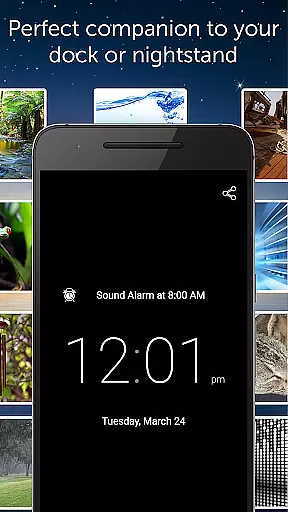
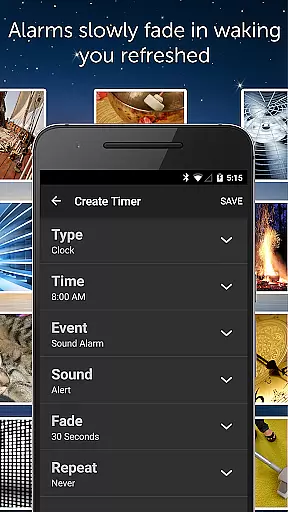
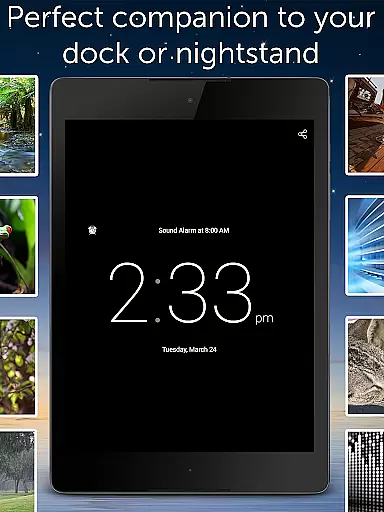
The app's full-screen digital clock, customizable alarms with fade-in and fade-out effects, and Chromecast support make it an essential tool for creating a serene sleeping environment. With its intuitive interface and extensive customization options, White Noise ensures a personalized experience that caters to both casual users and those with specific therapeutic requirements.
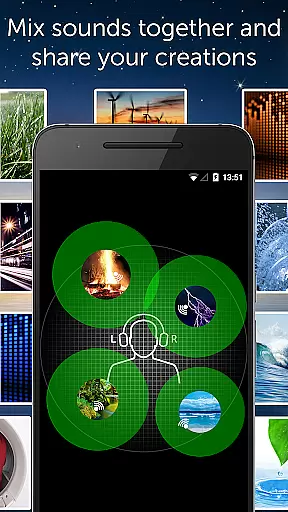
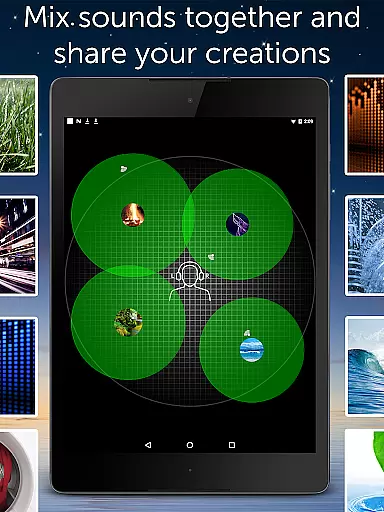
White Noise stands out due to its rich feature set tailored for optimal user experience. One of its key highlights is the ability to create custom soundscapes by mixing multiple sounds, each adjustable in terms of volume, balance, and pitch. This allows users to craft a personalized auditory environment that suits their unique preferences and needs.
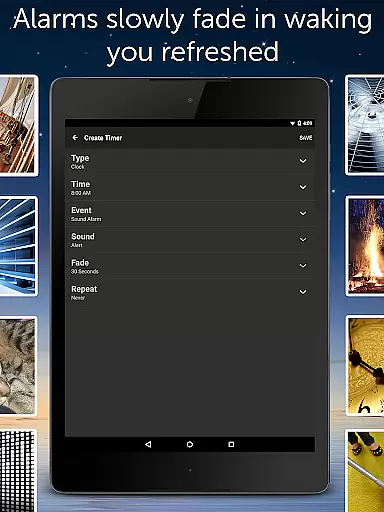
Another notable feature is the app's seamless integration with external devices through Chromecast TV support and app widgets, enabling effortless control over audio playback even when using other apps. The inclusion of a full-screen digital clock with brightness controls adds practicality, especially for nighttime use. Additionally, the advanced alarm system gently wakes users up with a natural fade-in audio effect, ensuring a refreshed start to the day.
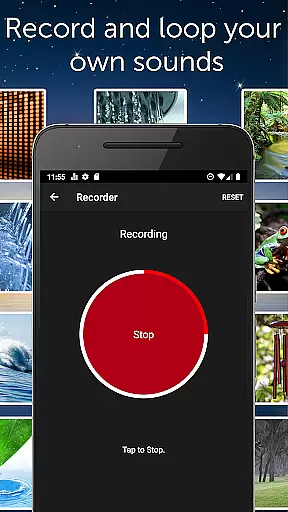
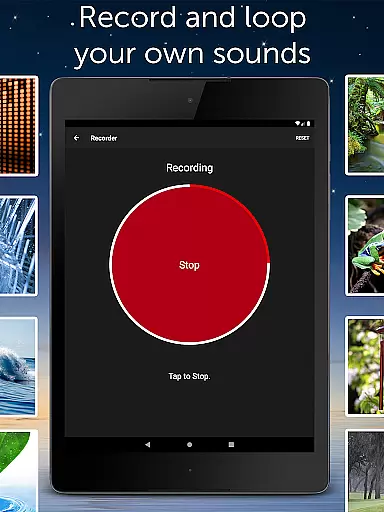
For audiophiles and creators, White Noise offers easy-to-use recording and looping tools, allowing users to capture and integrate their own sounds into the mix. With no streaming required for playback and additional free sounds available via the White Noise Market, this app combines convenience with versatility, setting a high standard for health and fitness applications focused on sleep enhancement.
White Noise offers personalized soundscapes to help users relax and sleep better. The app includes over 40 ambient sounds that can be customized by adjusting volume, balance, and pitch. This allows individuals to create a tailored audio environment that suits their unique preferences and needs.
The application's advanced settings enable users to tweak buffer sizes for optimal playback and adjust sound parameters. With the ability to mix multiple noises together, users can design complex soundscapes that block distractions effectively. These features work in concert to provide a personalized auditory experience aimed at improving sleep quality.
By offering an extensive sound catalog with options ranging from color noises to environmental sounds, White Noise ensures that users can find the perfect combination for their relaxation or sleep routine. The ease of use and depth of customization make it possible for anyone to benefit from a personalized approach to managing stress and enhancing focus.
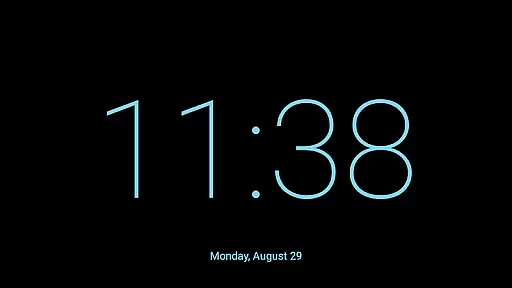
White Noise provides visual feedback through its full-screen digital clock, which complements the audio experience with brightness controls. This feature not only serves as a nightstand companion but also helps users visualize the passage of time as they drift off to sleep. The combination of soothing sounds and a calming visual display aids in creating a restful environment.
The app's advanced alarm system is designed to gently wake users by fading audio in and out, simulating a natural waking process. This method of progress visualization supports the body's circadian rhythms, promoting a more refreshed feeling upon waking. Users can observe their sleep cycle completion through this gradual transition from sleep to wakefulness.
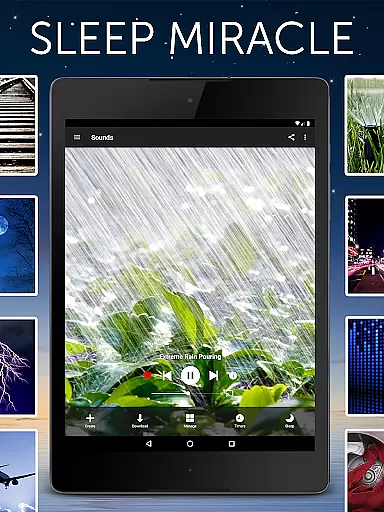
With on-screen media player controls and swipe gesture navigation, users have a clear visual interface for managing their soundscapes. By starring favorite sounds and mixes, individuals can quickly access their go-to audio setups, visually tracking their preferences and usage patterns over time. This enhances user engagement and encourages consistent use of the app for better sleep hygiene.
Blocks distractions effectively
Relaxes and reduces stress
Pacifies fussy babies
Increases focus and privacy
No advertisements
Limited free sound options
Chromecast requires Google Home
Advanced settings may overwhelm
Recording feature needs mic access
Large file size for some devices

Create powerful subliminal audio with custom affirmations and background music.
 4.00
4.00
Control your sleep in real-time wearing Garmin device
3.60
Power-lifting, weightlifting and Wendler 531 app to track your workout program.
4.90
Beauty Care, Makeup & Skin Care Scanner | Pregnancy App For A Mom | Healthy Baby
5.00
The Sleep Miracle Sound Machine: Soothes baby to sleep with a gentle "Shhh"
3.00
Load the bar with this barbell & plate calculator. It's leg day, not brain day!
4.70
FODMAP, Gluten, Allergy, Vegan
4.50
Drink water reminder app. Track water intake. Smart simple hydration tracker.
4.70
Understand your body’s most meaningful messages and transform your health.
3.90
Weight loss app: home workout for women to lose weight & burn calories.
4.80
Eat smarter with Eato, your personal calorie counter and nutrition tracker!
4.40
“Overcoming pain based on EMDR” helps you to alleviate chronic pain and stress.
4.10
Your personal BP tracking companion, focus on helping you achieve wellness goal.
4.10
Looking to take control of your health? Our psychology-based programs can help.
4.10
Your Health Has Met Its App (℠)
3.90
Your plan in your pocket 24/7
3.00
Sync your activities of the most popular sports tracking services
2.70
A simple way to calculate peptide doses and also to convert different units.
4.4
Using Recognise™ has been shown to reduce pain and improve performance
4.2


User Reviews