

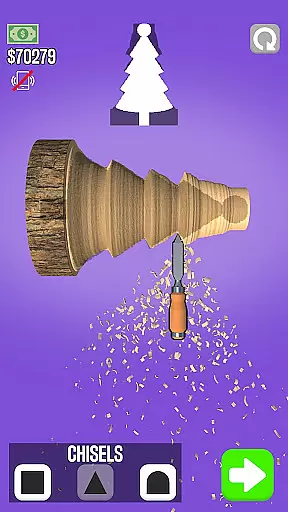



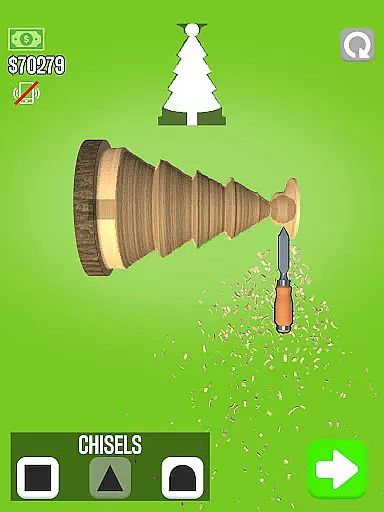





Woodturning is a top-rated simulation app that lets users experience the art of wood crafting. The app allows you to complete customer orders by turning raw wood into intricate designs and shapes. With features like cutting, carving, polishing, painting, and adding stencils, it offers a comprehensive woodworking experience right on your mobile device.
The app not only focuses on creative processes but also incorporates a rewarding system where you can earn in-game money. This virtual currency helps you improve your virtual workspace, making it an ideal choice for those who enjoy simulation games with progression elements.
Woodturning stands out due to its realistic simulation of the wood crafting process. Users can cut, carve, polish, paint, and add stencils to their wooden pieces, providing a multi-layered crafting experience. Each step is meticulously designed to mimic real-world techniques, ensuring an immersive experience.
Beyond crafting, the app includes a customer order system where users can receive specific tasks, enhancing replayability. The ability to earn money and upgrade your virtual room adds another layer of depth, making it more than just a crafting simulator. These features collectively offer a rich, engaging experience for fans of simulation and crafting games.
In Woodturning, the economic system is designed to provide a realistic and engaging experience. Players start with basic tools and earn money by completing customer orders.
As users progress, they can improve their workshop, buy better equipment, and take on more complex projects. This creates a dynamic feedback loop where player decisions directly impact their earning potential.
The game incorporates supply-demand mechanics, where certain wood types or finishes might be more valuable depending on market trends. This adds another layer of strategic depth to resource management.
Players must balance their expenses for materials and tool upgrades against potential earnings, teaching valuable lessons in financial planning and risk assessment.
Woodturning offers a sophisticated resource management system that challenges players to optimize their workflow. The game provides various wood types, each with unique properties affecting the final product quality.
Players must carefully manage their inventory of raw materials, tools, and finishing products. Strategic purchasing and efficient use of these resources are crucial for success.
The simulator includes a durability system for tools, requiring players to maintain and eventually replace their equipment. This adds realism and tests players' ability to plan ahead.
Time management also plays a role, as players must decide whether to focus on quick projects for immediate profit or invest in longer, more lucrative works while balancing their financial needs.
User-friendly interface
Realistic woodturning simulation
Variety of tools and options
Rewarding progression system
Engaging gameplay mechanics
Limited free content
In-app purchases necessary
Occasional bugs
Steep learning curve
Repetitive tasks

Multiverse in shambles? There's a goat for that. Play on mobile now!
 4.60
4.60
start a cult from your phone in this cozy idle-clicker game.
4.4
Make 'em move!
4.30
Play classic and popular PS3 games on your Android device!
3.90
A babysitting horror game
4.20
Experience the ultimate vehicle simulator with realistic soft-body physics
4.20
I made a game for a certain kind of person. To hurt them.
3.30
Create incredible parks in the original rollercoaster sim enhanced for mobile.
3.80
Become a viral rich tycoon with Lamar in this idle clicker, life influencer game
4.40
Replay gaming history - The hit tycoon game, now on Android
4.80
Experience satisfying ASMR makeup with skincare in calming salon makeover games
4.80
Ready to be a billionaire and build your bank empire? Start your adventure now!
4.60
Advanced 3d bow simulator app for hunters, using real archery ballistics.
4.50
Laugh, play, take care, learn and relax with the cutest virtual friend
4.50
Family, house & life simulator - build your dream home in a virtual world!
4.50
Change lives in Flop House: Become the idle manager of a homeless shelter!
4.50
The original idle game. Bake cookies to rule the universe!
4.50
Step into the world of tycoon simulator games and seal profitable business deals
4.10
Survive, explore, and invent wild machines in a world ruled by robots!
4.1


User Reviews