
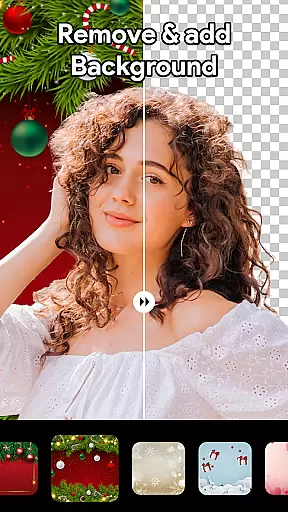

Beauty Camera Selfie Makeup is a comprehensive photo editing app designed to enhance your selfies and videos with professional-level tools. The app offers an array of features including makeup filters, virtual face makeup, and hair color changer options, allowing users to experiment with different looks effortlessly. Suitable for both casual users and beauty enthusiasts, the app provides advanced AI object remover and background remover functions, ensuring every photo is polished and distraction-free.
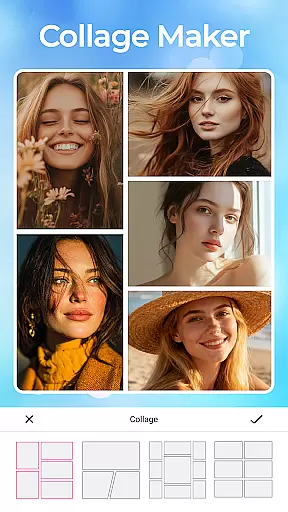
The app's intuitive interface makes it easy to use while delivering powerful results. With capabilities such as enhanced beauty filters, artistic blur effects, and high-quality photo collage creation, Beauty Camera Selfie Makeup empowers users to express their unique style and creativity. Whether you're looking to perfect your selfies or create stunning collages, this app brings professional photo editing to your fingertips, making it an essential tool for anyone passionate about photography.
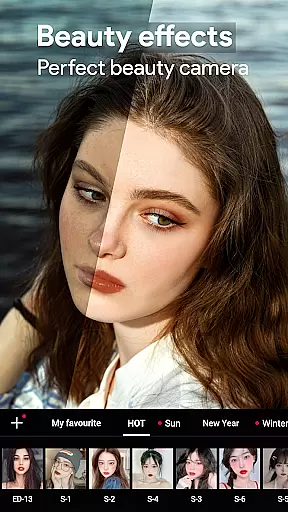
Beauty Camera Selfie Makeup stands out with its innovative and diverse feature set tailored for beauty and photo enhancement. The app includes an Enhanced Makeup Camera Selfie Beauty Filter that smooths skin and removes blemishes instantly, providing users with flawless selfies. Additionally, the Beauty Video Camera with Filters and Effects allows users to add charm and style to their video content effortlessly, making every video selfie captivating.
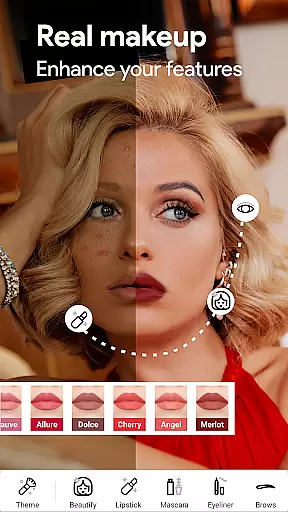
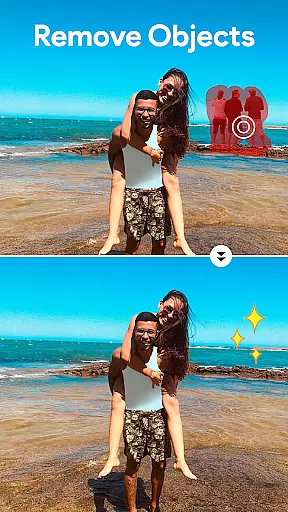
For those interested in experimenting with their look, the Virtual Face Makeup and Editing feature lets users try various lip colors, blushes, and eye makeup styles. The Hair Color Changer tool enables users to test trendy hair shades without visiting a salon. Moreover, advanced tools like the Professional Blur Effect and AI Object Remover ensure photos are polished and free of unwanted distractions, enhancing overall image quality significantly.
When it comes to beauty and photo editing applications like Beauty Camera Selfie Makeup, the depth of the product database plays a crucial role in delivering an exceptional user experience. A comprehensive product database ensures that users have access to a wide range of beauty tools, filters, and effects.
This app offers an extensive collection of virtual makeup options, allowing users to experiment with various lip colors, blushes, and eye makeup styles. The availability of multiple choices empowers users to customize their looks according to their preferences. Additionally, the hair color changer feature provides numerous trendy shades, enabling users to virtually try on different hairstyles without visiting a salon.
The value of a deep product database lies in its ability to cater to diverse user needs. Whether someone wants to enhance their natural features or completely transform their appearance, this app's rich database supports those aspirations. Users can achieve professional-level edits using advanced tools such as the AI object remover and background replacer, which rely on a robust underlying database to function effectively.
Ultimately, the depth of Beauty Camera Selfie Makeup's product database enhances creativity and personalization. By offering a vast array of options, the app ensures that every user can find tools that suit their unique style, making photo editing not just a technical process but a truly personalized artistic experience.
In beauty applications, personalization precision is key to providing users with tailored experiences that meet their individual needs. Beauty Camera Selfie Makeup excels in this area by employing sophisticated algorithms that adapt to each user's distinct facial features and preferences.
The app's virtual face makeup and editing tools are designed to reshape and refine facial characteristics accurately. This level of precision allows for realistic modifications that enhance natural beauty rather than distorting it. For instance, the enhanced makeup camera selfie beauty filter smooths skin and removes blemishes while maintaining authenticity, ensuring that edited photos still look genuine.
Moreover, the app's personalization capabilities extend beyond basic adjustments. With features like hairstyle changes and customizable collages, users can create images that reflect their personal style. The intelligent AI object remover and one-click background remover further contribute to this customization by letting users modify their photos' environments effortlessly.
By focusing on precise personalization, Beauty Camera Selfie Makeup ensures that every edit feels intentional and true to the useru2019s vision. This attention to detail not only improves user satisfaction but also encourages creativity, empowering individuals to express themselves fully through their digital content.
User-friendly interface
Advanced AI features
Versatile editing tools
High-quality filters
Regular updates
Premium subscription required
Some features are complex
Occasional bugs
Limited free options
Heavy on storage

A tool that brings skin care and technology together at your fingertips.
 4.50
4.50
Crown Heart Emoji Photo Editor has given you the chance to look cute girl
4.40
Your on-demand aesthetician
4.40
Try interesting trending filters allows you switch to a cute girl
4.70
Unique selfie filter camera! Upload live sticker & face filter every week!
4.70
Beauty camera & Selfie camera for perfect selfie with filter, sticker, makeup
4.70
Create, design and dress up your own beautiful characters in cute fashion styles
3.50
The ultimate beauty membership
4.70
Monthly Perfume Subscription
4.70
AI Stylist, Try On Millions Of Clothes In Any Brand & Style, AI Clothes Changer
4.70
Beauty Camera - Selfie Camera with beauty editing tool, makeup, filter, sticker
4.60
Wacky mirror filter, waves effect & wavy effect to make your own funny videos.
4.60
For businesses, Booksy Biz allows you to manage your schedule & more on the go.
4.60
DSLR Hd camera capture high quality 4k hd picture with filters and blur editor
4.50
Make beautiful Hairstyles for girls with your own hands in little bit of time
4.00
Try On Style with AI: Virtual Dressing Room & Personal Fashion Stylist App
4.00
The Official Voting App
3.90
Design your nails, manicure and pedicure with nail paint art and nail idea app
3.90
Edit Your Photos and Videos with Beauty Filters & Get Makeup Artist Tutorials
3.60


User Reviews