
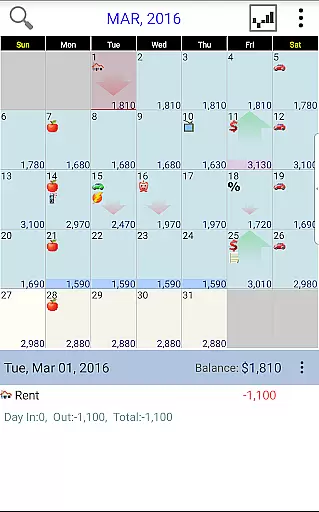
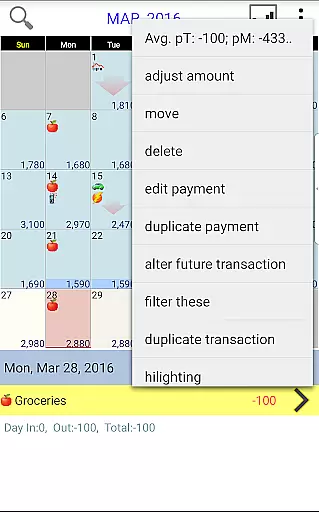
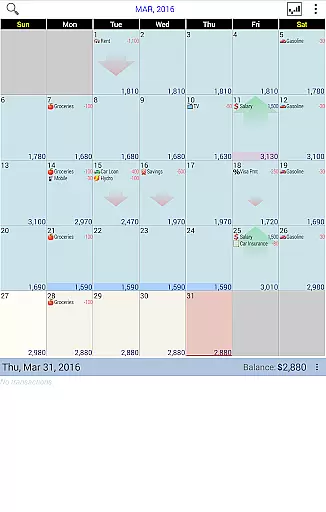
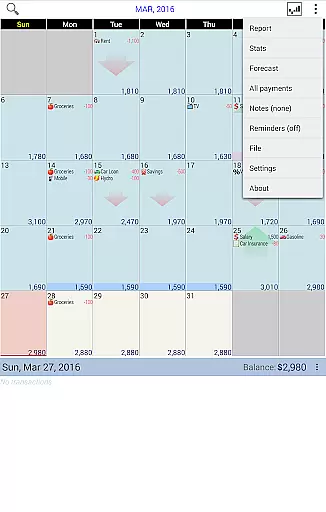
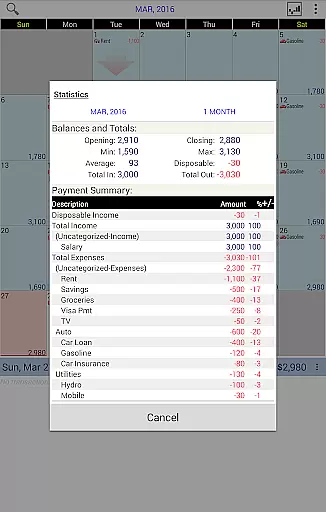
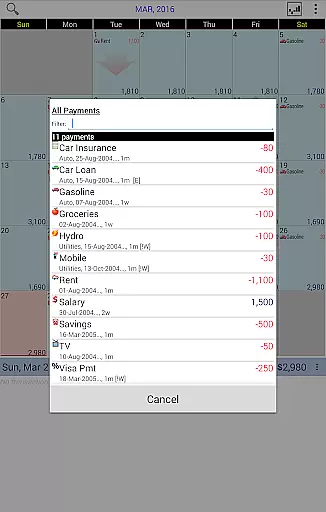
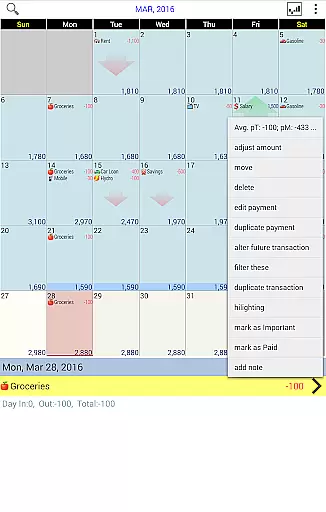
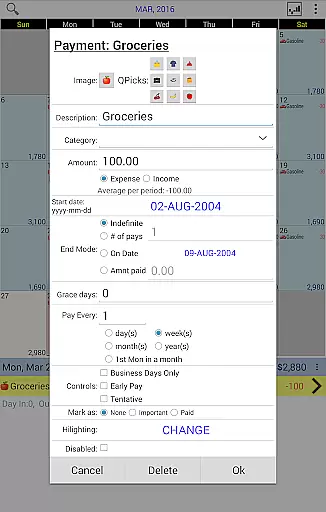
Budget Calendar is a comprehensive financial planning tool designed to simplify budget management through its intuitive calendar-based interface. Unlike traditional ledger systems, this Finance app visualizes all transactions directly on a calendar, providing users with a clear overview of their financial activities. Each payment entry can be customized with unique icons, making it easy to identify different transaction types at a glance.
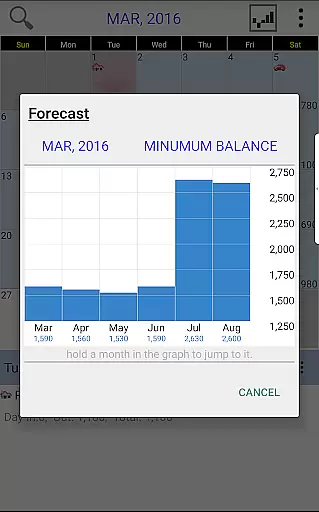
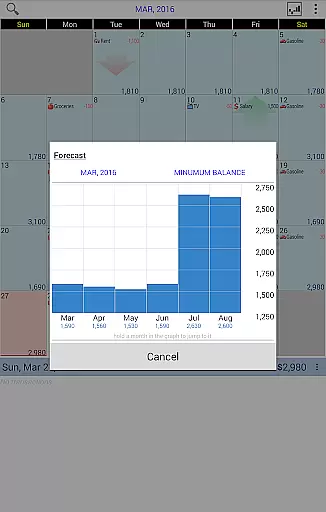
The app's standout feature is its flexible transaction management - users can effortlessly move payments between dates to align with their actual spending patterns. This functionality, combined with future spending projections and detailed monthly statistics, enables users to maintain precise control over their financial situation. The ability to adjust budget balances according to actual account status ensures accuracy in financial tracking.
For users who require cross-platform access, Budget Calendar offers seamless synchronization between mobile devices and desktop versions through Google Drive integration. This makes it an ideal solution for individuals seeking consistent financial management across multiple devices, whether they're managing personal expenses or monitoring business finances.
Budget Calendar distinguishes itself through several innovative features that enhance the financial management experience. The application's core functionality revolves around its visual calendar system, which transforms complex financial data into easily digestible information. Users can view all their transactions in a chronological format, eliminating the confusion often associated with traditional budgeting methods.
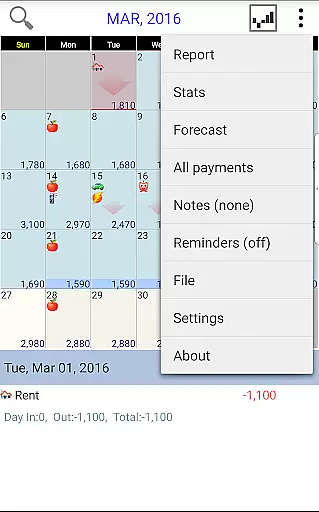
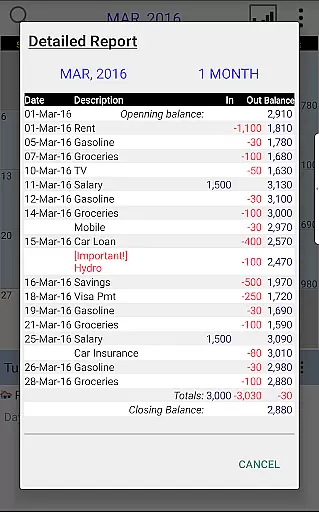
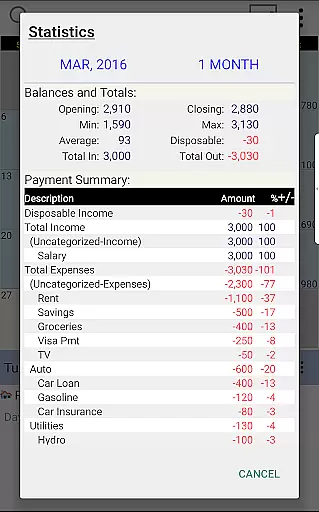
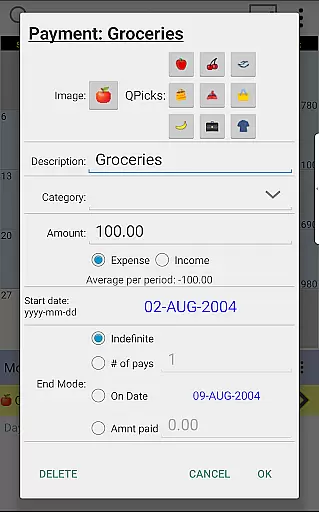
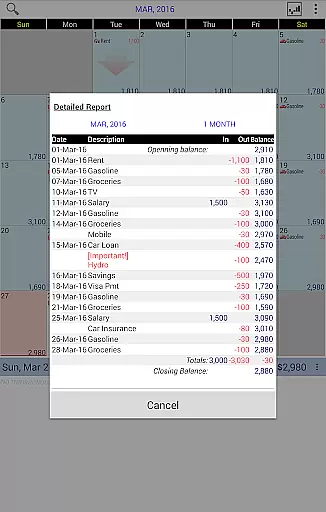
A particularly valuable feature is the customizable icon system for transactions. Each payment entry can be assigned a unique visual marker, allowing users to quickly categorize and identify different types of expenses. The app also includes advanced reporting tools that generate comprehensive statistics for single or multiple months, providing deeper insights into spending patterns. These reports help users make informed financial decisions based on historical data.
The application's synchronization capabilities extend its utility beyond mobile devices. Through Google Drive integration, users can maintain consistency between their smartphone and desktop versions of Budget Calendar (desktop version requires separate purchase). This cross-platform compatibility, combined with the ability to experiment with a TRIAL desktop version, makes it easier for users to transition between devices while maintaining accurate financial records.
Budget Calendar ensures robust account and fund security through advanced encryption protocols. This guarantees that all your financial data remains protected from unauthorized access.
The application employs multi-layer authentication processes, adding an extra layer of security. Users can set up biometric login options, ensuring only authorized access to sensitive financial information.
Additionally, the app provides real-time alerts for any unusual activities. These notifications help users quickly respond to potential security threats, safeguarding their funds effectively.
By prioritizing security, Budget Calendar allows users to manage their budgets with peace of mind, knowing their personal and financial details are secure.
Budget Calendar offers a seamless transaction experience by displaying all transactions on an intuitive calendar interface. This approach simplifies tracking income and expenses compared to traditional ledger systems.
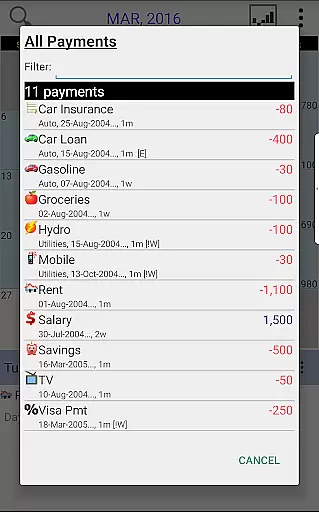
Each transaction can be customized with unique icons, making it easier to identify different types of payments at a glance. The flexibility to move transactions between days helps users adjust their plans according to changing needs.
Users benefit from clear statistics and reports generated for single or multiple months. These insights enable better financial planning and decision-making based on accurate data representation.
Overall, the app enhances user engagement by providing a visually appealing and highly functional platform for managing daily finances effortlessly.
User-friendly calendar interface
Customizable transaction icons
Flexible date adjustment
Detailed financial reports
Cross-platform sync via Google Drive
Desktop version not included
Limited free trial period
Requires manual balance adjustment
Google Drive dependency for sync
Separate purchase for full features

Companies owe you money.
 4.80
4.80
Secure, simple money transfer app. Send money to Mexico and worldwide fast.
4.80
Need help before payday? Get cash advances with no interest or credit checks.
4.60
Early payday & cash advances with no-fee mobile banking!
4.60
Put crypto to work & earn rewards. Stake crypto like Ethereum, Solana & Cardano
4.40
Save, spend & get paid faster²
4.50
Powerful Money Manager, Expense & Savings Tracker, Budget Planner - Pro Version
4.70
Earn money as a tester with Testerup, get cash testing apps and games
4.20
Our Chase Mobile App makes it easy for you to bank on the go 24/7.
4.60
No credit checked needed.
4.80
Managing your money just got easier. Get the new Mobile app.
4.70
Get 250$ Cash Advance to solve emergencies instantly in loan app called LendMe
4.70
Over 180 currencies conversion rates with live exchange rates and offline mode.
4.60
Payday cash advance & Instant cash advance: Borrow money instantly, Get cash now
4.60
Banking, Budgeting & Investing
4.60 4.50
4.50
All your crypto & stocks in one secure and trusted app.
4.40
Get up to 500, get paid early, earn interest and find work with no hidden fees.
4.40
Invest, bank & save in one app. Trade stocks, earn high APY & budget smarter.
4.00


User Reviews