
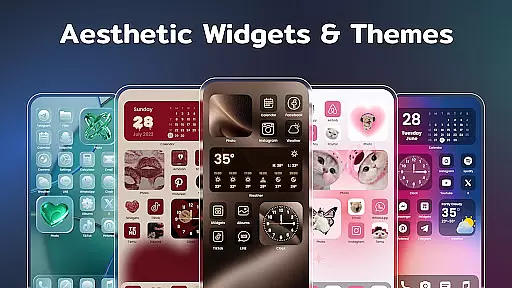
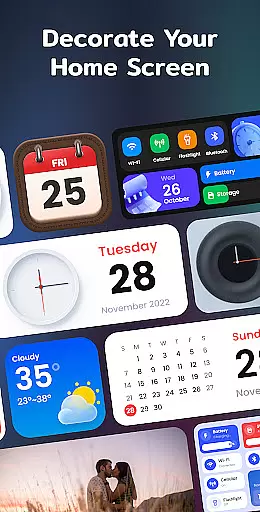
Color Widgets, Theme is a versatile lifestyle app designed to enhance your Android device's home screen with customizable widgets and themes. The app offers an extensive range of aesthetic options including clock, photo, X-panel, calendar, weather, battery level, Bluetooth status, and event timer widgets. These widgets come in multiple sizes, ensuring they fit seamlessly into any layout and meet various user needs.
With its unique combination of stylish themes, custom icons, and practical widgets, Color Widgets, Theme allows users to design a personalized and functional home screen. Whether you want to display cherished photos, track important events, or monitor your phone's status at a glance, this app provides the tools to make your screen truly unique. Its intuitive interface enables one-click widget addition and effortless customization, making personalization accessible to all users.
Color Widgets, Theme stands out through its diverse feature set that caters to different personalization preferences. One of the key highlights is the X-Panel Widget, which consolidates essential information like date, time, network connection, Bluetooth status, and battery level onto a single dashboard. This feature not only saves space but also provides quick access to frequently used functions such as flashlight control and Wi-Fi management.
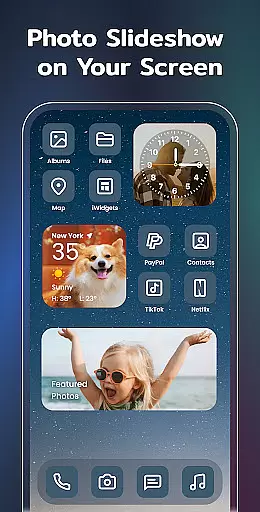
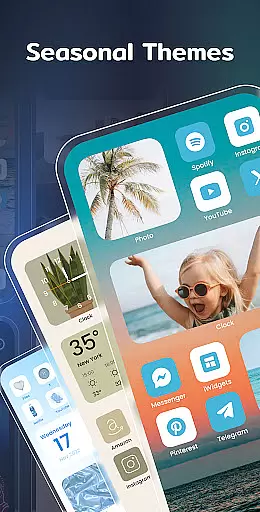
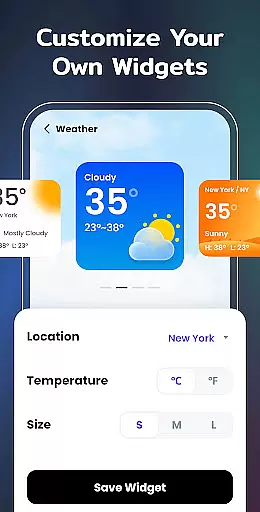
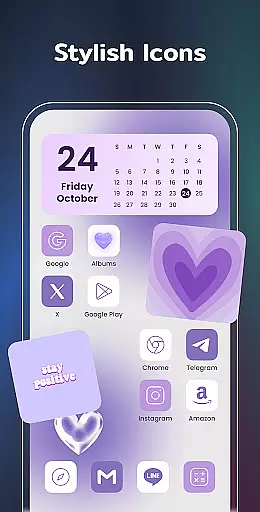
The app's Photo Widget and Clock Widget offer creative ways to showcase personal memories and timekeeping preferences. Users can decorate their screens with cherished photos or choose from various analog and digital clock styles. Additionally, the Weather Widget delivers real-time local weather information with an elegant display, while the Calendar Widget presents date information in creative vintage styles. The inclusion of preset themes and custom icon options further expands the personalization possibilities, allowing users to create a cohesive and distinctive look across their entire home screen.
Color Widgets, Theme offers extensive lifestyle category coverage through its diverse range of widgets and themes. The app provides users with a variety of functional widgets including clock, photo, X-panel, calendar, weather, battery level, Bluetooth status, and event timer. These widgets cater to different aspects of daily life, ensuring that users can customize their home screens to suit various practical needs.
The app stands out with its multiple widget sizes and styles, allowing for personalized screen layouts. Whether it's monitoring phone status with the X-Panel widget, displaying cherished memories with the Photo widget, or tracking important dates with the Calendar and Event Timer widgets, the app delivers comprehensive lifestyle management tools. This diversity ensures that users can create a truly unique and functional mobile experience tailored to their individual preferences.
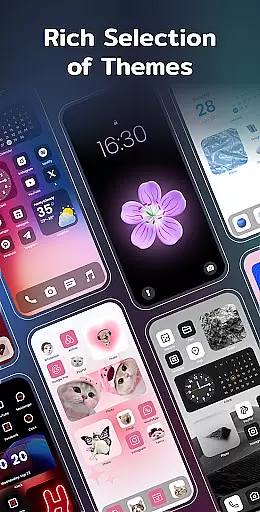
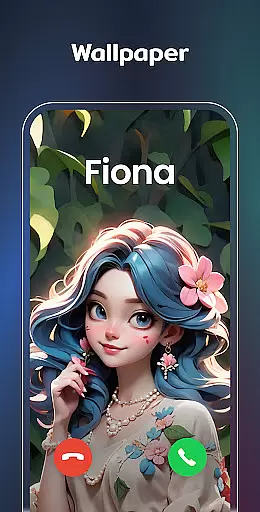
Additionally, the app's collection of aesthetic themes and custom icon options enhances the personalization possibilities. Users can choose from preset themes in different styles such as anime, neon, and vintage, while also being able to change app icons and wallpapers. This level of customization allows users to transform their device's appearance completely, making their home screen not just functional but also a reflection of their personal style and lifestyle choices.
When evaluating content authenticity and expert credibility, Color Widgets, Theme demonstrates a strong commitment to providing genuine and reliable features. The app's description clearly outlines its functionality, which is verified through user reviews and ratings on the Google Play Store. Each widget serves a distinct purpose, from displaying real-time weather information to creating countdowns for important events, indicating that the content is both authentic and useful for everyday life.
The developers have ensured credibility by implementing necessary permissions responsibly. For example, location permission is required only for specific widgets like Weather and Distance, while storage permission is exclusively for photo display purposes. This transparent approach to permissions shows that the app requests only the access needed to function effectively, enhancing trust in its content and operation.
Furthermore, the app's support team maintains open communication channels, inviting users to share questions or suggestions via email. This direct line to the developers indicates a willingness to maintain high standards of content quality and address any concerns about feature authenticity. By combining practical functionality with responsible development practices, Color Widgets, Theme establishes itself as a credible source for lifestyle enhancement tools on Android devices.
User-friendly interface
Wide variety of widget types
Highly customizable options
Regular feature updates
Cross-device compatibility
Requires multiple permissions
Some features may drain battery
Premium themes cost extra
Occasional performance issues
Learning curve for beginners

Digital watch face design. Modern looking, hi-res & battery friendly.
 4.00
4.00
Pay your rent, submit work orders and much more with the RentCafe Resident App.
4.70
Designed to delight, impress and energize your festive spirit every single day
4.4
Easily manage your child's playtime, spending messaging and more.
3.50
Paranormal Spirit Bell Trigger Device
4.30
Mixing Colors for Menswear
4.20
Celebrate the holidays with Advent Calendar: daily surprises and festive fun!
4.2
Redecor your home with Home AI interior design, room planner and home designer.
4.50
Earn money for every survey and game you play, and get real rewards every time
4.50
Colorful minimal digital watch face for Wear OS
4.60
Discover your Nationality, Family Origin, and Ancestry from one selfie
4.50
Material You inspired colors with BIG and Bold looks for Wear OS watches.
4.20
This minimalist yet classic board design brings a futuristic twist to your wrist
4.20
Fly your Solo like a boss.
4.10
Unique informative Dial with Live Moon Phase at a glance!
3.60
View over 160,000 line dance stepsheets from the CopperKnob website.
3.30
Big bold digital watch face with 30 colors, 6 complications and AOD.
4.2
Immerse yourself in the serenity of lavender fields and white butterflies
4.2
The cutest Autumn watchface featuring the adorable Mr. Squirrel
4.4


User Reviews