
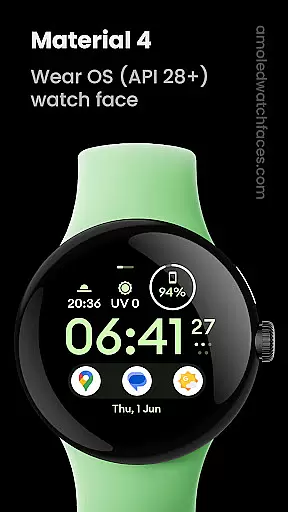
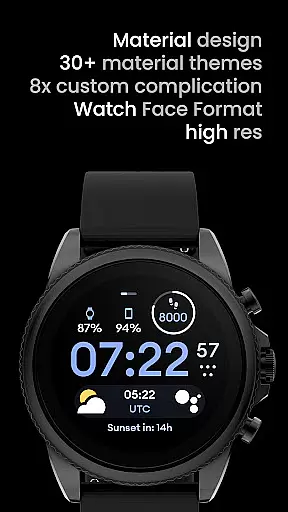
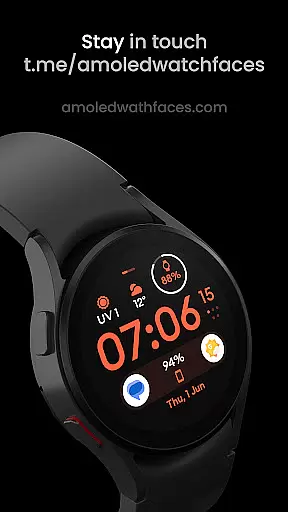
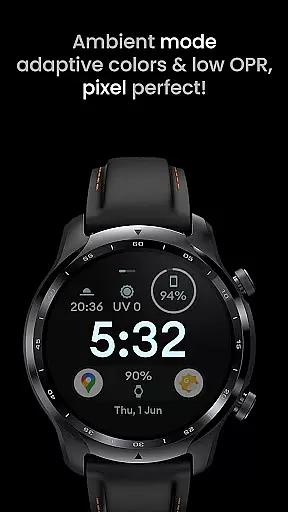
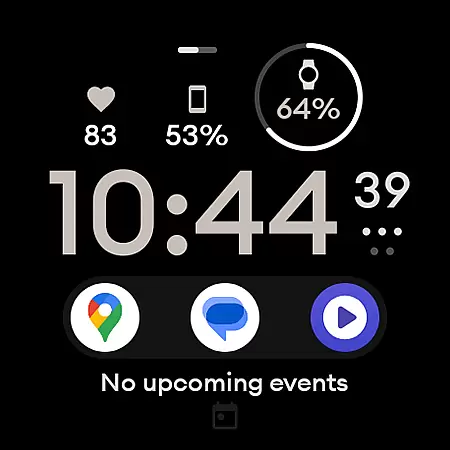
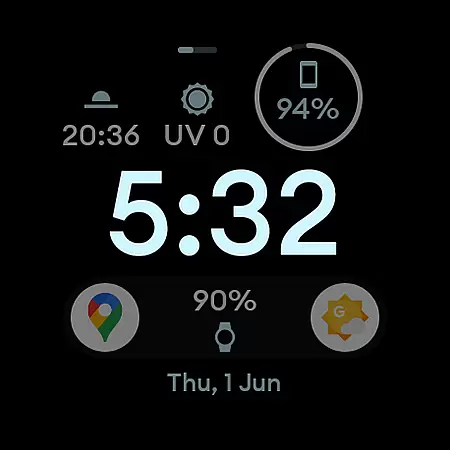
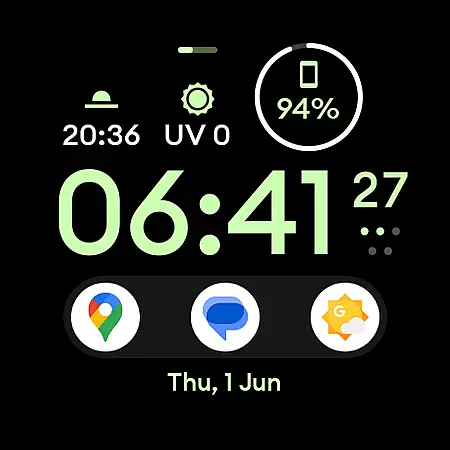
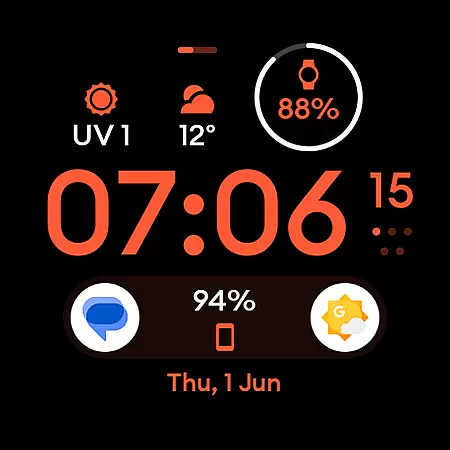
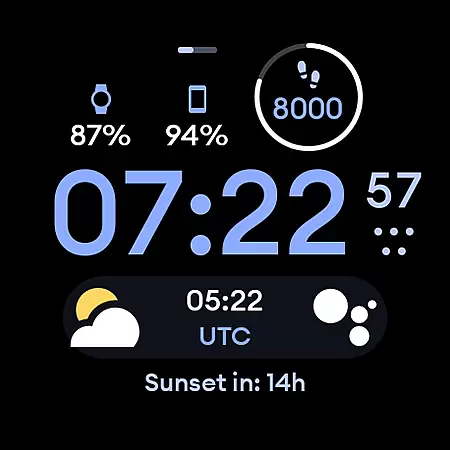
Material 4: Watch face is a feature-rich watch face app designed exclusively for Wear OS API 28+ devices. It offers a sleek material design with Euclid font and true black background, making it both visually appealing and battery-friendly. The app supports hi-res displays and includes unique ambient mode with low OPR and adaptive color.
This watch face stands out with its support for up to eight custom complications, allowing users to personalize their watch faces extensively. With additional user configuration options like Am-Pm Indicator, Thin Time toggle, AOD settings, and a wide range of color choices, it provides a highly customizable experience tailored to individual preferences.
Ideal for users seeking both aesthetics and functionality on their smartwatches, Material 4: Watch face enhances the wearable experience by combining modern design elements with practical features such as adaptive color ambient mode and extensive customization options.
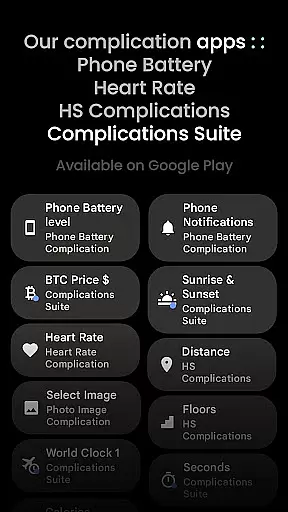
One of the key highlights of Material 4: Watch face is its support for custom complications. Users can choose from up to eight different complication slots to display personalized information directly on their watch face. These complications are powered by third-party apps like Complications Suite, providing even more customization possibilities.
The app also offers various user configuration options including three types of Am-Pm Indicators, two AOD modes, and thirty-five color variations. For devices running API 33+, additional features like Thin Time toggle and extended color options become available, giving users more control over their watch's appearance and functionality.
Other notable features include true black background for AMOLED displays, hi-res support for sharper visuals, and battery-friendly optimization. The unique ambient mode ensures minimal power consumption while maintaining essential timekeeping functions through low OPR and adaptive color technology.
In the realm of wearable technology, lifestyle applications play a crucial role in personalizing user experiences. Material 4: Watch face is designed exclusively for Wear OS API 28+ devices, ensuring compatibility with modern smartwatches. This app transforms your device into a stylish accessory while maintaining functionality.
With its material design featuring the Euclid font, true black background, and high-resolution display, this watch face offers an aesthetically pleasing interface. The battery-friendly design ensures that style does not come at the expense of performance, allowing users to enjoy an extended battery life.
One of the standout features is the support for eight custom complications, which can be tailored to show information most relevant to the user. These complications mostly come from third-party apps, enhancing the watch's utility by integrating seamlessly with other services and apps the user relies on daily.
The unique ambient mode with low OPR and adaptive color further enriches the user experience by providing a visually comfortable display that adjusts to different lighting conditions. With additional user configurations such as Am-Pm Indicator, Thin Time toggle, AOD options, and a wide range of color choices, Material 4: Watch face caters to diverse preferences, making it a comprehensive lifestyle companion.
When choosing a watch face for your Wear OS device, content authenticity and expert credibility are paramount. Material 4: Watch face stands out due to its professional design and reliable functionality, endorsed by experts in wearable technology. Powered by Watch Face Format, this app guarantees a high-quality user experience.
The developers behind Material 4 have integrated advanced features like true black backgrounds and hi-res displays, which are hallmarks of premium design. These elements are not only visually striking but also optimized for performance, demonstrating the expertise involved in the app's creation.
Moreover, the app provides extensive user configurations, including options for Am-Pm Indicator, Thin Time toggle, and multiple color settings. Such detailed customization is indicative of a deep understanding of user needs, reflecting the developers' commitment to delivering authentic and credible content.
For installation guidance and troubleshooting, users can refer to a comprehensive support system available at amoledwatchfaces.com/guide. Additionally, any issues or help requests can be directed to a dedicated support address, ensuring that users receive expert assistance whenever needed. This robust support network underscores the reliability and authenticity of Material 4: Watch face.
User-friendly interface
Highly customizable
Battery efficient
Unique ambient mode
Multiple color options
Not for rectangular watches
Complications not included
API 33+ required
Limited support
Premium cost

Chat, meet genuine singles in your area. Real connections start with being real.
 4.30
4.30
The all-new Cync app. The simple, connected app for Cync and C by GE.
4.50
Take Hobby Lobby with you wherever you go!
3.40
BILT interactive 3D instructions help you get the job done right
3.50
This is a simple and highly functional alarm clock "Smart Alarm" paid version.
4.20
Connect to your Shark ROBOT™ from anywhere using the SharkClean™ App.
3.60
Play fun games, complete quick surveys, and earn money. It's fun and easy!
4.40
A smart Siddur with halachic times
4.50
The cutest Autumn watchface featuring the adorable Mr. Squirrel
4.2
See wait times and check into a hair salon ahead of time with Online Check-In.
4.80
Have your Tehillim with you at all times
4.70
A smart Siddur with halachic times
4.60
Colorful minimal digital watch face for Wear OS
4.60
Mixing Colors for Menswear
4.20
Communicate with your vehicles and Powerwalls anytime, anywhere
3.60
Going above and beyond known spirit communication
3.60
The Miracle Box includes methods used by Steve Huff of Huff Paranormal.
3.20
Discover how to help puppies stay calm around noise with this helpful app.
4.2
Unique Dark Analog style for Wear OS watches.
4.4


User Reviews