
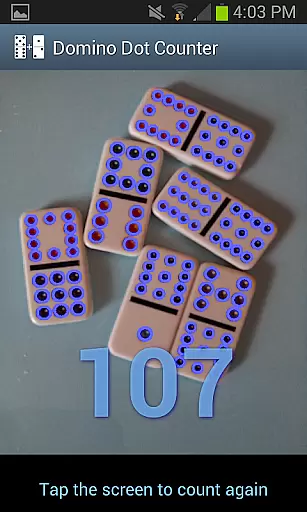
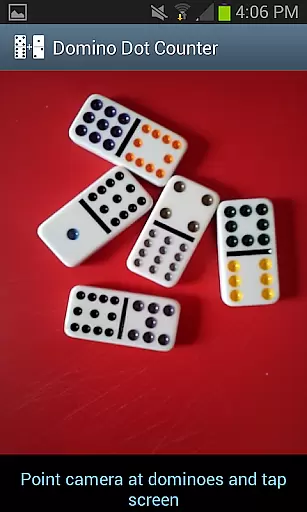
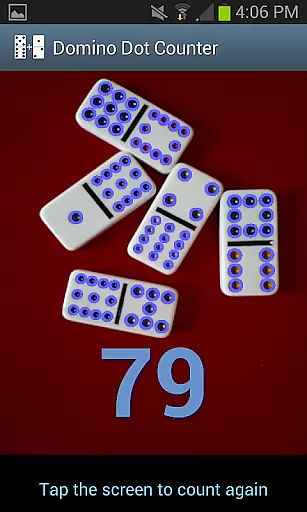
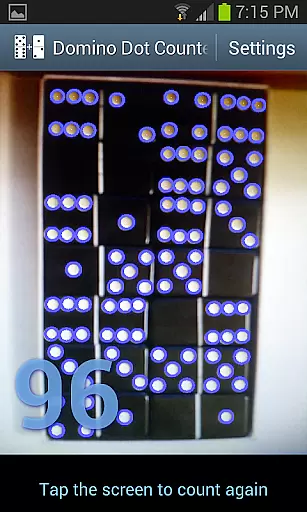
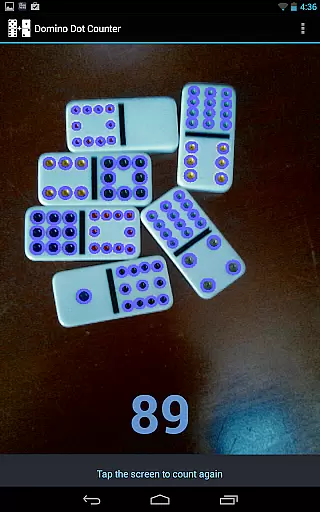
Domino Dot Counter is a casual gaming app designed to enhance your domino experience by automatically summing up the dots on a group of dominoes using your phone's camera. This innovative application not only simplifies the scoring process but also adds an element of fun and accuracy to your game.
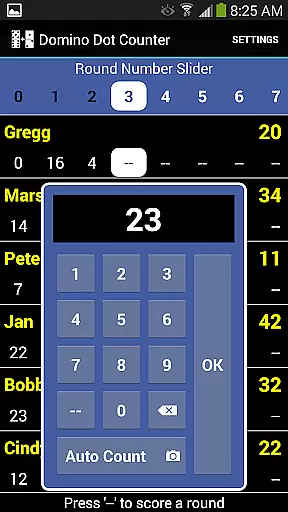
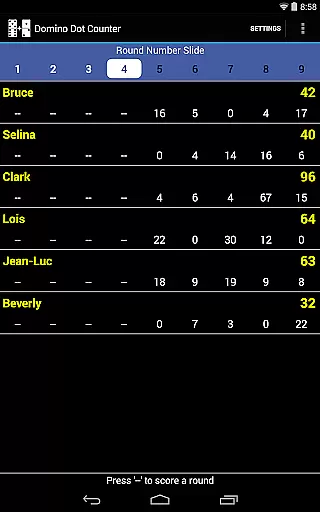
The latest version includes a complete score application, allowing you to keep track of scores for 2 to 8 players. With its AUTO COUNT feature, the app takes the hassle out of manually counting dots, making it perfect for games like Mexican Train dominoes. Just point the camera at the dominoes, tap the screen, and let the app do the rest.
Whether you're playing casually with friends or in a competitive setting, Domino Dot Counter ensures that every game is fair and enjoyable. Its user-friendly interface and customizable options make it suitable for both beginners and seasoned players.
Domino Dot Counter stands out with its unique features tailored for domino enthusiasts. The AUTO COUNT feature uses advanced image recognition technology to count the dots on dominoes, providing quick and accurate results. This feature is particularly useful when dealing with a large number of tiles, as it saves time and reduces errors.
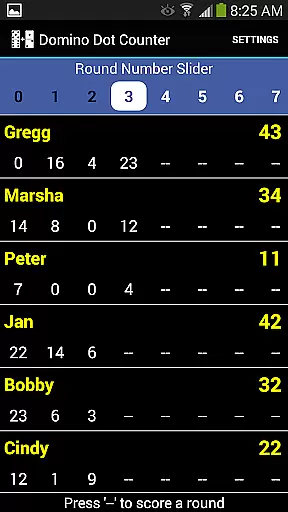
Beyond counting, the app offers comprehensive scorekeeping capabilities. You can add or delete players mid-game, customize player names, and manage rounds effectively. The app keeps track of completed rounds and warns against rescoring, ensuring a smooth gameplay experience. Additionally, the slider at the top allows easy navigation through multiple rounds.
For optimal performance, it's recommended to use the app on a solid-colored surface and hold the camera horizontally over the dominoes. These guidelines help achieve the best results, making your gaming sessions more enjoyable and efficient.
Domino Dot Counter offers a straightforward and intuitive core gameplay mechanic that is easy to grasp for users of all ages. The primary function of the app is to automatically sum up the dots on a group of dominoes using your phone's camera, which eliminates the need for manual counting and simplifies the scoring process in domino games.
The app includes an AUTO COUNT feature, allowing players to let their phone or tablet count the dots (also known as pips) on the dominoes. This feature is especially useful when dealing with a large number of tiles at the end of a round, such as in a game of Mexican Train dominoes. By simply pointing the camera at the dominoes and tapping anywhere on the screen, the total will appear within a second or two.
This seamless integration of technology not only streamlines gameplay but also enhances the overall user experience by reducing the potential for human error during scorekeeping. Players can focus more on strategy and enjoyment rather than getting bogged down with the mechanics of counting.
One of the standout features of Domino Dot Counter is its session length flexibility, accommodating various play styles and time constraints. Whether you have a quick break or an extended period to enjoy a game, this app adapts to your schedule without compromising the quality of play.
The app keeps score for 2 to 8 players, making it versatile for different group sizes and dynamics. You can add or delete players mid-game and introduce more rounds whenever you like, ensuring that each gaming session can be as long or as short as desired.
Additionally, the ability to customize player names and track completed rounds adds another layer of personalization and convenience. A warning system prevents accidental rescoring of finished rounds, while a slider at the top allows navigation through rounds when they can't all be displayed at once. These thoughtful design elements contribute to a flexible gaming experience that can be easily tailored to fit any occasion.
User-friendly interface
Accurate dot counting
Customizable player settings
Comprehensive score tracking
Supports multiple players
Requires solid-colored surface
Camera positioning crucial
Limited to domino games
May need occasional recalibration
Dependent on good lighting

Classical snake game style for Wear OS
 4.00
4.00
Plan, craft and compete—an idle RPG with a smart Forge and Eternal cards.
4.20
Tricky Puzzle Fun Brain Story is a fresh brain game with everyday scenarios
4.50
Save the Candy Bears! Match, pop, and blast through fizzy match-3 puzzles!
4.60
Five new incredible party games to liven up any gathering!
3.30
Roll the Dice and Build Your Kingdom - Can You Beat Your Friends?
4.70
Build bridges till the winning stage!
4.20
Embark on a colourful hand drawn journey of discovery through the ages!
4.40
Play the fashion dress up games! Style your avatar and be a legendary queen
4.50
More fast-paced, food-making, cooking fun for everyone!
4.90
Greed is a virtue in Idle Trillionaire. Success is defined by your net worth.
4.50
Blend & Match! Mix colors on paper, compare with objects, aim for perfect match!
4.30
Control Global Flights, Test Your ATC Skills!
4.30
Smash your way down the tower and watch for the blocks!
4.10
Explore dungeons simple action RPG game Dungeons & Pixel Hero!
4.00
Suika Game is now available on Android!
3.90
Heads or tails? Coin Flipper in an idle game about flipping coins!
3.60
Dodge missiles, collect stars, and test your reflexes in Aero Escape!
3.40
Classic brain train minigames
4.3


User Reviews