
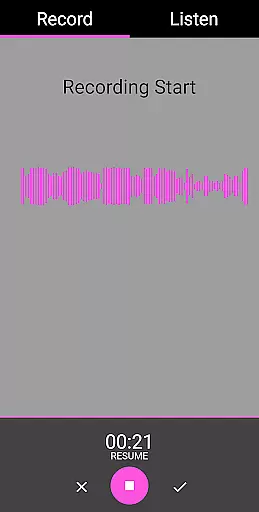
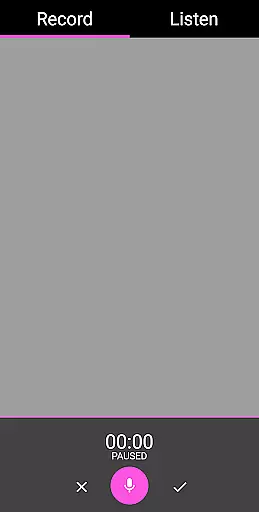
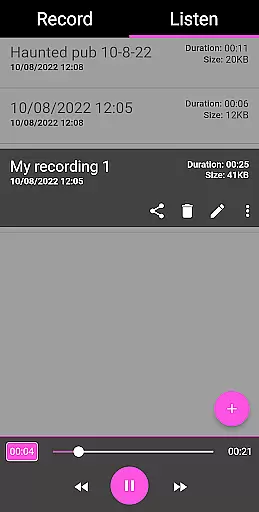
EVP Recorder is a specialized application designed for ghost hunting enthusiasts who want to capture Electronic Voice Phenomena (EVP). This app leverages your device's built-in microphone to record potential spirit communications, making it an essential tool for paranormal investigations.
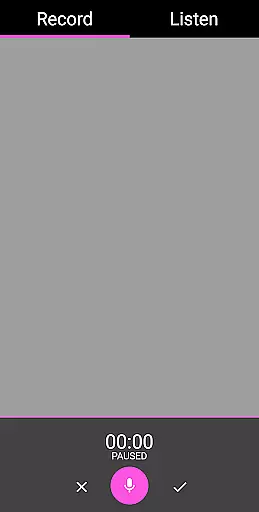
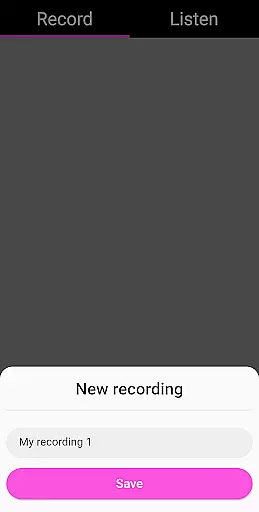
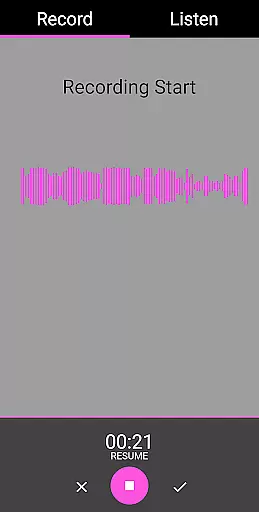
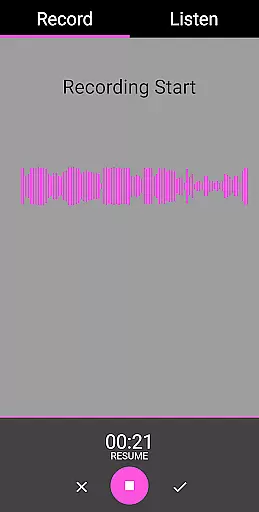
With features like pause during recording, playback options, and the ability to save and rename recordings, EVP Recorder offers both flexibility and functionality. The app also includes audio visualization tools that allow users to see responses visually, enhancing the experience of interacting with the supernatural.
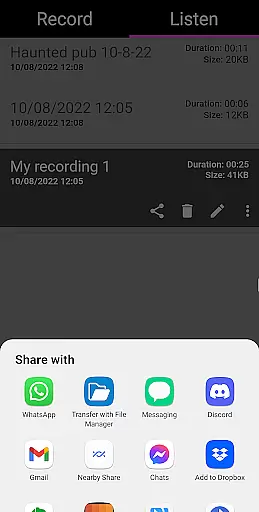
Whether you're in a reportedly haunted location or conducting a personal investigation, EVP Recorder provides the means to document and analyze potential ghostly encounters. Its user-friendly interface ensures ease of use while its capability to share recordings via social media platforms extends its utility beyond individual exploration.
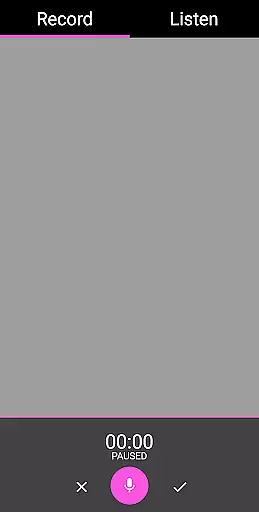
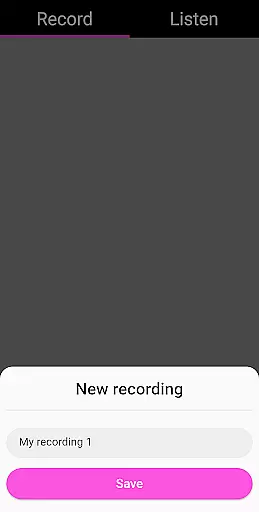
EVP Recorder stands out with its comprehensive set of features tailored for effective ghost communication. The core functionality revolves around capturing EVP through high-quality recording capabilities. Users can initiate recordings by simply tapping the microphone icon, ask questions, and then review the audio for any responses from spirits.
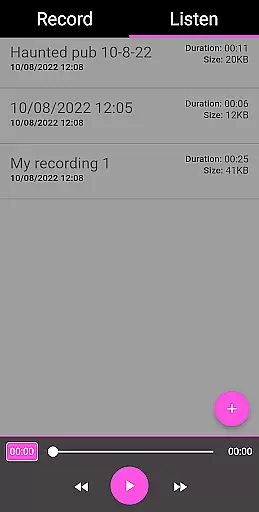
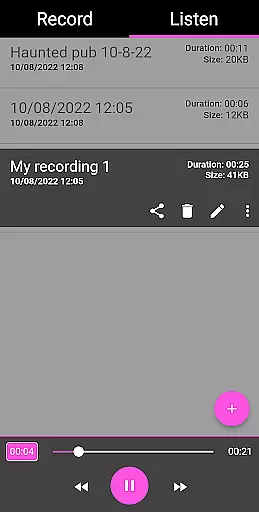
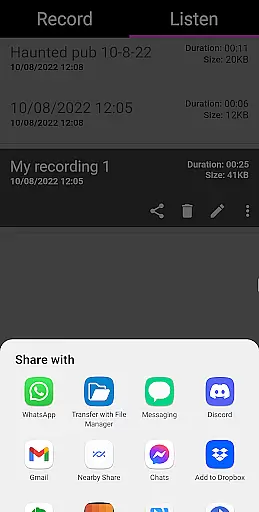
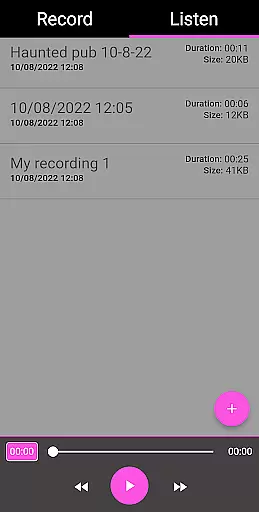
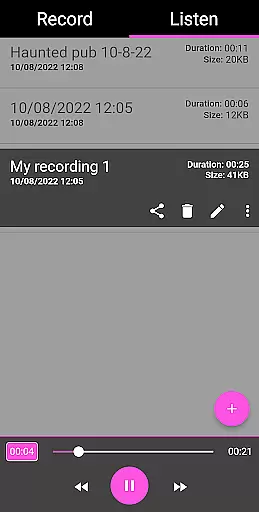
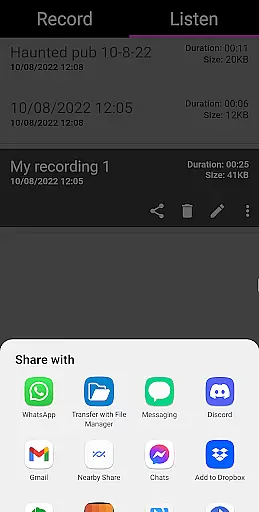
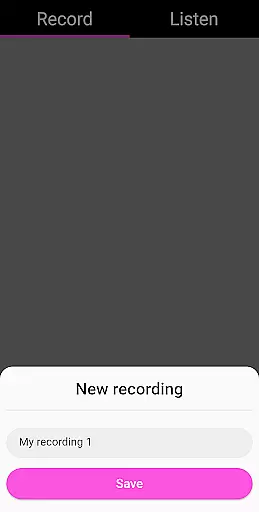
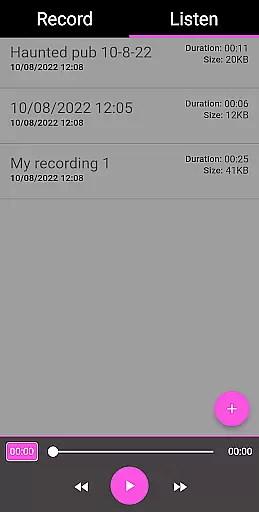
Beyond basic recording, this app allows users to manage their recordings efficiently. You can pause recordings, delete unwanted files, rename them for better organization, and even load existing recordings into the app for analysis. Sharing options enable easy distribution of intriguing findings via popular platforms like Facebook and WhatsApp.
The inclusion of advanced playback controls such as fast forward and reverse enhances the user's ability to scrutinize recordings meticulously. Additionally, the absence of ads or in-app purchases ensures uninterrupted usage, making EVP Recorder not just feature-rich but also a reliable companion for those delving into the mysteries of the paranormal.
In the realm of ghost hunting, content variety and freshness are crucial for maintaining user engagement. The EVP Recorder app offers a diverse range of features that cater to both novice and experienced ghost hunters. With functionalities such as EVP recording, pause function during recording, and share options, users can explore different aspects of spirit communication.
The app's ability to save recordings, delete and rename records, and load in existing recordings ensures that users have a fresh experience every time they engage with the app. This flexibility allows ghost hunters to manage their sessions effectively and keep their investigations organized.
Moreover, the inclusion of audio visualization and playback options like fast forward and reverse enhances the overall user experience. These features not only provide visual feedback but also allow users to analyze their recordings meticulously. By offering these comprehensive tools, the EVP Recorder app ensures that each session is unique and engaging.
With regular free updates and a commitment to providing new features, the app maintains its content freshness. This dedication to improvement means users can look forward to enhanced functionalities and an ever-evolving platform for their ghost hunting endeavors.
User engagement duration and retention are vital metrics for any entertainment app, and the EVP Recorder excels in these areas by offering an intuitive and captivating user interface. Designed specifically for ghost hunting, the app provides a seamless experience that encourages prolonged usage. Its beautiful and easy-to-use interface ensures that users can focus on their investigations without being hindered by complex controls.
The app's robust feature set, including the ability to ask questions, leave gaps for responses, and carefully listen to recordings, promotes extended user engagement. By facilitating interactive sessions with spirits, the EVP Recorder captures user interest and motivates them to spend more time exploring potential paranormal activities.
Retention is further enhanced by practical tips and analytical tools provided within the app. Ghost hunting tips and guidance on analyzing voice recordings help users improve their skills and achieve better results. This educational aspect not only retains user interest but also fosters a deeper connection with the app.
Additionally, the absence of ads or in-app purchases creates a distraction-free environment, encouraging users to return frequently. By prioritizing user experience and offering valuable features, the EVP Recorder ensures high engagement duration and strong retention rates among its users.
User-friendly interface
Comprehensive recording tools
No in-app advertisements
Free lifetime updates
Sharing capabilities
Limited to EVP phenomena
Requires haunted locations
No live monitoring
Dependent on external factors
Results may vary

Binge-worthy short dramas on DramaRush—engaging stories that fit your day.
 3.90
3.90
Music visualizer and party effects for your Nanoleaf devices
4.0
Time tracking, lap counting and much more for Carrera® Digital 132/124
4.80
Find out if you're on Santa's Naughty or Nice List with this magical scanner!
4.60
The JBL Portable app works with JBL portable Bluetooth speakers.
4.60
Companion app for Elden Ring to track quests, bosses, progress and more.
4.70
Watch New Episodes & Live TV
3.80
Watch TV shows, movies, and stream Live TV channels without a subscription!
3.80
Scary prank camera & on face app: Shoot videos, selfies with spiders & scorpions
4.60
Colorful flows will relax and calm you down, or get you trippy and creative!
4.90
5 funny and lovely ponies waiting for you to style them!
4.80
Classic dynamic pixel art from Mark Ferrari.
4.70
Your Avatar, Endless Fun
4.60
Chat with AI characters! Anime, games, roleplay & more.
4.50
Browse popular images and videos from Reddit on Android TV!
3.90
Create your Songs. Cover Maker with any Voice, Song Generator
3.30
Simulation of Dashboard / Touch Screen for Tesla. (Works without actual Tesla).
4.4
Collaboration with popular VTubers
4.0
Raise Christmas Magic with daily missions, magical scanners, and kindness.
4.4


User Reviews