
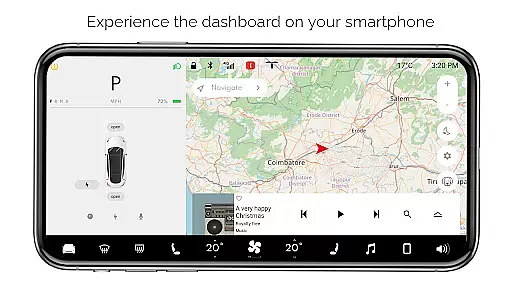
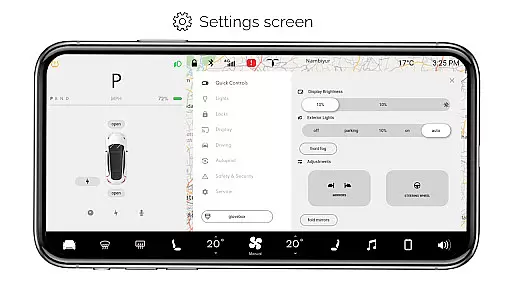
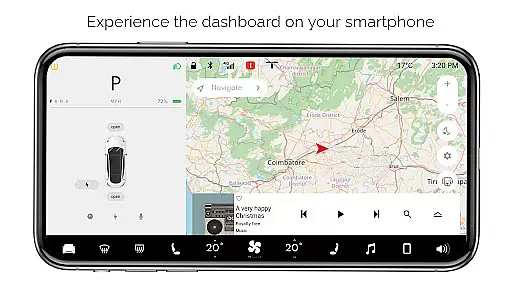
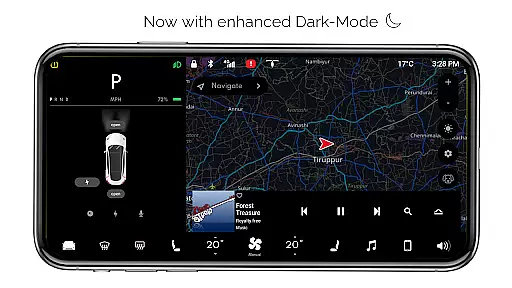
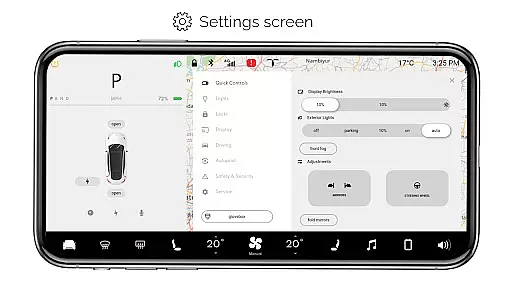
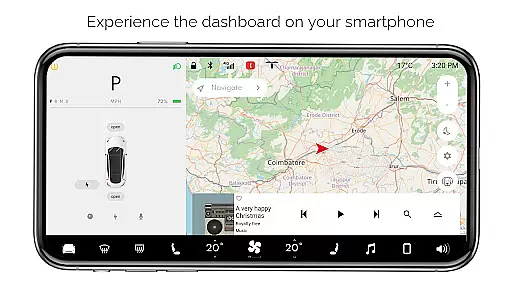
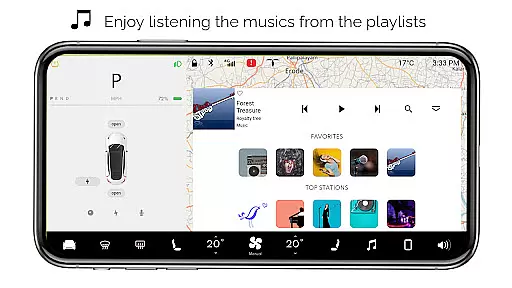
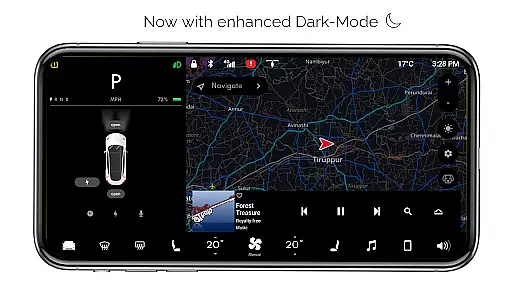
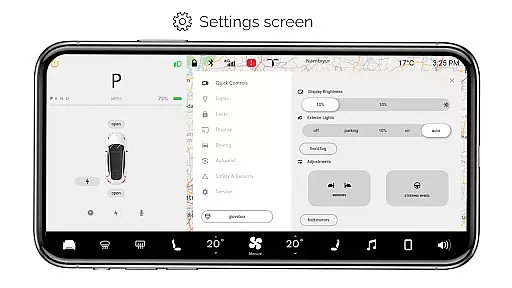
For Tesla is a premium simulator app that recreates the native dashboard experience of a Tesla vehicle on your smartphone. Designed exclusively for Tesla enthusiasts, it offers an interactive touchscreen interface that mirrors the car's system without requiring an actual vehicle connection.
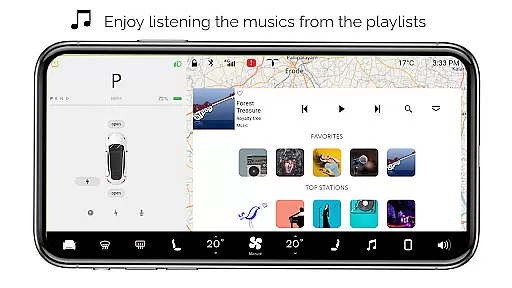
The app provides users with a comprehensive simulation of the Tesla dashboard, featuring interactive maps, temperature controls, battery monitoring, and various vehicle functions like trunk and charging port operations. Its realistic design allows users to explore driving modes, settings screens, and entertainment features such as the interactive music player. While all functionalities are simulated, this app delivers an engaging way for fans to experience Tesla's innovative interface.
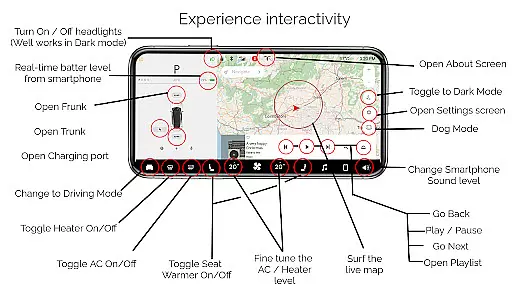
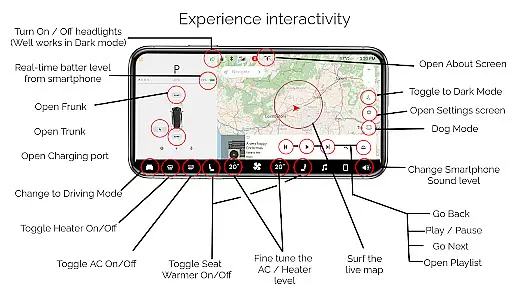
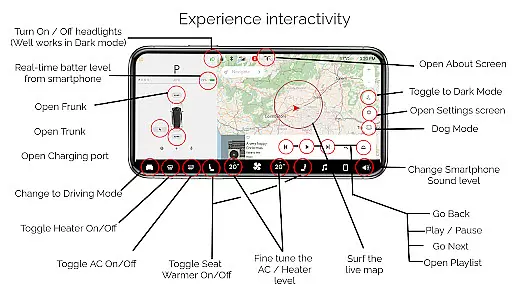
For Tesla boasts an array of features designed to simulate the authentic Tesla dashboard experience. The app includes interactive maps that display live location tracking, along with controls for headlights, temperature adjustments, and real-time battery level monitoring tailored for smartphones.
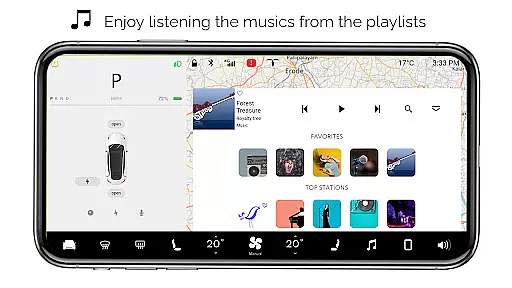
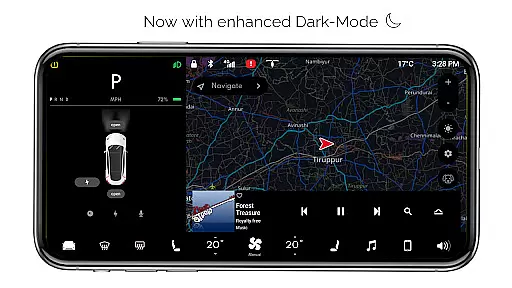
Users can engage with multiple simulated vehicle functions such as opening or closing the trunk, frunk, and charging port. The app also offers driving mode snapshots, complete settings screens, dark mode options, dog mode, and an about screen detailing model information. Additionally, its interactive music player supports playlists, enhancing user engagement through realistic entertainment features.
For Tesla offers an impressive range of simulated features that mirror the native user experience of a Tesla dashboard. This includes interactive maps, real-time battery level tracking, and fine-tuning of temperature settings.
The app goes beyond basic functionalities by incorporating entertainment and lifestyle elements such as an interactive music player with playlists, dark mode, and even a dog mode for pet lovers. These diverse options ensure users have access to a broad spectrum of engaging content.
While all features are simulated and not compatible with an actual Tesla vehicle, regular updates keep the content fresh and aligned with user expectations. This commitment to variety and novelty provides continuous value to Tesla enthusiasts.
One of For Tesla's key strengths is its ability to maintain user interest through a realistic simulation of the Tesla dashboard environment. The interactive nature of features like driving mode and the settings screen encourages prolonged exploration.
By offering playful yet educational interactions, such as turning headlights on/off and opening/closing the trunk, frunk, and charging port, the app creates an immersive experience that motivates users to return frequently. These simulated controls provide a sense of ownership and familiarity.
Although designed purely for entertainment purposes, the app's attention to detail in replicating Tesla's native interface helps sustain long-term user retention among fans who appreciate the brand's innovative spirit.
User-friendly interface
Realistic simulation
Interactive maps
Comprehensive settings
Engaging music player
No real car integration
Limited active features
Only for fans
Basic functionality
Premium cost

Binge-worthy short dramas on DramaRush—engaging stories that fit your day.
 3.90
3.90
Rain and lightning effects for your Philips Hue lights
4.30
Music visualizer and party effects for your Nanoleaf devices
4.0
Watch short films, dramas, reels, series and movies anytime on Micro Drama.
4.60
Open-source, fast, simple and powerful IPTV app
4.90
Create melty bead designs by numbers, photos or your imagination
4.40
Direct access to the most complete Guitar Tab Archive in Spanish: LaCuerda.net
4.60
Realistic Baby Simulator App
4.00
Daily immersive workout plan: Body warm up & finger yoga exercises
3.80
SpiritWave is paranormal ITC application.
5.00
Wodfix Air aggregates popular online content for you.
4.80
Your Avatar, Endless Fun
4.60
Chat with AI characters! Anime, games, roleplay & more.
4.50
Fetch money rewards all just for playing games. Cash out for gift cards in app.
4.50
Just play games to earn gift cards. Keep playing, keep earning.
4.50
Heroclix search units with multi filter , team builder, collection manager.
4.40
Connect. Discover. Control.
3.60
Stream live TV shows, sports, news, movies & more - all without cable.
3.00
Unofficial Game Companion App” “Guides • Builds • Tips • Progression
4.4


User Reviews