
Soundstorm for Nanoleaf is an entertainment app designed to enhance your party experience by syncing Nanoleaf devices with music. This innovative application allows users to create vibrant light shows that pulse and flash in sync with their favorite songs, making it perfect for parties or immersive audio-visual experiences.
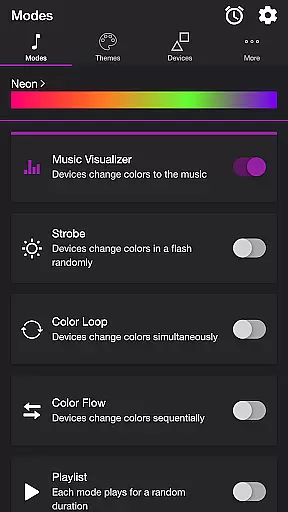
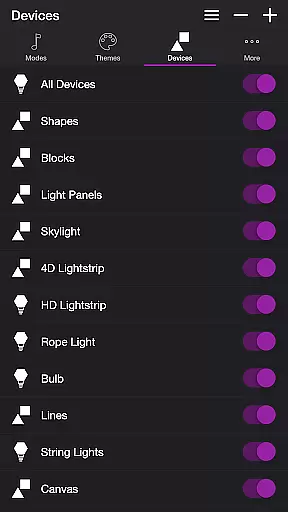
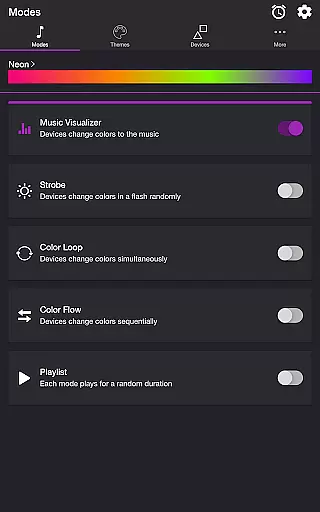
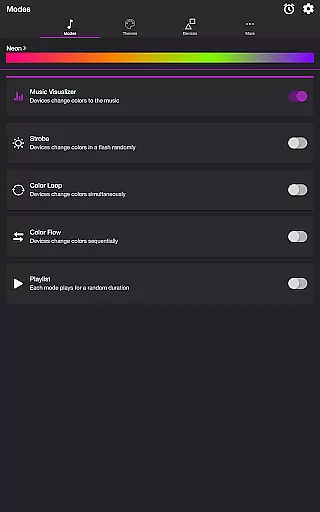
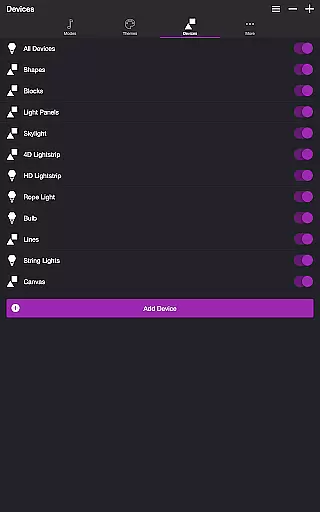
The app offers multiple modes including Music Visualizer, Strobe, Color Loop, Color Flow, and Playlist, each providing unique ways to interact with Nanoleaf Wall Lights and Nanoleaf Matter (Wi-Fi) Smart Devices. Users can customize themes, adjust settings like brightness and transition effects, and even reorder device sequences, offering a personalized and dynamic lighting experience.
Whether you're hosting a lively gathering or simply enjoying music at home, Soundstorm for Nanoleaf transforms your space into an interactive light show, elevating the atmosphere and engaging your senses through synchronized audio and visual stimulation.
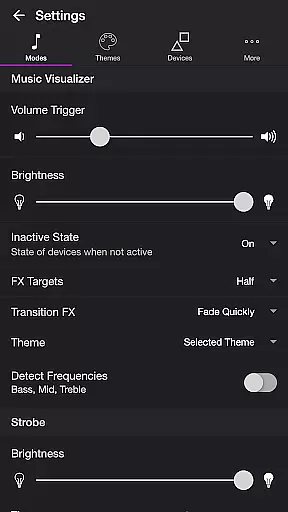
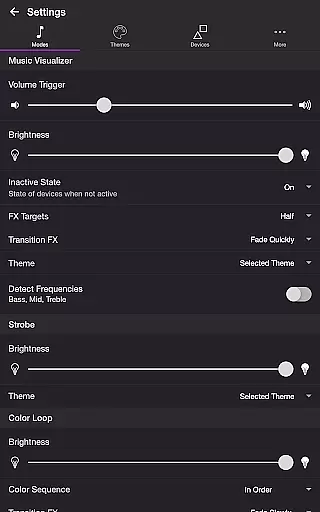
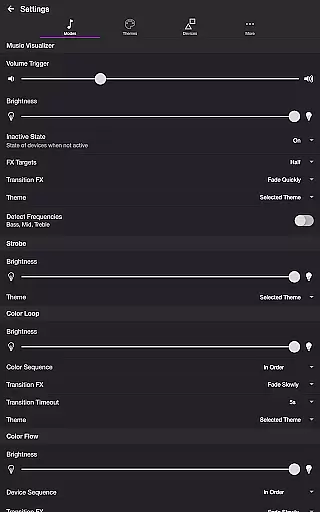
Soundstorm for Nanoleaf boasts an array of features that cater to both casual listeners and party hosts. The Music Visualizer mode uses microphone access to detect sound frequencies, enabling lights to change colors in response to Bass, Mid, and Treble ranges. Users can fine-tune volume triggers, brightness levels, and transition effects such as Random, Pulse, Fade Quickly, or Fade Slowly.
In addition to Music Visualizer, the app includes Strobe for random color flashes, Color Loop for simultaneous color changes, and Color Flow for sequential transformations. Each mode supports customizable themes and settings adjustments, allowing users to tailor the experience to their preferences. The Playlist mode cycles through these options at random durations, ensuring a varied and engaging light show.
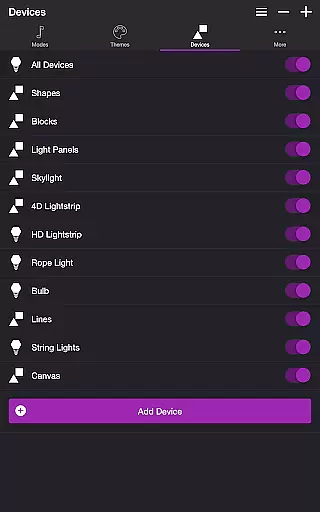
With advanced settings for frequency detection, device reordering, and automated start/stop times, Soundstorm for Nanoleaf provides comprehensive control over your smart lighting setup, enhancing both usability and entertainment value.
Soundstorm for Nanoleaf offers a diverse range of content through its multiple modes and themes, ensuring users have a fresh experience every time. The app includes modes such as Music Visualizer, Strobe, Color Loop, Color Flow, and Playlist, each providing unique ways to interact with Nanoleaf devices.
The Music Visualizer mode listens to the ambient sound or music and translates it into color changes on the Nanoleaf lights, creating an immersive atmosphere. With customizable settings like volume trigger, brightness, and transition effects, users can tailor their experience to match their preferences.
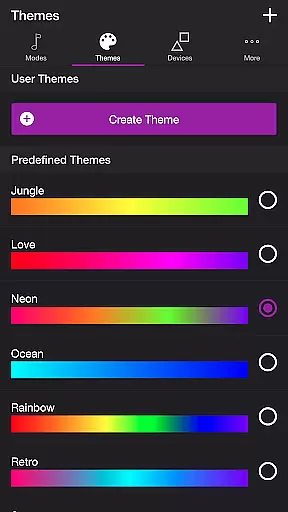
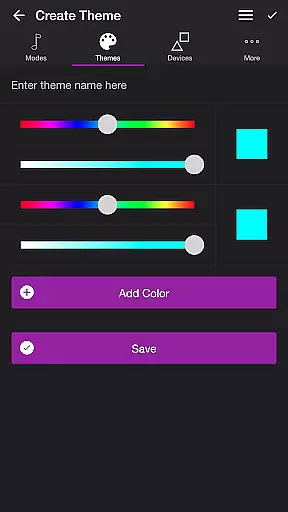
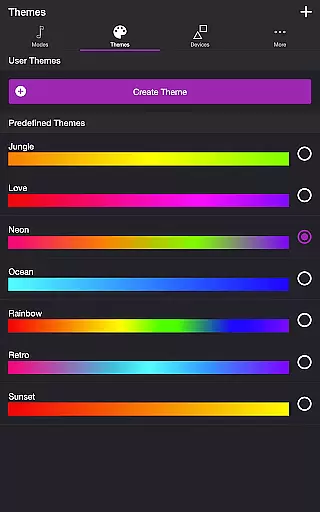
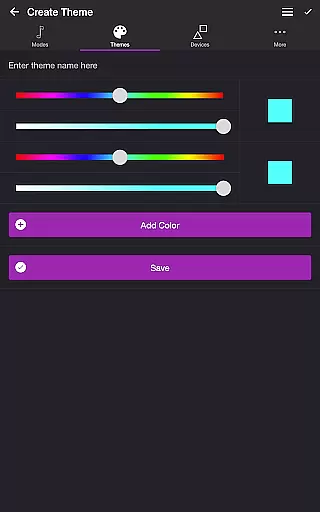
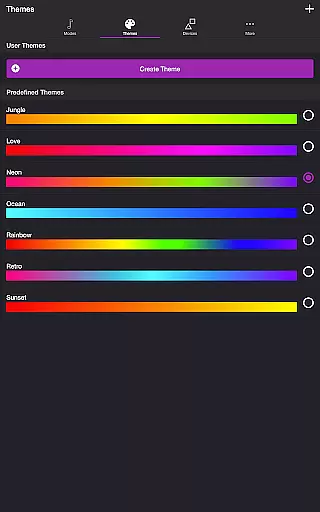
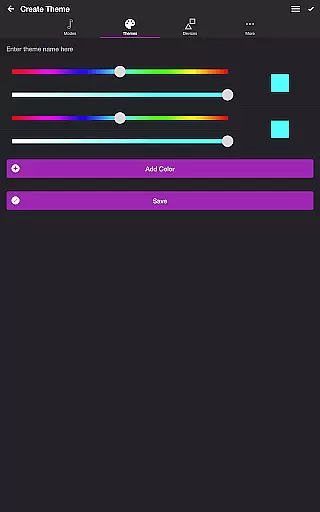
In addition to the various modes, Soundstorm for Nanoleaf also allows users to choose from predefined themes or create their own. This feature ensures that the visual output is always aligned with the user's current mood or party theme, adding another layer of personalization and variety.
By offering extensive customization options and dynamic content that reacts to music and user input, Soundstorm for Nanoleaf guarantees that each use feels novel and engaging, encouraging continued user interest and interaction.
User engagement and retention are critical factors for any entertainment app, and Soundstorm for Nanoleaf excels in these areas by providing features that encourage prolonged use. The app's ability to sync with Nanoleaf devices and transform them into responsive light shows naturally invites users to spend more time exploring different combinations of modes and settings.
With features like Sleep Timer and automatic start/stop options, users can set up their preferred lighting scenarios to fit their schedules, enhancing convenience and encouraging regular use. These practical functionalities ensure that the app remains a staple in users' routines, increasing the likelihood of daily interactions.
Moreover, the app's intuitive interface and straightforward navigation make it easy for users to switch between modes, adjust settings, and manage devices without frustration. This ease of use contributes significantly to user satisfaction and retention, as individuals are more likely to return to an app that provides a seamless experience.
Finally, Soundstorm for Nanoleaf fosters community engagement by inviting feedback and reviews, which not only helps improve the app but also makes users feel valued and heard. This sense of belonging and contribution further boosts user retention, making Soundstorm for Nanoleaf a lasting addition to users' entertainment arsenals.
User-friendly interface
Wide range of customization options
Supports multiple Nanoleaf devices
Vibrant and dynamic light shows
Regular updates and improvements
Requires compatible Nanoleaf devices
Microphone access needed for Music Visualizer
Limited functionality without Wi-Fi
Premium features may require additional payment
Complex settings may overwhelm new users

Binge-worthy short dramas on DramaRush—engaging stories that fit your day.
 3.90
3.90
Unofficial Game Companion App” “Guides • Builds • Tips • Progression
4.4
Heroclix search units with multi filter , team builder, collection manager.
4.40
Wodfix Air aggregates popular online content for you.
4.80
5 funny and lovely ponies waiting for you to style them!
4.80
Alice Box is an Instrumental Trans Communication app.
3.80
Realistic Baby Simulator App
4.00
Original short dramas with diverse genres for a rich viewing experience!
4.80
Pop Drama is a premier app crafted for short drama lovers
4.60
Open-source, fast, simple and powerful IPTV app
4.90
Underrated short-drama gems that hit hard and keep your heart hooked.
4.50
* Multiple Matches * Intuitive UI * Scoring Made Easy!
4.40
Browser for Chromecast to stream webvideos, online movies, IPTV & HD livestreams
4.40
Atomus is a 10-finger multi-touch interactive visualizer.
4.30
Practice and master your ESP and intuition with five mode trainer.
4.20
Experience the video editing experience brought by our intuitive interface
4.10
Start EVP/Spirit Box tonight: real EMF, offline, recording. One-time purchase.
4.10
Simulation of Dashboard / Touch Screen for Tesla. (Works without actual Tesla).
4.2
EVP Recorder / Voice Recorder for ghost hunting, to communicate with ghosts.
4.3


User Reviews