


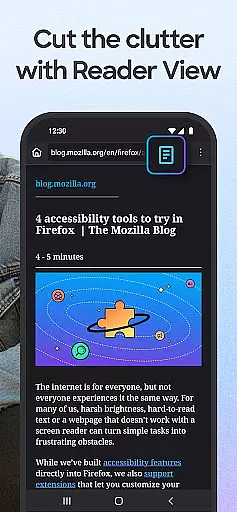
Firefox Fast & Private Browser is a top-tier communication tool designed to provide users with a secure and customizable internet browsing experience. As a privacy-focused browser, Firefox blocks trackers by default, including social media trackers and cross-site cookies, ensuring your online activity remains confidential. Its enhanced tracking protection offers an additional layer of security, making it an ideal choice for private browsing.
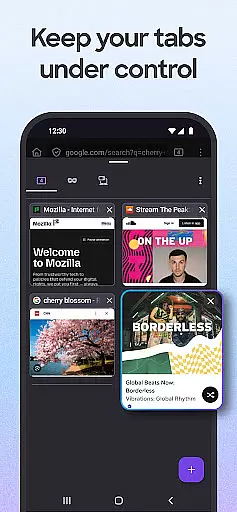
The browser's user-friendly interface allows for easy tab management, enabling users to create multiple tabs without losing track of their content. With features like password management, automatic syncing across devices, and tailored search engine options, Firefox delivers both convenience and speed. Whether you're on desktop or mobile, the browser's seamless integration ensures a consistent experience across platforms.
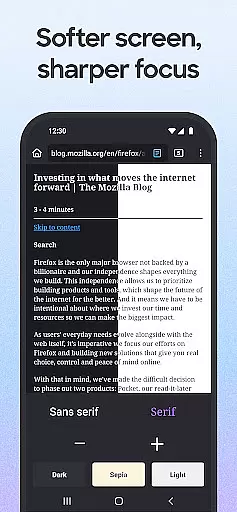
Firefox also supports multitasking with its video pop-out feature, allowing users to pin videos on top of their screen while working on other tasks. The inclusion of dark mode not only reduces eye strain but also helps conserve battery life. With over 20 years of commitment to user privacy and customization, Firefox continues to be a reliable choice for those seeking a fast, secure, and versatile browsing solution.
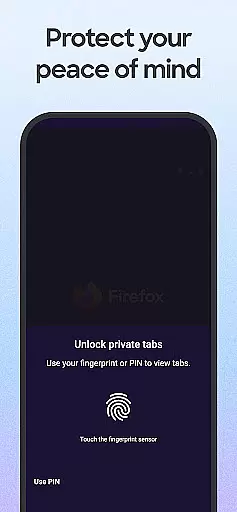
Firefox stands out with its robust set of features that cater to both privacy-conscious and performance-oriented users. One of its core strengths is the automatic tracker blocking system, which prevents various types of trackers such as social media trackers, cross-site cookie trackers, and fingerprinters from monitoring your activity. This ensures a safer browsing experience, particularly when using private browsing modes where history is automatically deleted upon closing.
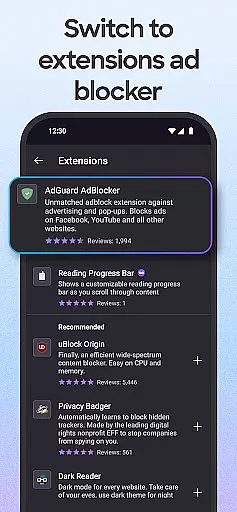
Customization is another key aspect of Firefox. Users can tailor their browsing experience by choosing their preferred search engine, installing ad blocker extensions, and adjusting privacy settings through helpful add-ons. The browser also supports tab management innovations, offering thumbnail and list views for open tabs, and syncing capabilities across devices via a Mozilla account. These features make navigation intuitive and efficient, whether you're managing multiple tabs or switching between devices.
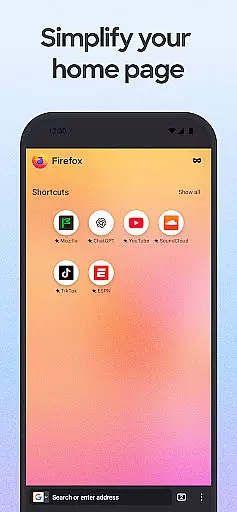
Performance-wise, Firefox incorporates Enhanced Tracking Protection that not only safeguards user data but also speeds up page loading times by blocking ad trackers. Additionally, features like the Firefox Home Screen, dark mode, and multitasking support enhance usability. From accessing recent bookmarks to conserving battery power, Firefox provides practical solutions that address common user pain points, making it a well-rounded browser for diverse needs.
Real-time messaging speed and reliability are crucial for any communication platform. Firefox Fast & Private Browser ensures that your interactions with websites and web applications are as fast and dependable as possible.
The browser achieves this through its Enhanced Tracking Protection, which not only safeguards your privacy but also blocks ad trackers that can slow down page loading times. This means you can send and receive information quickly without unnecessary interruptions or delays.
Moreover, the automatic tracker blocking feature prevents scripts such as social media trackers, cross-page cookie trackers, crypto-miners, and fingerprinters from affecting your browsing experience. By doing so, it enhances both the security of your data and the overall performance of the browser during real-time communications.
With these features in place, users benefit from a seamless online interaction where messages load promptly, conversations flow smoothly, and their privacy remains intact throughout all their digital exchanges.
Media sharing is an integral part of modern communication, allowing users to exchange photos, videos, and other content effortlessly. Firefox Fast & Private Browser supports this need by providing a robust platform for media sharing while maintaining user privacy.
Through its private browsing mode, you have the option to search and share media without leaving traces on your device. Once you close the browser, it automatically deletes your browsing history, ensuring that shared media does not remain stored locally unless desired.
In addition to privacy protections, Firefox allows customization with helpful add-on extensions like ad blockers or enhanced privacy settings which contribute to a secure environment when sharing media files across different platforms.
This combination of speed, security measures, and customizable options makes Firefox an ideal choice for those who prioritize efficient yet discreet media sharing capabilities within their web browser experience.
Strong privacy protections
Customizable search options
Efficient tab management
Syncs across devices
Blocks unwanted ads
Occasional slow updates
Limited built-in tools
Heavy on memory
No native cloud storage
Complex for beginners

Identify unknown numbers, block spam calls, customize calls with cool themes.
 4.60
4.60
Our Black Friday sale is here. Unlock special discounts on Proton Mail now.
4.30
Block spam calls & scam - no more annoying calls with the call blocker function
4.30
Messages is Private SMS Messenger 2023 with text message, instant messaging.
4.00
Experience real private browsing without tracking, surveillance, or censorship.
4.50
Chill zone on your phone: relax with fun reels & hype shorts!
4.20
Fast, Simple And Secure Application That Provides SMBv3 Server On Your Device
3.30
RemoteHams.com Android RCForb Client Pre-Release
4.30
A softphone app with seamless SIP calling and an intuitive VoIP dialer
3.50
Adblock & VPN Browser: Blocks banners, pop-ups and video ads, fast downloader!
4.60
Welcome to the future of phone service.
4.60
FolderSync enables easy sync of files between cloud storage and Android devices.
4.60
Fast and mini browser with Ad Blocker,Video Downloader and Video Player
4.40
Simple tool for businesses to talk to their customers.
4.40
Phone Dialer with Caller ID, Address Book & Contacts Manager.
4.30
Call Blocker app: Identify unknown callers, block spam calls, fraud & robocalls
4.30
Google's fast and secure browser
4.10
Send SMS and chat messages easily with a fast text messaging app for Android.
4.10
A Browser with powerful ad blocker to help focus on what really matters.
3.00


User Reviews