
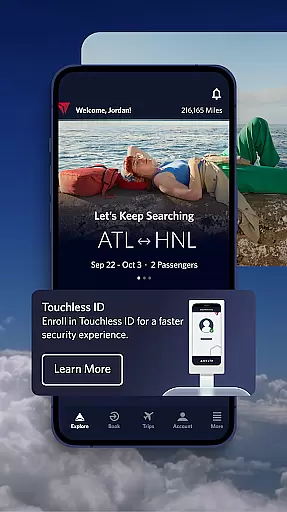

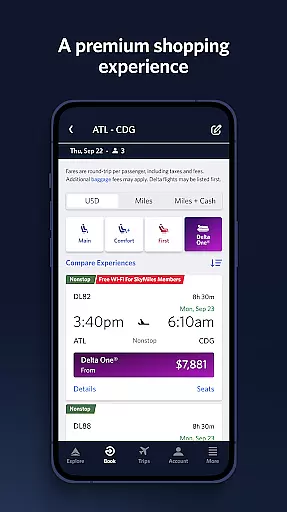
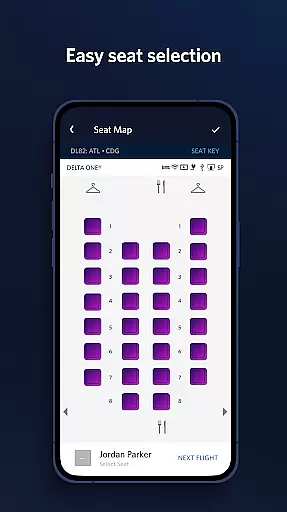
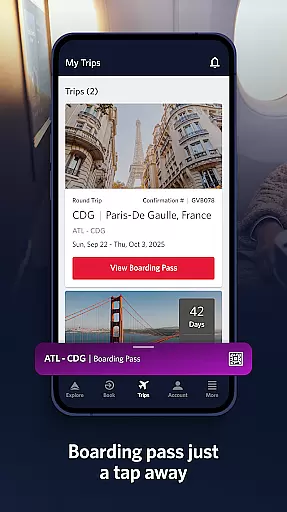
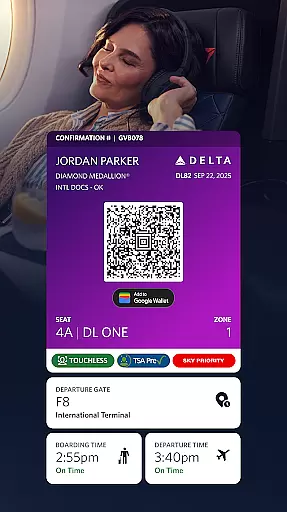
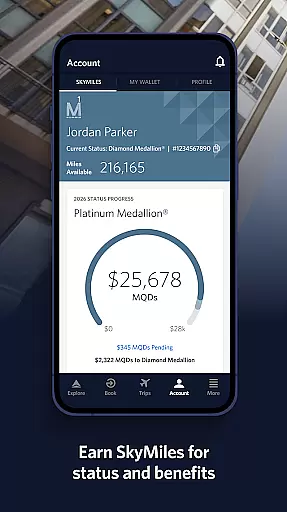
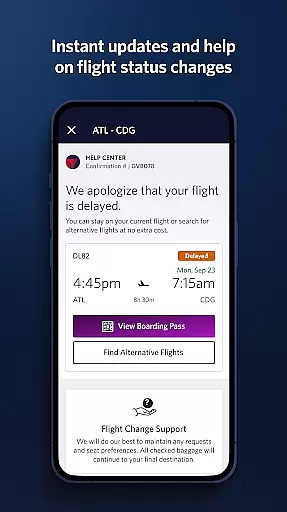
Fly Delta is an award-winning travel application designed to make your entire travel experience seamless and efficient. The app provides comprehensive tools for managing every aspect of your journey, from planning and booking flights to real-time updates during travel. With Fly Delta, users can easily book domestic and international flights, track upgrades using SkyMiles®, and manage travel preferences all in one place.
One standout feature is the "Today" view, which consolidates all essential travel information for the day, including digital boarding passes and gate notifications. Additionally, features like Airport Maps and passport scanning simplify airport navigation and check-in processes. Whether you're monitoring flight statuses, rebooking canceled flights, or tracking your baggage in real time, Fly Delta ensures you stay informed and in control throughout your trip.
Fly Delta offers a robust set of features tailored to streamline air travel. Key functionalities include the ability to shop and book both domestic and international flights directly within the app. Users can also track and pay for upgrades using their SkyMiles®, while managing saved travel preferences and payment methods efficiently.
The app's "Today" section aggregates everything needed for the day of travel, such as digital boarding passes and upgrade list positions. Notifications ensure travelers receive timely updates on gate changes and flight statuses. Additional innovative features include offline boarding pass access, real-time baggage tracking, and even mobile drink vouchers for Delta Sky Club® members. These capabilities collectively enhance convenience and provide peace of mind for travelers at every step.
Booking authenticity is a crucial aspect of any travel application, ensuring that all reservations and transactions are legitimate and trustworthy. Fly Delta excels in this area by providing users with reliable booking processes for both domestic and international flights.
The app allows travelers to shop and book flights with confidence, thanks to its integration with Delta's secure systems. Users can also track and pay for upgrades using their SkyMilesu00ae, which adds an extra layer of assurance as they manage their travel preferences and payment methods directly within the app.
Moreover, Fly Delta offers features like saving a companion to your profile and live chat support for immediate assistance. These functionalities not only streamline the planning process but also reinforce the authenticity of each booking by allowing users to make informed decisions and receive real-time help when needed.
Price transparency is essential for travelers who want to understand the full cost of their bookings without hidden fees or surprises. The Fly Delta app addresses this need by offering clear pricing information throughout the booking process.
Users can view detailed flight costs, including taxes and additional charges, before finalizing their purchases. This transparency extends to optional services such as seat reservations and baggage fees, where passengers can see exactly what they are paying for.
In addition to displaying upfront costs, Fly Delta provides tools for managing expenses post-booking. Travelers have the option to change or upgrade seats, reserve preferred seating options, and even purchase extras like Wi-Fi passes or mileage boosters at clearly stated prices. Such comprehensive visibility empowers users to control their travel budget effectively while enjoying peace of mind knowing there are no concealed charges.
User-friendly interface
Comprehensive travel tools
Real-time updates
Offline boarding pass
Live chat support
Limited third-party integrations
Occasional bugs reported
Some features require membership
Heavy on battery usage
Ads in free version

OFFLINE detailed information about the Florida National and State Parks
 4.3
4.3
The Official Freedom Trail Foundation app.
4.30
Maps Speedometer shows your current speed in any app
3.60
A Camino de Santiago Guidebook from St. Jean Pied de Port to Santiago
3.60
View US public land boundary maps on your device.
3.70
Book neighborhood dog boarding, dog walking, pet sitting, and doggy day care.
4.60
Stay at Motel 6 for less - book fast, save more with MY6 app!
4.70
Get Moving Made Easier® with the official U-Haul® Moving & Storage app.
3.40
Now you can book homes, experiences, and services—all in our redesigned app.
4.40
Rent the perfect car for wherever you’re going
4.90
Guest how you guest when you book one of our 6,800+ hotels and earn rewards.
4.90
With the Spirit Airlines app, easily manage all your trips in one place.
4.70
Navigation on hikes is no longer a problem. Download the map, put notes and go!
4.60
Easily rent a car at over 9,500 locations with the Enterprise car rental app.
4.60
Maps, Wait Times, Park Hours
4.40
Managing your travel should be easy. With the Amtrak app, it is.
4.30
CLEAR provides a safer, easier way through airports, stadiums, and beyond.
4.20
Listen live to pilots and air traffic controllers around the world
3.80
Find the best prices, pay for the cheapest gas, and save on every fill up
3.30


User Reviews