
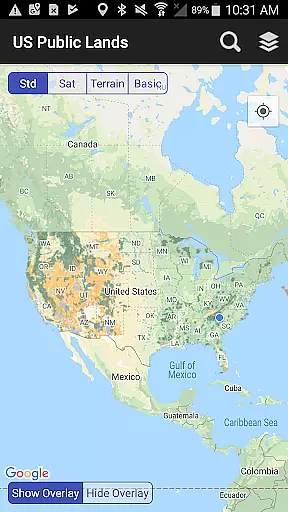
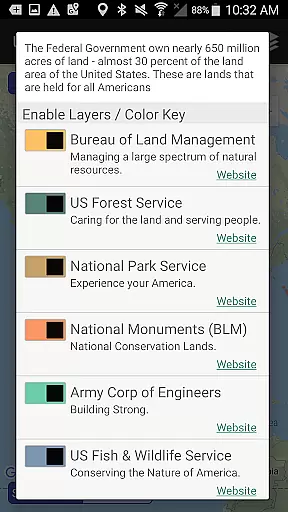
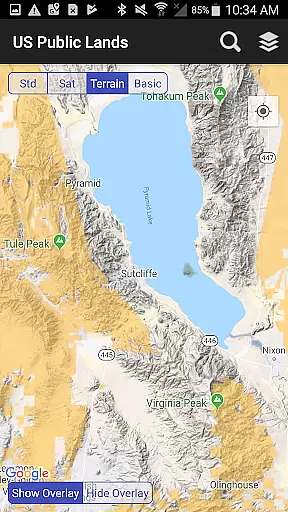
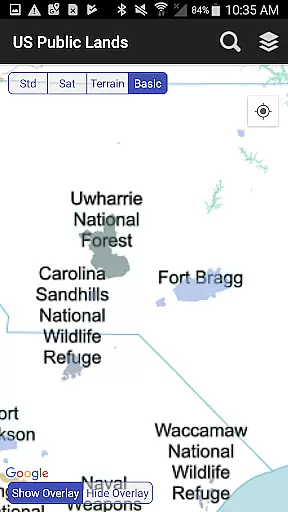
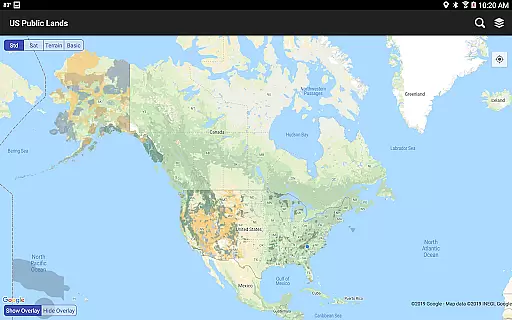
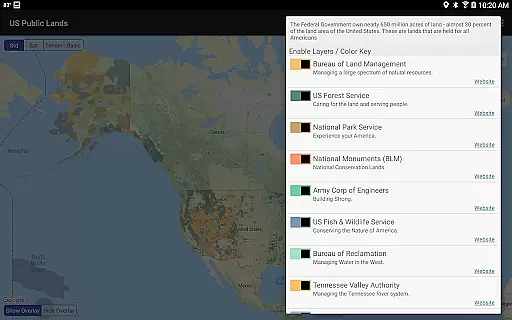
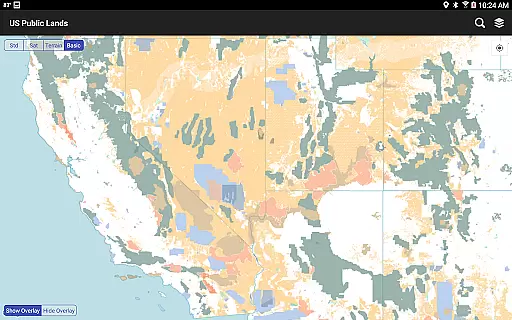
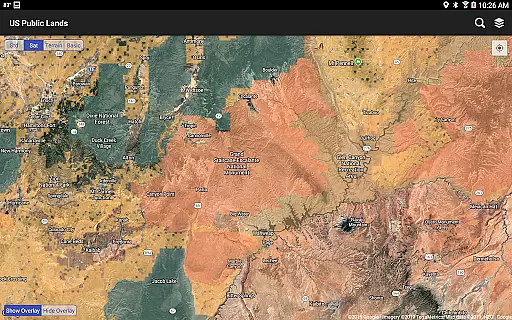
US Public Lands is a comprehensive mapping application that provides users with detailed information about federally owned properties across the United States. With nearly 650 million acres of land under federal management, this app allows users to access boundaries and details for lands managed by agencies such as the Bureau of Land Management (BLM), US Forest Service (FS), and National Park Service (NPS).
The app's core functionality includes offline map layers, individually selectable property layers, and links to agency websites for further research on land use rules. Whether you're planning a trip or need instant information about public lands, this tool offers both convenience and reliability without requiring an internet connection.
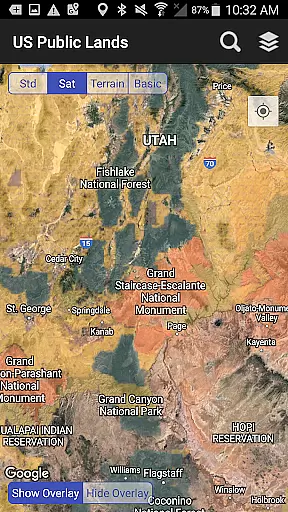
A key scenario where this app proves invaluable is for outdoor enthusiasts who want to identify public land boundaries while exploring remote areas. By providing clear visual indicators and supporting satellite view options, it helps users make informed decisions about land usage, permits, and camping locations, making it an essential tool for responsible exploration.
One of the standout features of US Public Lands is its ability to function entirely offline. The app stores all map layers locally on your device, enabling users to access critical data even in areas with no cellular or internet coverage. This ensures uninterrupted navigation whether you're deep in the wilderness or traveling through remote regions.
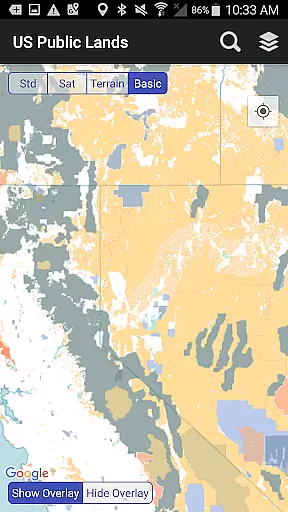
Another notable feature is the customizable map layers. Users can toggle between different federal agencies' land boundaries using color-coded controls, creating personalized maps tailored to their specific needs. Additionally, the built-in search tool supports cities, zip codes, and points of interest, allowing users to quickly locate and mark destinations.
The app also integrates GPS functionality, which pinpoints the user's current location and identifies the type of land they are standing on. Combined with satellite imagery and the 'Locate Me' feature, this makes it easier to scout out trails, dispersed camping spots, and other points of interest within public lands, enhancing the overall outdoor experience.
Booking authenticity is a crucial aspect for any travel-related application, ensuring that all reservations and land information provided is accurate and reliable. The US Public Lands app offers users verified data sourced directly from the Protected Area Database (PAD-US) of the U.S. Geological Survey.
This app provides on-device layers for various federal properties, confirming the authenticity of each location displayed. Users can trust the boundaries and details of lands managed by agencies such as the Bureau of Land Management and the National Park Service, among others.
By integrating agency website links within the app, users can further verify land use rules and regulations, enhancing the booking authenticity feature. This ensures travelers have access to precise information regarding permits, fees, and stay limits.
While the app does not focus on specific campsite bookings, its comprehensive overview of public lands supports informed decision-making. Users are encouraged to consult local resources for the most accurate details, reinforcing the app's role as a trustworthy starting point for planning visits to US public lands.
Price transparency in the context of the US Public Lands app refers to the clarity with which costs associated with visiting or using public lands are communicated to users. While this app itself is free to download and use, it helps users understand potential expenses related to their trips.
The app includes detailed information about various public lands, allowing users to be aware of any permits or fees required for access. By providing direct links to agency websites, it enables users to research additional costs tied to activities like camping or hiking in certain areas.
Although the app does not handle monetary transactions, its design empowers users with knowledge about possible expenditures before embarking on their journeys. This proactive approach to price transparency aids in budgeting for trips effectively.
Users benefit from having all necessary financial information at their fingertips, ensuring there are no hidden surprises when planning visits to US public lands. With clear guidance on fees and permits, travelers can enjoy their experiences while being fully informed about associated costs.
Offline functionality
Customizable map layers
Color-coded agency boundaries
Built-in GPS support
Quick search tool
No campsite database
Occasional accuracy issues
Limited private land info
Requires updates
Dependent on external data

Maps Speedometer shows your current speed in any app
 3.60
3.60
Plan where to stand and shave minutes off your trip!
4.80
Every Diners, Drive-in & Dives location in one place! Your guide to Flavortown!
3.00
It drives. You ride.
4.90
Tickets, hotels, wait times, maps, mobile ordering, Disney PhotoPass & more
4.50
Link & locate for real-time child & family safety: GPS tracker for families
4.40
Find the perfect vacation rental. Search from over 2 million properties.
4.80
Offline WiFi Hotspot Finder, eSIM, Caller ID, Dialer, Home Screen Launcher & VPN
4.20
Manage your travel on Delta with access to boarding passes, flight info & more.
4.80
Meet Allyz®, your ultimate travel companion
4.70
Get faster fuel rewards, exclusive offers, and helpful tools!
4.70
Stay at Motel 6 for less - book fast, save more with MY6 app!
4.70
Get exclusive travel deals and enjoy the award-winning customer service!
4.60
Earn hotel and travel rewards, find hotel offers, and access your Digital Key.
4.50
Flight booking, hotel booking & more - all in one place with the Southwest App!
4.50
Managing your travel should be easy. With the Amtrak app, it is.
4.30
GPS Live Satellite Earth to find route navigation and current location map
4.00
Find the best prices, pay for the cheapest gas, and save on every fill up
3.30
View current Idaho road conditions, road cameras, and timelapse videos.
4.0


User Reviews