
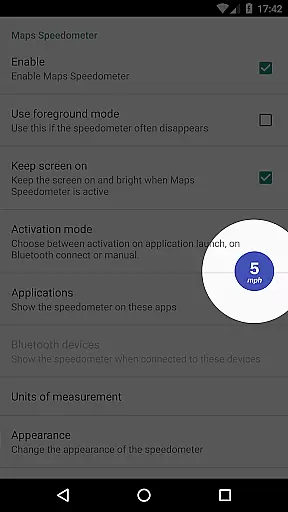
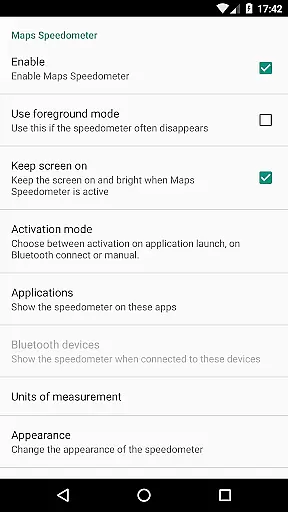
Maps Speedometer is a versatile travel companion that displays your current speed in real-time as an elegant overlay on your device. This innovative app automatically activates when you launch a selected app or connect to a Bluetooth device, ensuring you always have access to your speed information without interruption. Designed with flexibility in mind, the app allows users to customize its appearance and behavior extensively.
The speedometer supports multiple units of measurement including mph, km/h, and knots, catering to various user preferences. Its intuitive design enables effortless interaction - simply tap the overlay to hide it temporarily or adjust its size, position, and transparency to suit your needs. Whether you're navigating with Google Maps or using any other application, Maps Speedometer seamlessly integrates into your workflow, providing crucial driving information without obstructing your view.
Maps Speedometer stands out with its comprehensive feature set tailored for drivers who need reliable speed information. The app's intelligent detection system automatically shows or hides the speedometer based on your app usage and Bluetooth connections, ensuring it only appears when needed. This functionality extends across all apps installed on your device, making it a universal solution for speed monitoring.
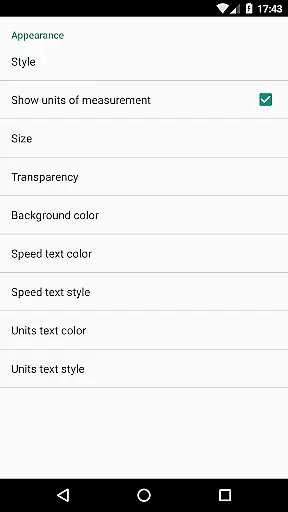
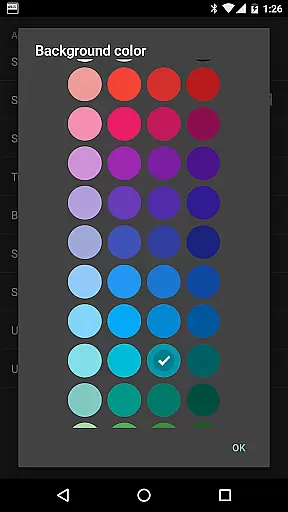
Customization is at the heart of this app's design. Users can personalize nearly every aspect of the speedometer display, from choosing between different measurement units (mph, km/h, knots) to fine-tuning its visual presentation. The adjustable transparency, size, position, and color options allow for a perfect fit with any interface or personal preference. Additional practical features include temporary hiding by touch and compatibility with Android Accessibility services, which ensures smooth operation while maintaining privacy and security.
While currently limited in Android Auto support, the app demonstrates strong potential for future integration with automotive systems. The developers actively seek user feedback to improve compatibility and explore new possibilities for expanding the app's capabilities, particularly in relation to navigation and speed limit monitoring through their complementary application, Maps Speed Limits.
Booking authenticity is a crucial feature for travel applications, ensuring that all reservations and bookings made through the app are legitimate and trustworthy. Maps Speedometer, while not a booking app per se, provides reliable data overlay features that enhance user trust in navigation scenarios.
This application automatically detects when your chosen navigation app is active and displays an elegant speedometer overlay. This real-time interaction ensures that users receive accurate speed information without switching contexts, thereby maintaining the authenticity of their navigational experience.
The transparency and reliability of Maps Speedometer's performance offer peace of mind to users who rely on precise speed readings during travel. By eliminating advertisements and unnecessary internet access, the app further reinforces its commitment to providing genuine and uninterrupted service.
Ultimately, the authenticity provided by Maps Speedometer translates into safer and more informed driving experiences. Users can focus on their journey, assured that the speed data presented is both accurate and securely delivered without compromising their privacy or safety.
Price transparency refers to the clarity and openness with which costs and fees are communicated to users within an application. Although Maps Speedometer does not involve monetary transactions, it excels in offering transparent value through its feature set and operational parameters.
The app clearly outlines its features such as automatic activation based on app usage or Bluetooth connectivity, adjustable settings for units, transparency, size, position, and colors. These functionalities ensure users understand exactly what they are getting, fostering trust and satisfaction.
By providing comprehensive details about how the speedometer operatesu2014including options to customize overlaysu2014Maps Speedometer empowers users with full control over their experience. There are no hidden surprises or additional costs, aligning with principles of price transparency even in non-financial contexts.
In essence, Maps Speedometer delivers clear, predictable, and valuable utility without any obscured conditions. This approach enhances user confidence and engagement, demonstrating that true transparency extends beyond pricing to encompass every aspect of user interaction.
User-friendly interface
Highly customizable display
No advertisements
Offline functionality
Privacy-focused design
Limited Android Auto support
Requires Accessibility permissions
Bluetooth connection issues possible
Overlay may interfere with some apps
Device compatibility varies

OFFLINE detailed information about the Florida National and State Parks
 4.0
4.0
The Official Freedom Trail Foundation app.
4.30
The #1 Parent App in Brevard County
4.4
Find the best prices, pay for the cheapest gas, and save on every fill up
3.30
Discover the power of one-way location tracking. Share your location securely.
4.50
It drives. You ride.
4.90
Bus tickets at unbeatable prices with routes across the US. All aboard FlixBus!
4.70
Streamline your U.S. entry
4.90
Get exclusive travel deals and enjoy the award-winning customer service!
4.60
One app, 300,000+ travel experiences, tours, and tickets you’ll remember.
4.90
Rent the perfect car for wherever you’re going
4.90
View current Montana road conditions, cameras, plows, and timelapse videos.
4.70
Book neighborhood dog boarding, dog walking, pet sitting, and doggy day care.
4.60
Easily rent a car at over 9,500 locations with the Enterprise car rental app.
4.60
Flight booking, hotel booking & more - all in one place with the Southwest App!
4.50
View US public land boundary maps on your device.
3.70
Get Moving Made Easier® with the official U-Haul® Moving & Storage app.
3.40
A packing list app that helps you remember what to pack for a trip.
3.10
Locate and navigate to local holiday displays
4.1


User Reviews