
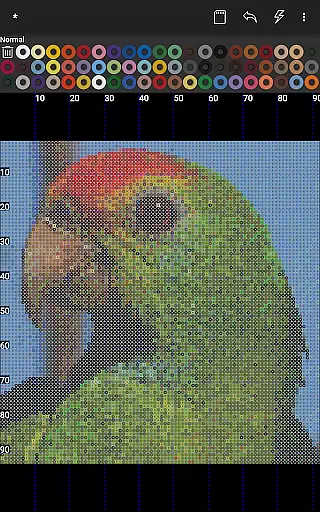

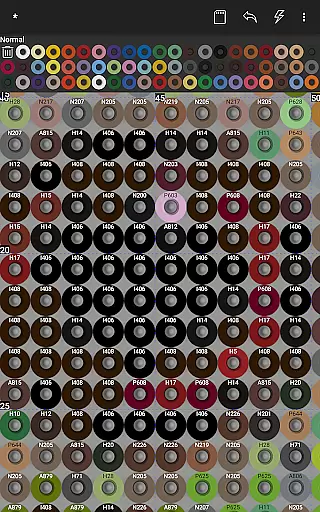
BeadStudio is a versatile digital platform for creating fuse or melty bead designs, catering to users from all age groups and skill levels. It allows crafting detailed patterns and transferring them to real pegboards, which can then be made permanent through ironing. The app supports major fuse bead brands like Hama Beads, Perler Beads, Artkal Beads, Nabbi Beads, and Pyssla Beads, offering flexibility in design and color choices.
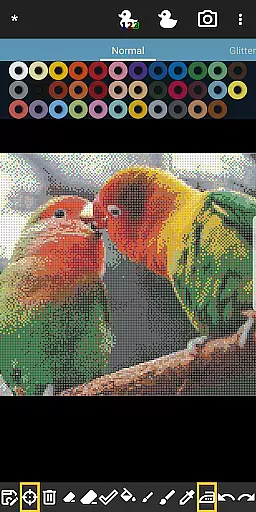
One of the standout features of BeadStudio is its photo-to-bead conversion tool, enabling users to transform personal photos into bead designs using specific brand colors. Additionally, the Bead By Numbers feature provides an engaging experience akin to Paint By Numbers, helping improve motor skills, especially in children. With support for mixing different bead types in one palette, BeadStudio ensures that users have the creative freedom they need.
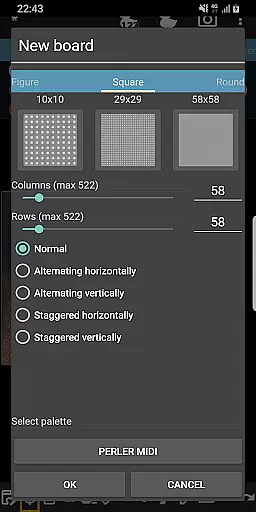
Whether you're designing Christmas ornaments, jewelry, or photorealistic artworks, BeadStudio offers endless possibilities. Its user-friendly interface makes it easy to create new boards, use readymade templates, and utilize various tools for placing beads. Mistakes are part of the creative process, and BeadStudio's undo/redo and eraser tools make corrections simple. This app is perfect for both recreational and professional use, providing a calming and meditative experience.
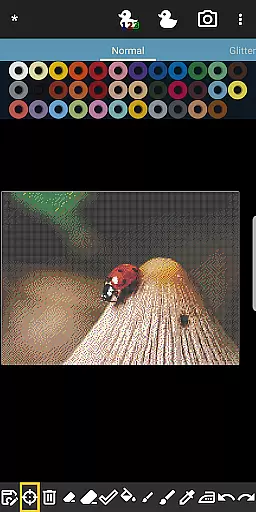
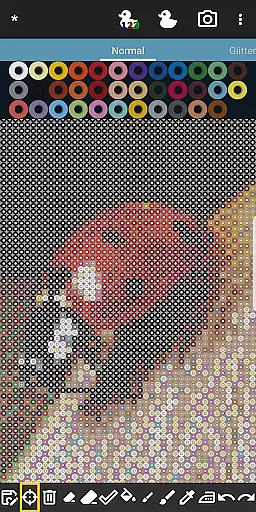
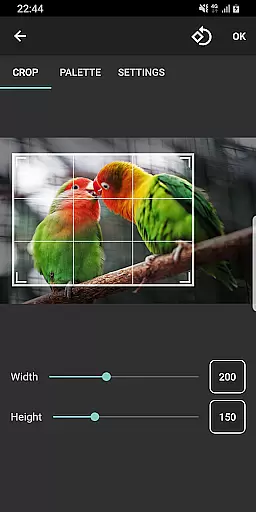
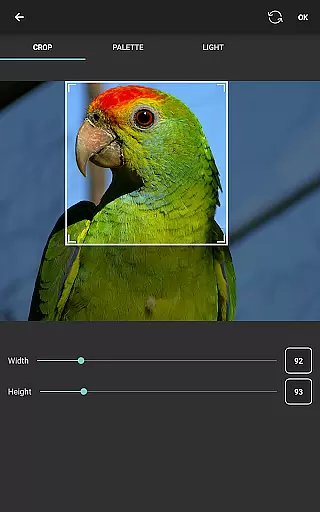
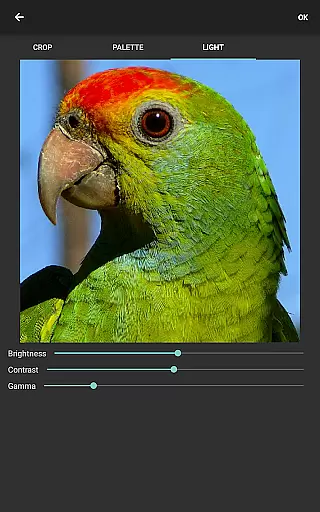
BeadStudio boasts a rich set of features designed to enhance creativity and precision in bead art. One of its primary features is the ability to convert photos into bead designs, allowing users to replicate images with exact color matches from their preferred bead brands. This feature includes controls for dithering, coloring, and lighting adjustments, ensuring high-quality conversions. The crop tool helps select specific areas of a photo, maintaining fixed aspect ratios based on the desired board size.
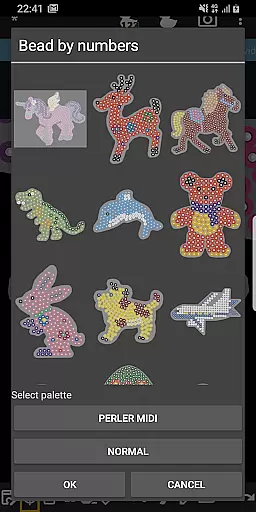
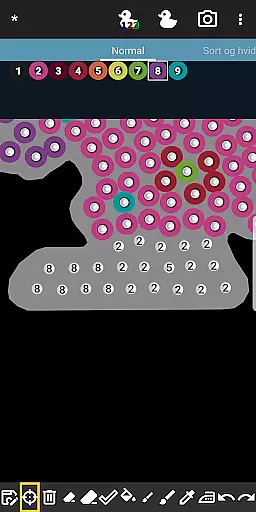
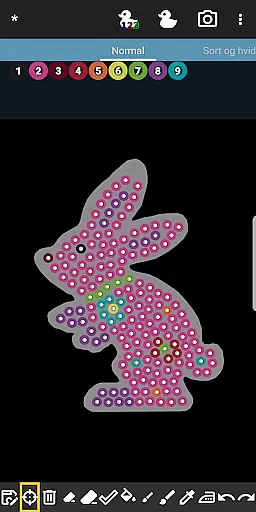
The Bead By Numbers feature offers a structured yet flexible approach to bead art, similar to Paint By Numbers. Users can choose from a variety of pre-designed figures and shapes, each peg numbered for easy reference. This feature not only aids in improving motor skills but also inspires creativity by encouraging experimentation with different colors. Zoom functionality makes it accessible even for young children, enhancing usability across age groups.
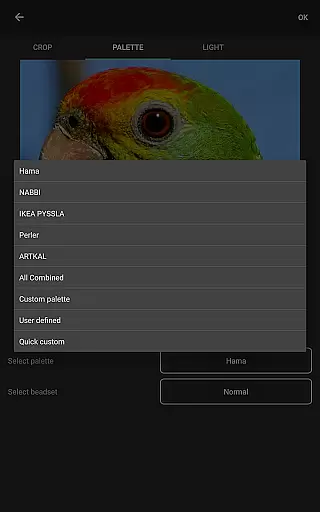
BeadStudio supports multiple fuse bead brands and allows custom palettes, mixing beads from different brands seamlessly. The app provides various tools for placing single beads, drawing with a brush tool, and correcting mistakes with undo/redo and eraser functions. These comprehensive features ensure that users have everything they need to bring their creative visions to life, whether for fun, gifts, or professional projects.
In the realm of digital creativity, BeadStudio stands out by offering an extensive range of content that caters to various interests and skill levels. From crafting simple patterns to generating photorealistic designs, this application supports a multitude of creative expressions. The inclusion of ready-made templates, shapes, and figures such as unicorns, bunnies, and dinosaurs ensures that users of all ages can find inspiration and enjoyment.
BeadStudio doesn't just stop at static content; it encourages dynamic exploration through its innovative features. Users can transform personal photos into bead designs, allowing for a personalized touch in their creations. This feature not only enhances the variety but also keeps the content fresh and relevant to individual users. Whether you're looking to create Christmas ornaments, alphabets, or even intricate jewelry, BeadStudio provides the tools necessary to bring these ideas to life.
The application's support for mixing different types of fuse beads from major brands adds another layer of diversity. By enabling custom palettes, BeadStudio ensures that artists are not limited by the constraints of a single brand's color range. This flexibility empowers users to experiment with unique combinations, fostering a more engaging and versatile creative process.
One of the key strengths of BeadStudio is its ability to captivate users' attention and maintain their interest over extended periods. The app achieves this through its meditative and calming features, such as Bead By Numbers, which offers a Paint By Numbers-like experience. This feature is particularly effective in engaging younger audiences, helping them improve motor skills while stimulating creativity through color experimentation.
BeadStudio's user-friendly interface ensures that both kids and adults can easily navigate and utilize its comprehensive suite of tools. The simplicity of creating designs, coupled with the ability to undo mistakes and refine artwork, creates a non-intimidating environment that encourages prolonged use. As users become more proficient, they naturally spend more time exploring advanced features and perfecting their craft.
Furthermore, the app's versatility in supporting various projectsu2014from simple hobbyist activities to complex artistic endeavorsu2014ensures that users have multiple reasons to return. The potential to create meaningful gifts or decorative items adds a practical dimension that enhances user retention. By continuously updating its offerings and maintaining a vibrant community, BeadStudio successfully fosters long-term engagement among its diverse user base.
User-friendly interface
Supports multiple brands
Photo-to-bead conversion
Customizable palettes
Engaging Bead By Numbers
Requires internet
External storage needed
Limited offline features
Premium features cost
Learning curve for new users

Heroclix search units with multi filter , team builder, collection manager.
 4.40
4.40
Simulation of Dashboard / Touch Screen for Tesla. (Works without actual Tesla).
4.0
A companion app for the game Elite Dangerous
4.10
Music visualizer and party effects for Hue
3.90
Underrated short-drama gems that hit hard and keep your heart hooked.
4.50
Wodfix Air aggregates popular online content for you.
4.80
Geooh GO is the most feature rich geocaching app available today.
4.50
Catch the latest episodes of The Voice or live stream NFL games with The NBC App
4.20
Your Avatar, Endless Fun
4.60
5 funny and lovely ponies waiting for you to style them!
4.80
Classic dynamic pixel art from Mark Ferrari.
4.70
Find out if you're on Santa's Naughty or Nice List with this magical scanner!
4.60
Direct access to the most complete Guitar Tab Archive in Spanish: LaCuerda.net
4.60
Create, chat & bond with AI souls who truly listen.
4.50
Real ghost box scanner with echo, reverb, EMF, & multi-stream channels.
3.80
Daily immersive workout plan: Body warm up & finger yoga exercises
3.80
Fool your friends & Family with Fake ultrasound test report
3.60
Create your Songs. Cover Maker with any Voice, Song Generator
3.30
Air Horn - Siren Sounds Prank, Fun way to wake up your Friends and Family
4.3


User Reviews