
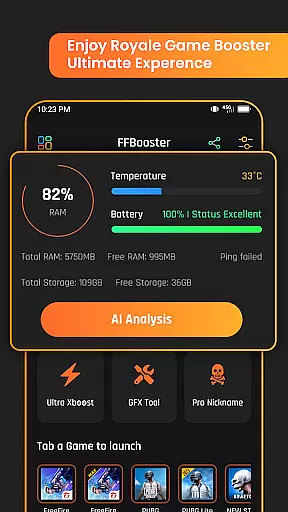
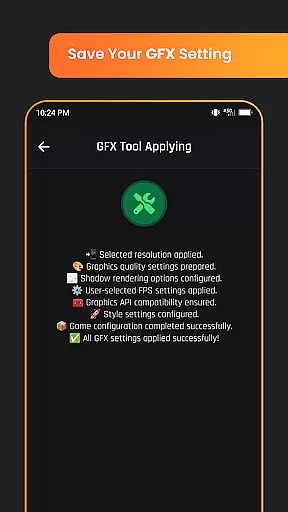
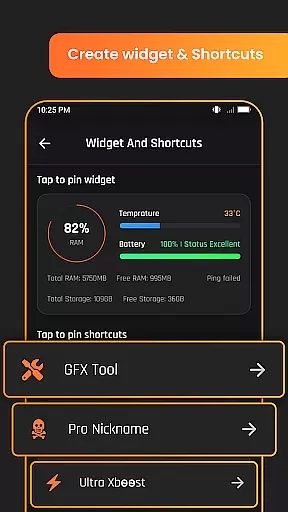
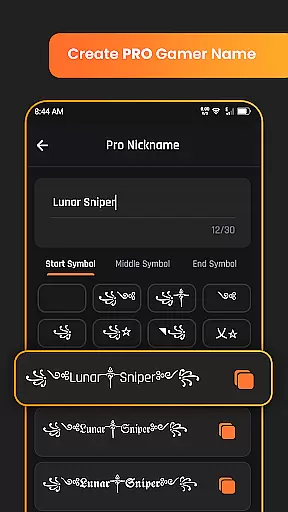
Game Booster GFX Fire Fix is a powerful tool designed to enhance your gaming experience by optimizing graphics performance. This app focuses on providing advanced GFX tools that cater specifically to Royale battle games, ensuring smoother gameplay and visually stunning graphics.
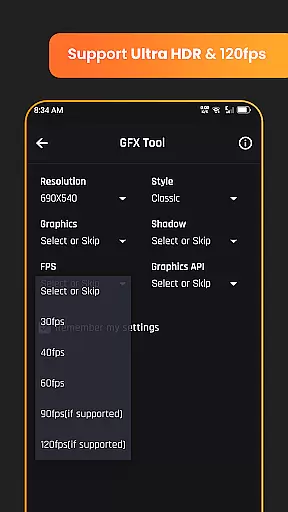
The application supports HDR and Ultra HD graphics, allowing gamers to enjoy high-quality visuals. With capabilities of up to 120 FPS on compatible devices, it ensures a seamless and responsive gaming session. The app also offers custom resolution settings, shadow control, and realistic graphic style options, giving users complete control over their gaming environment.
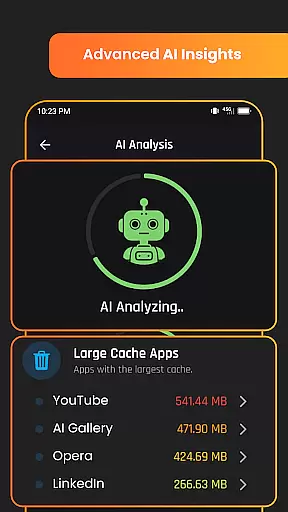
Whether you're looking to improve game launch times or create unique in-game nicknames, Game Booster GFX Fire Fix delivers the tools necessary for an enhanced gaming experience. Its AI analysis feature further refines gameplay by offering insights and optimizations tailored to individual gaming styles.
Game Booster GFX Fire Fix stands out with its comprehensive suite of features tailored for gamers. One of its key highlights is the support for HDR and Ultra HD graphics, which significantly enhances visual clarity and detail in supported games.
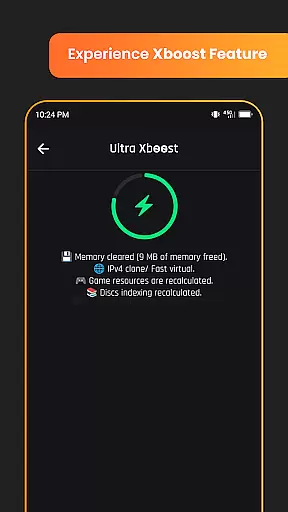
In addition to superior graphics, the app enables gamers to achieve frame rates of up to 120 FPS on compatible devices, resulting in smoother animations and reduced lag during intense gaming sessions. The instant game launch feature minimizes waiting times, getting players into the action faster than ever before.
Customization is at the heart of this app, with options to adjust resolution settings, enable or disable shadows, and choose from various graphic styles. These features ensure that each user can tailor their gaming experience to suit their preferences and device capabilities, making Game Booster GFX Fire Fix an essential tool for any avid gamer.
Functionality completeness refers to the extent to which an application delivers on its promised features and capabilities. For Game Booster GFX Fire Fix, this means providing a comprehensive suite of tools that enhance gaming performance and visual quality.
The app supports advanced graphics settings such as HDR and Ultra HD, ensuring that games look their best on compatible devices. It also offers customizable resolution settings and realistic graphic style options in GFX, allowing users to tailor their gaming experience according to personal preferences.
In addition to graphics enhancements, the app includes practical features like instant game launch and FPS boosts up to 120 on supported hardware. These functionalities contribute significantly to reducing load times and improving overall gameplay smoothness.
By covering a wide range of gaming needs from visual fidelity to performance optimization, Game Booster GFX Fire Fix demonstrates strong functionality completeness. This ensures gamers have access to all necessary tools for an enhanced gaming session without needing multiple utilities.
Usability is a critical factor in determining how easily users can interact with an application. For Game Booster GFX Fire Fix, usability encompasses both interface design and operational efficiency during use.
The app provides intuitive controls for adjusting various graphical settings, including enabling or disabling shadows and selecting custom resolutions. Such straightforward options make it easy even for less tech-savvy individuals to optimize their gaming environment effectively.
Operational smoothness is further enhanced by features like instant game launch, which minimizes waiting time between launching the app and starting gameplay. Additionally, support for high frame rates up to 120 FPS ensures smoother animations and transitions within games themselves.
Overall, these aspects combine to create a seamless user experience where gamers can focus more on enjoying their favorite titles rather than troubleshooting technical issues. The thoughtful integration of AI analysis adds another layer of sophistication, making complex optimizations accessible at just a few taps.
Enhances gaming graphics
Supports high frame rates
Customizable settings
Instant game launch
AI-driven optimizations
Limited game compatibility
Device-specific features
Potential battery drain
Third-party dependencies
Learning curve for new users

View your cameras anywhere and anytime
 4.20
4.20
Use your Phone as Drone Controller.
3.70
Identify securely online
3.10
Collection of Maps and Mods for Dmod
3.30
Block, disable and secure phone camera from secretly taking photos by spyware.
4.50
Zlink Carplay Android a mirror link app with a Carplay interface style
4.2
Recite Quran Majeed القران with special 16 line real Kuran page in hand
4.30
Study Bible King James Version: the correct way to learn the Bible with audio
4.80
Ps2 plugins for 64 bit artitechture
3.70
TV USB connector app provides you a seamless cast option from your phone to tv.
4.70
Expo is a free & open source platform to build apps using JavaScript and React.
4.70
Tune your game graphics with our GFX optimizer for optimal gaming experience
4.50
Al QURAN-القرأن الكريم app to read Quran offline just like an actual Quran book
4.30
Connect your phone to any endoscope camera, USB camera, or borescope with ease.
3.70
Mirror phone to TV effortlessly! Stream, share & connect with Airplay ease.
3.60
Now Available on Android ™
3.40
Connect and Find your smart tag via our app.our app is compatible with smarttag.
3.30
DamonSx2 is the open Source LGPL Emulator
3.20
If you are looking for melon playground mod that fun you deffinitely try our app
2.70


User Reviews