
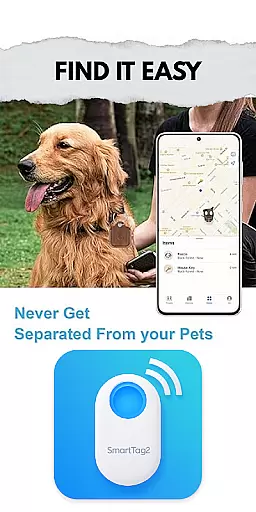
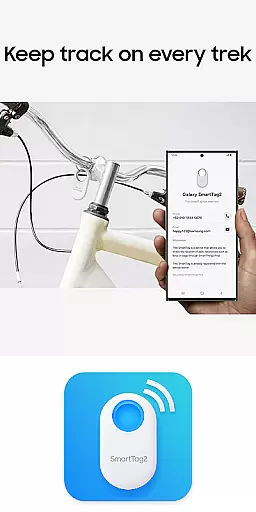
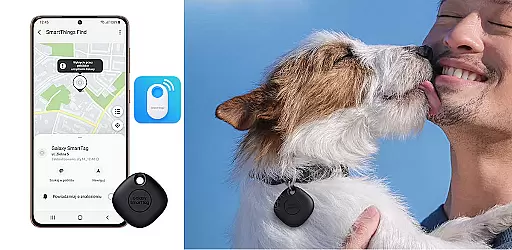
Samsung Galaxy SmartTag is an innovative device management app that allows users to connect and locate their SmartTag devices with ease. The app provides a comprehensive guide for setting up and using Samsung's Galaxy SmartTag and SmartTag+ devices, ensuring you can always keep track of your belongings.
With features like smart beacon functionality, battery replacement guidance, and detailed device layout information, this app serves as an essential tool for anyone who owns a Galaxy SmartTag. Whether you're looking to configure your device or simply want tips on maximizing its potential, the Samsung Galaxy SmartTag app has got you covered.
This educational app is particularly useful for first-time users who need step-by-step instructions on how to use their new SmartTag devices effectively. By providing reliable information from various sources, it helps users understand the full capabilities of their Galaxy SmartTag, making it easier to manage daily life.
The Samsung Galaxy SmartTag app offers a wide array of features designed to enhance your SmartTag experience. One of its key functionalities is the ability to configure both Galaxy SmartTag and SmartTag+ devices, allowing users to customize settings according to their preferences. This includes general settings adjustments and specific configurations for optimal performance.
Another standout feature is the smart beacon functionality, which enables users to locate their tagged items quickly and efficiently. The app also provides practical advice on battery replacement and maintenance, ensuring your device remains in top condition. Additionally, users can access detailed layouts and descriptions of their SmartTag devices, helping them understand every aspect of their product.
While not an official Samsung application, this educational tool compiles information from reliable sources to offer valuable insights into the Galaxy SmartTag procedure. It's an excellent resource for anyone looking to get the most out of their SmartTag devices, whether they are tech-savvy or new to smart tracking technology.
Functionality completeness is a crucial aspect of any application, especially in the Libraries & Demo category. The Samsung Galaxy SmartTag app offers comprehensive features that cover all essential aspects of managing and utilizing smart tags. This includes detailed configuration options for both Galaxy SmartTag and SmartTag+, ensuring users can tailor their experience to meet specific needs.
The app provides general settings that allow users to customize their smart tag devices effectively. From setting up smart tags to getting tips on their usage, the app ensures that users have all the necessary tools at their disposal. Additionally, it educates users on the use of smart beacons and offers guidance on what to consider before using SmartTag devices, enhancing the overall user experience.
Battery replacement and device layout information further add to the app's functionality, making it a one-stop solution for all SmartTag-related queries. By offering extensive coverage of these features, the app empowers users with complete knowledge about their devices, thus maximizing utility and convenience.
Usability and operational smoothness are vital for ensuring a seamless user experience, particularly in applications dealing with smart devices. The Samsung Galaxy SmartTag app excels in providing an intuitive interface that simplifies the management of smart tags. Users can easily navigate through various settings and configurations without encountering any significant learning curve.
Operational smoothness is evident as the app delivers real-time updates and feedback, allowing users to efficiently manage their Galaxy SmartTag devices. Whether configuring settings or replacing batteries, the app streamlines these processes, reducing complexity and saving time. This operational efficiency significantly enhances user satisfaction and engagement.
Moreover, the app's design focuses on delivering a hassle-free experience by organizing information logically and presenting it in an accessible manner. With clear instructions and well-structured content, users can quickly grasp how to utilize their smart tags effectively. Overall, the app's emphasis on usability ensures that even those new to smart tags can operate them confidently and effortlessly.
User-friendly interface
Comprehensive setup guide
Smart beacon functionality
Detailed device information
Reliable source compilation
Not an official app
Limited to SmartTag devices
No real-time tracking
Basic customization options
Occasional connectivity issues

Connect and find your Smart Tag 2 devices through our app.
 3.60
3.60
Collection of high-quality, trendy skins and outfits!
4.0
SmartCast mirrors Android phone to TV screen With Cast Screen, Chromecast.
4.80
Use your Phone as Drone Controller.
3.70
Test DPC is a sample device policy controller for use with Android Enterprise.
4.20
TV USB connector app provides you a seamless cast option from your phone to tv.
4.70
Zlink Carplay Android a mirror link app with a Carplay interface style
4.1
MirrorLink for connecting your Android phone to your car’s infotainment screen.
4.50
Mobile Connect To TV - HDMI USB & WiFi Screen Mirroring
3.70
Read Holy Quran Feel Like Real Quran & Listen Al Quran Mp3 Audio Online Offline.
4.70
Block and secure the microphone and protect from secret listening and recording.
4.50
Barcode scanning made simple!
4.40
An impressive collection of tools, characters, weapons, skins and more!
4.30
Mirror phone to TV effortlessly! Stream, share & connect with Airplay ease.
3.60
Mobs maker Minecraft help MCPE creators make their own mob by using Blockbench
3.50
Endoscope camera an app to connect with endoscope cam or any device
3.30
Identify securely online
3.10
A great tool help you to format Micro SD memory Card
3.10
Read Quran pak offline & listen online mp3 Quran in Al Quran Majeed app
4.0


User Reviews