
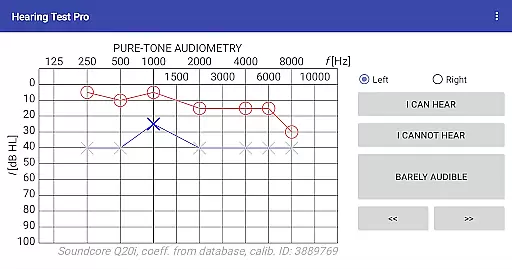
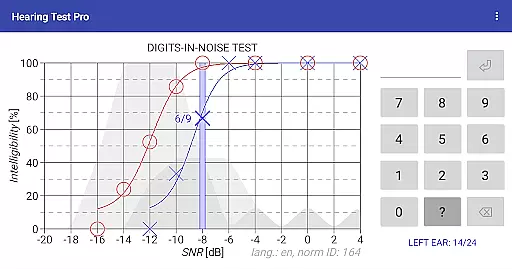
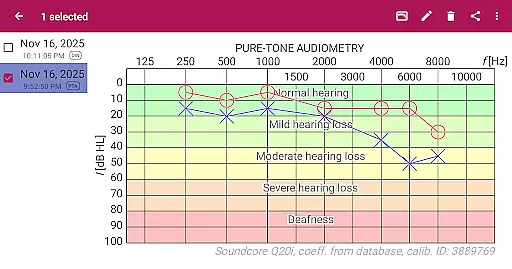
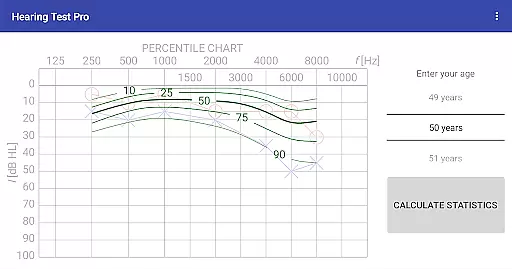
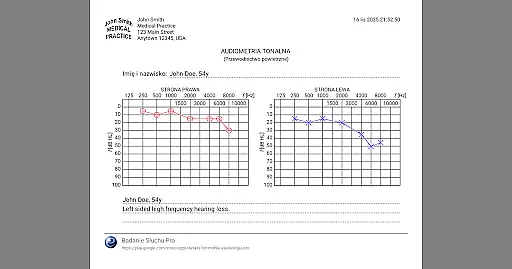
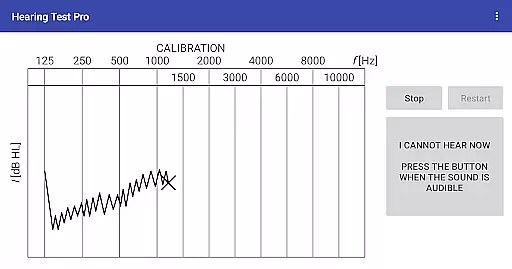
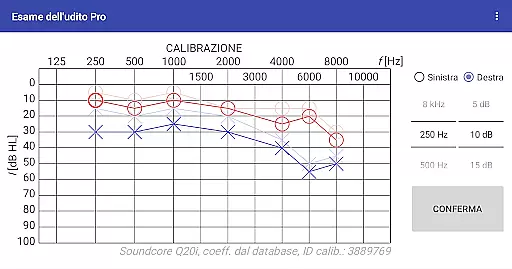
Hearing Test Pro is a comprehensive mobile solution designed for users to assess and monitor their hearing capabilities. The app provides two primary testing methods: pure-tone audiometry and the digits-in-noise test (digit triplet test). Pure-tone audiometry evaluates the degree of hearing loss across different sound frequencies, identifying the quietest sounds detectable by the user. The digits-in-noise test measures speech intelligibility by having users recognize spoken digits amidst background noise.
In addition to these core features, the app includes advanced functionalities such as high-frequency audiometry, classification of hearing loss, and comparison with age-related norms. Users can also print test results, add notes, and adjust calibration settings based on clinical audiometer results. With its Pro version, Hearing Test Pro offers offline access to test results, cloud synchronization, and manual stimulus control during tests, making it an invaluable tool for both personal and professional use.
Hearing Test Pro stands out due to its robust feature set tailored for accurate hearing assessments. The app's pure-tone audiometry uses bundled headphones and predefined calibration coefficients from its database to ensure reliable results. Its digits-in-noise test evaluates speech intelligibility by presenting digits in varying levels of background noise, providing insights into real-world hearing challenges.
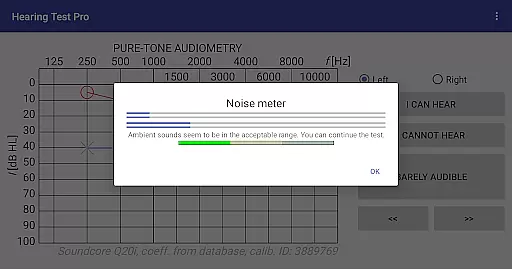
Additional features include a noise meter for measuring ambient sound during tests, device calibration options for non-standard headphones, and tools for classifying hearing loss and comparing results with age-related norms. The Pro version enhances these capabilities with a local database for offline result storage, cloud synchronization for easy data recovery and transfer between devices, and manual stimulus control for greater precision during pure-tone audiometry tests.
These features collectively empower users to conduct thorough hearing evaluations, customize their testing experience, and maintain detailed records of their auditory health over time.
When it comes to medical applications, the credibility of content and expert review is paramount. Hearing Test Pro ensures that its tests are based on scientifically validated methods, such as pure-tone audiometry and the digits-in-noise test. These methodologies have been widely accepted in audiological assessments, providing users with reliable data about their hearing capabilities.
The app incorporates features like high-frequency audiometry and classification of hearing loss, which are essential for comprehensive hearing evaluation. By including these advanced functionalities, the application demonstrates its alignment with professional standards used in clinical settings. This not only enhances user trust but also supports informed decision-making regarding further medical consultation or intervention.
Furthermore, the ability to compare results with age-related norms adds another layer of credibility. Users can contextualize their hearing health within broader population statistics, making the information more meaningful and actionable. With options for calibration adjustment and verification, Hearing Test Pro ensures accuracy that reflects real-world testing conditions, reinforcing its position as a credible tool for personal auditory assessment.
While Hearing Test Pro does not directly offer teleconsultation services, it provides robust support for remote auditory assessments, which can be integral to telemedicine practices. The app's detailed test results, including pure-tone audiometry and speech intelligibility evaluations, supply healthcare providers with valuable data needed for effective teleconsultations.
The Pro version enhances this capability by offering local database storage and synchronization features. This means users can maintain offline access to their test results while also having the option to store data in the cloud. Such flexibility ensures that critical hearing health information is readily available during virtual consultations, regardless of internet connectivity issues.
Additionally, the app's capacity to print test results and add notes allows users to prepare comprehensive reports before engaging in teleconsultations. These features facilitate clearer communication between patients and healthcare professionals, improving the overall quality of remote auditory care. By equipping users with precise and accessible hearing data, Hearing Test Pro effectively bridges the gap between self-assessment and professional medical advice.
User-friendly interface
Comprehensive hearing tests
Offline result access
Cloud synchronization
Manual stimulus control
Premium features locked
Requires calibration
Limited free options
Complex for beginners
Dependent on headphone quality

A comprehensive medical disease app.
 5.00
5.00
Blue Cross and Blue Shield of Texas member information
4.60
Donating blood and platelets is easier than ever with The American Red Cross.
4.80
Conveniently receive lab results, schedule lab appointment and pay your bills
3.70
Log your symptoms in the MyZio app — the perfect companion to the Zio monitor!
4.60
Pelvic Floor Muscle Exercises
4.80
A rapid reference for healthcare professionals caring for pediatric patients.
4.30
Download OctaApp for easy access to your plasma donation info
4.40
Continuous Glucose Monitoring
3.40
Leafly is a weed app for finding dispensaries, cannabis strains, & more.
4.70
Enables quick access to medical data and contacts in case of emergency (ICE)
4.70
Discover the source of pain with Muscle Trigger Point Anatomy.
4.70
Take on apraxia and aphasia with a powerful video-driven speech therapy app.
4.60
PPP provides quick offline access to over 350 field treatment protocols.
4.60
Secure video visits with your VA care team from anywhere
4.50
Over 1,200 review questions and 5 exams—pass the NREMT with EMT Review Plus!
4.10
700 questions, 2 full exams, Predictive Scoring—your key to NREMT success!
3.90
A fantastic 3d reference that includes over 300 structures and a quiz function.
3.00
ECG modules improve rhythm ID. ACLS is a simulator for cardiac arrest scenarios.
4.3


User Reviews