
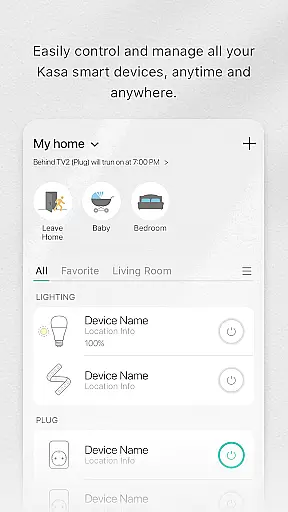
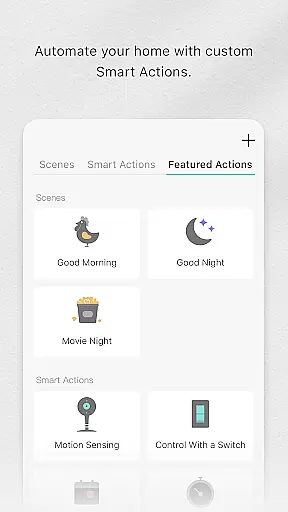
Kasa Smart is a comprehensive home automation app designed specifically for TP-LINK smart devices. It allows users to remotely manage and control their smart home ecosystem, including smart plugs, switches, power strips, bulbs, cameras, routers, and range extenders. The app provides real-time monitoring and configuration capabilities, enabling users to create customized schedules and automate their home appliances.
One of the key features is its Away Mode functionality, which helps enhance home security by simulating occupancy through scheduled device activations. Whether you're looking to optimize energy usage or enhance home security, Kasa Smart offers practical solutions that cater to modern smart home needs.
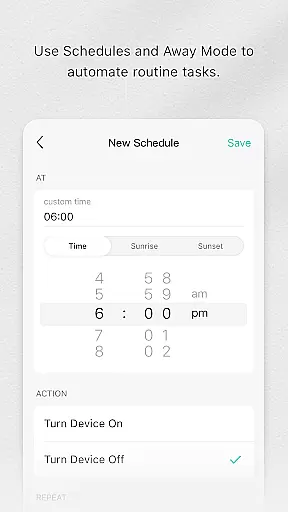
The app boasts an array of advanced features tailored for seamless smart home integration. Users can easily add new devices to their network and configure them according to specific requirements. The scheduling feature lets you program your devices to turn on or off at designated times, while real-time monitoring ensures you're always aware of your home's status.
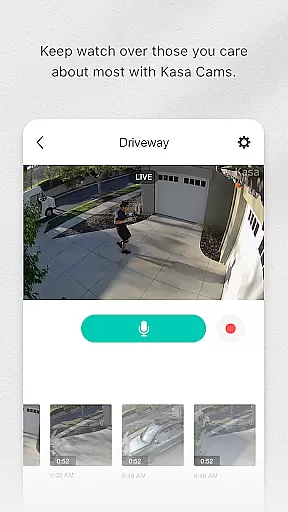
Kasa Smart also supports remote access, allowing users to control their devices from anywhere in the world. The intuitive interface makes it simple to adjust settings, view camera feeds, and manage multiple devices simultaneously. With support for a wide range of TP-LINK products, this app serves as a centralized hub for all your smart home management needs.
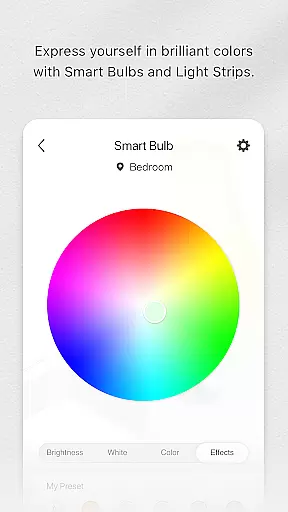
Kasa Smart by TP-LINK offers a comprehensive range of smart home devices that cater to various lifestyle needs. The app supports an extensive lineup including smart plugs, switches, power strips, bulbs, IP cameras, routers, and range extenders.
With this broad selection, users can automate and control multiple aspects of their home environment. Whether it's managing lighting, securing the home with cameras, or optimizing network coverage, Kasa Smart ensures all essential areas are covered.
The integration of these devices into one platform simplifies the smart home experience. Users can easily add, configure, and monitor all their connected devices from a single interface, enhancing convenience and efficiency.
This wide-ranging compatibility makes Kasa Smart a versatile choice for anyone looking to enhance their living space with smart technology, ensuring that no matter what aspect of home management you're focused on, there's a solution available within the app.
The content provided through Kasa Smart is meticulously curated to ensure authenticity and accuracy. Each supported device has been tested and verified to work seamlessly with the application, guaranteeing reliable performance.
TP-LINK collaborates with industry experts to develop and maintain high standards for its smart home ecosystem. This collaboration ensures that all information and guidance offered within the app come from credible sources.
Users benefit from detailed instructions and expert advice on setting up and optimizing their smart home devices. This support helps them make informed decisions about configuring schedules, security settings, and energy-saving options.
By prioritizing content authenticity and leveraging expert knowledge, Kasa Smart builds trust with its users, assuring them that they are receiving accurate and valuable information to manage their smart homes effectively.
User-friendly interface
Wide device compatibility
Remote access and control
Customizable scheduling options
Enhanced security features
Limited to TP-LINK devices
Requires stable internet connection
No voice assistant integration
Occasional connectivity issues
Basic camera functionalities

Big bold digital watch face with 30 colors, 6 complications and AOD.
 4.2
4.2
Pay your rent, submit work orders and much more with the RentCafe Resident App.
4.70
Earn points with every purchase with Moe Rewards.
4.20
Designed to delight, impress and energize your festive spirit every single day
4.0
Discounts, savings, and rewards
4.20
Discover your Nationality, Family Origin, and Ancestry from one selfie
4.50
Get the news, events and savings that matter to you with AARP Now.
4.80
Subwoofer school’s in session! You’ve now enrolled into KICKER U.
3.80
DailyGift can help you record your habits and get rewards along the way!
4.60
Discover the "To Be a Christian" App: Your Guide to Deepening Faith!
5.00
Tap to the beat with interactive videos — warm up your reflexes & have fun
4.70
Crochet made easy: step-by-step tutorials, beginner patterns & projects
4.60
The App can control Roborock vacuum cleaners from anywhere with rich features.
4.60
Unique "Isometric" style digital watch face for Wear OS
4.50
PARAVOX 4 is a professional ITC paranormal research application.
4.50
This minimalist yet classic board design brings a futuristic twist to your wrist
4.20
Paranormal EVP, Ghost Box, Spirit box, ITC, Haunted, Spirit communication device
3.70
Unique informative Dial with Live Moon Phase at a glance!
3.60
BILT interactive 3D instructions help you get the job done right
3.50


User Reviews