

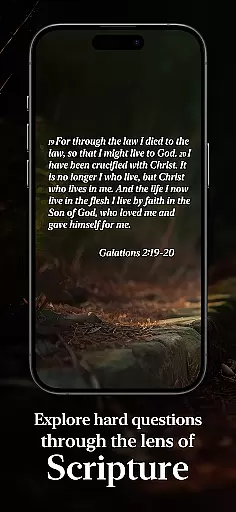



To Be A Christian is a lifestyle app designed to help believers deepen their faith and understanding of Christian doctrine. The app provides access to an extensive catechism with over 360 questions and answers, each supported by Scripture references. It covers essential aspects of Christianity, including the Apostles' Creed, the Lord's Prayer, and the Ten Commandments.
Users can explore this rich content anytime, anywhere, making it ideal for personal study or group discussions. Whether you're new to Christianity or looking to strengthen your existing faith, this app offers clear guidance and conversational teaching that fits seamlessly into daily life.
The To Be A Christian app stands out with its comprehensive question-and-answer format, which simplifies complex doctrines into digestible lessons. Each entry includes detailed explanations and relevant Bible verses, ensuring users gain both knowledge and context.
Additionally, the app supports customization options, allowing users to bookmark favorite sections and track their progress through the material. Its user-friendly interface ensures easy navigation, while offline access enables uninterrupted study sessions without needing an internet connection.
The To Be A Christian app offers comprehensive coverage of essential lifestyle categories for believers seeking spiritual growth. With over 360 questions and answers, it provides in-depth exploration of core Christian doctrines and practices.
Users can access teachings based on foundational texts like the Apostles' Creed, the Lord's Prayer, and the Ten Commandments. This extensive content library addresses various aspects of Christian life, making it a valuable resource for daily spiritual development.
The app's structured approach to catechesis helps users integrate faith into their everyday lives through systematic learning and reflection. Its comprehensive nature ensures that users can explore different dimensions of their faith journey conveniently through their mobile devices.
To Be A Christian establishes its authority through content developed by renowned theologian J.I. Packer and a team of Anglican leaders. Each question and answer is meticulously crafted and supported by relevant Scripture references, ensuring theological accuracy.
The app maintains high standards of authenticity by drawing from established Christian traditions and texts. The involvement of respected church leaders in its creation guarantees that users receive credible and reliable spiritual guidance.
This expert-backed content provides users with confidence in their learning journey, knowing they are studying materials vetted by experienced theologians and educators in the Anglican tradition.
User-friendly interface
Comprehensive Q&A format
Scripture-supported answers
Offline accessibility
Customizable experience
Limited to Anglican perspective
No multimedia content
Basic design aesthetics
Occasional updates needed
Not suitable for kids

The Work of Byron Katie— the mobile app for inner peace.
 4.40
4.40
Get roadside help, discounts, travel tools & more — AAA is with you everywhere.
4.80
Digital watch face design. Modern looking, hi-res & battery friendly.
4.00
Premium floor cleaning robots
4.50
Smart home security protection
3.20
Simple, stylish & fresh watch face. Customize colors, gradients & complications.
4.70
Digital smart watch face made for Wear OS.
4.70
Futuristic watchface inspired by Back to the Future: sleek, retro, timeless
4.1
AAA Mobile provides on-the-go access to the services you know and trust.
4.60
Daily lessons from A Course in Miracles with scheduled reminders
4.80
Made To Order Faves
4.70
The go to app for taking unlimited notes!
4.50
Zodiac & Horoscope Launcher: Daily Sign Predictions & Astrology
4.40
Paranormal Spirit Bell Trigger Device
4.30
Easily manage your child's playtime, spending messaging and more.
3.50
Healthy eating timer app to track meal pace, improve habits, and eat slowly.
4.3
Discover how to help puppies stay calm around noise with this helpful app.
4.2
A daily quote for success
4.3
A uniquely designed isometric digital watch face made for Wear OS
4.0


User Reviews