
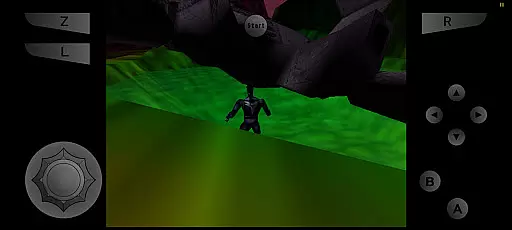
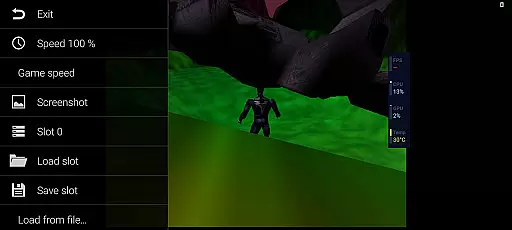
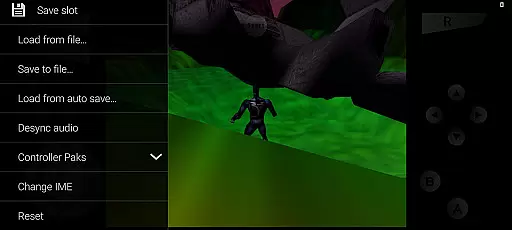
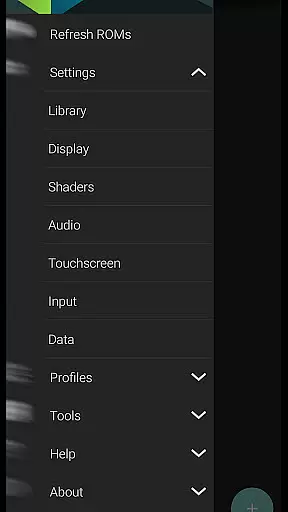

M64Plus FZ Pro Emulator is a premier arcade gaming solution for Android, enabling users to play Nintendo 64 games with enhanced features. This pro version offers online cloud backup, netplay capabilities, and an ad-free experience. It includes all necessary cores and plugins, ensuring broad compatibility across many games and devices.
While not every game runs perfectly, the emulator provides options to tweak settings for optimal performance. The inclusion of netplay allows multiplayer gaming over the internet when connected through a UPnP-enabled router or locally within the same WiFi network. With active community support and comprehensive guides available, M64Plus FZ Pro delivers a robust platform for retro gaming enthusiasts.
This emulator stands out with its advanced features tailored for avid retro gamers. The pro version eliminates ads and introduces online cloud backup, allowing seamless saves across devices. Netplay functionality enables real-time multiplayer sessions, enhancing the social aspect of gaming.
Users can customize their experience by experimenting with different video plugins to address device-specific issues. Although some games may present challenges, the emulator's flexibility ensures that most titles are playable with satisfactory performance. Additionally, the active support channels and detailed guides provide valuable resources for troubleshooting and optimization.
M64Plus FZ Pro Emulator delivers a genuine arcade experience by emulating classic games with precision. The pro version enhances this authenticity by providing support for online cloud backup and netplay, allowing users to relive multiplayer arcade sessions over the internet.
Despite some limitations, such as issues with specific games or devices, most games are supported and offer an immersive nostalgic experience. Users may need to experiment with different video plugins to achieve optimal performance, ensuring that the classic arcade feel is preserved.
The emulator includes all necessary cores and plugins, which means users can enjoy a wide variety of games without the need for additional downloads. This comprehensive package contributes to the overall authenticity of the emulation, making it a reliable choice for arcade enthusiasts.
Control responsiveness in M64Plus FZ Pro Emulator is designed to mimic the original arcade machine's tight controls. Players can expect low-latency input, which is crucial for maintaining the fast-paced action typical of arcade games.
While not all video plugins will work seamlessly with every device, the ability to switch between them ensures that users can find the best combination for their setup. This flexibility helps maintain responsive controls across different hardware configurations.
For local multiplayer games, control responsiveness remains consistently high as no UPnP is required when playing within the same wifi network. This makes it easy for friends to gather and enjoy arcade classics together, just like in the old days of arcades.
Ad-free gaming experience
Online cloud backup support
Netplay for multiplayer
Active community support
Comprehensive plugin options
Not all games compatible
Potential device issues
Video plugin glitches
Missing translations
Requires UPnP for netplay

Sit back and relax! Tap to move the black hole, and swallow weapons to win.
 4.20
4.20
A Ball Bouncer With Depth
4.00
Divine powers at your fingertips! An innovative and frantic shoot-'em-up!
4.0
Protect the balloon! Only 1% of players can reach lvl 100 with all the balloons!
3.70
Running game: dance in a twerk battle and become the twerk hero in our fun race!
4.30
Absorb, or be absorbed...
4.70
Millions of crafters have smashed billions of blocks! Now you can join the fun!
4.40
Outrun cops, ignite the thrill of a high-speed chase!
4.50
Jump and fly your way through danger in this rythm-based action platformer!
4.50
Flip and flail a rag doll through endless levels and plunge into outlandish fun!
4.60
Motorcycle racing games! Prove your paperboy can win in the bike race 3D!
4.50
Nostalgia.GBC is a high quality GBC emulator.
4.50
Jump and fly your way through danger in this rythm-based action platformer!
4.50
Suck the other’s blood and be the longest surviving mosquito!
4.40
Join the art challenge: Guess the word and draw fast before the timer runs out!
4.20
Get into your tractor to cut grass and harvest the crops in our mowing simulator
4.10
Neogeo MVS/AES Emulator
3.30
Monster Run its a game for relax.
4.2
Spaceship racing on a rocky planet — pure action and challenge.
4.0


User Reviews