
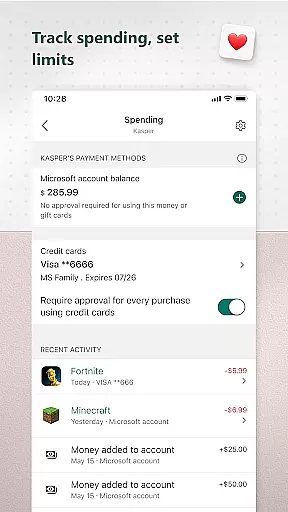
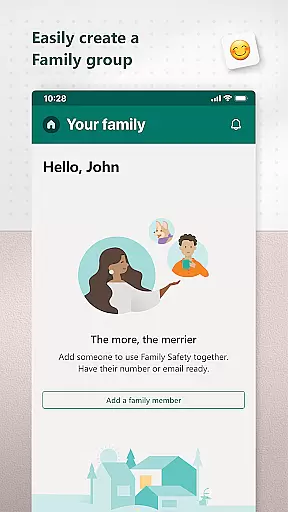
Microsoft Family Safety is a comprehensive parenting app designed to help families develop healthy digital habits while ensuring children's safety online. The app allows parents to set up parental controls, manage screen time, and filter inappropriate content across multiple devices including Android, Xbox, and Windows.
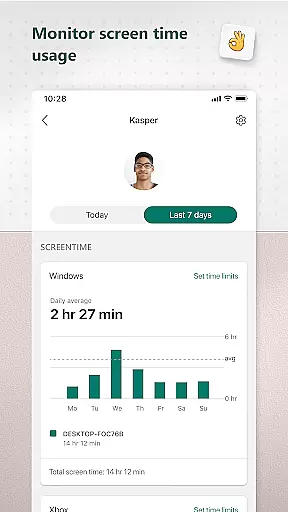
One of the standout features is its activity reporting system, which provides weekly summaries of children's screen time and app usage. This helps parents stay informed about their kids' digital activities and initiate meaningful conversations about responsible device use. The app also offers kid-friendly web browsing options through Microsoft Edge, making it easier for children to explore the internet safely.
This app is particularly useful for modern families who want to strike a balance between giving children independence and maintaining necessary oversight in their digital lives. By providing tools for both parents and children, Microsoft Family Safety creates a safer digital environment while promoting responsible technology use.
Microsoft Family Safety offers an impressive range of features that cater to both parents and children. The app's activity reporting feature provides detailed logs of screen time and online usage, complemented by weekly email summaries that help parents monitor their children's digital behavior effectively.
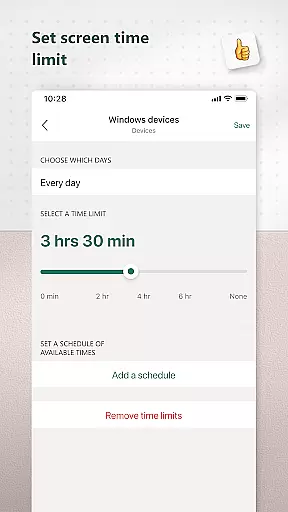
The screen time management tools are particularly robust, allowing parents to set specific time limits for individual apps and games across different platforms. This cross-device functionality ensures consistent rules whether children are using Xbox, Windows, or Android devices. The app also enables parents to receive notifications when their children request additional screen time, facilitating better communication.
Content filtering capabilities include web filters for Microsoft Edge and blocking mechanisms for inappropriate apps and games. These features work together to create a safer online environment while respecting user privacy. The app collects data only with proper consent and provides users with clear choices about data collection and usage, demonstrating Microsoft's commitment to privacy protection.
When it comes to parenting apps, the credibility of content and expert validation are paramount. Microsoft Family Safety stands out by providing features that are designed and endorsed by child safety experts. The app offers activity reports that help parents understand their children's digital habits through detailed logs of screen time and online usage.
The content filters available in the app are crafted with care to ensure safe exploration for children on the internet. These include web filters for kid-friendly browsing on Microsoft Edge and the ability to block inappropriate apps and games. Such measures assure parents that their children are engaging with age-appropriate content only.
Microsoft takes privacy seriously, which is crucial for maintaining trust with parents who use this parenting tool. They provide meaningful choices about data collection and usage, ensuring transparency in how information is utilized to keep families safe online.
By obtaining consent from children before collecting interaction data, the app respects user permissions while still allowing necessary oversight from parents. This balance between safety and autonomy supports both parental control needs and fosters a respectful digital environment for kids.
Growth tracking in the digital context refers to monitoring a child's development through their interactions with technology. Microsoft Family Safety provides accurate growth tracking by allowing parents to set limits on screen time for specific apps and games across Android, Xbox, or Windows devices.
This feature not only helps manage device usage but also encourages healthy habits as children learn to balance their online activities. Parents receive notifications when requests for more time are made, enabling them to have informed discussions about responsible tech use.
With weekly email summaries of activity reports, parents can engage in conversations with their kids regarding online behavior and progress towards developing self-regulation skills. This regular feedback loop supports ongoing learning and adaptation.
Ultimately, the precision of growth tracking within Microsoft Family Safety empowers parents to guide their children effectively while respecting their growing independence. It ensures that kids adhere to guidelines without stifling their curiosity and learning potential.
User-friendly interface
Cross-platform compatibility
Comprehensive activity reports
Robust privacy controls
Real-time notifications
Limited iOS support
Requires Microsoft account
Some features need premium subscription
Occasional syncing issues
Complex initial setup

GPS phone tracker: find kids on map. Location tracking and parental control.
 4.50
4.50
Little loved one's monitoring, Sleep tracking and Parenting content.
3.80
Fun Ideas for Parents
4.70
Kids story books for children. Baby reading books with audio for pre-k toddlers
4.70
It is a screen time management tool for games and mobile applications
4.50
Track pregnancy health and wellness with pregnant tracker from healthcare advice
4.5
Advanced baby tracking, expert sleep help & parenting support for every stage.
4.80
The Most Trusted Co-Parenting App.
4.60
Track baby’s development & growth week by week with BabyCenter’s pregnancy app!
4.90
SENSORYSOOTHE and SENSORSAFE: Making car seats smarter and families safer.
4.70
Track your pregnancy & your baby's growth in 3D. Get support from our community
4.60
Block apps, set screen time limits, and customize usage schedules
4.50
Free symptom & med tracker with expert-reviewed tips.
4.30
Find unique + popular baby names for your little peanut.
4.30
Limit screen time, Block Apps & Games, Monitor with Parental control app
4.20
Pregnancy and baby formula tips for moms, plus Enfamil coupons & cash back
4.10
Parental Control including Screen time control, GPS tracking, App/Game blocker.
3.90
Save money on diapers. Get the Pampers Rewards app.
3.90
Lullabies, Night Light & Age-based Routines to help your baby fall asleep
4.2


User Reviews