
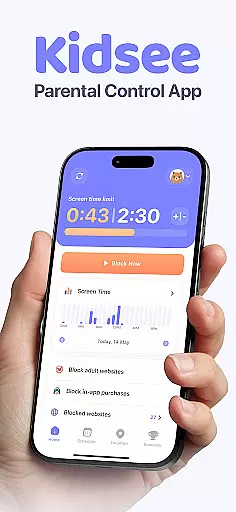
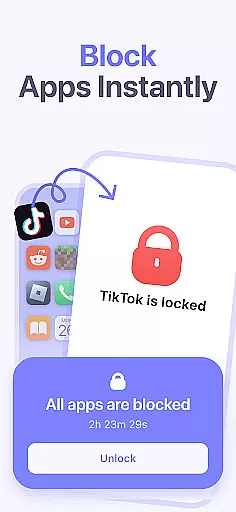
Kidsee Parental Control is a comprehensive family safety app designed to help parents manage their children's screen time, track GPS location, and monitor phone usage. With features like instant app blocking, daily time limits, and real-time location tracking, Kidsee empowers parents to guide their kids towards healthy digital habits while ensuring their safety.
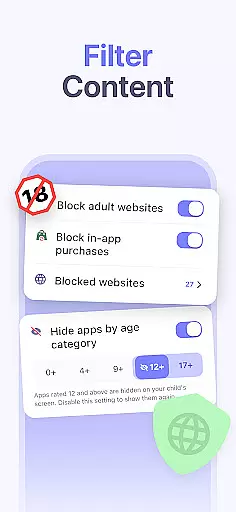
The app supports both Android and iOS devices, allowing control over multiple child devices from a single parent account. Kidsee also provides content filtering to block inappropriate websites and in-app purchases, making it an all-in-one solution for modern families looking to create a safer digital environment for their children.
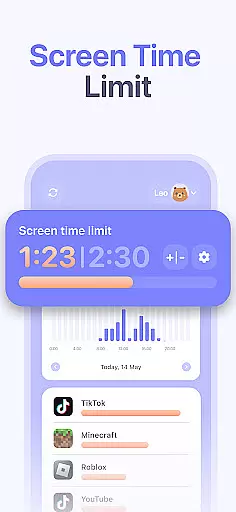
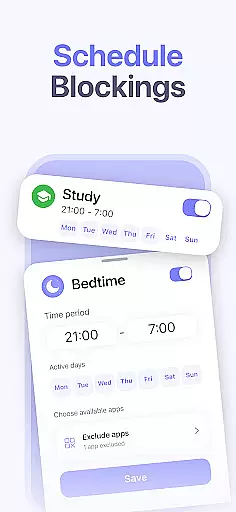
Kidsee offers a robust set of parental control features that cater to various aspects of digital parenting. Parents can remotely lock apps on their child's device, set daily time limits for overall screen use or specific apps, and create custom schedules tailored to school days, weekends, or bedtime routines. The app also allows exclusion of educational apps from these restrictions, promoting balanced screen time.
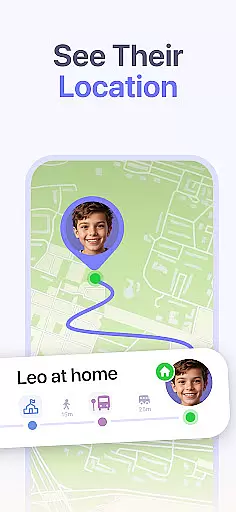
In addition to screen time management, Kidsee includes GPS tracking capabilities. Parents can view their child's real-time location, check location history, and monitor the battery level of the child's device to maintain constant connection. The app also blocks adult content and unwanted websites, prevents in-app purchases, and supports up to 10 child devices from one parent account, making it highly versatile for family use.
When it comes to parenting apps, the credibility of the content and validation by experts is crucial. Kidsee Parental Control app ensures that all features are designed with family safety in mind. The app's ability to block 18+ content and manage screen time is backed by research on digital wellbeing and child psychology.
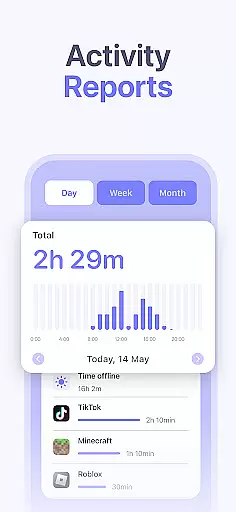
The developers have consulted with child development experts to create a solution that not only controls but educates. For instance, the app usage tracking feature helps parents understand their child's digital habits, promoting healthier screen time practices. This data-driven approach ensures that parents can make informed decisions about their child's digital consumption.
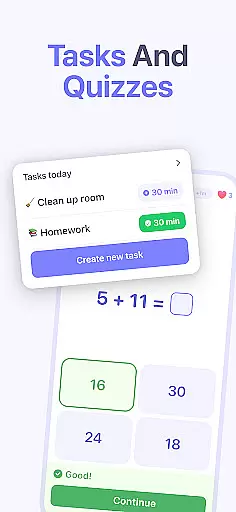
Kidsee also provides resources for parents, including guides on how to talk to children about online safety. These materials are regularly updated and reviewed by a panel of experts in child psychology and digital safety. By combining technology with expert knowledge, Kidsee empowers parents to guide their children safely through the digital world.
Tracking a child's growth in terms of digital habits is essential for modern parenting. Kidsee offers accurate tracking of app usage and screen time, providing parents with detailed reports. This allows parents to monitor trends over time and adjust limits as needed to promote balanced device use.
The GPS tracking feature adds another layer of accuracy by allowing parents to see where their child has been. This location history is stored securely and can be reviewed at any time. Parents can set up safe zones and receive alerts when their child enters or leaves these areas, ensuring they are always aware of their child's whereabouts.
Additionally, Kidsee supports multiple child profiles from a single parent account, making it easy to track the growth of each child individually. With support for up to 10 devices, parents can maintain an overview of their entire family's digital activities. This comprehensive tracking system gives parents the tools they need to foster responsible digital citizens.
Comprehensive parental controls
Real-time GPS tracking
Supports multiple devices
Blocks inappropriate content
Promotes digital wellbeing
Requires constant internet
Limited iOS functionality
Paid subscription model
Privacy concerns for some
Setup can be complex

Find unique + popular baby names for your little peanut.
 4.30
4.30
All-In-One Pregnancy Tracker, Your Baby's Milestones, Growth Stages & Parenting
4.70
Track your pregnancy, kick & contraction counter, baby & mom's heartrate monitor
4.60
Family parental control app: limit screen time, block apps, GPS tracker.
4.20
Protect kids online safety through GPS tracking,screen time control,app blocking
4.20
Learn according to the age of your child and consult with other moms.
4.20
Join over 1MM parents & professionals who've used OFW to navigate co-parenting
4.40
SemLog aims to raise awareness among families and their children
3.40
Pinardin - Smart Parental Control, Online Safety & GPS Tracking!
4.80
Fun Ideas for Parents
4.70
GPS tracker app: Simple GPS phone tracker for fast family location tracking
4.60
All-in-one pregnancy app, contraction timer, kick counter & due date calculator
4.40
Babysitting video camera - Turn your two phones or tablets into a single nanny.
4.40
Speech Therapy Exercises For All!
4.40
Cherish every beat - capture your baby's heart sounds with our app
4.30
FamilyMode helps you manage your family’s digital lives—at home or on the go.
4.30
Keep Your Family Safe with Pollog Family Assistants
4.10
Watching baby, helping parents
4.10
The Baby’s Bounty App is your hub to register for our diaper banks in Nevada
3.70


User Reviews