
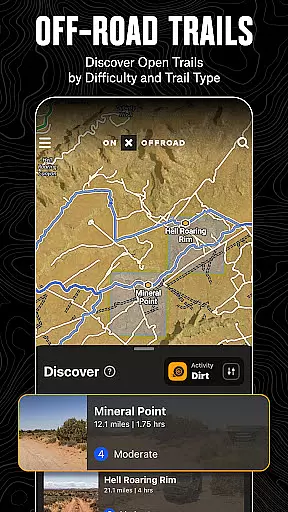
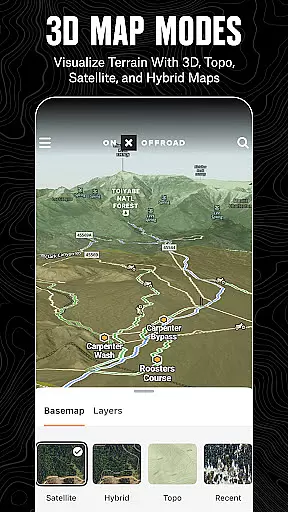
onX Offroad is a premier off-road navigation app designed for outdoor enthusiasts. It offers advanced GPS mapping, 3D trail maps, and compass navigation to help users discover trails suited for various activities like 4x4, SxS, dirt bikes, and more.
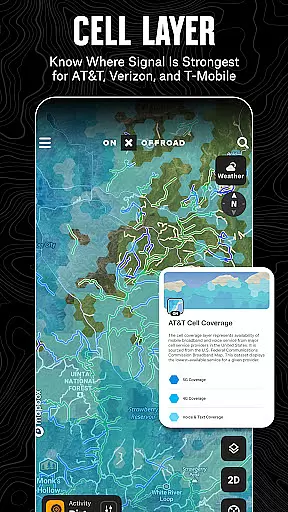
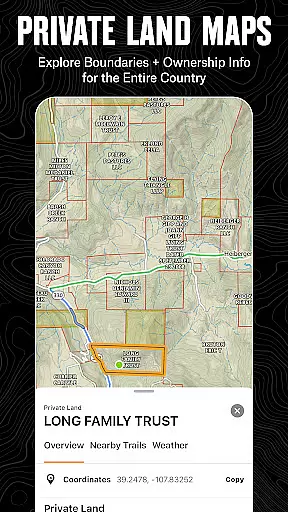
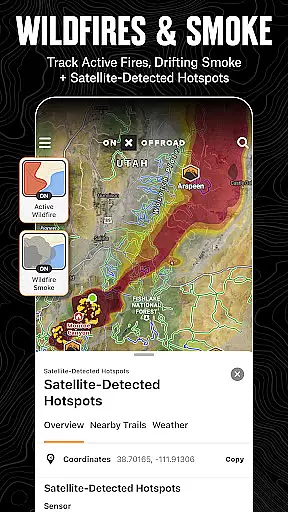
The app provides crucial information such as property lines, private landowner details, and acreage. With features like wildfire activity tracking, cell coverage layers, and offline maps, onX Offroad ensures safety and connectivity even in remote areas.
Whether planning a trip or navigating through challenging terrains, onX Offroad equips users with tools to explore confidently and return safely, making it an essential companion for off-road adventures.
onX Offroad stands out with its comprehensive set of features tailored for off-road exploration. The app includes OHV Trails & Map Layers that allow users to filter trails by vehicle type and toggle layers for weather, land boundaries, and cell service.
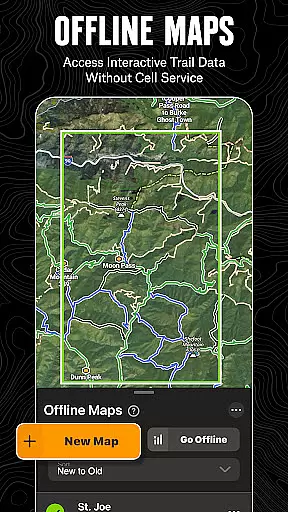
Offline Navigation & Route Builder capabilities enable users to save maps with interactive data, receive turn-by-turn directions, and create routes that snap to roads and trails. The Trip Tracker & Recreation Points feature helps mark important locations and track trip statistics.
Additionally, the app offers nationwide property lines and access to public and private land ownership information, enhancing users' ability to navigate vast terrains accurately and legally.
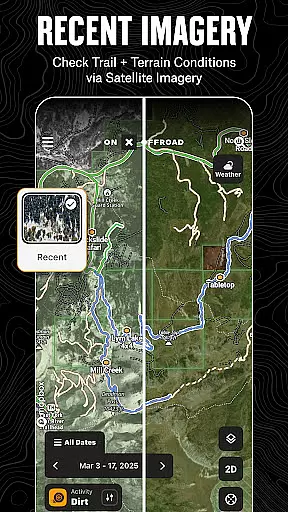
Map accuracy is crucial for off-road navigation, and onX Offroad excels in this area. The app provides detailed 3D trail maps, topographic maps, and satellite imagery to ensure users have the most precise understanding of terrain possible.
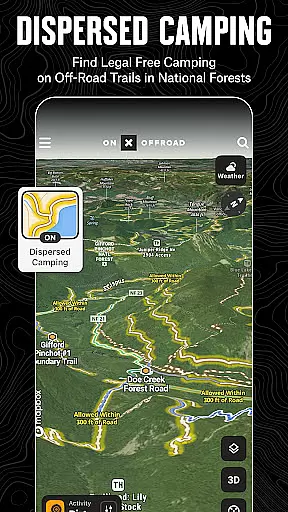
The inclusion of nationwide property lines, land ownership information, and boundaries for National Forests, BLM, and National Parks adds another layer of precision. This allows adventurers to identify legal trails and free off-grid camping areas with confidence.
onX Offroad's data sources are reliable and verified, ensuring that users can trust the map information when planning their trips. With real-time updates and comprehensive coverage, explorers can venture into the wilderness knowing they have accurate and up-to-date maps at their disposal.
Effective route planning is essential for a successful off-road adventure, and onX Offroad offers powerful tools to assist with this task. Users can build routes that automatically snap to roads and trails, ensuring efficient and safe travel through unfamiliar terrains.
The app's Route Builder feature includes details such as difficulty ratings and open/close dates for trails, helping users plan their journeys according to their vehicle's capabilities and seasonal conditions. Additionally, turn-by-turn navigation with voice commands syncs seamlessly with Android Auto, providing clear guidance even in areas without cell service.
By saving offline maps, users can access these meticulously planned routes without needing an internet connection. This ensures that once a route is planned, it remains accessible regardless of where the adventure leads, making onX Offroad an indispensable tool for off-road enthusiasts.
Advanced GPS mapping
Comprehensive trail filters
Offline map functionality
Wildfire tracking system
Detailed property info
Premium features locked
Subscription required
Complex interface
Limited free trial
High data usage

Start your next adventure confidently using our Accurate Compass App
 3.70
3.70
Explore a light pollution map to find suitable dark sky locations for observing.
4.30
Find 93 Octane Gas: Locate Gasoline Stations Selling Premium 93 Octane or Higher
4.1
Airport parking, with airport shuttle (TPS shuttle), reservations, and Spot Club
4.80
"Balad" is a map and navigator with a Persian voice assistant and a complete city guide
4.40
Explore with GPS Navigation with GPS offline, voice GPS, speed camera radar
4.60
Explore offline maps with radar, satellite view, and real-time alerts.
3.60
GPS navigation offers route finder, compass, translator, currency converter, etc
4.30
GPS phone tracker, family locator, secure location sharing app
4.20
Park in Chicago, NYC, Boston, SF, Houston & more!
4.70
Ride or drive at YOUR price
4.70
America’s largest public fast charging network, with over 500 charging stations.
4.50
CamSam PLUS - The speed and red light camera warning system!
4.40
Find radar maps, GPS coordinates, altitude, offline maps, location, travel route
4.40
ParkWhiz, an Arrive Mobility brand, part of the Arrive Network
4.30
Get matched with a nearby driver — you’ll be on your way in minutes.
4.30
Find radar, speed camera, flight tracker. Use hud, location tracker, speedometer
4.20
TACNAV-X: Precision MGRS navigation, built specifically for the military.
4.00
Your real-time window to the world. Explore anywhere, anytime.
3.30


User Reviews