
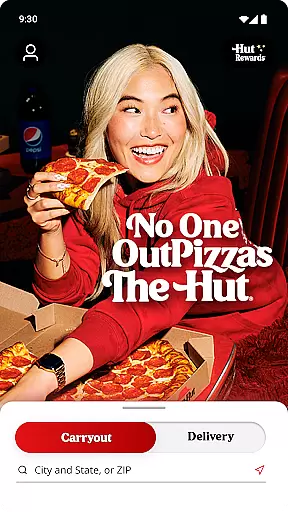
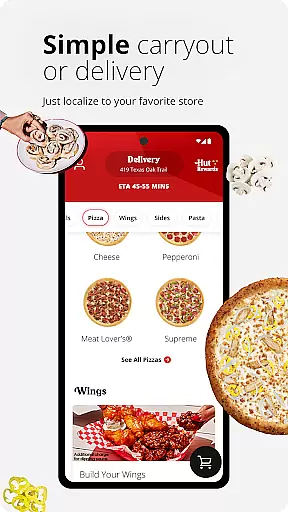
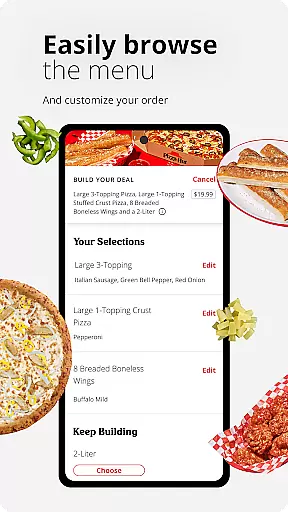
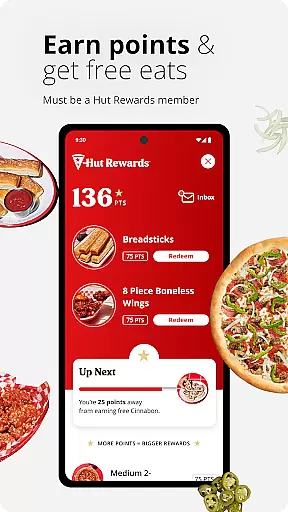
Pizza Hut offers a seamless way to order your favorite pizza, wings, and desserts with contactless delivery, takeout, or curbside pickup options. Designed for pizza lovers, the app provides an easy-to-use interface that allows you to customize pizzas, track orders, and earn rewards through Hut Rewards®.
With features like one-click curbside pickup check-in, future order scheduling, and guest checkout, Pizza Hut ensures convenience and safety for you and your family. Whether you're craving a quick bite or planning a feast, this app makes ordering from Pizza Hut faster and more rewarding.
The app boasts a comprehensive set of features including an intuitive Pizza Builder for customizing your own pizzas, and a Delivery Tracker to monitor your order's progress. You can also access the full menu, discover new items, and view local deals, ensuring you never miss out on your favorites or the latest offerings.
Hut Rewards® integration lets you stay updated with your points and redeem them for free food. The ability to reorder in three taps, schedule orders up to 7 days in advance, and find nearby Pizza Hut locations adds layers of convenience. Payment flexibility is provided through cash, card, or gift card options.
Locating a Pizza Hut store has never been easier with the official Pizza Hut app. The store locator feature is designed to help you find nearby Pizza Hut locations quickly and efficiently. By using your device's GPS capabilities, the app provides accurate location data, ensuring you can always find a store close to you.
The app not only shows the nearest Pizza Hut branches but also provides essential details such as operating hours, contact information, and directions. This ensures that whether you're at home or traveling, you have all the necessary information to pick up your order or dine in without any hassle.
For those who prefer planning ahead, the store locator allows users to save their favorite locations for quick access in the future. This functionality streamlines the ordering process by eliminating the need to repeatedly search for frequently visited stores, making it an invaluable tool for regular customers.
Pizza Hut offers versatile delivery and pickup options through its app, catering to modern preferences for convenience and safety. With contactless delivery and curbside pickup features, customers can enjoy their favorite pizza without any direct interaction, providing peace of mind in todayu2019s environment.
The app simplifies the entire process by allowing users to place orders for delivery or select takeout options effortlessly. For curbside pickup, a simple one-click check-in notifies the store of your arrival, ensuring your order is ready and brought to your vehicle promptly. This seamless integration enhances user experience by reducing wait times and improving overall efficiency.
Additionally, the app supports various payment methods including cash, card, or gift cards, offering flexibility and ease during transactions. Whether you opt for delivery or choose to pick up your order, Pizza Hut ensures a smooth, reliable service that prioritizes customer satisfaction and convenience.
User-friendly interface
Customizable pizza options
Convenient curbside pickup
Rewarding loyalty program
Comprehensive menu access
Limited to US territories
No Puerto Rico support
Occasional bugs reported
Gift card balance issues
Location detection flaws

Save at the pump AND in store with deals on gas, snacks & drinks at Murphy USA.
 4.80
4.80
My Recipes Your personal recipe collection in one APP. Private, offline, adfree.
4.3
Enjoy all your Legendary favorites at Texas Roadhouse!
4.80
The fast and practical app to help you make the best cocktails at home!
4.60
Fix bad slushies with SlushIQ tools for Ninja Slushi, Iceman, and home mixers.
4.5
Delivery. Pickup. Rewards.
4.70
Papa Johns Pizza, delivering an awesome pizza ordering experience for Android!
4.80
Tons of tasty options, ready in an instant! Order for pickup or delivery.
4.70
Good Fortune Awaits with Panda Rewards and the Panda Express® App.
4.70
Bringing a piece of Louisiana to your fingertips!
4.90
Enjoy Exclusive Deals, Rewards, Gas Benefits, and 24/7 Food Delivery!
4.90
Rescue tasty unsold food from local stores for ½ price or less.
4.90
Wings for Delivery or Carryout
4.80
Conveniently order food ahead and avoid the wait at your favorite Jersey Mike's.
4.80
The ultimate app to save recipes from Instagram, TikTok, Facebook & more.
4.60
Order ahead, receive points with qualifying purchase & redeem available rewards.
4.50
Skip the line, get delivery + exclusive treats
3.90
Order pizza and earn points
3.90
Order ahead. Earn Delicious Rewards.
3.20


User Reviews