




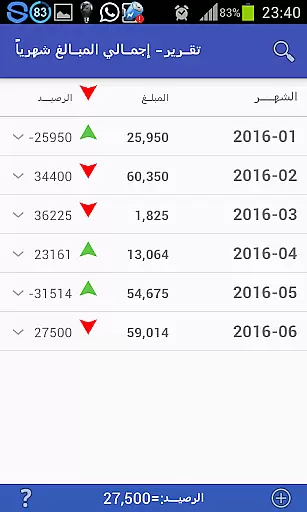



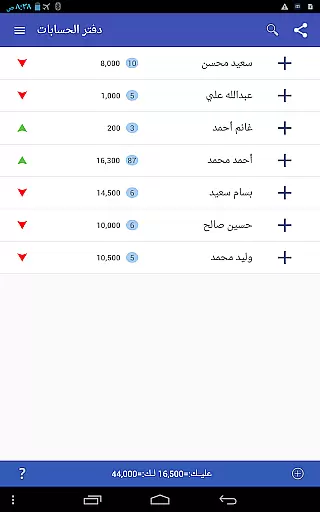
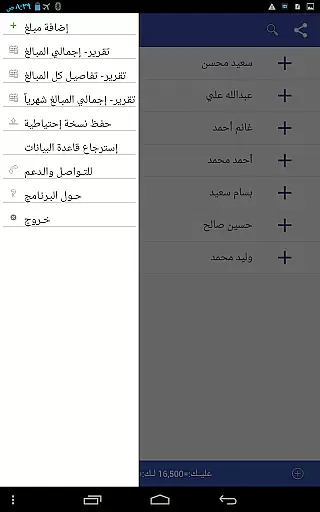






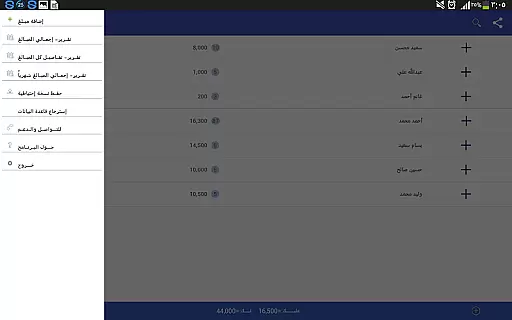
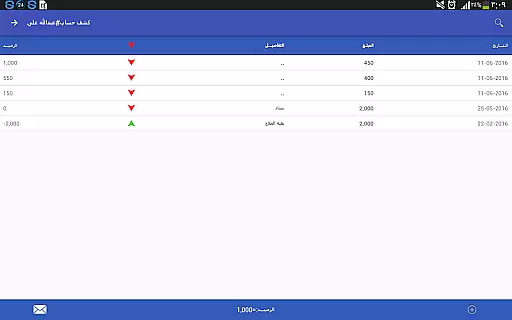
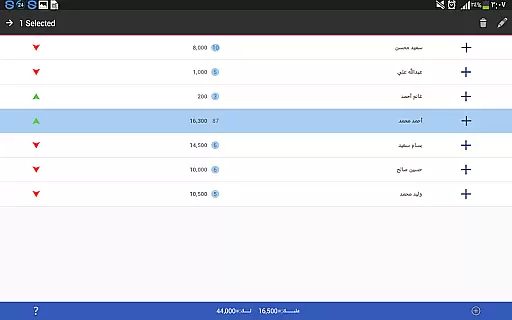
Pro Accounting Book is a comprehensive finance management application designed to simplify the process of recording and managing financial transactions. The app allows users to effortlessly track debts, credits, and aggregate accounts automatically. With its user-friendly interface, it provides an efficient way to manage personal or business finances.
Beyond basic accounting, Pro Accounting Book offers advanced features such as detailed reporting, account sharing via Bluetooth or social media, and powerful search and sorting capabilities. These tools are invaluable for users who need quick access to specific data or wish to analyze their financial status through various reports. Whether you're an individual looking to keep track of your expenses or a business owner needing organized financial records, this app delivers significant time savings and convenience.
The app's standout feature is its ability to close accounts by consolidating all transactions into a single entry with the final balance. This functionality, combined with options for database protection through backup and restore features, ensures that users can maintain secure and up-to-date financial records. Pro Accounting Book is particularly useful for those who require reliable financial tracking and reporting in a mobile format.
Pro Accounting Book stands out with its rich set of features tailored for efficient financial management. One of its key functionalities is the ability to record debts and credits, allowing users to input new entries easily or select from existing names. The automatic aggregation of accounts streamlines the process of maintaining accurate financial records without manual calculations.
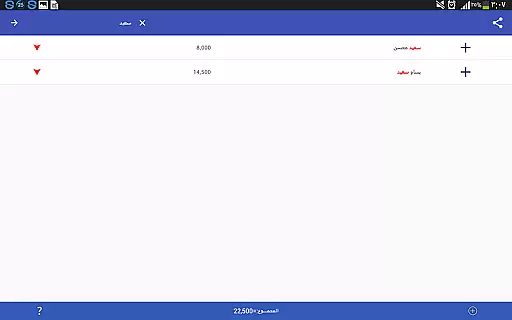
In addition to transaction recording, the app provides a suite of analytical reports that save both time and effort. Users can generate these reports to gain insights into their financial activities. The app also supports advanced search and ordering functions, enabling quick access to specific transactions by date, amount, or keyword. Furthermore, the database export/import feature ensures that users can safeguard their data and transfer it across devices seamlessly.
Another notable feature is the account closing function, which simplifies the consolidation of all transactions related to a specific entity into one final balance. This innovative approach helps maintain clean and organized records. With additional capabilities like data modification, deletion, and sorting, Pro Accounting Book empowers users to customize their experience fully while ensuring their financial data remains secure and accessible.
Account and fund security is a critical aspect of any financial application, ensuring that users' data and transactions are protected from unauthorized access. Pro Accounting Book takes this responsibility seriously by implementing robust security measures to safeguard your financial information.
The app provides database protection through backup options, allowing users to save a backup copy via Bluetooth, social networking programs, or email. This ensures that even if a device is lost or damaged, the financial data remains secure and can be restored on a new device using the 'Restore Database' feature.
Furthermore, the ability to delete or modify data through long clicks adds an extra layer of control for users over their sensitive information. By enabling users to manage their data effectively, Pro Accounting Book empowers them with both convenience and peace of mind regarding their financial records.
A seamless transaction experience is vital for maintaining accurate and up-to-date financial records. Pro Accounting Book excels in providing users with intuitive features that make recording transactions straightforward and efficient.
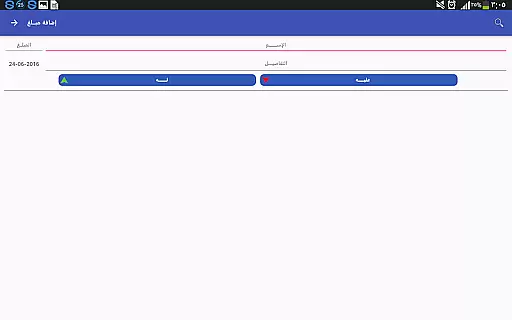
With functionalities such as adding amounts easily through the Add Process screen, specifying dates, and saving entries, users can effortlessly log their financial activities. The presence of edit and delete buttons upon clicking and holding an entry ensures that managing transactions is both flexible and user-friendly.
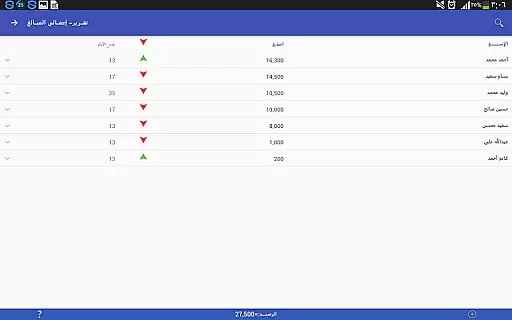
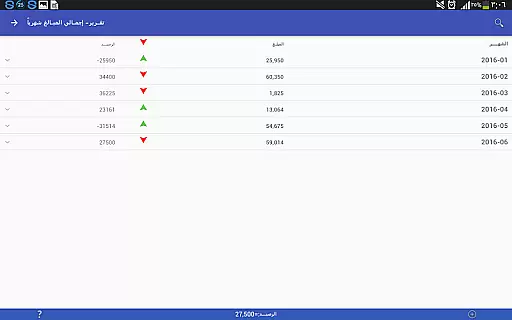
In addition to simplifying the input process, Pro Accounting Book offers advanced reporting tools that save time and effort. Users have quick access to aggregate accounts automatically completed by the app, along with analytical reports that provide valuable insights into their financial status without requiring manual calculations or analysis.
User-friendly interface
Comprehensive reporting tools
Secure data backup options
Efficient account management
Quick search and sort functions
Limited third-party integrations
No multi-currency support
Occasional syncing issues
Basic UI design
Requires manual updates

Companies owe you money.
 4.80
4.80
Bitcoin gpu app helps you remote mine using your cell phone easily .
3.60
Bill Manager is a simple app to help you keep track of your upcoming bills.
4.4
Need help before payday? Get cash advances with no interest or credit checks.
4.60
PayMe helps you claim money from settlements on companies that harmed you.
4.80
Check EBT, SNAP, WIC balances, manage food stamps, and save money with benefits
4.80
View BSC Transactions for multiple accounts
3.90
The US Debt Clock .org App gives you a Real-Time glimpse of US Financial Stats
4.60
Trade NFL, NBA, Crypto, Tech
4.50
Currency Converter supports all currencies of the world.
5.00
Currency Converter, Exchange Rates, Widgets
4.90
Easy budgeting planning on a calendar!
4.80
Money transfer made easy. Send money to friends and family with great rates.
4.70
Loan Calculator, Mortgage Calculator, Compound Interest Calculator
4.70
Navigate your unique financial path confidently with help from Credit Karma.
4.70
Save, spend & get paid faster²
4.50
Make Real Cash by Playing Games! Fetch Playful Rewards, Win & Triumph
4.50
Manage budget, save money, or file tax. Build, track & improve your credit score
4.40
Earn money as a tester with Testerup, get cash testing apps and games
4.20


User Reviews