
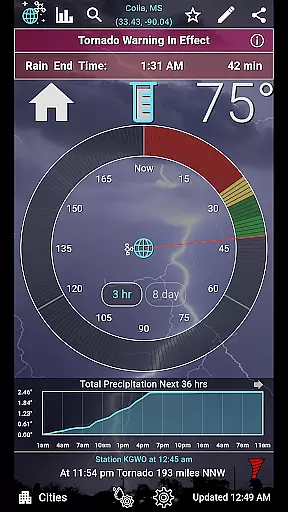
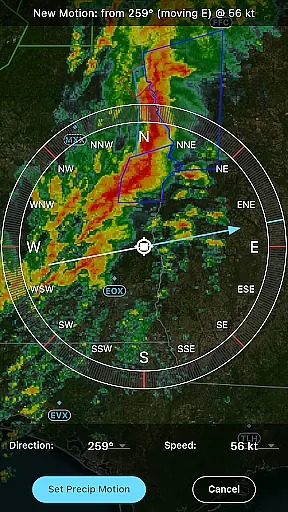
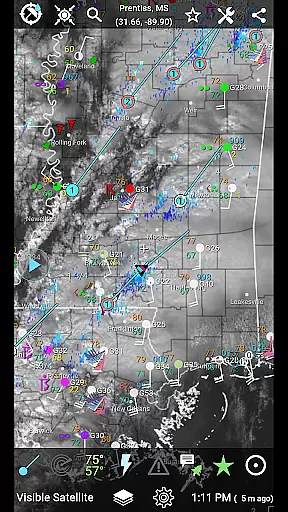
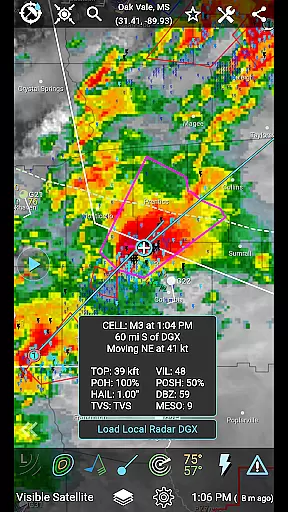
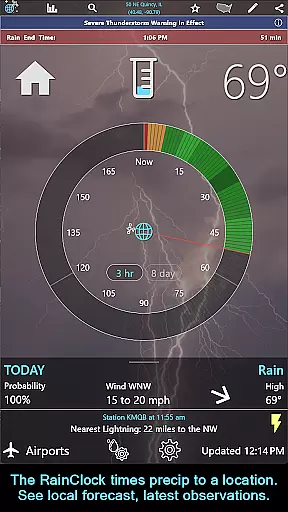
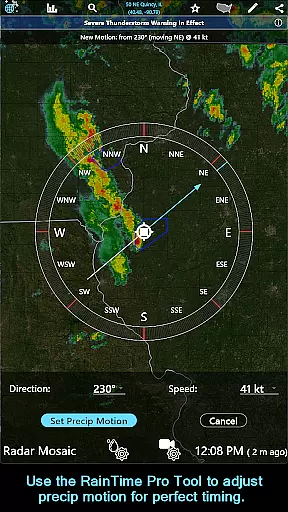
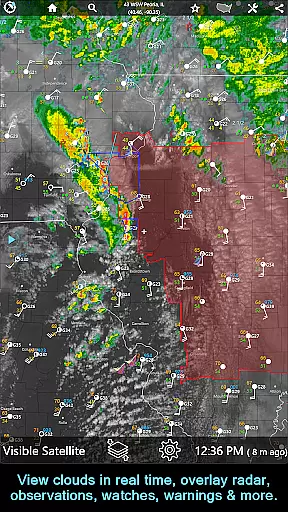
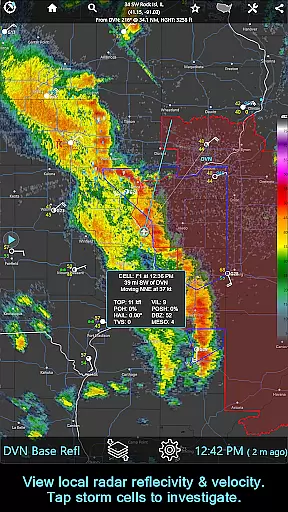
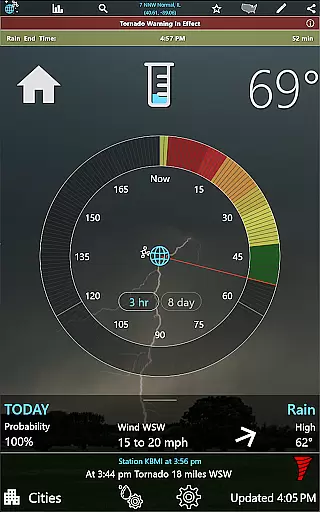
RainAware is a comprehensive weather application designed to provide users with detailed and localized weather information. The app's core functionality revolves around its ability to predict rain and other weather conditions specific to the user's location up to 3 hours in advance. This feature, known as the Rain Clock, gives precise timings for when precipitation will start and end, making it an invaluable tool for planning outdoor activities.
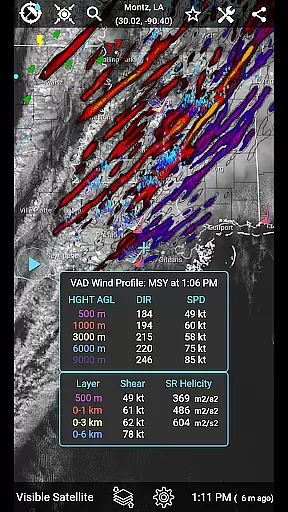
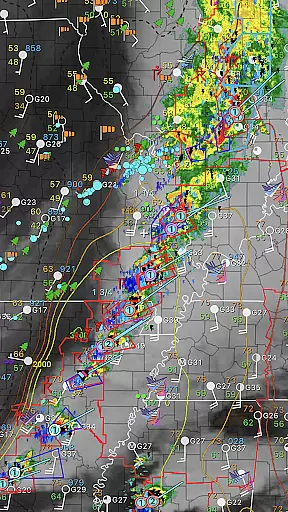
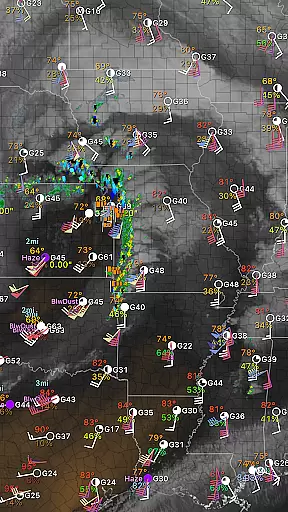
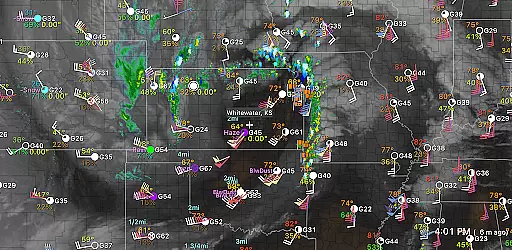
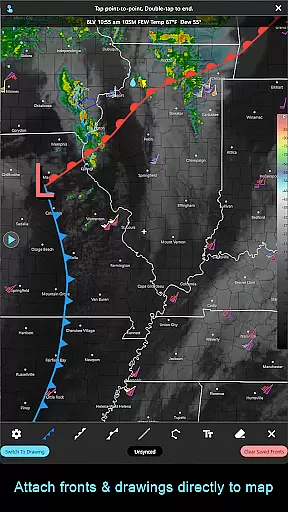
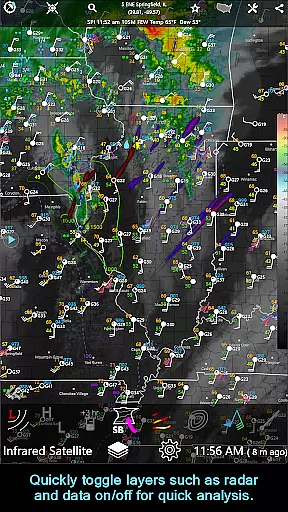
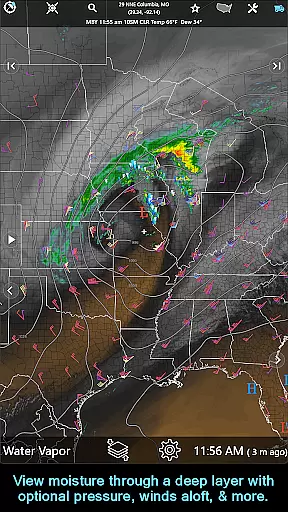
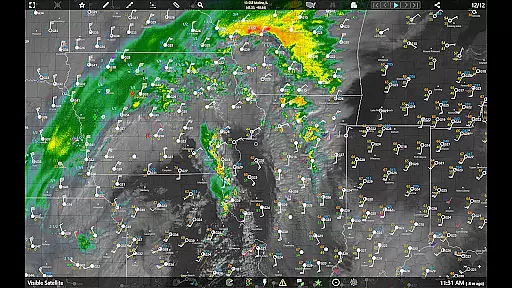
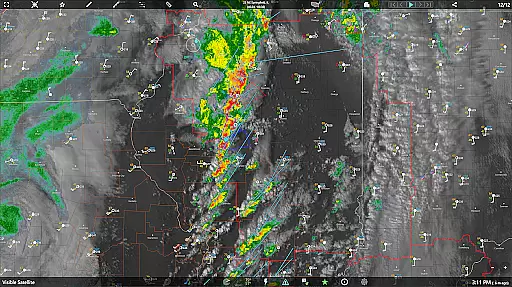
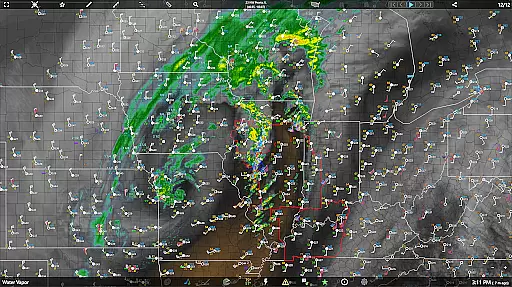
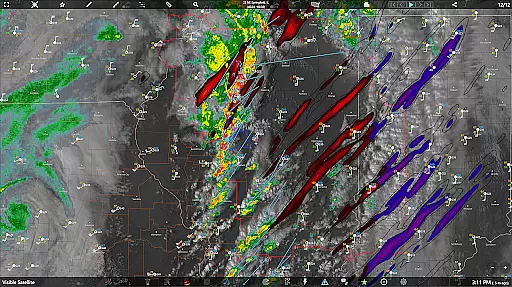
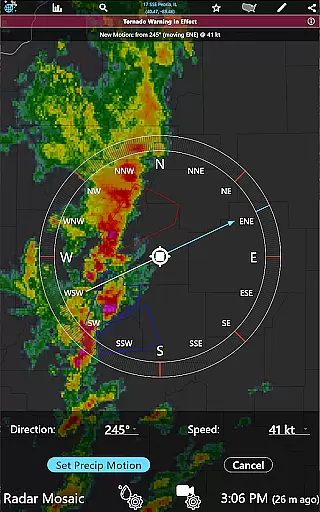
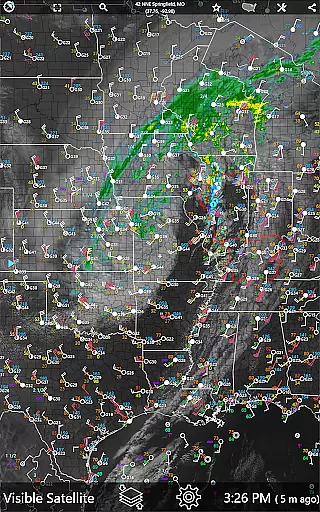
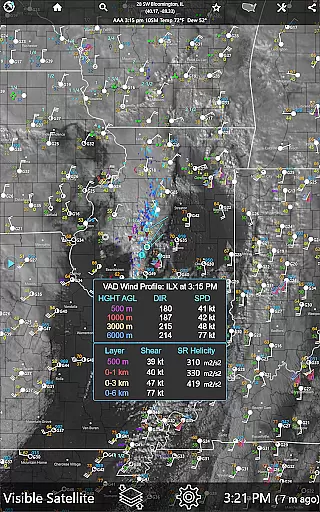
In addition to rain prediction, RainAware offers interactive graphs that display temperature, wind speed, cloud cover, and precipitation type over the next 36 hours. Users can customize their experience with notifications that alert them to incoming rain or severe weather, adjustable according to personal preferences such as duration and proximity. The app also includes advanced mapping features, including satellite imagery, radar, and overlays for surface observations, lightning, and storm tracks, providing a complete picture of current and forecasted weather patterns.
Whether you're a casual user looking to avoid getting caught in the rain or a professional needing detailed meteorological data, RainAware caters to both needs seamlessly. Its intuitive interface and robust feature set make it suitable for everyday use while offering the depth required by enthusiasts and professionals alike.
RainAware stands out due to its rich array of features tailored to meet diverse weather information needs. One of the standout functionalities is the Rain Clock, which provides users with accurate predictions of when rain will start and stop within a three-hour window. This feature is complemented by visually appealing background images that reflect the current weather conditions, enhancing the overall user experience.
The app also excels in delivering customizable notifications. Users can fine-tune these alerts based on various parameters like the duration of precipitation and proximity boundaries. For those interested in more granular data, interactive graphs offer insights into temperature trends, wind speeds, cloud coverage, and precipitation types over the next 36 hours. Additionally, Weather Badges appear outside the Rain Clock to highlight significant changes in weather conditions, ensuring users are always informed about notable shifts.
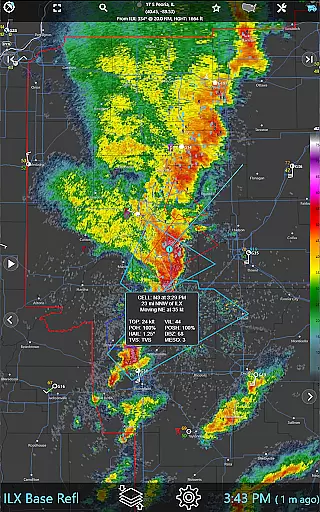
Advanced mapping tools further enhance RainAware's capabilities. Users can explore regional satellite and radar imagery, adjust views using pan and zoom controls, and utilize drawing tools to annotate maps. These features are particularly useful for analyzing storm movements and understanding broader weather patterns. With options like the Forecast Clock showing eight days of weather in a concise format and Site Lists providing quick access to weather details at specific locations, RainAware proves itself as a versatile and powerful weather companion.
When it comes to weather applications, forecast accuracy and data credibility are paramount. RainAware sets a high standard in this aspect by providing users with precise precipitation timing and detailed weather information up to 3 hours in advance. The app's Rain Clock feature is designed to give you clear notifications about when rain will start and end at your specific location.
The application employs advanced meteorological data sources and algorithms to ensure the reliability of its forecasts. Users can trust the accuracy of interactive graphs that display temperature, wind speed, cloud cover, and precipitation types for the next 36 hours. This level of detail empowers individuals to make informed decisions based on credible weather predictions.
Moreover, RainAware enhances user experience by offering configurable Weather Badges that appear only during significant or rapid changes in precipitation, temperature, or wind. These badges serve as visual cues for noteworthy weather events, ensuring that users are always aware of important conditions affecting their area.
RainAware excels in providing a comprehensive temporal and spatial forecast range, which is crucial for planning and safety. The app offers an extensive view of weather patterns over a large regional domain, allowing users to move the domain to any location and view relevant weather maps. This flexibility ensures that whether you're at home or traveling, accurate weather information is always accessible.
In addition to its wide spatial coverage, RainAware provides detailed forecasts extending up to 8 days through its Forecast Clock feature. This tool concisely presents daily weather in a Today/Tonight format, including essential details like sunrise, sunset, and moon phase. Such long-range forecasting helps users prepare for upcoming weather changes effectively.
For those requiring even more detailed analysis, the subscription version unlocks national radar products, storm cell tracking, and environmental fields. These advanced features extend the temporal and spatial range further, offering insights into echo tops, hail swaths, rotation tracks, and more. With these capabilities, RainAware stands out as a robust solution for both casual users and weather enthusiasts seeking reliable extended forecasts.
User-friendly interface
Accurate rain prediction
Customizable notifications
Comprehensive weather data
Interactive mapping tools
Subscription required for full features
Limited free version capabilities
Occasional data delays
Complexity may overwhelm beginners
Regional focus may limit global appeal

Local weather forecast, reliable daily weather report
 4.30
4.30
Accurate weather forecast, daily weather changes are easy to grasp
4.90
The reliable and trusted global air quality, wildfire, pollen, PM2.5 forecast
4.70
Road weather, live radar, wind, snow, and conditions along your driving route.
4.70
No ads, No data collected. Beautiful and powerfully customizable weather app
4.90
Storm Radar, Alerts & Live Weather Forecasts Right on Your Home Screen
3.70
Local Weather provides accurate and current hourly and daily forecasts.
4.80
3D Animation Weather Icon
4.00
My Aurora Forecast Pro is the app for the Northern Lights and Aurora Borealis.
4.70
Live Weather Forecast app with acu weather radar, weather alert & weather widget
4.80
Weather - Local weather forecast, weather daily & hourly, weather radar
4.80
Powerful US and worldwide earthquake feed with earthquake alerts and maps.
4.70
Local forecast, alerts, rain, snow and wind radar, air quality & weather widget
4.60
Accurate Thermometer: indoor & outdoor temperature, humidity, pressure, and wind
4.50
Accurate, beautiful weather with landscapes depicting weather, sky, season.
4.50
Your Trusted Weather Companion
4.40
Live weather radar, widgets & forecasts. Track rain, storms & temperature.
4.20
Know the weather earlier.
3.90
A powerful weather forecast to get real-time weather information
3.60


User Reviews