
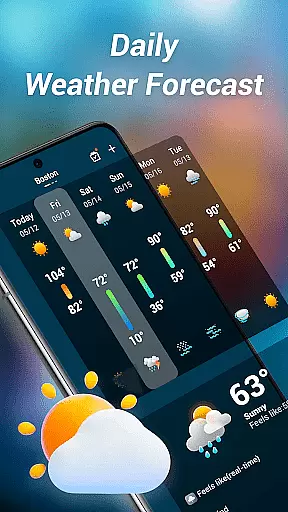
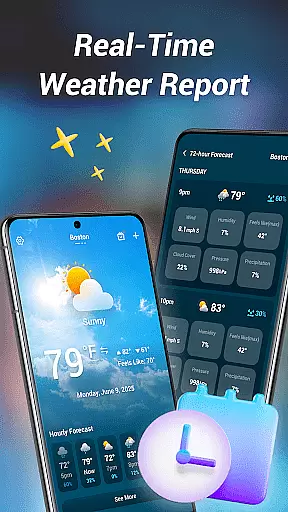
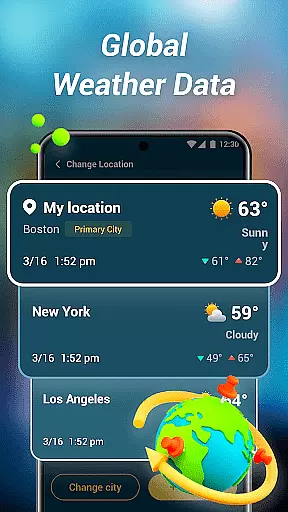
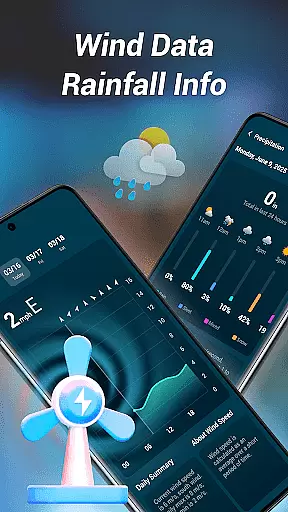

Weather Mate is a comprehensive weather application designed to keep users informed about current and forecasted weather conditions. The app provides real-time updates, ensuring you always have the latest information at your fingertips. With global coverage, it delivers detailed weather data for cities worldwide, making it an essential tool for travelers and locals alike.
The app goes beyond basic forecasts by offering extended outlooks and hourly breakdowns, including precipitation chances. This helps users plan their days with confidence. Additionally, Weather Mate offers practical advice such as dressing suggestions and important indices like UV levels and air quality ratings, enhancing both convenience and safety in daily activities.
Weather Mate stands out with its robust feature set tailored to meet diverse user needs. Its real-time forecasting system constantly updates to provide the most accurate and current weather conditions. The global city coverage ensures that no matter where you are, reliable weather data is accessible, spanning from local neighborhoods to international destinations.
One of the standout features is the extended and hourly forecasts, which allow users to plan up to several days in advance or hour by hour. These forecasts include detailed breakdowns of precipitation chances, temperature fluctuations, and more. Furthermore, the app provides practical weather advice, helping users make informed decisions about their attire and activities while considering factors like UV index and air quality.
Weather Mate delivers precise and reliable weather forecasts, ensuring users can trust the information for their daily planning. The app sources data from reputable meteorological services, providing real-time updates that are consistently monitored for accuracy.
Through its global city coverage, Weather Mate offers detailed insights into current conditions, extended outlooks, and hourly breakdowns. This meticulous attention to detail helps users prepare effectively for any weather scenario they may encounter.
By integrating practical advice such as UV Index and air quality alerts, the app not only predicts weather patterns but also advises on safety measures. These features make Weather Mate an indispensable tool for maintaining personal well-being while outdoors.
One of Weather Mate's standout features is its ability to provide both temporal and spatial forecast ranges. Users can access multi-day outlooks alongside precise hourly forecasts, allowing them to plan activities with confidence regardless of location.
The app covers thousands of cities worldwide, delivering localized predictions tailored to specific geographic areas. Whether traveling abroad or managing day-to-day tasks at home, this comprehensive coverage ensures you're never caught off guard by changing weather conditions.
Additionally, the inclusion of precipitation chances in hourly breakdowns adds another layer of preparedness. With these tools, Weather Mate empowers users to make informed decisions about their schedules while staying safe and comfortable under all circumstances.
User-friendly interface
Accurate real-time data
Global city coverage
Detailed forecasts
Practical advice included
Limited customization options
Occasional update delays
Ads in free version
Advanced features locked
High battery usage

Accurate weather forecast and beautiful weather & clock widgets
 4.20
4.20
Ultimate weather forecast + moon phase for Wear OS 5+ (Pixel, Galaxy, et al.)
4.70
Ultimate Lunar Calendar for 2021!
4.80
Weather - Local weather forecast, weather daily & hourly, weather radar
4.80
Know the weather earlier.
3.90
Weather radar, hyperlocal tracker and weather maps: follow your weather station
4.80
The moon phases app for tracking the lunar calendar, blue moon and full moon.
4.80
NOAA forecast & radar for your exact location.
4.80
Live NOAA weather app to track storm, rain, wind, lightning & real local updates
4.20
Local weather forecast app, your personal 7*24 local weather forecast assistant.
4.90
My Tide Times Pro is the only tide tables and forecasts application you'll need.
4.80
Powerful US and worldwide earthquake feed with earthquake alerts and maps.
4.70
Your ultimate app for accurate local weather information!
4.60
Room Temperature Thermometer meter shows indoor, outdoor temperature, humidity.
4.40
Weather watch face for Wear OS 5
4.40
All-in-one weather radar launcher with rain, temperature maps & local forecast.
4.30
Analog Weather Watch Face for Wear OS 5+
4.10
3D Animation Weather Icon
4.00
Quickly check the Hanalei river gauge height during heavy rains on Kaua'i.
4.3


User Reviews