
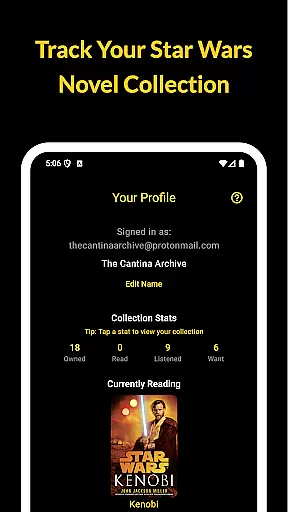
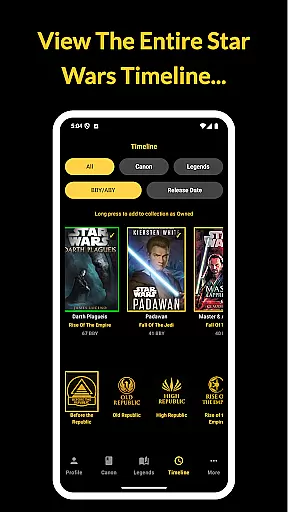
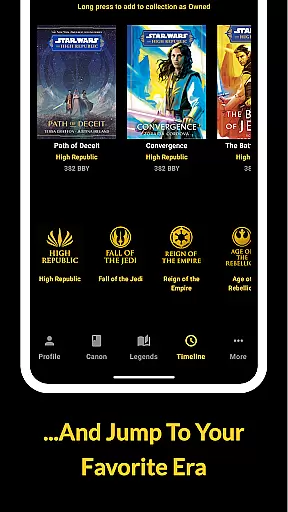
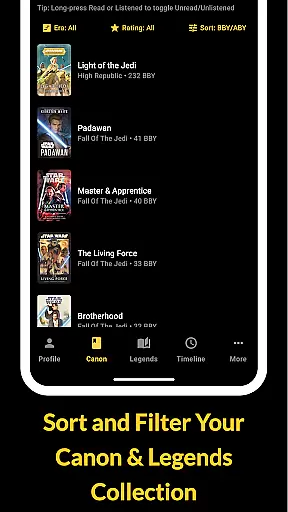
The Cantina Archive is a comprehensive tool for Star Wars book enthusiasts, designed to help you organize and track your collection. This fan-built app allows users to manage books across Canon and Legends timelines, offering multiple sorting options such as BBY/ABY chronological order and release dates.
With its robust tracking system, readers can mark books as owned, read, or wishlist items while monitoring their current reading progress. The app's Firebase synchronization ensures your collection is securely backed up and accessible across devices, making it an essential companion for dedicated Star Wars literature fans.
The Cantina Archive offers several key features that enhance the Star Wars book collecting experience. Its timeline view lets users explore books in both chronological and release date order, providing valuable context for their reading journey.
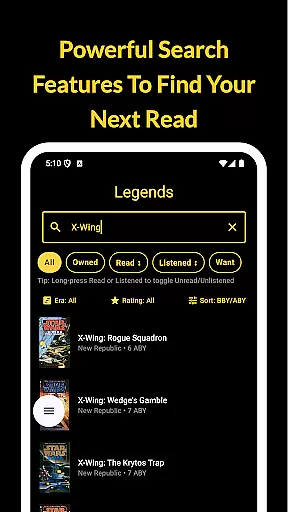
The app's powerful browse and search functionality supports title, author, and ISBN lookups, while its collection tracking system lets readers maintain detailed status for each book. Integration with Firebase enables secure cross-device syncing, and the new releases section keeps users informed about upcoming titles without any ads or personal tracking.
The Cantina Archive offers an extensive collection of Star Wars books, allowing fans to track their reading journey through the vast galaxy of stories. This app includes titles from both Canon and Legends timelines, ensuring a comprehensive selection that caters to all enthusiasts.
Each book is meticulously organized by era, timeline (BBY/ABY), or release date, providing users with authentic and accurate information about each title. The app's dedication to detail ensures that every entry is verified, offering peace of mind regarding copyright authenticity.
With features like search by title, author, or ISBN, readers can easily manage their collections and discover new reads. This level of organization not only enhances user experience but also guarantees access to a legitimate and expansive e-book library.
The Cantina Archive excels in format compatibility, supporting various methods for users to explore and manage their Star Wars book collections. Whether you're searching by title, author, or ISBN, the app provides seamless integration and accessibility.
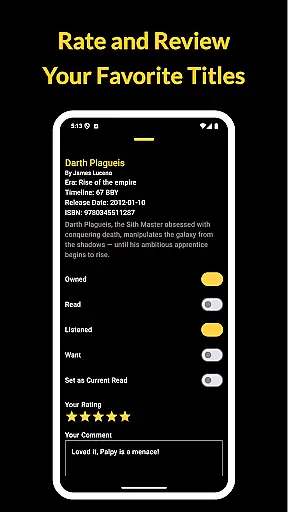
Users can toggle titles as Owned, Read, Listened, or Want to Read, making it easy to keep track of their progress. Additionally, the Currently Reading feature highlights one title at a time, allowing users to monitor their ongoing adventures in the Star Wars universe.
Syncing with Firebase ensures that your collection is securely backed up and accessible across multiple devices. This cross-device synchronization supports different formats and maintains data integrity, enhancing the overall user experience without ads or personal tracking.
User-friendly interface
Comprehensive timeline view
Secure cross-device sync
Ad-free experience
Active community support
Limited to Star Wars books
No audiobook integration
Occasional sync delays
Basic visual design
Requires manual entry

The Original Tropical Freshwater Aquarium Fish And Plant Care Guide
 4.80
4.80
Powerful Bible study tools linked to every verse in an easy-to-use Bible reader!
4.60
CleverBook Pro makes the popular guide for the game even better!
4.00
Offline translator from english to spanish, and from spanish to english.
4.50
Enjoy your favorite books
3.50
Universal Zoom, learn about sizes & distances of the universe and microcosmos
4.80
"Do you like green eggs and ham?"
4.70
Daily Devotional Widgets & Hourly Verses. Listen to Bible & Watch Holy Stories
4.70
Calculate, Knowledge, Homework
4.40
My Bible offers a comprehensive app by providing offline access, daily verses.
4.80
Find, discuss, and organize your world of books and shows.
4.60
Words spoken by native English speakers and full definitions.
4.60
Research your family history to explore ancestors and search for your heritage
4.50
The ultimate military vehicle identification (Equipment ID) guide.
4.40
Mirror Bible - eye-opening paraphrase translation of the NT by Francois du Toit
4.30
Read the romance stories on the go. Take my breath away, The Spoiled Girl
4.30
Read Trending Romance Stories
4.00
Guide for dōTERRA® Products
3.60
The Psalms for singing
4.3


User Reviews