
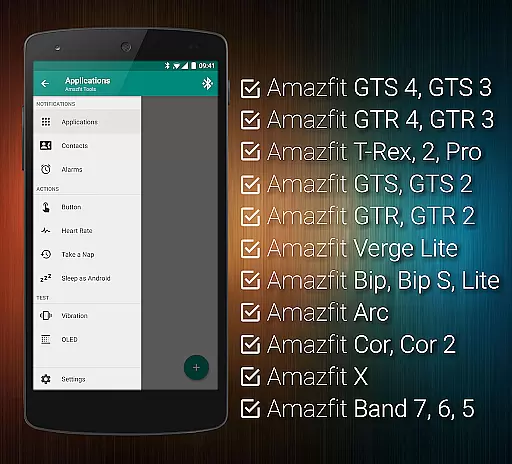
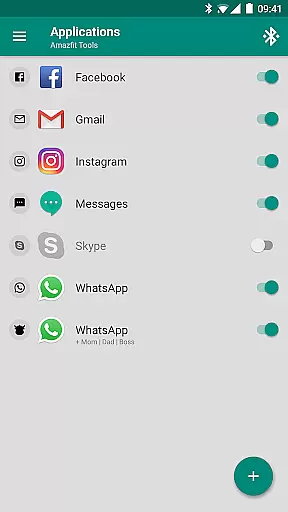
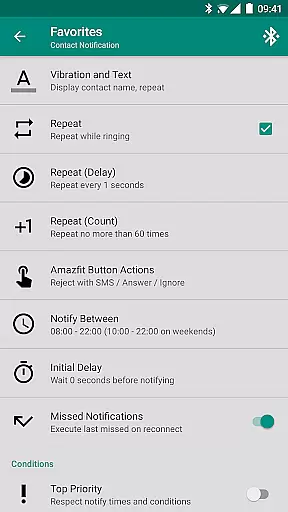
Tools & Amazfit is a comprehensive utility application designed to maximize the functionality of your Amazfit smart bracelet. This app allows users to set up personalized notifications for calls and apps, including custom vibration patterns and content filters. With features like Button Control, Power Nap, and integration with Sleep as Android, it offers advanced customization options that go beyond the standard Zepp / Mi Fit app.
The application supports a wide range of Amazfit devices and works seamlessly on all Android versions from 4.3 to 13+. Whether you want to fine-tune your notification settings, monitor heart rate continuously, or use your smart bracelet as a multifunctional tool, Tools & Amazfit provides the necessary features to enhance your wearable experience.
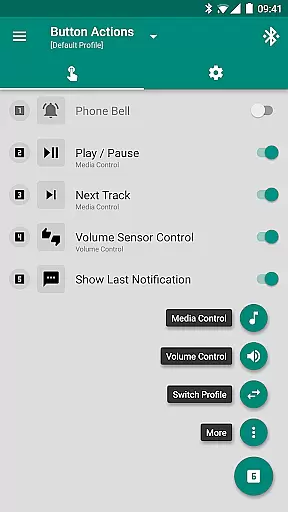
Tools & Amazfit boasts an impressive array of features tailored for Amazfit smart bracelet users. The Display Text Support allows you to see full caller contact names and notification contents directly on your device. Button Control & Sensor Control enable you to assign specific actions to button presses or hand movements, offering unparalleled convenience.
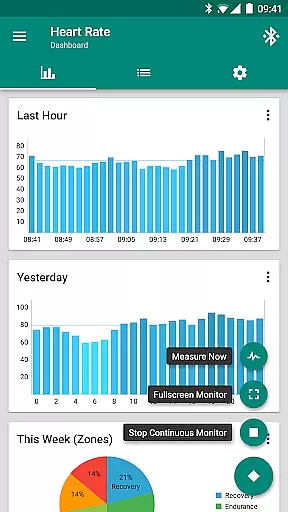
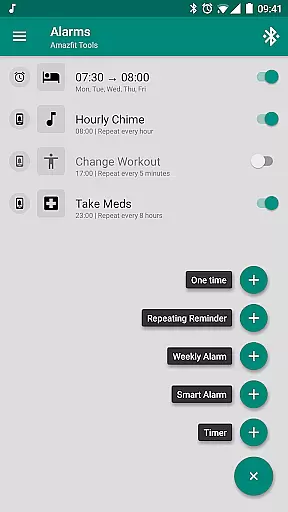
One standout feature is the Button Control Profiles, which lets you create a virtual menu to perform various custom actions such as controlling music, volume, and phone vibrations. Additionally, the app includes Continuous heart rate monitoring, Alarm notifications with safety sound backup, and Custom repeating notifications for reminders. These functionalities ensure that you stay connected, healthy, and productive throughout your day.
Personalized planning in health and fitness applications refers to the ability to tailor workout and wellness routines specifically to individual user needs. Amazfit Tools excels in this area by offering features such as continuous heart rate monitoring, customizable notifications for various activities, and personalized reminders for workouts or health tasks.
The application allows users to configure custom patterns for each notification, ensuring that every alert is meaningful and relevant to their daily routines. For instance, users can set up hourly chimes, workout reminders, or medication alerts tailored to their specific schedules and requirements.
By integrating with other health apps like Sleep as Android and providing advanced settings for idle alerts and power naps, Amazfit Tools ensures that users receive timely prompts that align with their personal health goals. This level of customization not only enhances user engagement but also promotes adherence to fitness plans.
Ultimately, the personalized planning feature empowers users to take control of their health journey by delivering timely, relevant, and actionable insights, thus maximizing the effectiveness of their fitness strategies.
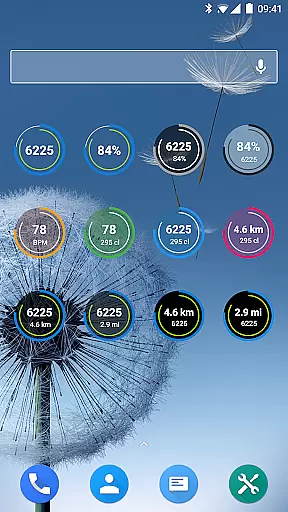
Progress visualization is a critical component of any fitness app, allowing users to track their achievements and stay motivated. Amazfit Tools offers comprehensive progress visualization through its fully customizable widgets and detailed dashboard charts.
Users can monitor their daily fitness goal progress, view their heart rate trends, and keep an eye on their bracelet battery life directly from their smart bracelet's display. These widgets provide at-a-glance information, making it easier for users to stay updated on their health metrics without needing to dive deep into menus.
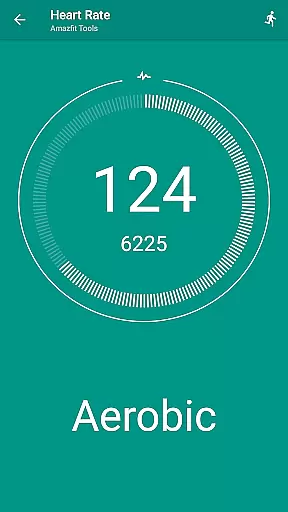
In addition to visual widgets, the app supports configurable heart rate dashboard charts, which offer deeper insights into oneu2019s cardiovascular health over time. By presenting data in an easily digestible format, users can identify patterns, track improvements, and make informed decisions about their fitness routines.
This robust progress visualization not only helps users celebrate their milestones but also encourages continued effort towards their health objectives, fostering long-term engagement and success.
User-friendly interface
Highly customizable
Wide device compatibility
Advanced health monitoring
Comprehensive notification system
Premium features require payment
Complex setup process
Limited iOS support
Occasional bugs reported
Requires additional permissions

The simplest way to track your 21 Day Program containers, exercises, and water.
 4.50
4.50
The Wear OS BeechBand app is designed to alleviate anxiety and other conditions
4.4
Binaural Beats - Fully Customizable Waves - Pure Sound - No Loops
4.50
Load the bar with this barbell & plate calculator. It's leg day, not brain day!
4.70
Pupillary distance PD with camera quick and easy, checking glasses frames on you
3.70
Find Paid Clinical Trials In Your Area
3.70
Point, scan, and unlock truth in every bite.
4.50
Mood journal, habits, self-care tracker, self-love
4.90
Comprehensively record and manage your health
4.50
Beauty Care, Makeup & Skin Care Scanner | Pregnancy App For A Mom | Healthy Baby
5.00
App to stop smoking slowly or now with a motivational badges and helpful tips
4.80
Relax. Sleep Better. Feel Better.
4.50
Grow with self-tests and personal routine.
4.30
Walk, track, and burn calories with step counter & GPS walking tracker
4.20
Looking to take control of your health? Our psychology-based programs can help.
4.10
Control your sleep in real-time wearing Garmin device
3.60
HRV4Training helps you optimize goals and improve performance. No sensors needed
3.30
Your plan in your pocket 24/7
3.00
The Sleep Miracle Sound Machine: Soothes baby to sleep with a gentle "Shhh"
3.00


User Reviews