
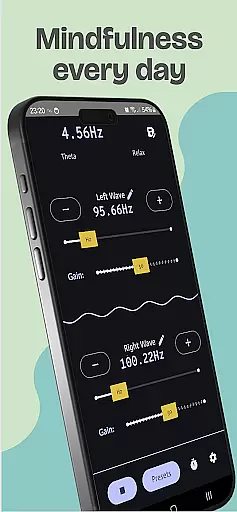
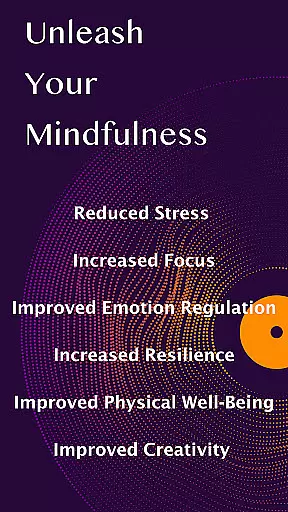
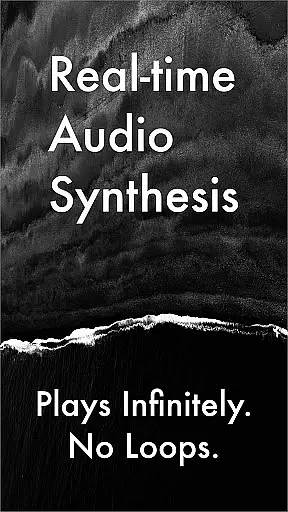
Brain Waves Pro Binaural Beats is a specialized app designed for health and wellness enthusiasts who seek to improve their mental state through sound therapy. The app generates pure binaural beats that can stimulate concentration, meditation, and relaxation. By using two independent oscillators, users can create and save personalized frequencies with precision adjustments. These sounds are produced in real-time, ensuring uninterrupted playback tailored to the user's needs.
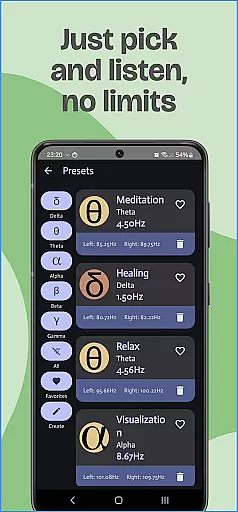
The application offers various wave types including Theta for meditation and memory, Delta for healing and deep sleep, Alpha for relaxation and creativity, Gamma for higher learning and focus, and Beta for alertness and cognition. Each type targets different mental states, providing a comprehensive toolset for personal development and stress management.
For optimal results, it is recommended to use headphones while engaging with Brain Waves Pro. This ensures an immersive experience where the subtle differences in frequency between each ear create the desired binaural beat effect. Whether you're looking to enhance your study sessions, meditate effectively, or simply relax after a long day, this app provides the necessary tools to achieve those goals.
One of the standout features of Brain Waves Pro Binaural Beats is its ability to generate real-time binaural beats without any pre-recorded loops. This allows for a seamless auditory experience that can be customized to individual preferences. Users have the flexibility to adjust frequencies using two horizontal bars, fine-tune with buttons, or directly input values up to two decimal points, giving them complete control over their sound therapy sessions.
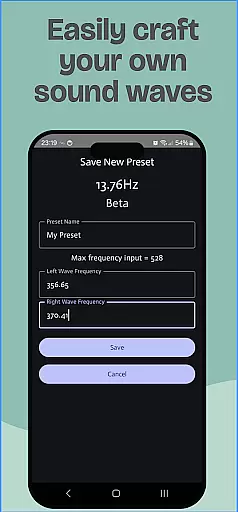
In addition to customizable frequencies, the app includes several practical functionalities such as saving presets, running in the background, and setting timers. Presets allow users to save their favorite settings for quick access later, while the background mode lets the app continue playing even when multitasking on your device. The timer feature automatically shuts down the app after a specified duration, perfect for winding down before sleep.
Furthermore, the app supports multiple wave types targeting different mental states, enhancing its versatility. From aiding meditation and improving memory to promoting deep sleep and reducing stress, Brain Waves Pro covers a wide range of applications within the health and fitness domain. Its user-friendly interface and robust feature set make it an invaluable tool for anyone interested in exploring the benefits of binaural beats.
Personalized planning in Brain Waves Pro Binaural Beats allows users to tailor their auditory experience to specific needs such as meditation, concentration, or relaxation. The app provides a variety of wave types including Theta, Delta, Alpha, Gamma, and Beta, each associated with different mental states.
Users can generate and save their own frequencies using two independent oscillators, offering fine control over the listening experience. This customization extends to setting exact frequency values down to two decimal points, ensuring precision in crafting personalized soundscapes.
The benefit of this personalized approach is the ability to stimulate desired brainwave activity effectively. Whether seeking enhanced focus for studying or deep relaxation for sleep, users can create binaural beats that cater specifically to their goals.
This feature underscores the app's commitment to delivering a customizable tool for mental wellness, empowering users to take an active role in managing their cognitive states through tailored sound therapy.
Progress visualization within Brain Waves Pro Binaural Beats involves tracking and displaying user interactions and achievements within the app. While the app does not provide traditional progress charts, it emphasizes the creation and management of personalized sound profiles as a form of progress.
By saving presets, users can visualize their journey through various mental states by revisiting previous configurations. Each saved preset represents a milestone in the user's exploration of binaural beats, serving as a reference point for future sessions.
Additionally, features like the timer function allow users to set session durations, indirectly visualizing progress by measuring time spent engaging with the app for mental wellness activities. This fosters a sense of accomplishment and encourages continued use.
Overall, while the app may lack conventional progress metrics, its emphasis on personalization and session management offers a unique form of progress visualization centered around individual growth and mental state optimization.
User-friendly interface
Real-time audio synthesis
Customizable frequencies
Multiple wave types
Background operation
Requires headphones
No high volume support
Complex for beginners
Limited free features
Device compatibility issues

Transform your body and soul with DBFFitness, with a 40-day fitness journey.
 4.2
4.2
Sync your activities of the most popular sports tracking services
2.70
a fun app full of surprises :)
4.70
Enjoy the Gluten Free living with the best app. SCAN the barcodes & SEARCH.
3.60
Interval timer for High Intensity Interval Training, Tabata and Circuit Training
4.20
Relax. Sleep Better. Feel Better.
4.50
Find Paid Clinical Trials In Your Area
3.70
Focus on BP & Health
3.80
Pedometer that gives you sweatcoins for steps. It pays to walk!
4.10
Home workouts for fitness & fast bodybuilding at home - no equipment needed.
4.90
sobriety counter app to help and motivate people to stop drinking alcohol.
4.90
Easy reconstitution calc for mixing peptides and creating protocols
4.70
Load the bar with this barbell & plate calculator. It's leg day, not brain day!
4.70
Build Healthy Habits!
4.60
Your AI pet BFF. Talk, play, and beat anxiety in this calming game.
4.60
Point, scan, and unlock truth in every bite.
4.50
Turn your steps into cash, gift cards & rewards with our step counting pedometer
3.80
Dexcom G7 Continuous Glucose Monitoring
3.70
GloryFit is a companion app for the smart bracelet.
3.60


User Reviews