
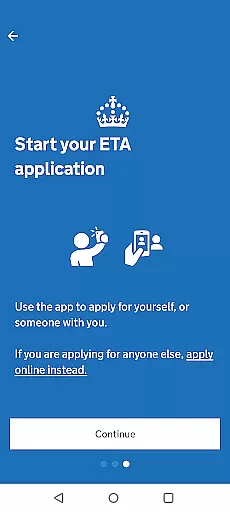
The UK ETA app provides a streamlined digital solution for travelers needing an Electronic Travel Authorisation to enter the United Kingdom. This innovative application simplifies the process by allowing users to complete their ETA application directly from their Android device.
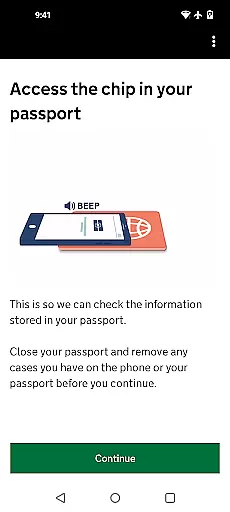
Key features include passport scanning through NFC technology, facial recognition, and in-app payment processing. The entire application process can be completed in approximately 10 minutes, making it an efficient alternative to traditional paper-based authorization methods.
Designed for global travelers, this app is particularly beneficial for those with time-sensitive travel needs, as it offers expedited processing with most decisions returned within three working days. The secure platform ensures that no personal data remains stored on the device after use.
The UK ETA app incorporates several advanced technological features to enhance the application experience. Its most notable capability is the integrated NFC scanner, which securely reads and verifies chip-enabled passports.
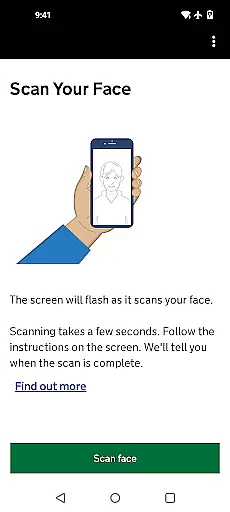
Additional features include biometric facial recognition technology, automatic document verification, and real-time application status updates. The app's sophisticated security protocols ensure all transmitted data is encrypted and protected during the application process.
Users benefit from the app's intuitive interface, which guides them through each step of the application process. The system automatically validates entered information and provides instant feedback, significantly reducing the likelihood of application errors or delays.
When using the UK ETA app to apply for an electronic travel authorisation, ensuring booking authenticity is of utmost importance. This app provides a secure and reliable platform where users can trust that their application process is authentic and recognized by UK authorities.
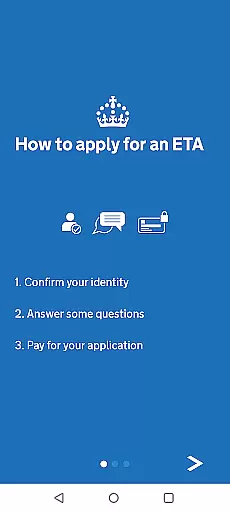
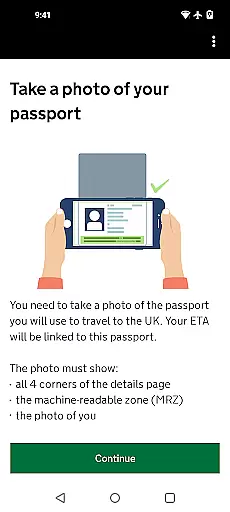
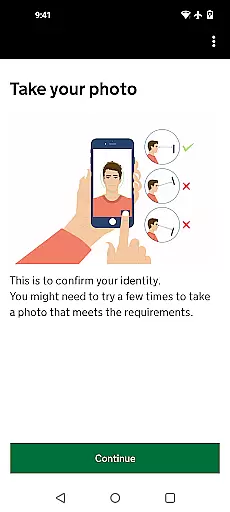
The app facilitates a straightforward application process which includes capturing a photo of your passport, scanning the passport's chip, facial scanning, answering personal questions, and making a payment. Each step is designed to verify and authenticate the user's identity and documentation, thus guaranteeing the legitimacy of the ETA booking.
Users benefit from clear instructions and secure handling of their data, ensuring that their travel authorization is processed without unnecessary complications. The digital verification minimizes the chances of errors or fraudulent applications, providing peace of mind that the travel authorization is legitimate and officially endorsed.
Price transparency in the UK ETA app ensures that users are fully aware of the costs involved when applying for an electronic travel authorisation. Before starting the application process, the app makes it clear what fees will be incurred, allowing users to prepare accordingly.
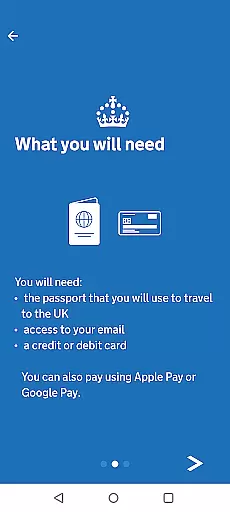
The app outlines the need for a credit card, debit card, or Apple Pay to complete the transaction. By specifying these payment methods upfront, applicants can ensure they have the necessary means to pay, avoiding any unexpected surprises during the application process.
This transparency not only builds trust with users but also simplifies budgeting for travel. With no hidden fees and a detailed explanation of where the payment is directed, applicants can feel confident about the financial aspect of their ETA application, knowing exactly what they are paying for and why.
Fast application processing
Secure data handling
User-friendly interface
Mobile convenience
Real-time validation
Android 12+ required
NFC hardware needed
Limited to eligible travelers
No web version available
Occasional processing delays

Navigate your world faster and easier with voice navigation & street view map
 4.20
4.20
The Official Freedom Trail Foundation app.
4.30
A Camino de Santiago Guidebook from St. Jean Pied de Port to Santiago
3.60
A tool for outdoor activities.
4.30
Save on gas and convenience with the earnify™ App
4.70
Find your perfect somewhere with last minute hotel & travel deals!
4.80
Travel and Book 8,000+ Hotels Worldwide with the Marriott Bonvoy™ app.
4.90
Now you can book homes, experiences, and services—all in our redesigned app.
4.40
Examine the planet
3.80
One app, 300,000+ travel experiences, tours, and tickets you’ll remember.
4.90
Manage your travel on Delta with access to boarding passes, flight info & more.
4.80
Book your whole trip in one app.
4.80
Get all MTA services, Subway, Bus, LIRR, Metro-North and More all in one place.
4.60
Take JetBlue everywhere you go! Book, manage and check in for your trips & more.
4.60
Iowa 511 is the Iowa Department of Transportation's traveler information app.
3.80
Everything you need for your trip in one place with the Volaris app.
3.60
Get Moving Made Easier® with the official U-Haul® Moving & Storage app.
3.40
OFFLINE detailed information about the Florida National and State Parks
4.5
The #1 Parent App in Brevard County
4.5


User Reviews